The One UI 8.5 update brings a really useful feature that you'll wish your phone had, unless you own a OnePlus
You no longer need to record the entire screen if you don't need to.
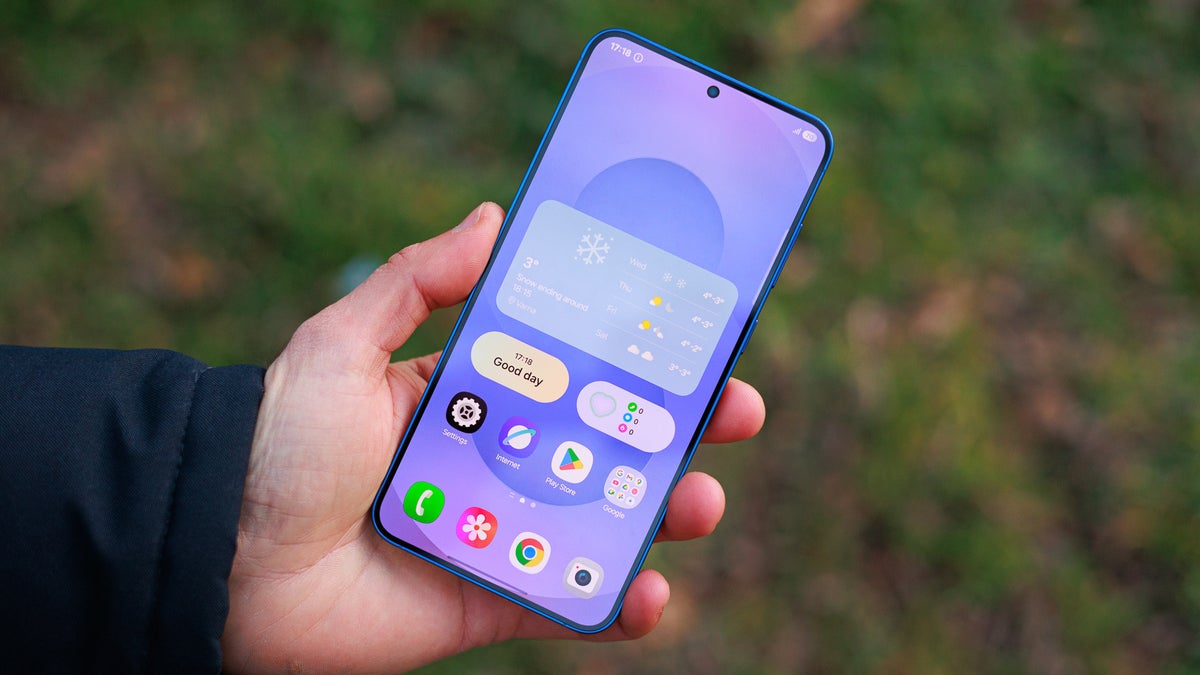
One UI 8.5 is Samsung's upcoming software update, which will be rolled out later this month. Currently, it's in the beta phase, and its fourth iteration was released recently with small tweaks and fixes. It also brings an interesting partial screen recording feature, which I think could be really helpful for users who regularly find themselves recording on-screen content.
Usually, when you hit the screen record button on any smartphone, it starts recording the entire content on the screen. If only a particular part of the recording is useful to you, you end up using a video editing application to crop that part. While this whole process is easy, it's time-consuming.
Last year, I made the switch from OnePlus 12 to Pixel 10. While I definitely experienced a big performance jump in all areas, I'm really missing the partial screen recording feature that my OnePlus device supported. Yes, you read that right. Samsung isn't the first manufacturer to introduce a feature like this to its phones. OnePlus introduced this ability with Oxygen OS 15, and that's the reason why the title of the story says, "unless you own a OnePlus."
Record only what you want
To address this, Samsung has introduced a new partial screen recording feature in the One UI 8.5 update. It allows you to record only part of the screen instead of the entire screen.
When you tap the Screen Record option on your Galaxy device, you'll see two options: Full screen and Partial screen. As you'd expect, choosing the first option will record the entire screen. Selecting the second option, however, will allow you to choose which area of the screen you want to record. If you're watching a video, the feature will intelligently select the video area, though you can still adjust the recording frame if you'd like.
So, instead of simply being a video cropping tool, the feature is designed to intelligently understand what you would like to record, making the whole process a lot easier and quicker. That said, if your Samsung smartphone is running on the One UI 8 update, the functioning of partial screen recording might sound familiar to you. That's because this particular UI update introduced a similar feature for screenshots, which automatically frames the area of your interest in the screenshot.
Which One UI 8.5 update features are you most excited to try out?
122 Votes
Ability to fully customize Quick Panel.
52.46%
New Storage Sense feature in My Files app.
14.75%
Using your voice in "audio broadcasts."
1.64%
Add weather background to alarms.
9.84%
Improved Quick Share.
10.66%
Something else (please mention in comments).
10.66%
It should come to more devices as well
The Galaxy S25 Ultra introduces a new “Partial Screen Recording” feature in One UI 8.5.
— Ice Universe (@UniverseIce) February 11, 2026
When you start recording, the system can automatically detect the video area on the screen and select it for you.
You simply tap to start recording, without manually adjusting, dragging, or… pic.twitter.com/yF4A9HLceY
Pixel also has its own type of screen recording ability where you have the option to select only a particular app that you want to record. Switching to a different app automatically turns the screen black in the recording. However, I really want partial screen recording to also be made available on Pixel phones… or even better, all smartphones.
That said, the beta version of One UI 8.5 is currently available for the Galaxy S25 series. Its stable build will officially launch along with the Galaxy S26 lineup on February 25th.


Popular stories






Latest News

Things that are NOT allowed:
To help keep our community safe and free from spam, we apply temporary limits to newly created accounts: