Samsung's One UI has come a long way since its inception and an even longer way from the cringy days of TouchWiz, and the latest One UI 8.5 beta release is the perfect testament to that.
The ugly duckling of old has evolved into a beautiful swan of an Android skin. Even though it's by no means a perfect interface, One UI is easily our favorite Android skin, and the customization is only one of the reasons why.
One UI 8.5: The New Features
Interface changes
One UI comes with a new floating tab bar, similar to what iOS 26's Liquid Glass redesign brought to the iPhone. Relevant buttons and features for apps will now appear in a pill-shaped bar at the bottom of the screen, which should improve the reachability in apps like Phone, Clock, Gallery, and others.
Samsung DeX will remember window sizes and positions, making it feel more like a cohesive tiny computer you actually haul in your pocket and not a phone functionality with limited memories.
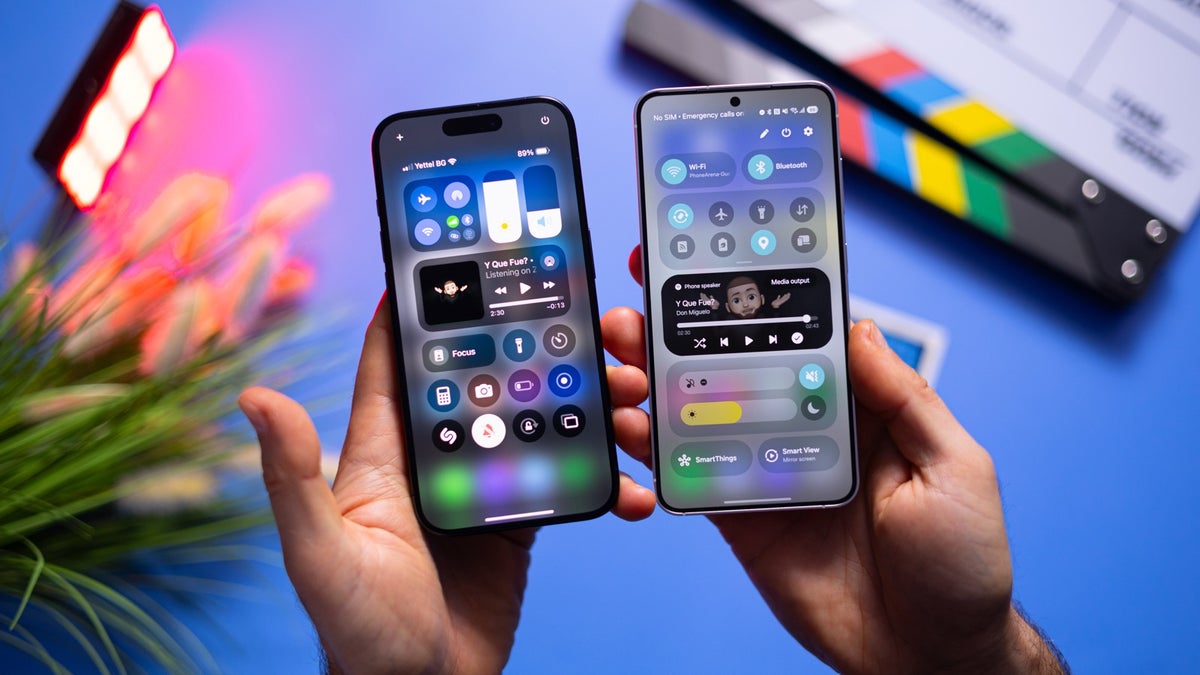
One of the cool new features that seemingly everyone (including myself) is obsessed with is a new addition to the QuickStar GoodLock module. You will be able to personalize the Quick Settings toggles in ways that no other Android manufacturer has ever allowed you, Google itself. You will be able to put custom pictures or photos as backgrounds of your quick settings toggles for unprecedented customization.
Recommended For You
But, as Uncle Ben used to say, with great power comes great responsibility: jumping blindly into such a customization could easily turn your quick settings tile into a hodgepodge of styles that looks anything but good.
Home Up, another one of the essential Good Lock modules, is also getting majorly improved with enhanced customization in mind. You will be able to adjust content size in your widgets and remove background blur, boosting your customization options. You will also be able to create one mega Edge panel, combining the contents of the Apps, Tasks, and People panels.
You will also be able to disable the bottom swipe gesture entirely if you often find yourself swiping away your current app when swiping up. Definitely could be helpful. Finally, you'd be able to hide certain apps from the Direct Share menu, leaving only your favorites in the leading positions. In hindsight, this feature should have been available a long time ago. What gives?
Galaxy Z Fold 7 owners will also be able to change the number of favorite apps on the cover screen as well, making One UI 8.5 particularly exciting for foldable phone users.
Photo Assist
Samsung is streamlining its on-device AI image editing and will allow you to seamlessly apply many edits to your photos without having to manually save each iteration. Instead, once you're done, the app will showcase all your edits and let you keep the ones you actually like. This way, you won't get out of that editing flow state.
Quick Share
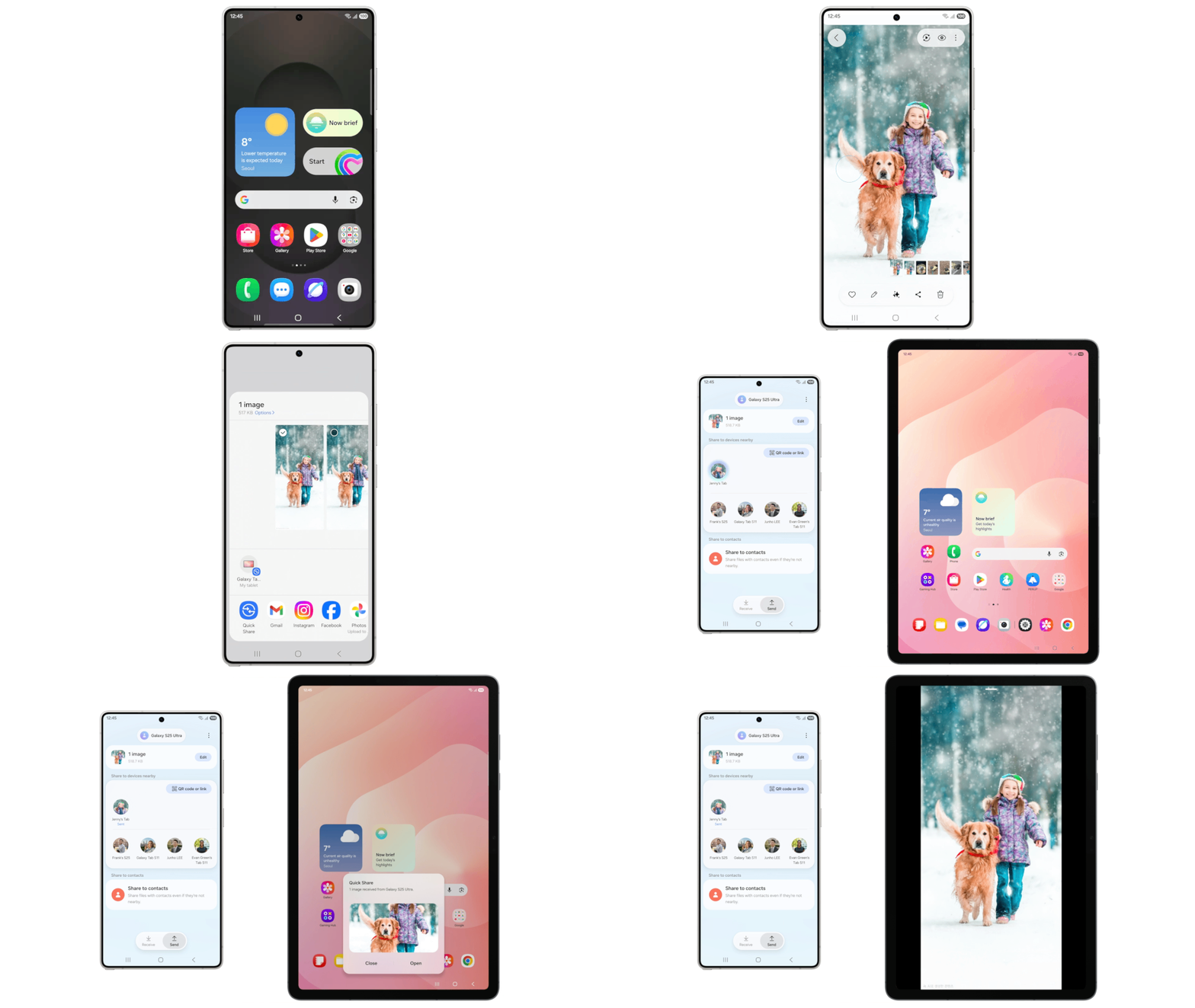
Sending images and files around has also been improved. Your Galaxy will now proactively identify faces in your photos and will suggest sending them to contacts that look identical. Sounds user-friendly, though you certainly will have to go through your contacts list and make sure your friends and next of kin have their appropriate profile pictures uploaded.
Storage Share
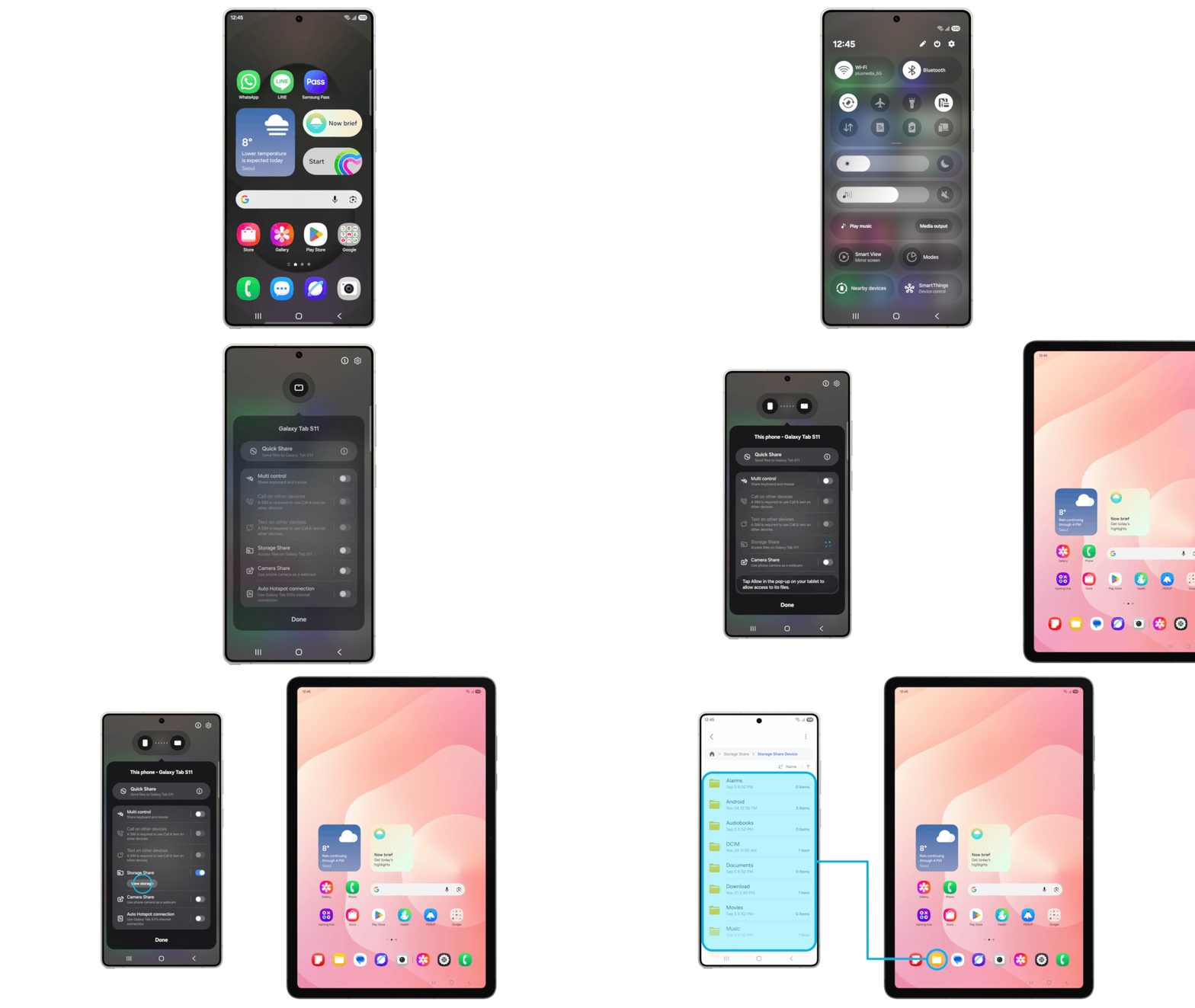
One UI 8.5 will greatly improve the Samsung ecosystem experience. If you own more than one Samsung device, for example a Galaxy tablet or a Samsung TV, you will be able to access your phone's storage straight from your tablet or TV. This will elevate continuity and eliminate the need to manually share files and folders between your devices. You only need to have your Samsung account signed in on all devices and have both Wi-Fi and Bluetooth enabled.
Audio Broadcast
With One UI 8.5, your Galaxy will be able to effortlessly connect to Bluetooth LE-enabled devices using the Auracast feature. These include many headphones, earbuds, medical equipment for the hard of hearing, TVs, and more.
What's more, your Galaxy will be able to act as a speakerphone of sorts and broadcast your voice far and away when you speak into it when the respective Audio Broadcast feature is enabled. Think of it as your personal digital bullhorn.
Theft protection
Samsung isn't forgetting security as well: One UI 8.5 will introduce Theft Protection, which will lock your phone if there are too many failed attempts to access it via erroneous fingerprints, PIN codes, or passwords. Can't really say no to tighter security.
One UI 8.5: The cherry on top, or…?
As things stand right now, One UI 8.5 will most likely launch globally once the Galaxy S26 series rolls out. Samsung usually reserves a major software update for its major phone releases, and we can't really think of a bigger one for 2026 rather than the Galaxy S26 in late February.
The way I see things, Samsung has clearly aced things with its interface and is currently spoiling its most devoted and customization-loving power users, with the main reason being the Good Lock personalization suite that every Galaxy user needs to try.
Even if you're not into customization, you'll be hard-pressed to find a better stock Android skin than One UI right now.
Free Galaxy A17 5G with Straight Talk
Get a free Galaxy A17 with Straight Talk. To claim this deal, you need to pair the phone with activation on a Silver Unlimited Plan or higher. This tier costs $45 per month. Offer valid through 01/10/27 while supplies last online.
Peter is a skilled writer with over 13 years of experience at PhoneArena. He has published nearly 300 phone reviews and comparisons. This vast experience helps him navigate the mobile tech landscape with ease. He enjoys everything Android but relies on a MacBook Pro daily.
A discussion is a place, where people can voice their opinion, no matter if it
is positive, neutral or negative. However, when posting, one must stay true to the topic, and not just share some
random thoughts, which are not directly related to the matter.
Things that are NOT allowed:
Off-topic talk - you must stick to the subject of discussion
Offensive, hate speech - if you want to say something, say it politely
Spam/Advertisements - these posts are deleted
Multiple accounts - one person can have only one account
Impersonations and offensive nicknames - these accounts get banned
To help keep our community safe and free from spam, we apply temporary limits to newly created accounts:
New accounts created within the last 24 hours may experience restrictions on how frequently they can
post or comment.
These limits are in place as a precaution and will automatically lift.
Moderation is done by humans. We try to be as objective as possible and moderate with zero bias. If you think a
post should be moderated - please, report it.
Have a question about the rules or why you have been moderated/limited/banned? Please,
contact us.














Things that are NOT allowed:
To help keep our community safe and free from spam, we apply temporary limits to newly created accounts: