It's very easy to transfer files between two devices if both are running the same operating system. But things get complicated when you need to move files between completely different operating systems, for instance, Windows and Android. Nothing introduced the Warp app to tackle this situation.
Now that it's finally back, I've given it a try. Is it really the best file-transferring app ever released? Here's my honest experience using the Nothing Warp app.
What do you mean by "finally back"?
Nothing introduced the Warp app almost a week ago to solve the problem users face when transferring files between two different operating systems. However, the app didn't even last 24 hours.
It was removed from the Play Store, its browser extension was no longer available, and opening its announcement blog post showed the "We're sorry, the requested URL was not found on the server" message. At that time, the company didn't give any explanation for this action.
Now everything (app, browser extension, and blog post) is live again. Nothing reportedly stated in its announcement that the Warp was temporarily withdrawn from everywhere to fine-tune it. It was further mentioned that the app carries no security or privacy concerns and is built on Google's infrastructure.
Recommended For You
While the app is back, it's not available on the Play Store. No explanation has been given for why you can't find it on Google Play. You need to visit Nothing's official website, download the app from there, and sideload it onto your Android smartphone.
How to set up the Nothing Warp app?
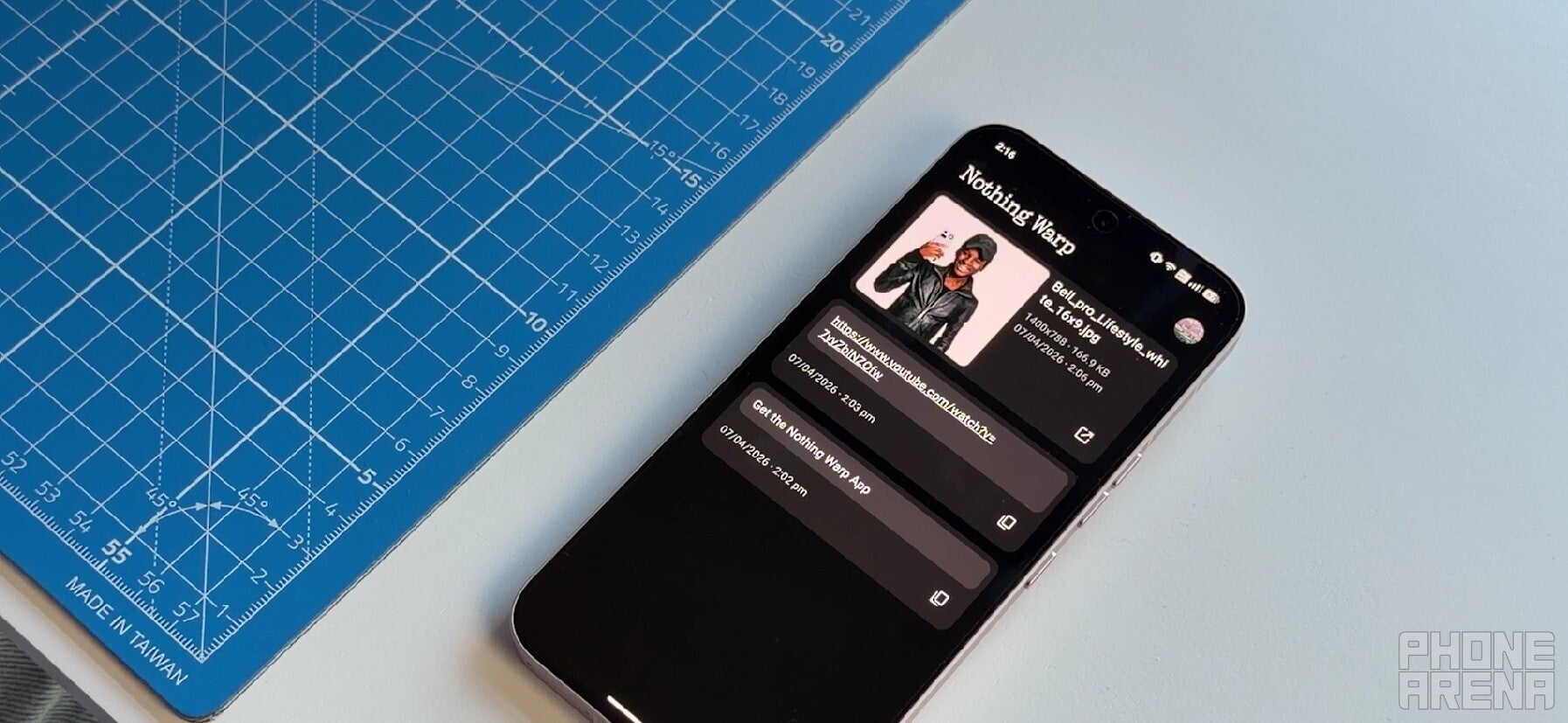
Nothing Warp app on a Nothing phone. | Image by Nothing
Using the Nothing Warp app is quite straightforward. First, you need to download and install it on your Android smartphone. Then, you need to install its browser extension on your PC, whether Windows, Linux, or Mac.
After that, sign in with the same Google account on both the Nothing Warp app and browser extension. That's it. The app is now ready to transfer almost all kinds of data, including text, links, videos, images, and more.
For example, if you want to send an image from your Android smartphone to a Windows PC, you need to open the image on your phone, tap the share icon, and select Nothing Warp from the available sharing options. Then, you need to open the Warp browser extension on your Windows PC and click the download icon next to the received image to save it to your system.
What do you think about the Nothing Warp app?
5 Votes
It looks interesting, and I'd give it a try.
20%
Better file transfer options are available in the market.
60%
Nothing needs to simply focus on building smartphones.
20%
How was my experience using the Nothing Warp app?
I'd say… it's mixed. First of all, Nothing really must be appreciated for making the app compatible with all Android smartphones and browsers. I tried it on my Pixel 10 and on the Chrome browser on a Windows laptop.
Another good thing is that the file is automatically deleted from Google Drive once the transfer is complete. That's all the good parts.
In my testing, I found that Warp takes a seriously long time to transfer even small files. For those unaware, it basically uses Google Drive as a bridge to enable the transfer.
Once you send a file from your Android smartphone, it is first uploaded to your Google Drive account. When you download it on your desktop, it is then automatically deleted from Google Drive. So, as you can guess, most of the process depends on your internet connection.
If your connection is slow, Warp will take a really long time even to transfer small files. Perhaps that's what happened in my case. When the app was taken down, I was really hopeful that the company would address this, but it is still using the same transfer method.
Nothing Warp is nothing groundbreaking
One of the comments under the announcement post states, "The app was built because we got tired of emailing files to ourselves." This honestly gives me the impression that the team instructed an AI model to design a tool so we wouldn't have to email pictures to ourselves, and Nothing Warp came out as a result. I really don't think there's anything extraordinary about this application.
In fact, there are plenty of options available online that support cross-platform transfer, and too without asking you for your Google account. LocalSend, for instance, can easily transfer files between devices running different operating systems. All you need to do is ensure both devices are connected to the same Wi-Fi network.
Tello Halloween Promo: $10GB for $10/mo
Don’t miss this scary-good deal: 10 GB for $10/mo. Save $5/mo for your first 3 months. Offer valid now through November 9, 2026.
Aman Kumar is a news writer at PhoneArena covering Google Pixel phones, Android features, AI-powered smartphone tools, and mobile tech news. Before joining PhoneArena, he spent over five years writing about consumer technology for publications like MakeUseOf, How-To Geek, and Guiding Tech. His current daily drivers are the Pixel 10 and Samsung Galaxy S26 Plus, while his red iPhone SE (2nd gen) remains a personal favorite. Aman also appreciates bold smartphone experiments and still considers the Nokia N-Gage one of the industry’s most iconic designs.
A discussion is a place, where people can voice their opinion, no matter if it
is positive, neutral or negative. However, when posting, one must stay true to the topic, and not just share some
random thoughts, which are not directly related to the matter.
Things that are NOT allowed:
Off-topic talk - you must stick to the subject of discussion
Offensive, hate speech - if you want to say something, say it politely
Spam/Advertisements - these posts are deleted
Multiple accounts - one person can have only one account
Impersonations and offensive nicknames - these accounts get banned
To help keep our community safe and free from spam, we apply temporary limits to newly created accounts:
New accounts created within the last 24 hours may experience restrictions on how frequently they can
post or comment.
These limits are in place as a precaution and will automatically lift.
Moderation is done by humans. We try to be as objective as possible and moderate with zero bias. If you think a
post should be moderated - please, report it.
Have a question about the rules or why you have been moderated/limited/banned? Please,
contact us.














Things that are NOT allowed:
To help keep our community safe and free from spam, we apply temporary limits to newly created accounts: