Two new features are officially announced today for the Google Messages app
Google makes it easy to notify members of an RCS group chat while your wife isn't the only reason you're taking out the trash.
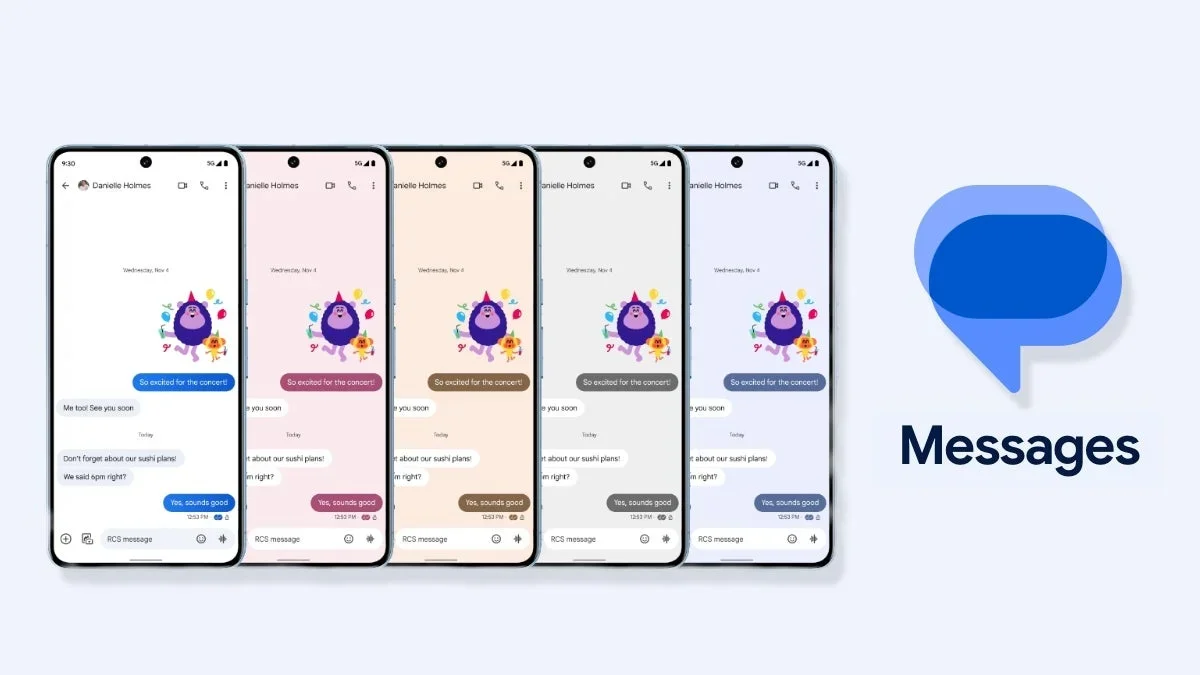
New features
Google Messages has been the recipient of some new features lately, and we’ve been telling you all about them. Just a couple of days ago we told you that real-time location sharing is now available via the Google Messages app. The previous version of this feature allows a Google Messages user to share a static one-time look at his address. The address doesn't change even after you drive away from the location. But the new real-time version of location sharing is dynamic and the address you share changes as you drive around.
Google has been making changes to the Google Messages app
Nearly a month ago, we told you that Google Messages changed the look of the icons used for read receipts. Instead of the design with two circles (known as the "Double Bubble" design), Google replaced it with a single circle in one of four states. A little more than two weeks ago, Google Messages added "Tap to Draft," which allows you to edit a Smart Reply before you send it. A Smart Reply is a feature that knows the context of incoming messages and comes up with quick AI-generated responses that you can use to respond to the message. With Tap to Draft, the smart reply is sent to the text field of Google Messages allowing you to edit it before you send it.
Use the @ button to notify someone mentioned in one of your RCS chats
A feature we first mentioned in November is now rolling out to the Google Messages app. "Mentions" was launched by Google to make sure the "right person finds your message right when you need them." When you mention someone in an RCS group chat and grab their attention by using an @, they will receive a notification even if the chat is muted. Google says that "This helps everyone to find and read relevant messages to them, which promotes more engagement in group discussions." You can @ mention more than one person in a message.
You can also edit "the saved name of the recipient in real time" from the text field.
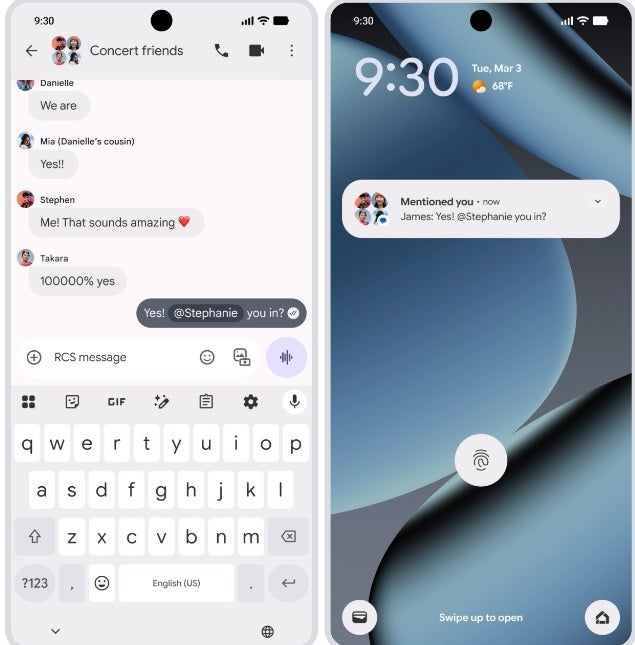
You can now use the @ button to notify someone mentioned in one of your RCS chats. | Image by 9to5Google
Lastly, Google Messages will no longer allow users to instantly Delete items. That action has been replaced with a "Move to Trash" and an "Undo" button that reverses the "Move to Trash" button. Conversations sent to Trash are not permanently deleted for 30 days. On Android Go phones, phones that use a lightweight version of Android carrying only 2GB to 4GB of RAM, the conversations in Trash are held for only seven days before they are dumped.
Google replaces Delete with a new "Move to Trash" feature
To go to Trash, open the Google Messages app and tap the Profile icon in the upper right corner. You'll see a menu and from that menu, tap on "Trash." If you're like me and don't see Trash at this point, you probably don't have the latest version of the Google Messages app. You need to have version 20260320 or higher of the Google Messages app. To see which version you have, go to Settings > Apps > See all apps. Scroll to Google Messages, tap on it, and scroll all the way to the bottom to read the version number on your phone.
Do you like what Google is doing to the Messages app?
272 Votes
Yes! Who wouldn't want to see additional features added?
80.88%
No! The app is getting too complex.
19.12%
My Pixel 6 Pro is running version 20260313. If you're not running the latest version, you can see if you have received the update by opening the Play Store, tapping the Profile icon in the right corner, tapping on Manage apps & device > Updates available > Update all. When all of the updates have been completed, use the instructions in the above paragraph to once again check to see if you are running version 20260320 or higher of the Google Messages app on your phone. If not, try again after a few more days have expired.


Popular stories






Latest News






Things that are NOT allowed:
To help keep our community safe and free from spam, we apply temporary limits to newly created accounts: