Gemini Live is getting a major upgrade for multitasking
Your Gemini Live chats are about to look different.
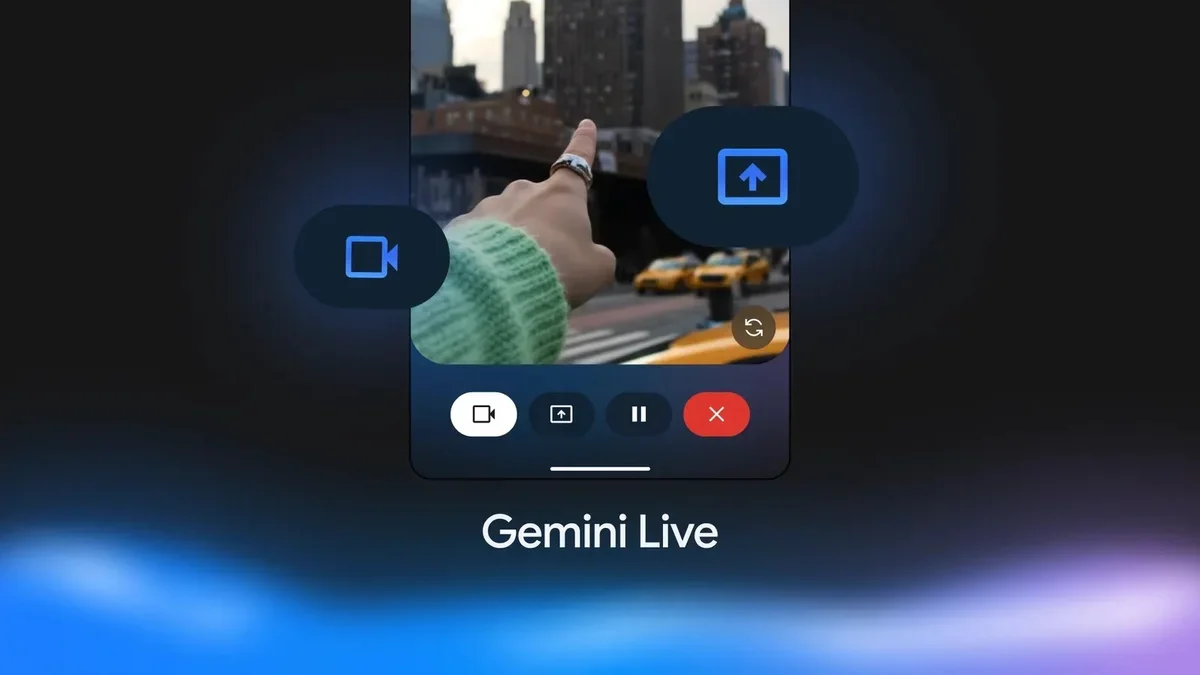
Multitasking with Google's AI is about to get much smoother thanks to a new update for Gemini Live. According to new findings, it appears that you will soon see a floating button on your screen that lets you control your chat without stopping what you are doing in other apps.
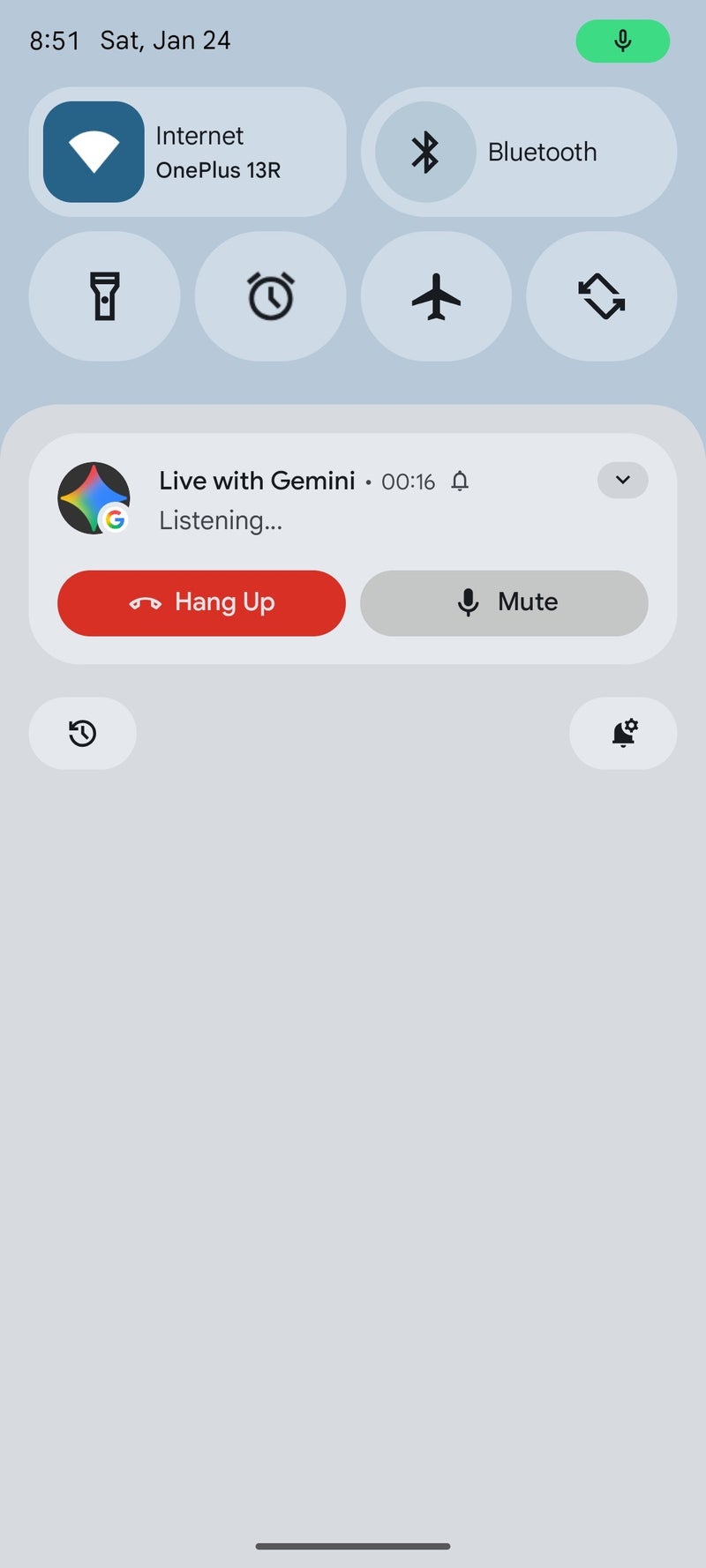
If you have used Gemini Live to brainstorm or ask questions while switching between apps, you know it can be a bit clumsy. Currently, if you leave the Gemini app, you have to pull down your notification bar just to see if it is still listening or to stop the chat. Thankfully, that is changing.
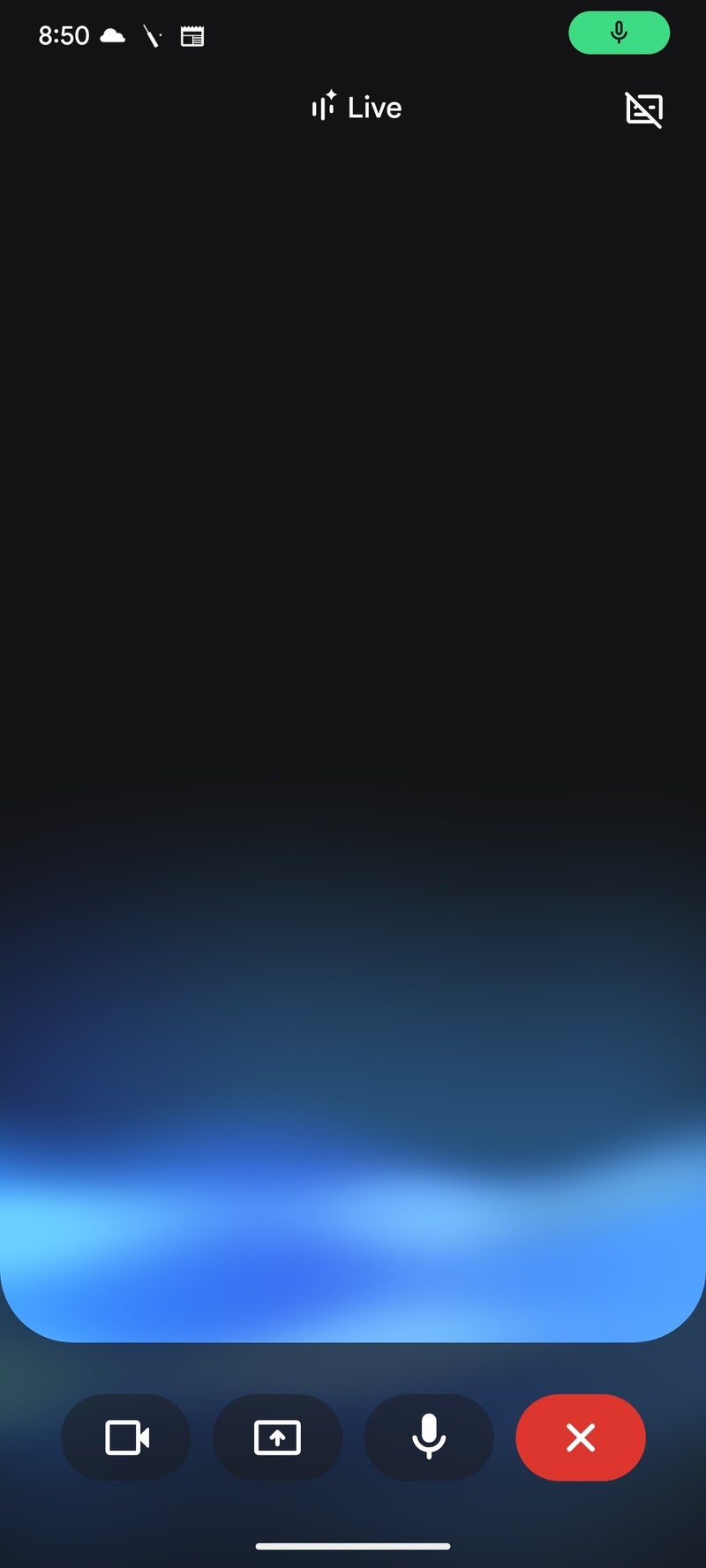
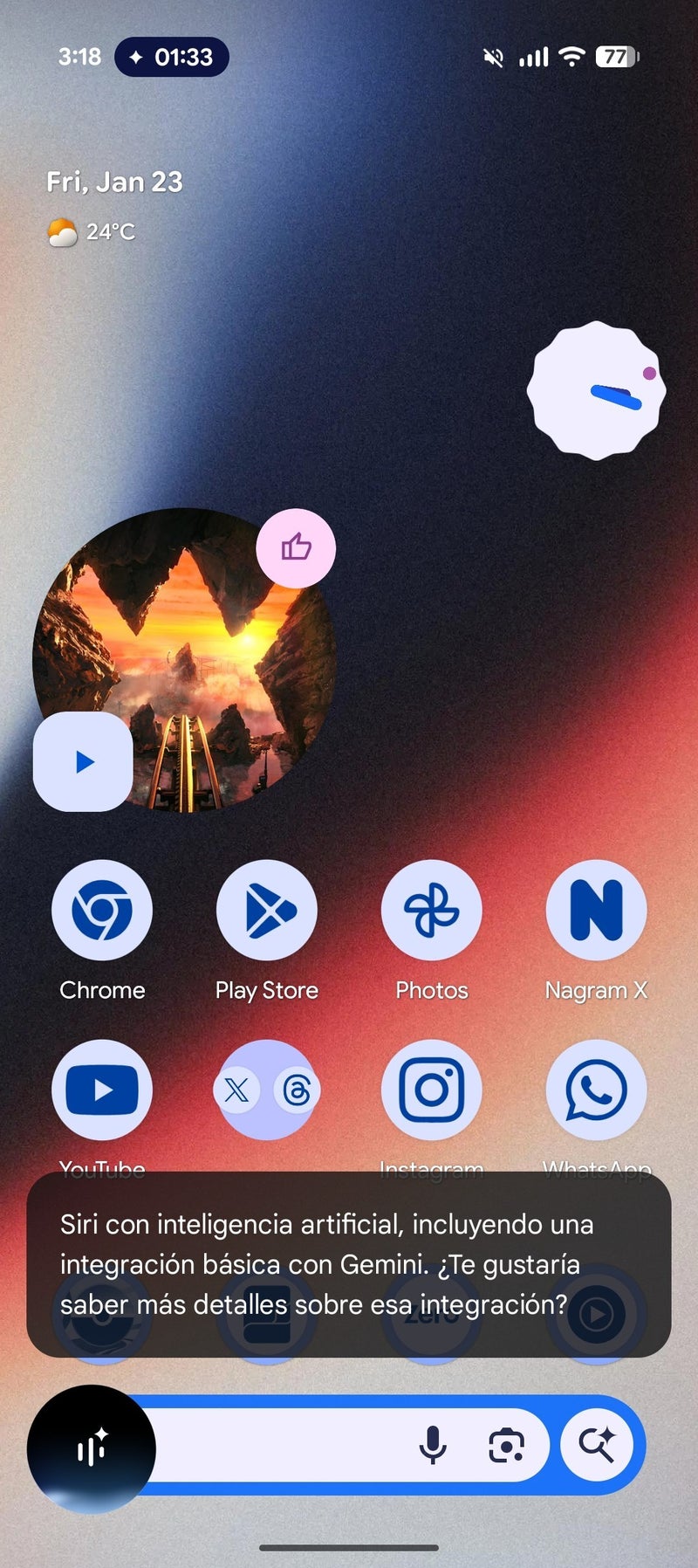
According to a new report, a better interface is starting to roll out. It adds a small floating menu that sits on top of your screen, similar to a chat bubble. This means you can keep scrolling through Instagram or reading emails while having quick access to the AI controls.
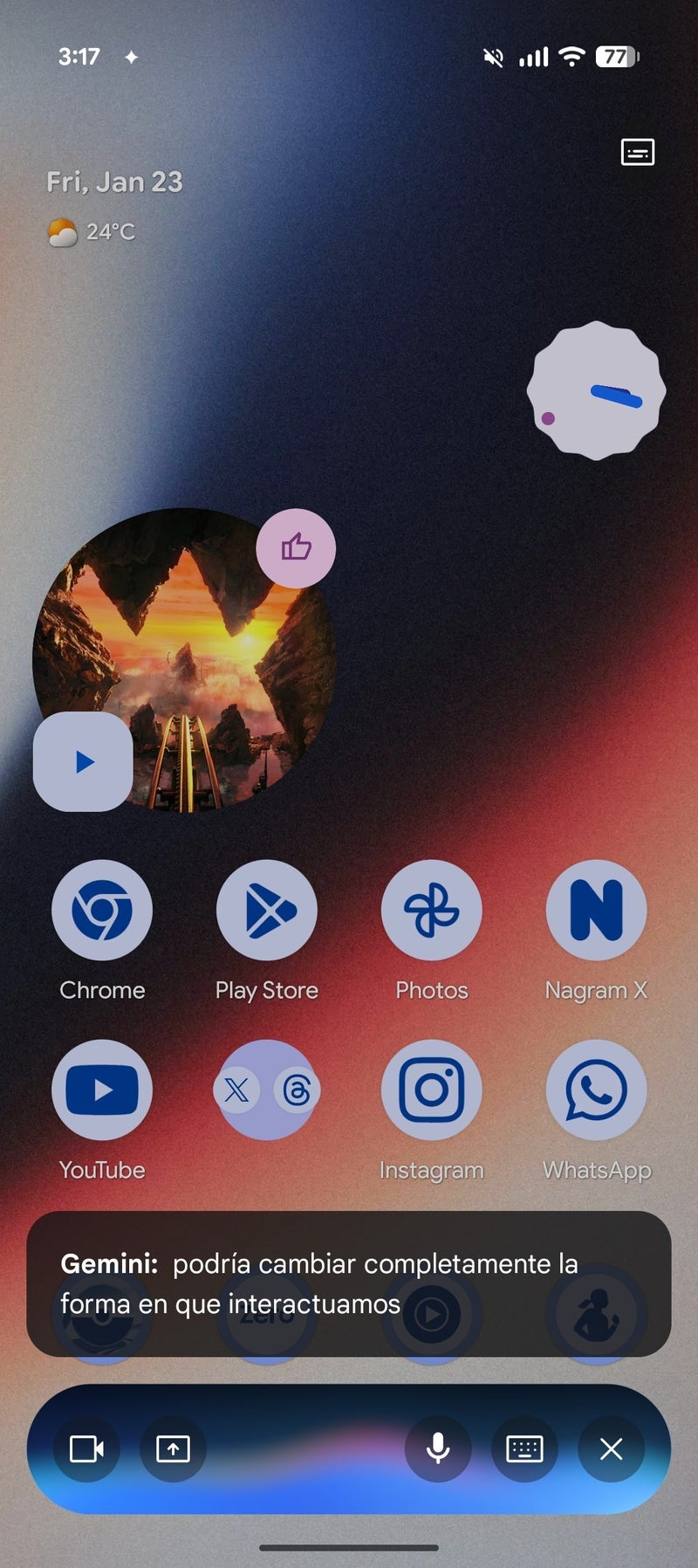
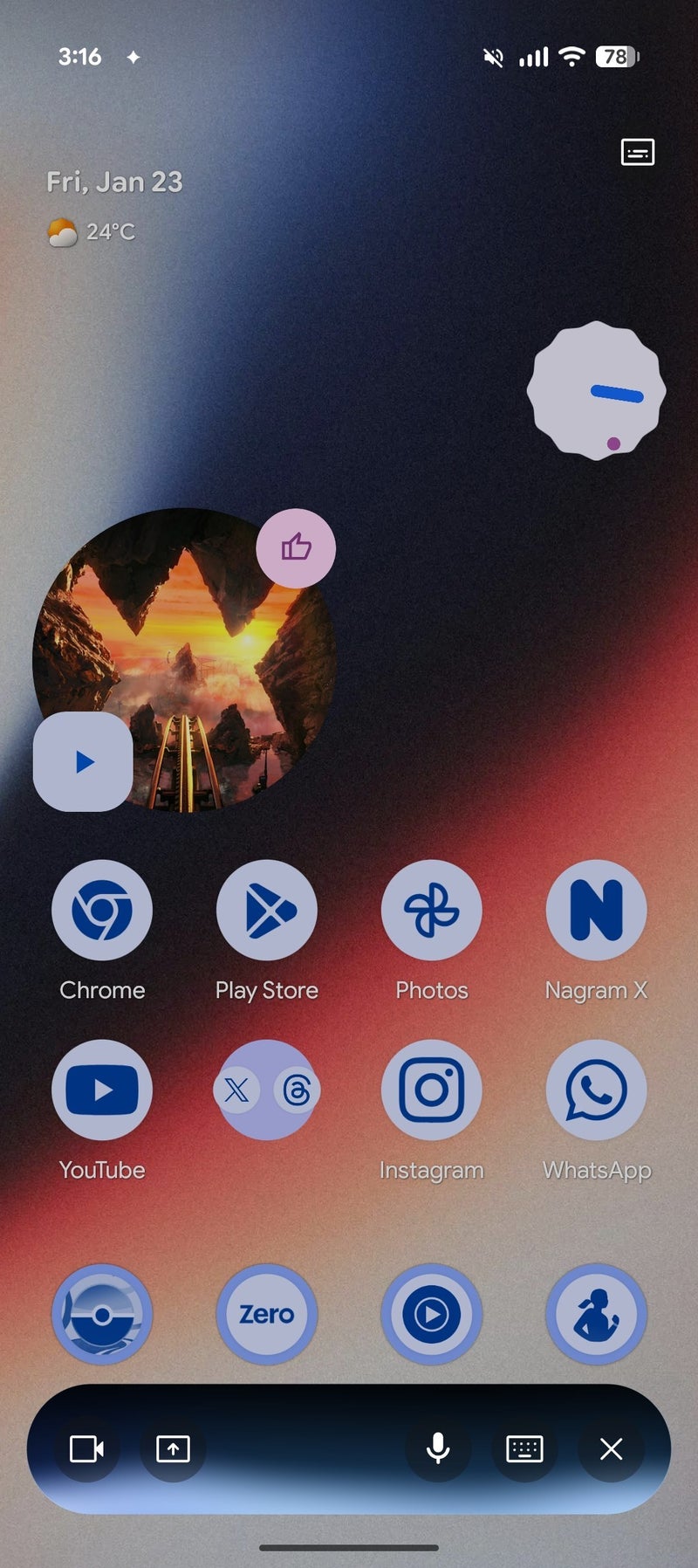
This might look like a small update, but it solves a real annoyance. Before this, talking to Gemini in the background felt a bit hidden, like a whole separate phone call that you couldn't see. However, by adding a floating button that keeps you on the same screen, Gemini Live feels more like a part of the UI and less like a background task.
For anyone who regularly uses Gemini Life, this is a big win. It saves you swipes and taps, keeping you focused on your flow.
I am pleased to see this change. I've always felt that using Gemini Live the way it is now wasn't very intuitive and completely against the design philosophy that we have become accustomed to seeing from Google.
A new way to control Gemini
If you have used Gemini Live to brainstorm or ask questions while switching between apps, you know it can be a bit clumsy. Currently, if you leave the Gemini app, you have to pull down your notification bar just to see if it is still listening or to stop the chat. Thankfully, that is changing.
While we heard rumors about this feature last year, it is now showing up on real devices, which means most of us should get it very soon.
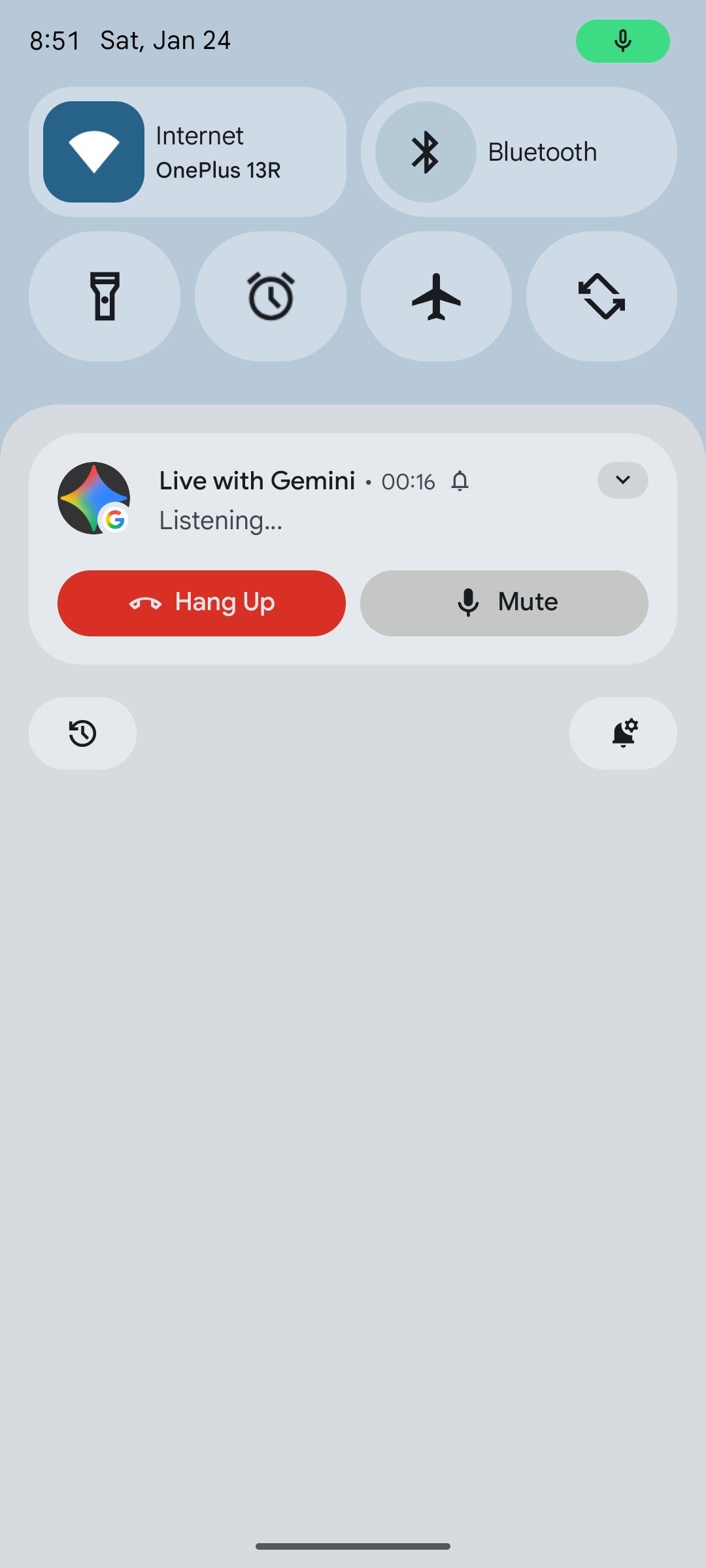
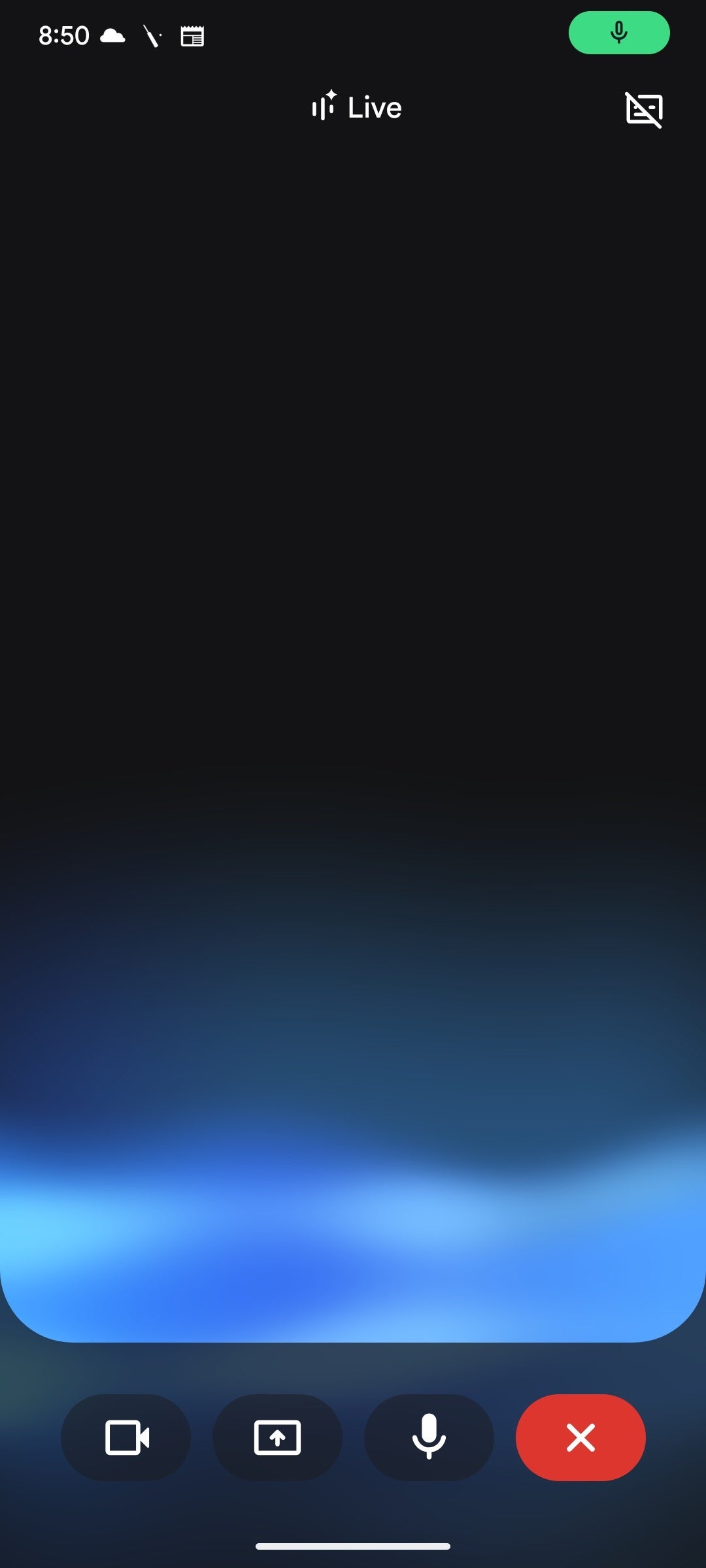
Current Gemini Live workflow. | Images credit — AssembleDebug
Why this is significant for your phone
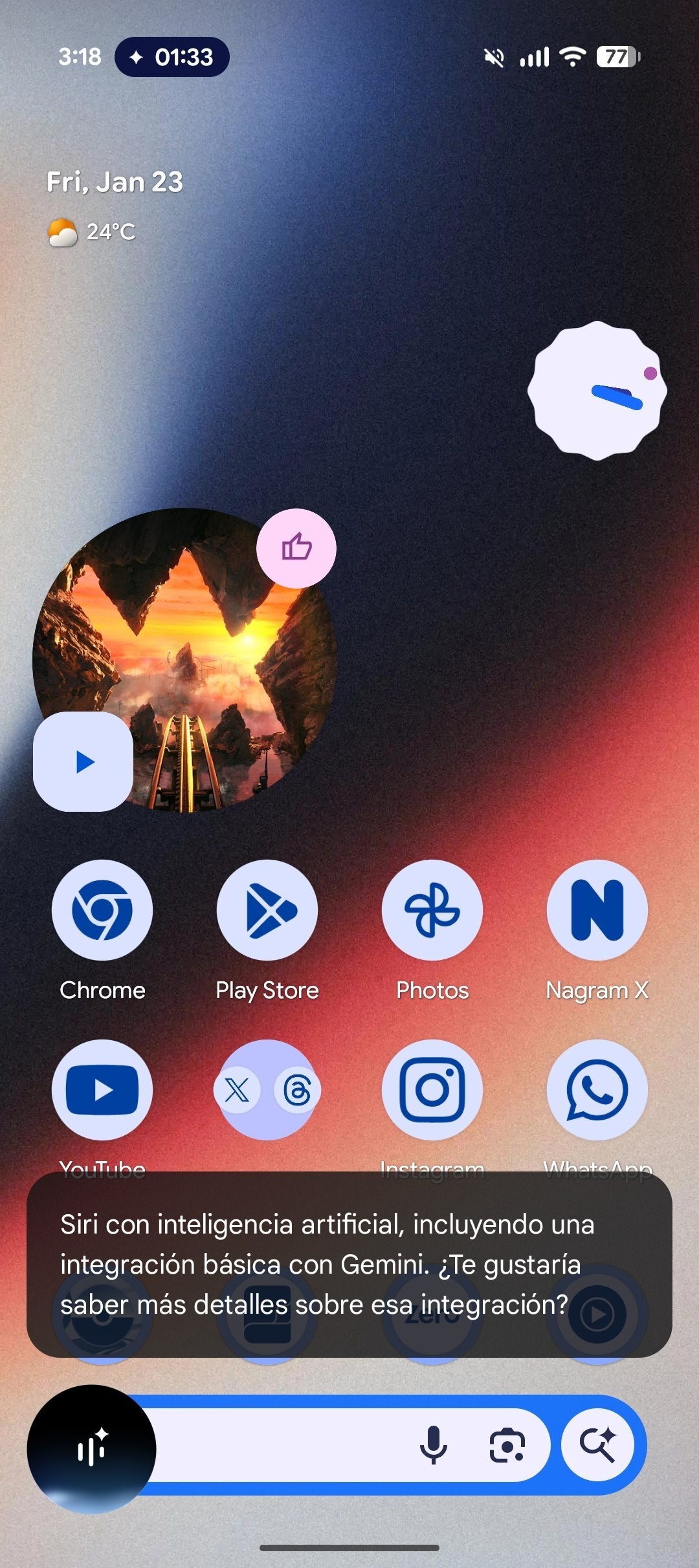
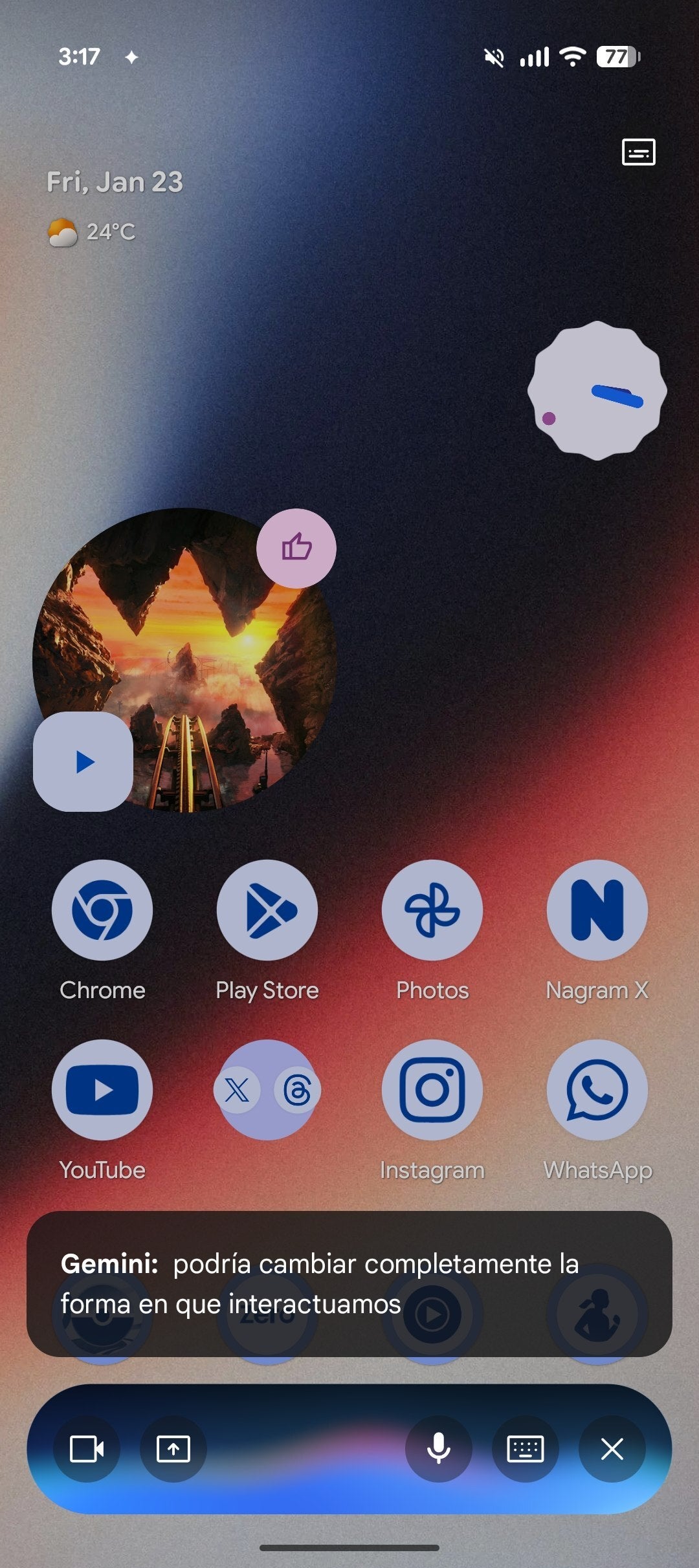
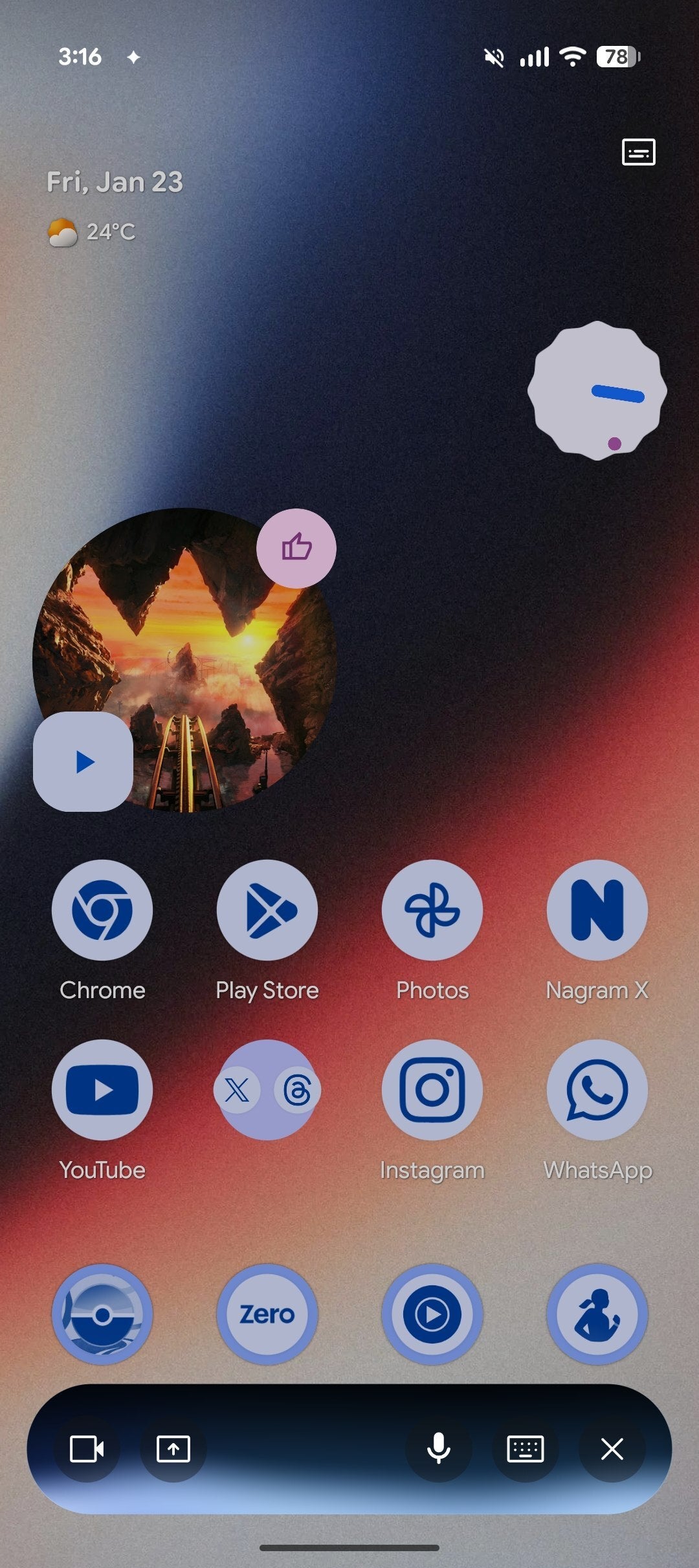
New Gemini Live overlay. | Images credit — AssembleDebug
This might look like a small update, but it solves a real annoyance. Before this, talking to Gemini in the background felt a bit hidden, like a whole separate phone call that you couldn't see. However, by adding a floating button that keeps you on the same screen, Gemini Live feels more like a part of the UI and less like a background task.
How do you prefer to control background apps?
39 Votes
I like floating bubbles/buttons on the screen.
48.72%
I prefer using the notification shade at the top.
17.95%
I usually just close the app when I'm done.
28.21%
I use voice commands to control everything.
5.13%
A more intuitive UI
I am pleased to see this change. I've always felt that using Gemini Live the way it is now wasn't very intuitive and completely against the design philosophy that we have become accustomed to seeing from Google.
Furthermore, I feel like this change will make Gemini Live feel more like a true helper that is ready when I need it but stays out of the way when I don't. The only strange thing is that there doesn't seem to be a "pause" button yet. Sometimes you just need the AI to wait a second without ending the whole chat.
Hopefully, Google adds that in the future, but for now, this is a great step forward. According to reports, this new UI is already slowly rolling out, so we may not have to wait long to test it out.


Popular stories






Latest News






Things that are NOT allowed:
To help keep our community safe and free from spam, we apply temporary limits to newly created accounts: