
Editorials · Reviewer Insight
I followed every battery-saving myth on Android: These were useless, these actually helped
Android is smarter than old battery advice.
This article may contain personal views and opinion from the author.
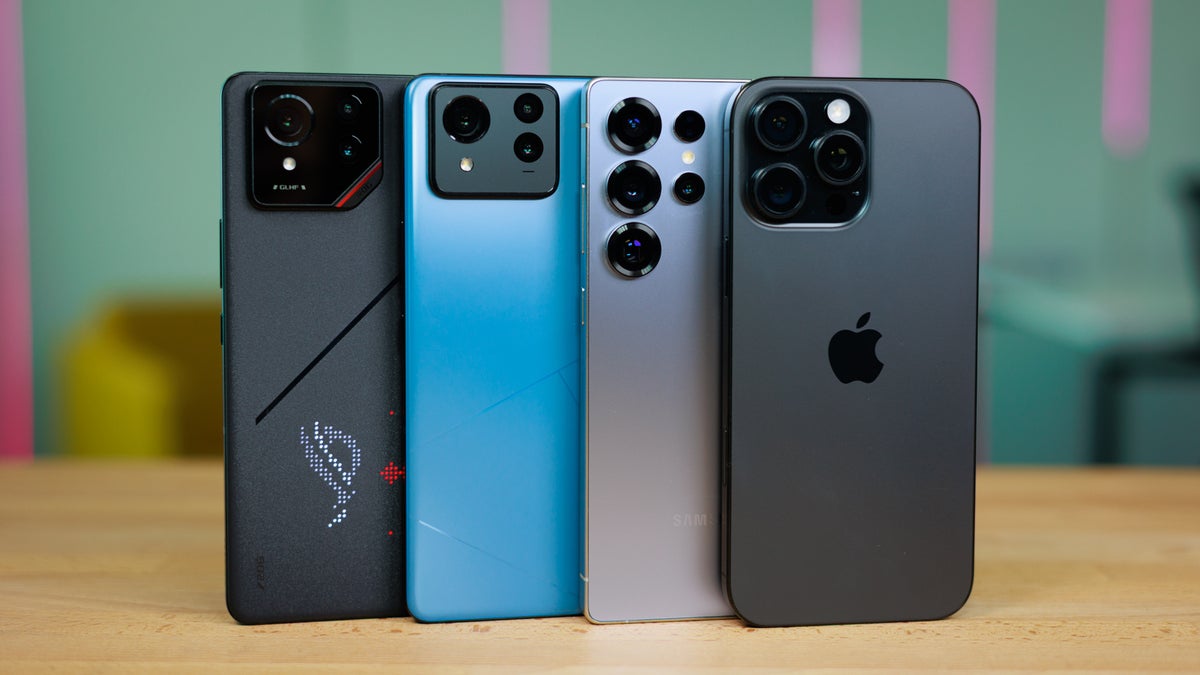
I remember that my batter-saving endeavors kicked off with the Galaxy S4 more than a decade ago––this classic Samsung flagship had pretty much everything one could want from a modern smartphone at the time, but there was one aspect of the device that was severely lacking. The battery endurance was pretty bad. Not wanting to use a third-party aftermarket battery (Galaxies still had removable batteries back then), rest assured I had tried every trick in the bock to improve the battery life.
Every Android setting you could think of I had changed, every battery-saving functionality ran for a spin, I had even tried flashing battery-friendly custom Android ROMs and kernels and applying batter-saving governor settings. In hindsight, nothing really helped, and the Galaxy S4 never had decent battery life, but the whole process taught me a thing or two about the essential Android battery-saving techniques.
Fast-forward to 2025, and Android phones have become significantly better at managing their batteries thanks to a combination between a massive improvement in chipset efficiency as well as some revolutionary upgrades in battery technology.
Still, there are a number of battery-saving myths that still persists, and I've spent a lot of time trying to weed out the ones that work from the ones that you shouldn't bother with. Here is my experience with the most popular ones.
What doesn't work anymore in 2025
Force-closing apps
Please don't do that. This one actually does more harm than good. Whenever you clear an app for the recent menu and the memory of your device, your phone will actually use more battery to relaunch it later when you need it. The Android system manages background processes very good and knows its way better around RAM management than the average user, and will automatically purge an app from its memory if you're somehow low on RAM.
This myth can be traced back to the earliest days of Android, when RAM was scarce and neither devices nor apps were optimized well, so clearing and force-closing apps was a more valid force of habit. However, a lot of time has passed since then, and we no longer need to force-close apps, it's actually counter-intuitive to do so.
The only valid excuse from swiping an app away from the recents menu is when it's bugging out, or you're experiencing an issue.
Turning off 5G to save battery
Unlike the earlier days of 5G, these days 5G modems will barely make a dent on your battery level, so manually turning off 5G in order to save some battery makes no sense at all. You should only do that if you're in an extremely weak-signal area.
Turning off animations in Developer Settings
See, once upon a time, Android hardware was way humbler, and it often couldn't catch up to Android's flashy animations. This is when the "turn off the animations in Developer Settings to save some battery" myth originates from, and admittedly, back in the day, it could have had a positive effect on your phone's battery level and the system's overall smoothness.
However, in 2025, even entry-level phones are fairly decent, so there's no logical reason to keep messing up Android's animations. If anything, your phone's interface will look much worse; Android is designed around these animations, which are a vital aspect of any modern interface.
Daily reboots
See, if you're one of those people who reboot their phones every day or have set it to automatically reboot in the wee hours of the night, I don't know what to tell you. Is that tinfoil cap tight on your head?
Daily rebooting does nothing positive for your battery life and your overall experience. Every reboot forces your device to rebuild new caches and start all system activities and apps from scratch, which wastes power. If anything, daily reboots are hurting your battery life rather than saving it, making them pretty much pointless.
Only reboot your phone if it's experiencing some serious software gremlins.
What works in 2025
Dark mode is your friend
See, I'm not going to pretend that my anecdotal usage should be considered an objective universal truth, but with my daily habits, I routinely get up to an hour of extra screen-on time when I use a system-wide dark mode rather than not. This lines up with the 5-15% battery life increases that most controlled tests showcase, with the results being largely dependent on what app you're using and other context.
Having a large amount of the interface displayed as dark or pitch black on an OLED panel does waste less power than having those blast white color at full power. That's because OLED pixels use little to no power when displaying dark colors; light mode uses a lot more energy for no real-life benefit.
Lowering screen brightness
I had the terrible habit of disregarding automatic brightness and always running my phone on near-full brightness, a terrible idea in hindsight. The display is the number one power consumer on your phone, and learning to tone things down can have a massive effect on your battery life.
Learning to trust the auto brightness (even though it's often far from ideal on some phones) is a key concept that will help you cut down your battery wastage. On many Android phones, manually increasing the brightness above the ~90% threshold would alert you of high power consumption, which should definitely ring some alarm bells, right?
Trusting your phone's unique power-saving capabilities
What's more, some Android devices allow you to select a power curve for your device. My daily driver, for example, lets me choose between a default balanced, power-saving, and a performance boost mode. I've never felt the need to go with the performance mode, and I have always trusted that the balanced mode is the perfect middle-ground.
Disabling unnecessary fluff
Probably the best batter-saving tip that still works in 2025 is just to exercise your common sense and not enable features and functionalities just for the sake of it. At the same time, I don't believe you should turn your smartphone into a dumb phone either.
Reduce that auto-lock duration, you don't need your phone's screen to be enabled for 2 minutes when you're not looking at it; turn off that always-on display if you usually put your phone face down. You don't necessarily need the highest screen resolution at all times, neither you need a high 120Hz refresh rate constantly. I know it's a chore to turn these on and off all the time, but you have to find what works for you and your unique usage habits.
Such little acts of battery-saving exercises can pile up and have a small but positive effect on your battery endurance.
Get the right tool for the job
Okay, I know, I know, that's a lowball tip that will make almost all of you roll your eyes.
The best way to get great battery life in late 2025 is to get the phone with the biggest battery you could find. Sometimes, there's no replacement for displacement, and this still rings true with batteries these days.
That could be a double-edged sword, though, as a large battery paired with an efficient modern chipset could quickly make you unlearn any good battery-saving habits you might have. I used a 7,500mAh phone for a month back in October, and had to re-learn toning things down when I was back to a daily driver with a much smaller battery.
Maybe the biggest myth of them all is that you can outsmart Android.


Popular stories





Latest News





Things that are NOT allowed:
To help keep our community safe and free from spam, we apply temporary limits to newly created accounts: