Editorials · Reviewer Insight
I disabled AI Core on my Android and instantly regretted it
Some system apps should just be left alone.
This article may contain personal views and opinion from the author.
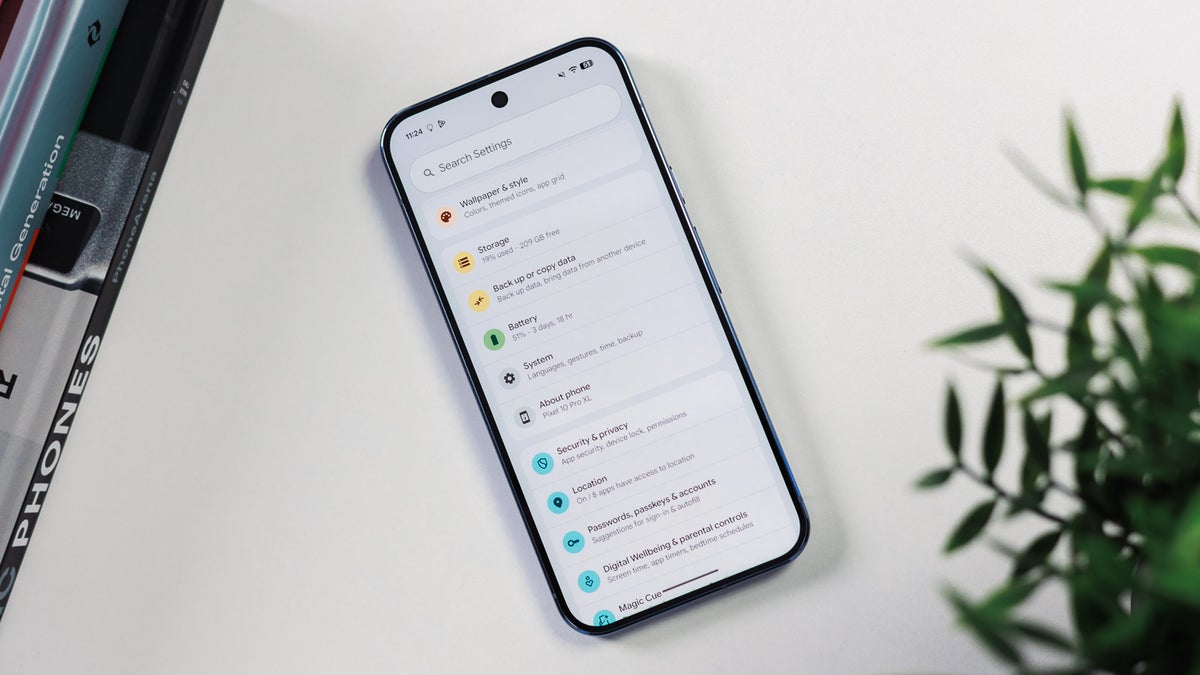
Google Pixel 10 Pro is properly smart if you don't mess with its system apps | Image by PhoneArena
AI.
At first, nothing.
Hate it or love it, it's everywhere these days as the large tech companies are pushing towards an AI-first digital future amidst their quest of monetizing this new technology.
But it's safe to say that while AI has many fans and supporters out there, an even larger number of users out there seem to be decidedly resisting the onslaught of artificial intelligence and chatbots on every device, in every platform, or app out there.
What if you don't want AI on your phone in 2026?
Well, you can opt not to use your phone's built-in AI tools; nobody's explicitly forcing you to consent to that. Yet, the features and functionalities that leverage these new AI technologies will be there, ever-present on your device and silently sucking up vital resources, like storage or memory.
Well, these days one semi-viral life hack is making the rounds, and it makes some pretty bold claims. It says that disabling a specific app on Android will "automagically" fix all kinds of issues like insufficient memory, lag, or worsening battery life. Of course, there's a certain compromise that needs to be made, and it is that, well, countless AI features on your device will outright stop working or work erratically.
AI Core: What is it?
The app in question is called AI Core, and it's found on the large majority of Android phones out there. Actually, not having AI Core on your device is the exception to the rule. AI Core is the wide foundation that all on-device AI features step on but is also used in other instances, such as:
- Live captions / transcription
- Smart replies and text suggestions
- Voice features
- Image processing (Photos, camera, search)
As it's used in such a wide variety of features and functionalities, it isn't surprising at all that AI Core's storage footprint can often balloon to a couple of gigabytes or even more. It could uncomfortably sit at the forefront of your apps list if you sort it by size, which was the case on three out of five random Android devices I had nearby. This makes it a prime target for deletion by anyone enticed by the idea of freeing up some extra storage space.
On the devices I have access to, its size varies a lot.
For example, a newly set up Galaxy Z Fold 7 has AI Core sitting at a rather inconspicuous 149 MB, which is practically nothing these days, but I'm certain its size will increase once you start using the device more. That'll be especially true if you switch Galaxy AI to be processed on the device only, as AI Core will be used extensively.
On my daily driver, it sits at 5.21 GB, which is a lot, but the Pixel 10 Pro Fold that I'm also using as a side device beats that easily with AI Core that weighs a staggering 6.7 GB.
What would happen if you uninstalled AI Core?
At first, nothing.
Disabling it would get some storage back, depending on how bloated the AI framework has become on your device.
What about improved memory usage or better battery life? You shouldn't notice any improvements, and even if you do, it would be placebo at best.
However, it probably wouldn't take too long to start noticing issues with many of the apps you use daily. You could possibly experience issues with live captions, voice-typing inaccuracies, smart text suggestions in your keyboard, slower system intelligence features, random crashes, and more.
I even had the Pixel camera app misbehave and process HDR photos way longer than usual. Interestingly, chatbots like ChatGPT and the Gemini assistant work well, from what I can tell.
Overall, by disabling AI Core and potentially regaining a few gigabytes, you'd be sacrificing plenty of features that make your phone, well, a "smartphone".
Conclusion: Should you uninstall this app?
See, I am no fan of the AI gimmicks we get on the regular with every new phone release or with most major software releases these days.
However, I still wouldn't recommend disabling system apps.
Android is smarter than you and me in managing your phone's resources and frameworks, and any user involvement puts a wrench into your phone's tightly controlled optimization.
The same applies with full force to AI Core. There are much better tips to save your phone's battery or regain some storage and memory rather than messing with system apps. Getting rid of known battery destroyers like Facebook would quite possibly deliver more tangible results than messing with AI Core.


Popular stories



Latest News





Things that are NOT allowed:
To help keep our community safe and free from spam, we apply temporary limits to newly created accounts: