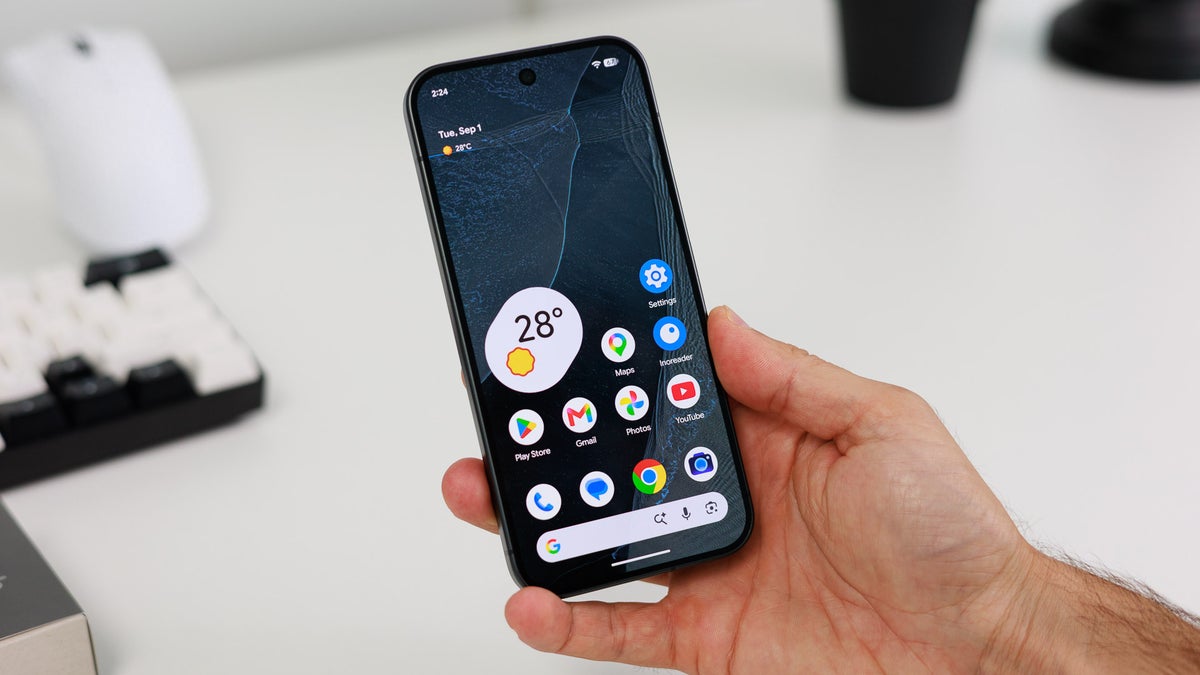
Other than the new Tensor G6 chipset and Pixel HiLight in the Pro models, the latest Pixel 11 lineup did not receive any major hardware upgrades over last year's Google phones. However, the latest Pixel mobiles do come with some really cool software changes, like the introduction of new features to the Camera app. But if I have to pick one particular upgrade that impressed me the most, it would be the addition of a new style to the screen saver.
It's really a cool quality-of-life upgrade. Interestingly, a recent report suggests that Google is backporting this Pixel 11 feature to older Pixel models as well.
The Pixel 9 & 10 are getting a selection of new screen savers
One of the biggest upgrades to the Pixel 10 lineup was the addition of new screen saver options. Unlike the Pixel 9 and older Pixel models, which contain just three screen saver choices – clock, colors, and photos – the Pixel 10 family received a couple of new options, like Home Controls, Pixel Weather, Everyday Clock, Analog Clock, and Selected Wallpaper.
All these new choices are now reportedly making their way to the Pixel 9 devices as well. A Telegram user, Sameeraw, has reportedly spotted the change on their Pixel 9 Pro.
Recommended For You
What's even more interesting is that a Pixel 11-exclusive screen saver has also been spotted on older Google models. For context, the Google phones released in August 2026 feature a new screen saver style called Charge. When active, your current battery percentage is displayed in a big font in the bottom-right corner, along with a vertical line running from the bottom right to the top right, indicating two charge percentages: 80% and 100%. Honestly, I find this design really beautiful.
Google Pixel 11 Pro Charge Screensaver looks awesome https://t.co/MgoUnpDu2a
Google is now reportedly backporting this Pixel 11-exclusive screen saver style to Pixel 9 and Pixel 10 devices as well.
Do you really like these small quality-of-life improvements coming to Pixel phones?
1 Votes
The update is likely rolling out in phases
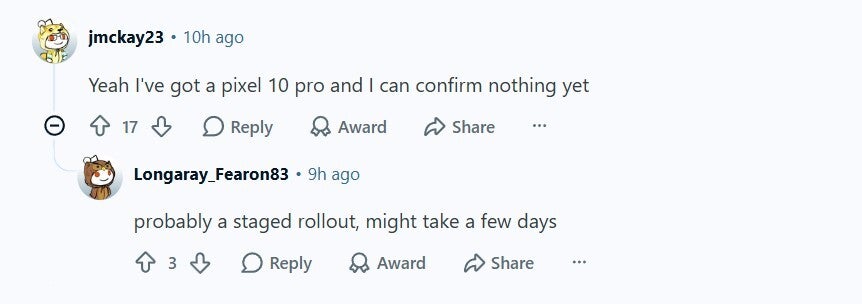
While you'll surely want to try out the new Charge Style screen saver on your Pixel 10 phones and the all-new additions of screen savers on your Pixel 9 devices, it's worth pointing out that Google is apparently pushing this change in phases, and not all at once. Commenting under a related Reddit post, a user mentioned that they can't spot this change on their Pixel 10 Pro. However, a user on the Pixel 9 Pro XL apparently has the new screen saver options on their phone.
Comment about Pixel screen saver. | Image by Reddit
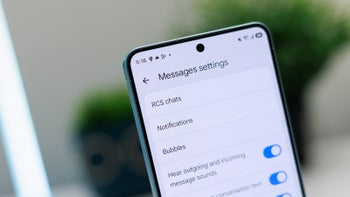
I can also confirm that the update is not yet available on my Pixel 10, which has the latest October build installed. That said, you can check whether the new screen saver options are available on your Pixel phone by navigating to Settings > Display & touch > Screen saver.
That's not the only Pixel 11 exclusive feature being backported to older Pixels.
Interestingly, the new Charge Style screen saver isn't the only Pixel 11 feature that Google is apparently rolling out to older Pixel phones. Recently, many other capabilities that were once exclusive to the Pixel 11 lineup have been reported to become available on older Pixel hardware. These include new icons for the My Pixel app and the availability of the Proactive Assistant feature.
Bring an iPhone like switching
If you have an iPhone as well, you must be aware of its "StandBy" capability, which allows you to set more than one screen saver and switch between them whenever you want. This capability is also available on Pixel 11 phones, but switching to a different screen saver is connected to the back gesture instead of being as simple as it is on an iPhone, where you simply have to swipe. I really want Pixels to make switching as simple as it is on an iPhone, as in Pixel foldables the process can be a bit tricky because of the side-mounted fingerprint sensor.
Aman Kumar is a news writer at PhoneArena covering Google Pixel phones, Android features, AI-powered smartphone tools, and mobile tech news. Before joining PhoneArena, he spent over five years writing about consumer technology for publications like MakeUseOf, How-To Geek, and Guiding Tech. His current daily drivers are the Pixel 10 and Samsung Galaxy S26 Plus, while his red iPhone SE (2nd gen) remains a personal favorite. Aman also appreciates bold smartphone experiments and still considers the Nokia N-Gage one of the industry’s most iconic designs.
A discussion is a place, where people can voice their opinion, no matter if it
is positive, neutral or negative. However, when posting, one must stay true to the topic, and not just share some
random thoughts, which are not directly related to the matter.
Things that are NOT allowed:
Off-topic talk - you must stick to the subject of discussion
Offensive, hate speech - if you want to say something, say it politely
Spam/Advertisements - these posts are deleted
Multiple accounts - one person can have only one account
Impersonations and offensive nicknames - these accounts get banned
To help keep our community safe and free from spam, we apply temporary limits to newly created accounts:
New accounts created within the last 24 hours may experience restrictions on how frequently they can
post or comment.
These limits are in place as a precaution and will automatically lift.
Moderation is done by humans. We try to be as objective as possible and moderate with zero bias. If you think a
post should be moderated - please, report it.
Have a question about the rules or why you have been moderated/limited/banned? Please,
contact us.





Things that are NOT allowed:
To help keep our community safe and free from spam, we apply temporary limits to newly created accounts: