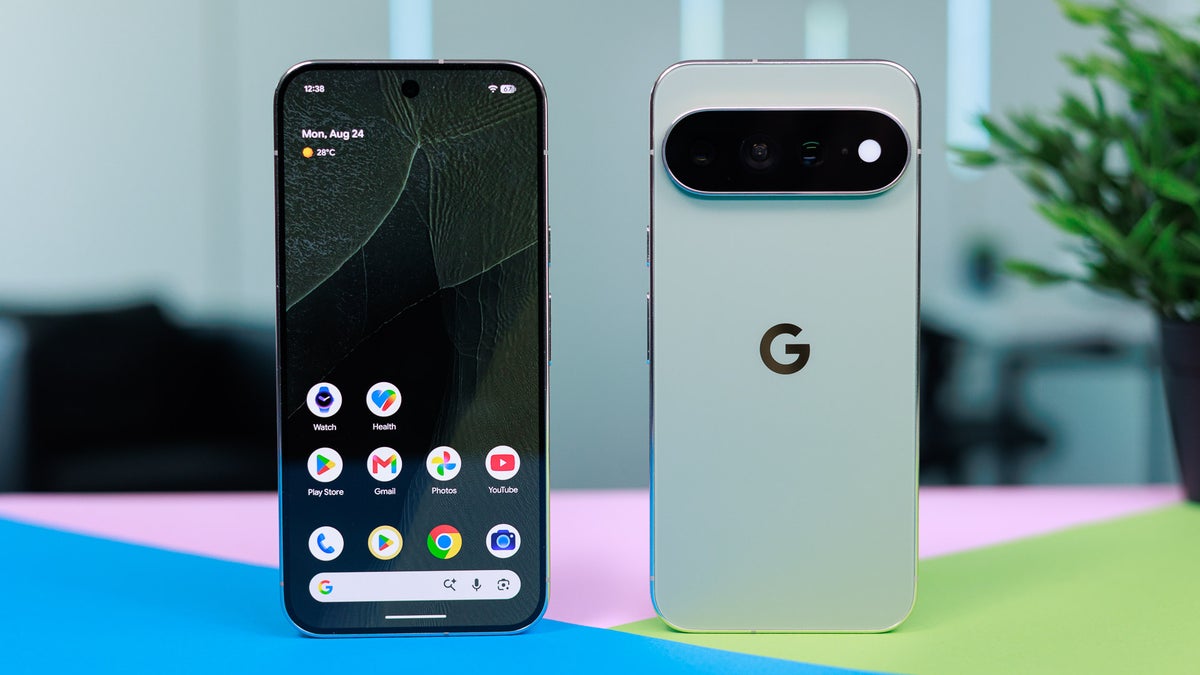
It's already been over a month since Google released its latest Pixel 11 lineup, and all the phones received only incremental upgrades over their predecessors. However, the Pro models – the Pixel 11 Pro, the Pixel 11 Pro XL, and the Pixel 11 Pro Fold – come with HiLight, which was one of the main highlights of 2026's Made by Google event.
Despite the hype around this capability, it apparently failed to make the splash Google was expecting, with the main reason likely being its limited functionality. The good news for Pixel fans is that the Big G is all but confirmed to introduce a new function to HiLight.
What's the issue with the Pixel 11 Pro HiLight?
HiLight reintroduces the notification LED that was available in classic smartphones such as the Galaxy S9, now with a modern touch. However, the biggest problem with it is that it only works in two scenarios: when you receive a call from your favorite contacts and when you are interacting with Gemini. That is why I believe it is nothing more than a gimmick on the latest Pixel phones.
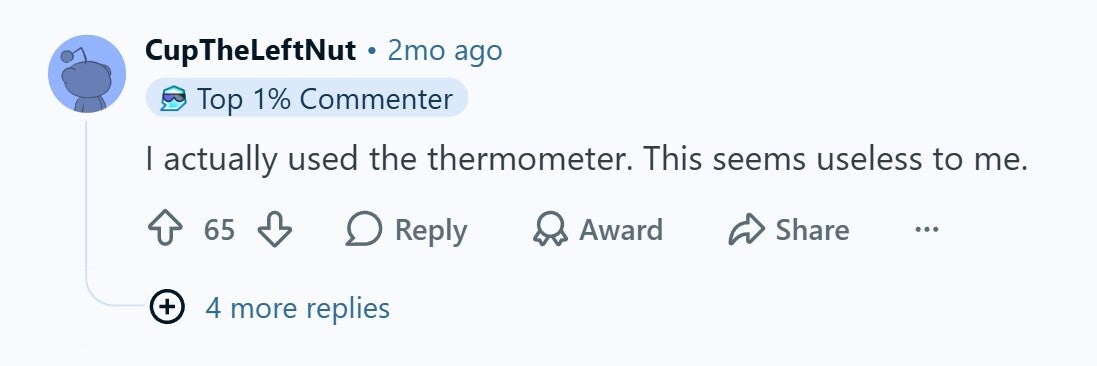
Reddit user missing Thermometer in Pixel 11 Pro. | Image by Reddit
In fact, it is not only me; most of our readers also believe that it is a worthless dud. You will also find plenty of online posts and comments where users are criticizing Google for limiting HiLight's functionality. A user commented under a relevant Reddit post that the company shouldn't have replaced the thermometer with something that barely does anything.
Recommended For You
What's your thought on the Pixel HiLight?
3 Votes
HiLight could get a lot more useful
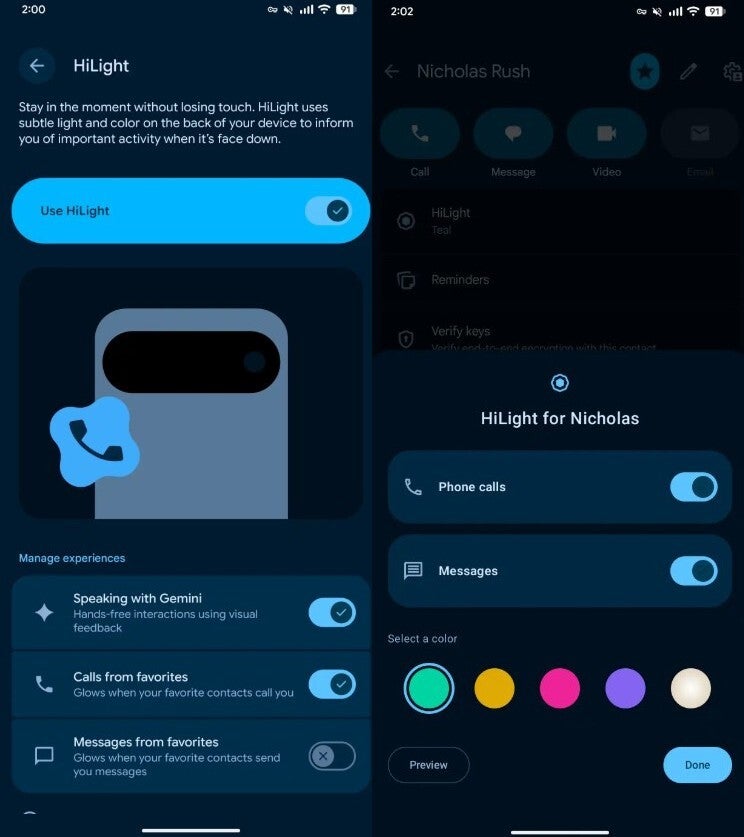
Message support in Pixel 11 Pro HiLight. | Image by 9to5Google
Google recently released Android 17 QPR2 Beta 6.1, which reportedly includes important fixes and two new additions: an outline battery icon when the phone is charging and a new update for HiLight. The latter is an interesting update, as it makes HiLight compatible with messages as well.
That means that, in addition to calls, HiLight will illuminate when you receive a message from your favorite contact too. It will reportedly blink twice. The related settings have also been spotted in the Settings app of the Pixel 11 Pro phones.
The feature can be managed by navigating to Settings > System > HiLight. Here, you'll find the new option: Messages from favorites. Once this toggle is enabled, you can also change the color that illuminates when you receive a message from favorite contacts.
To do this, open the Contacts app, choose one of your favorite contacts, and then select the HiLight option. You can now select the color in which the LED blinks.
It should have been present from day one
The ability to work with messages is what many fans believe Google should have offered from day one. I also personally believe that, instead of Gemini, it would have been far better if HiLight had been compatible with messages and calls from the start.
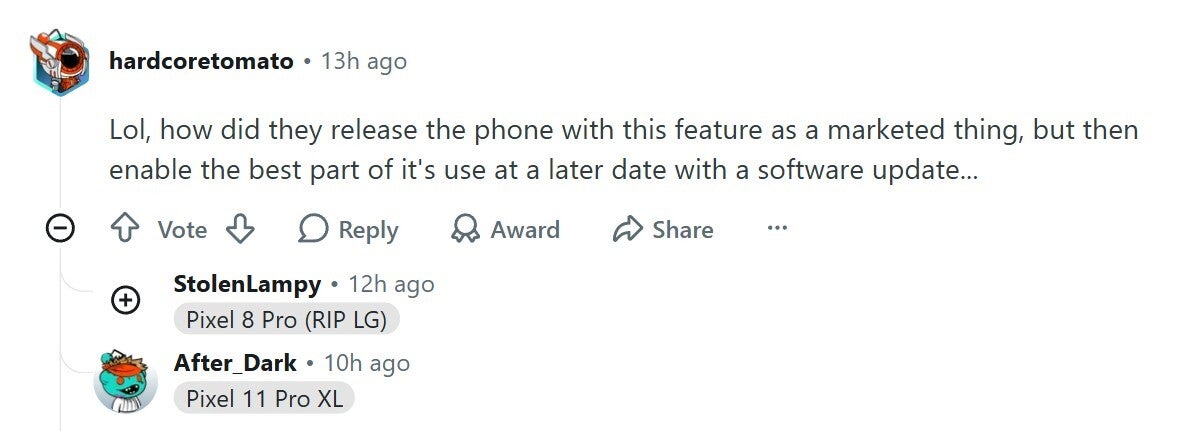
Reddit user comment about Pixel 11 Pro HiLight | Image by Reddit
Many users on online community forums like Reddit apparently share this view. One user commented under a related post that they couldn't believe Google was making HiLight compatible with messages via a software update instead of supporting it from day one.
This isn't much, but it is something
The message support is not something that will make HiLight such an incredible feature that every other brand will try to replicate it in their smartphones, but it will certainly make the capability better than what it currently is. I would have really appreciated it if Google had made this feature work with third-party messaging applications as well, like WhatsApp. But currently, it appears that it will function only with the Google Messages app.
It was also reported earlier that more colors could be added to HiLight, but its signs can't be spotted in the latest update. All that said, the stable version of Android 17 QPR2 is expected to become available in December this year. So, it wouldn't be wrong to say that, following that update, the Pixel 11 Pro's HiLight feature will become a little more useful.
On the Visible+ Pro plan, you get access to 5G Ultra Wideband data on Verizon's fastest network. Along with unlimited roaming across Mexico and Canada, 2 days of Global Pass per month, 3x hotspot speeds, 4K streaming, and Smartwatch service.
Aman Kumar is a news writer at PhoneArena covering Google Pixel phones, Android features, AI-powered smartphone tools, and mobile tech news. Before joining PhoneArena, he spent over five years writing about consumer technology for publications like MakeUseOf, How-To Geek, and Guiding Tech. His current daily drivers are the Pixel 10 and Samsung Galaxy S26 Plus, while his red iPhone SE (2nd gen) remains a personal favorite. Aman also appreciates bold smartphone experiments and still considers the Nokia N-Gage one of the industry’s most iconic designs.
A discussion is a place, where people can voice their opinion, no matter if it
is positive, neutral or negative. However, when posting, one must stay true to the topic, and not just share some
random thoughts, which are not directly related to the matter.
Things that are NOT allowed:
Off-topic talk - you must stick to the subject of discussion
Offensive, hate speech - if you want to say something, say it politely
Spam/Advertisements - these posts are deleted
Multiple accounts - one person can have only one account
Impersonations and offensive nicknames - these accounts get banned
To help keep our community safe and free from spam, we apply temporary limits to newly created accounts:
New accounts created within the last 24 hours may experience restrictions on how frequently they can
post or comment.
These limits are in place as a precaution and will automatically lift.
Moderation is done by humans. We try to be as objective as possible and moderate with zero bias. If you think a
post should be moderated - please, report it.
Have a question about the rules or why you have been moderated/limited/banned? Please,
contact us.


![Another batch of Galaxy S26 series users in the US are getting a nice surprise today [UPDATED]](https://m-cdn.phonearena.com/images/article/183643-wide-two_350/Another-batch-of-Galaxy-S26-series-users-in-the-US-are-getting-a-nice-surprise-today-UPDATED.webp)
Things that are NOT allowed:
To help keep our community safe and free from spam, we apply temporary limits to newly created accounts: