Android is getting a new batch of scam protections, some of which were previously exclusive to Pixel phones such as the Pixel 11 Pro, but are now heading to phones from Motorola, OnePlus, Xiaomi and other brands later this year. The Galaxy S26 is also getting some nifty new protections in Google Messages.
What Google announced for Android
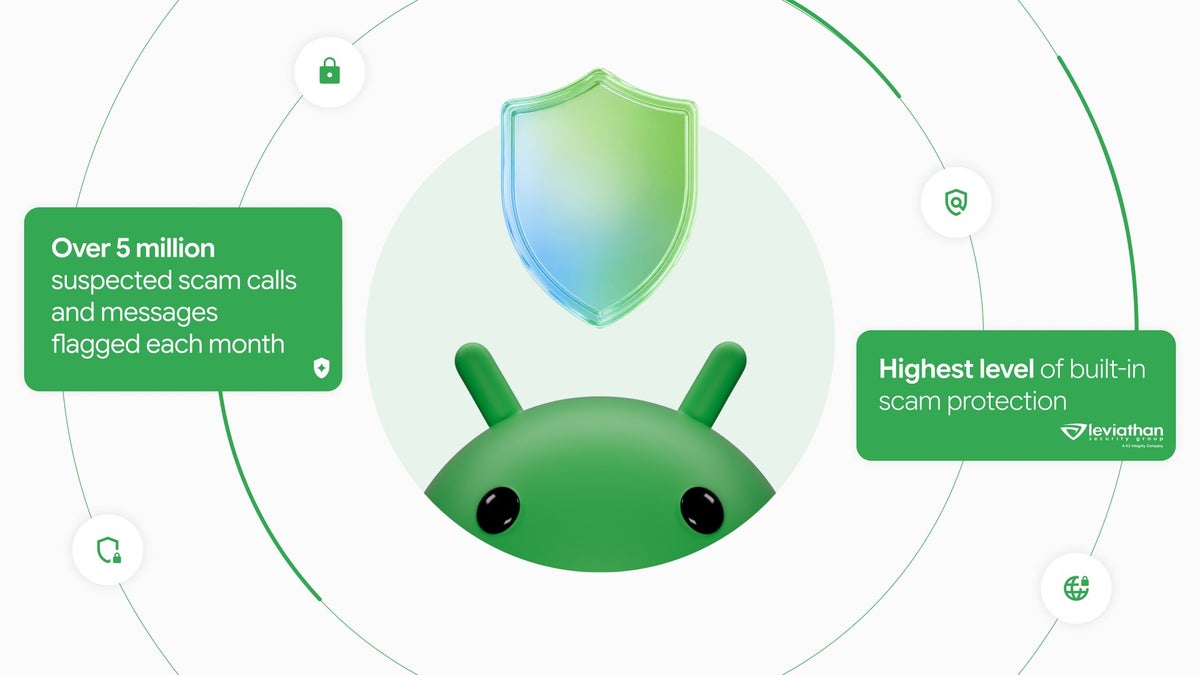
Google says Scam Detection in Phone by Google and Google Messages flags more than 5 million suspected scam calls and texts every month, and today it announced on its blog a new set of Android scam protections timed with Cybersecurity Awareness Month. These include:
Chat alerts: Scam Detection in chat notifications can flag a suspicious message in the notification shade before you even open a chat app. This feature started on Pixel, but now Google is partnering with Honor, Infinix, iQOO, itel, JOVI, Motorola, OPPO, OnePlus, realme, TECNO, Vivo and Xiaomi to bring it to hundreds of millions more users later this year.
Screen-share privacy: Android already hides sensitive info in its own apps during screen sharing, but now it also blanks out login fields and payment screens in Chrome and Android WebView. This will be rolling out this month to devices running Android 15 and newer.
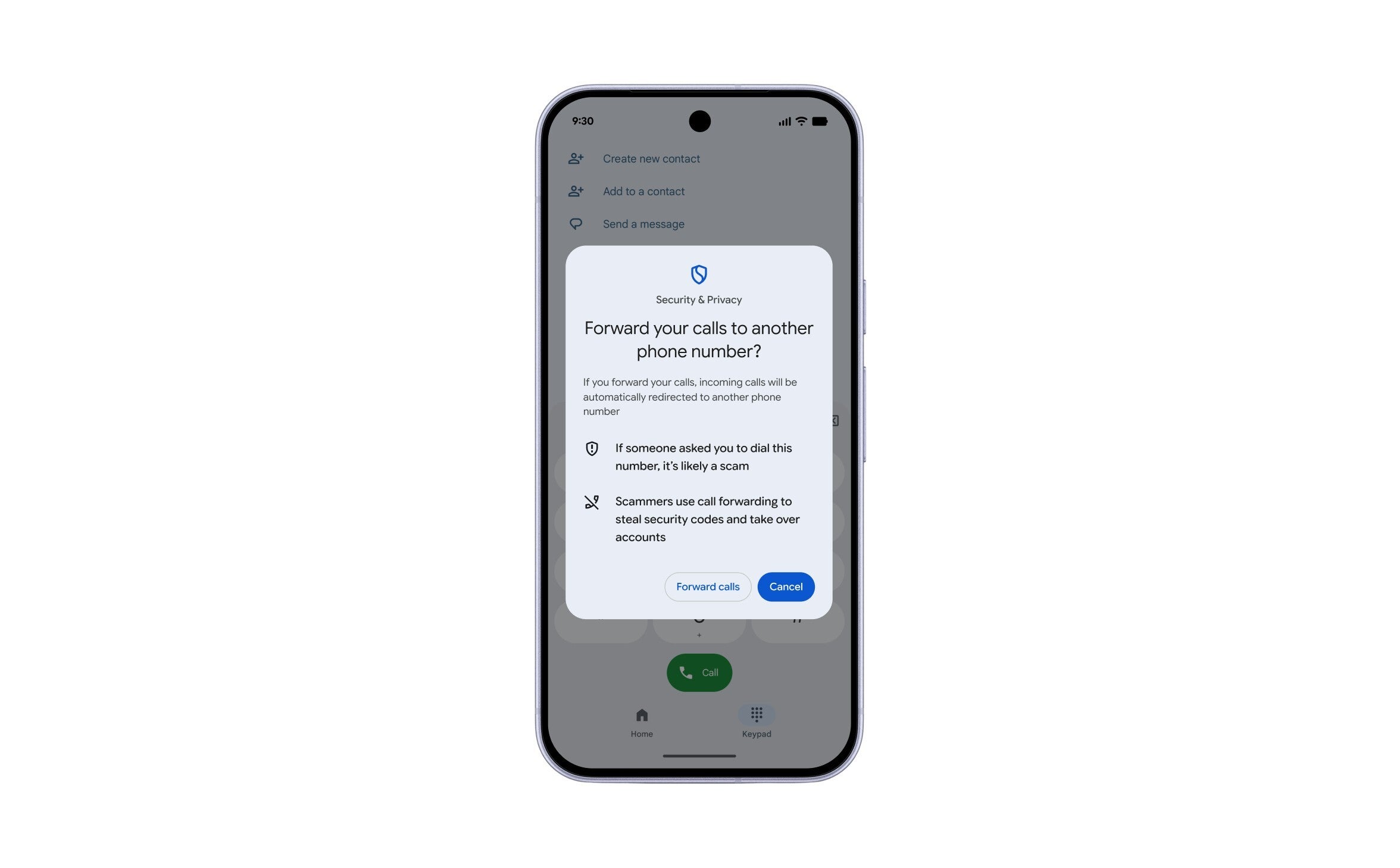
Call-forwarding protection: arriving in early December on Pixel and other select devices, Android will now warn you when apps try to trick you into turning on call forwarding.
Enhanced protection mode in Google Messages: an optional setting that adds extra scam checks, such as cloud Gemini checks for suspicious chats, smarter link checks and warnings before you tap links from numbers you don't recognize. This will begin to roll out in the coming weeks.
Which new Android scam protection matters most to you?
1 Votes
Recommended For You
How Android stops scammers from hijacking your calls
When a scammer calls, often posing as your bank or carrier, they will usually ask you to dial a short code. What that code actually does is turn on call forwarding to their own number, effectively causing your incoming calls to go to them. This includes those calls with one-time passcodes, and that enables them to take over your accounts.
Android's new warning pops up before a call-forwarding code takes effect. | Image by Google
If you, without realizing it, type in a forwarding code, Android warns you that if someone asked you to do this, it's likely a scam. This warning is your cue to hang up.
The Google Messages setting worth turning on
Enhanced protection lets Scam Detection send your chats with unknown senders to Google's cloud Gemini models. These models are better at reading long messages and recognizing what scammers are after.
On-device Gemini Nano checks on web links that aren't on known scam lists yet. This works on the Pixel 10 and newer, the Galaxy S26 series, the Galaxy Z Fold 8 and Z Flip, and other select phones.
Google's scoreboard: Pixel 11 Pro vs iPhone 18 Pro
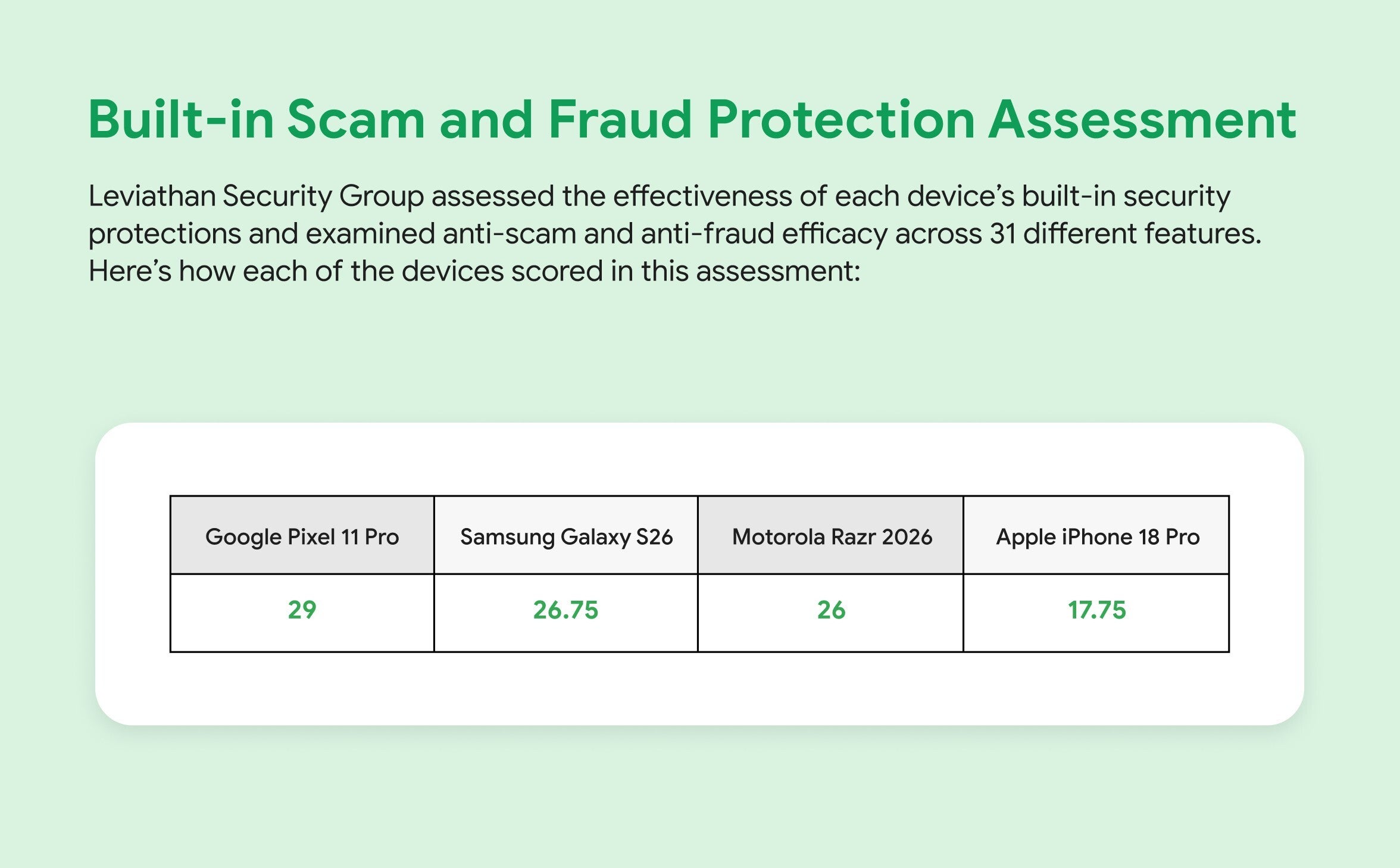
It is worth mentioning that Google announced that a test paid by them and run by Leviathan Security Group, awarded the Pixel 11 Pro with 29 out of 31 features. This is in contrast to the iPhone 18 Pro, which scored last at 17.75.
Leviathan's Google-funded test put the Pixel 11 Pro on top and the iPhone 18 Pro last. | Image by Google
If you are on a Motorola, OnePlus or Xiaomi phone, the gap with Pixel shrinks later this year, and turning on Enhanced protection when it lands is worth it. I'd love to see more OEMs join the chat-alert list soon.
Mint Mobile is celebrating its 10-year anniversary with a special offer on its six-month subscription plans. For a limited time, you can get your preferred tier (6GB, 17GB, 23GB or unlimited) for just $10/mo. That saves you between 50% and 71% on the carrier's mobile plans, making it way easier to recommend.
Johanna Romero is a Senior News Writer at PhoneArena, covering mobile technology news across Android, iOS, wearables, and the Google ecosystem she knows best. Drawing on 15 years in IT and tech support from 2007 to 2022, she brings a user-friendly eye for the practical features and lesser-known tricks readers care about. Google named her an official #TeamPixel member in 2022, and she also reviews the latest devices on her YouTube channel, JoJo the Techie.
A discussion is a place, where people can voice their opinion, no matter if it
is positive, neutral or negative. However, when posting, one must stay true to the topic, and not just share some
random thoughts, which are not directly related to the matter.
Things that are NOT allowed:
Off-topic talk - you must stick to the subject of discussion
Offensive, hate speech - if you want to say something, say it politely
Spam/Advertisements - these posts are deleted
Multiple accounts - one person can have only one account
Impersonations and offensive nicknames - these accounts get banned
To help keep our community safe and free from spam, we apply temporary limits to newly created accounts:
New accounts created within the last 24 hours may experience restrictions on how frequently they can
post or comment.
These limits are in place as a precaution and will automatically lift.
Moderation is done by humans. We try to be as objective as possible and moderate with zero bias. If you think a
post should be moderated - please, report it.
Have a question about the rules or why you have been moderated/limited/banned? Please,
contact us.












Things that are NOT allowed:
To help keep our community safe and free from spam, we apply temporary limits to newly created accounts: