Microsoft lets you use Android apps on Windows 10
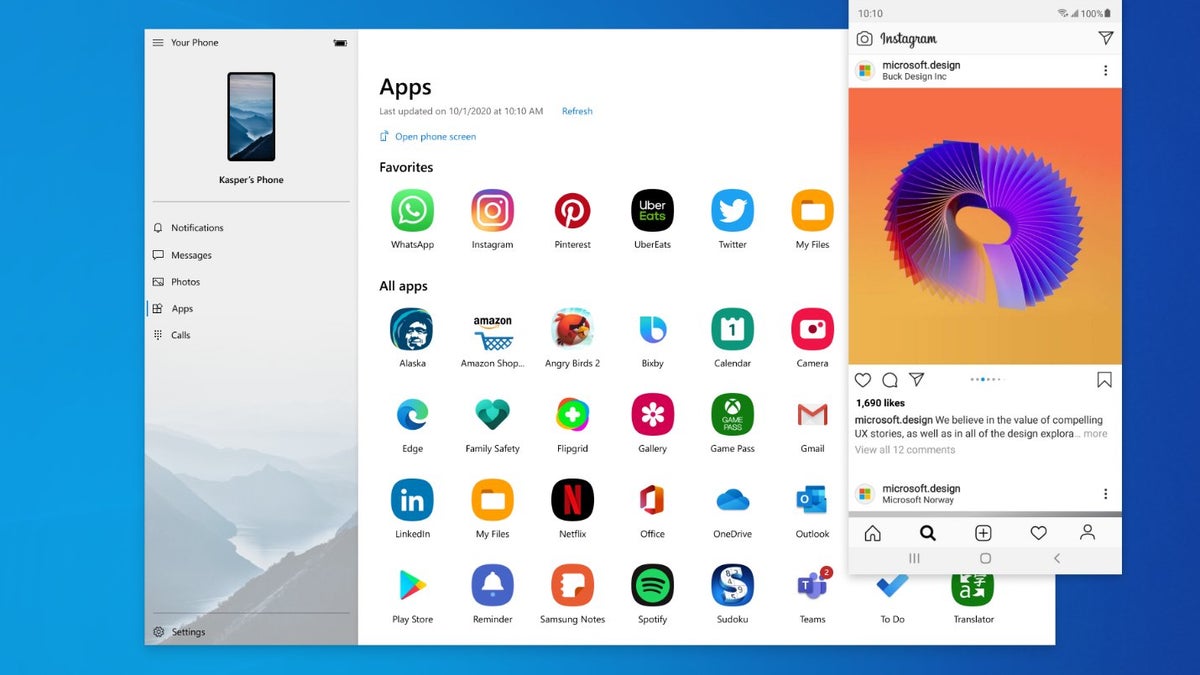
Microsoft has been improving its Your Phone companion app heavily in the past months. The company first tested screen mirroring between Android and Windows 10 back in March 2019. Later last year, Microsoft added the ability to view Android phone notifications on a Windows 10 PC in real-time. Now it’s time for the next step - Microsoft is rolling out the Apps feature, and it will be available for supported smartphones in the next 48 hours.
The Apps feature lets you instantly access the Android apps installed on your mobile device right on your PC. You can then pin them to the Start Menu, add them as favorites, and launch them alongside native Windows 10 apps. “Using a Wi-Fi connection, Apps allows you to browse, play, order, chat, and more – all while using your PC’s larger screen and keyboard”, reads the description on Microsoft’s official blog.
You can check the full list of supported phones here, and you’ll find only Samsung Galaxy devices on that list. If you happen to own a Galaxy S9 phone or a newer Galaxy model, you might want to try the new feature, as it promises gains in productivity. Everyone else will have to wait a bit longer for Microsoft to extend the support to more smartphone brands and models.
We are excited to announce that the Apps feature is now rolled out to everyone with supported devices (It may take up to 48hrs. to show up). It allows you to instantly access your Android phone’s mobile apps directly from your Windows 10 PC. Learn more: https://t.co/vASs8SCCVW pic.twitter.com/xUOaMmfALU
— Microsoft Your Phone (@MSYourPhone) September 15, 2020
You can check the full list of supported phones here, and you’ll find only Samsung Galaxy devices on that list. If you happen to own a Galaxy S9 phone or a newer Galaxy model, you might want to try the new feature, as it promises gains in productivity. Everyone else will have to wait a bit longer for Microsoft to extend the support to more smartphone brands and models.


Popular stories






Latest News






Things that are NOT allowed:
To help keep our community safe and free from spam, we apply temporary limits to newly created accounts: