Unlike how things are on an iPhone and iPad, Android users don't have nearly the same selection of professional apps to choose from, with most good video editing apps on Google's platform usually requesting costly monthly subscription payments.
I personally prefer my smartphone to run Android, so I went through all of the popular and unpopular video editing apps on Google Play to find the best overall video editing offers that would be suitable for every type of user.
Best video editing Android apps on this list:
Cute CUT - Video Editor & Movie Maker
Video Editor & Video Maker - InShot
Adobe Premiere Rush — Video Editor
Samsung Galaxy Video Editor
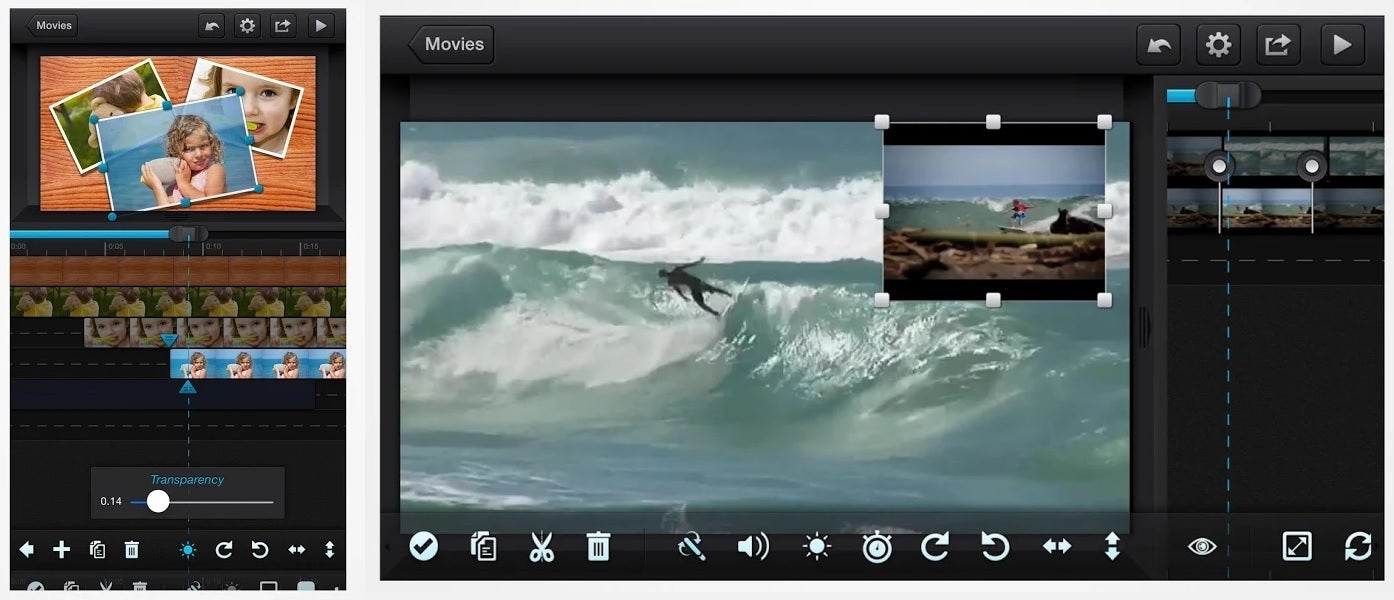
Cute CUT - Video Editor & Movie Maker
Cute Cut is the best overall Android video editing app for most users, reasonably priced and well capable.
Price: $5.99 | Download on Google Play Supports video layers: Yes Trimming & cutting: Yes One-time payment: Yes
Skill level: Advanced
If you're looking for a Final Cut Pro or Adobe Premiere Pro-like video editing experience on your Android phone or tablet, this is the best app out there.
It supports two video layers at a time, many image layers, in addition to sound and music layers. After getting the hang of its gestures and figuring out what its somewhat unclear icons mean, doing automatic and manual transitions, color retouching, speeding up or slowing down video - it all becomes a piece of cake. The app is also very well designed for portrait mode smartphone video editing, but also supports the landscape orientation for tablet users.
Recommended For You
It is really as close as you can get to a desktop-like, powerful video editing experience on Android, at a reasonable price. One of its downsides are, however, that Cute Cut appears to be an abandoned app. It hasn't seen an update since late 2018, and no major features were added ever since I first bought it in mid-2017. Some users appear to be experiencing the occasional bug due to it's lack of updates, which is something to have in mind before purchasing.
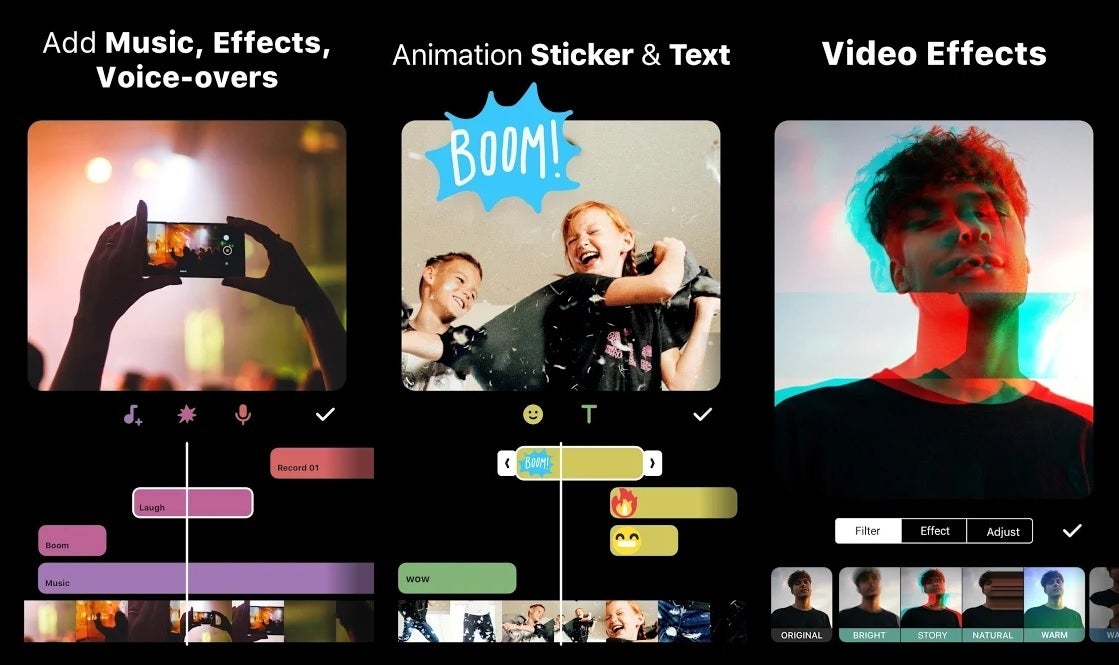
Video Editor & Video Maker - InShot
InShot is the perfect video trimming and enhancement app for social media influencers who value simplicity and ease of use overall.
Price: $29.99 | Download on Google Play Supports video layers: No Trimming & cutting: Yes One-time payment: Yes
Skill level: Easy
If you're after simplicity and basic video retouching for social media, nothing beats InShot. Though its one-time price of $29.99 may be a bit much for what it does, it also has an alternative $2.99 monthly subscription option.
InShot provides a smooth and easy to grasp video editing experience, and while it doesn't support more than one video layer, many clips can be arranged in a timeline, trimmed, sped up or slowed down. The app can also add music, stickers, text, and covers all the basics of what you'll need for that perfect Instagram video.
With its power and simplicity, and frequent updates, this is an app that is likely to justify its price for social media influencers and vloggers who need something basic and easy to use on the go.
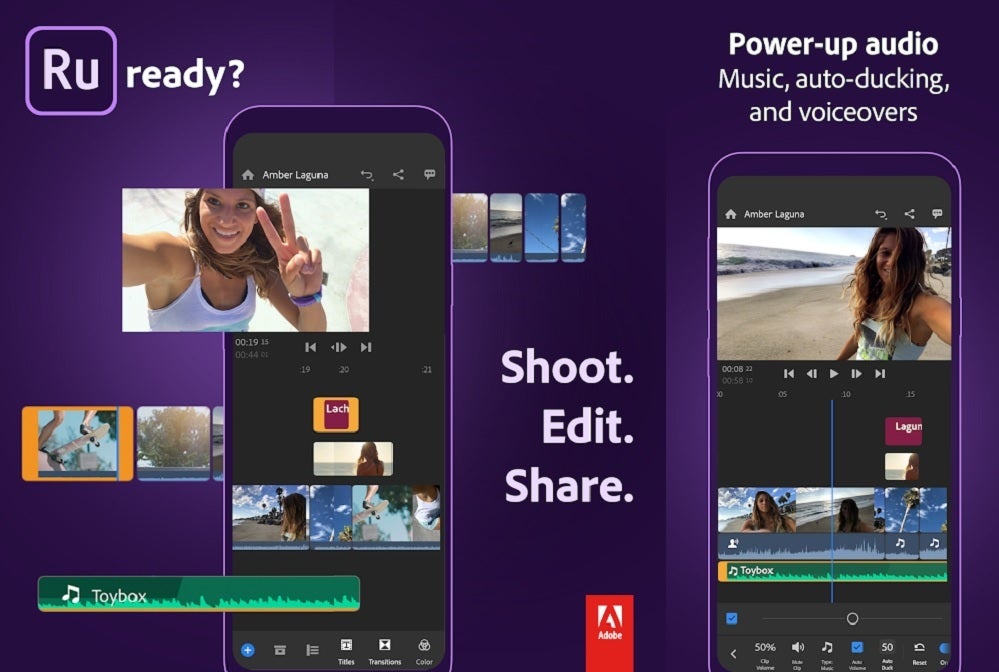
Adobe Premiere Rush — Video Editor
Adobe Premiere Rush is the most professional grade Android video editor, suited for YouTubers and influencers alike.
Price: $9.99 per month | Download on Google Play Supports video layers: Yes Trimming & cutting: Yes One-time payment: No
Skill level: Advanced
If you've ever used iMovie or Adobe Premiere, this is the closest you can get to having those apps on an Android smartphone. Rush is also the most streamlined, professional option here, capable of syncing your work between your devices, so after you're done editing on the move, you can simply continue working on your computer. It supports not only all types of layers one would ever need, but even video filters.
However, this ultimately perfect video editing app comes at a cost. In addition to not supporting a large chunk of the Android smartphones out there, Adobe asks for $9.99 per month for it, which are the main reasons it's not first this list.
Unless you're a professional who can afford the monthly asking price, and edits videos on the go all the time, Adobe Premiere Rush isn't easy to recommend. If, however, you need the most powerful Android video editing app, and have the right smartphone for it - this is it.
Samsung Galaxy Video Editor
Samsung offers a built-in video editor for some of it's flagship devices, which can handle all the basics.
Price: Free | Comes built-in on certain Galaxy smartphones Supports video layers: No Trimming & cutting: Yes
Skill level: Easy
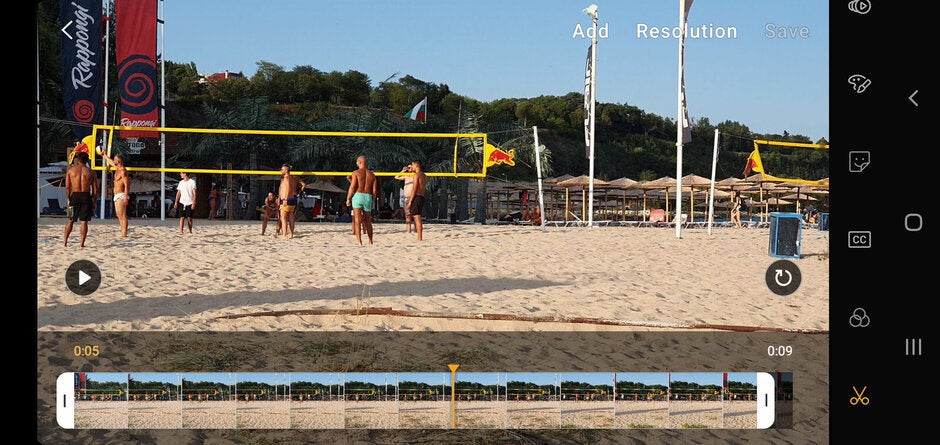
Certain flagship Samsung Galaxy smartphones, such as the Galaxy S10, Note 10 and their newer iterations, come with a convenient, built-in video editor. It covers all the basics, such as video trimming, adding text and stickers, applying video filters, and even the option of using face detection to enhance a subject's facial features and skin tone.
It also has support for S Pen, which makes it arguably the most fun-to-use app on the list, though of course, it's also the most exclusive one, only being available on certain Samsung flagships. We've made an entire article on how to access and use it here.
For a larger array of apps, we also have a 2018 list of the best Android camera, photo editing and video editing apps. Alternatively, we have a similar, recenly-updated list for iPhone users.
Do you edit videos on your Android device? If so, let us know which app did you find the most useful.
Get Visible as low as $20/mo for 1 year. Limited time offer with code: FRESHSTART
$20
/mo
$25
$5 off (20%)
Offer Ends 6.1.2026 at 11.59pm ET. New members get $5/mo off the $25/mg Visible plan, $35/mo Visible+ plan, or $45/mo Visible+ Pro plan for the first 12 months. Promo code FRESHSTART required at checkout.
Rado is a former tech writer for PhoneArena. His tech journey began with MP3 players and has evolved to include tinkering with Android tablets and iPads, even running Linux and Windows 95 on them. Beyond tech, Rado is a published author, music producer, and PC game developer. His professional work on iPads, from producing songs to editing videos, showcases his belief in their capabilities. Rado looks forward to the future of mobile tech, particularly in augmented reality and multi-screen smartphones.
Recommended For You
COMMENTS (5)
COMMENTS (5)
All comments need to comply with our
Community Guidelines
PhoneArena Community Rules
A discussion is a place, where people can voice their opinion, no matter if it
is positive, neutral or negative. However, when posting, one must stay true to the topic, and not just share some
random thoughts, which are not directly related to the matter.
Things that are NOT allowed:
Off-topic talk - you must stick to the subject of discussion
Offensive, hate speech - if you want to say something, say it politely
Spam/Advertisements - these posts are deleted
Multiple accounts - one person can have only one account
Impersonations and offensive nicknames - these accounts get banned
To help keep our community safe and free from spam, we apply temporary limits to newly created accounts:
New accounts created within the last 24 hours may experience restrictions on how frequently they can
post or comment.
These limits are in place as a precaution and will automatically lift.
Moderation is done by humans. We try to be as objective as possible and moderate with zero bias. If you think a
post should be moderated - please, report it.
Have a question about the rules or why you have been moderated/limited/banned? Please,
contact us.







Things that are NOT allowed:
To help keep our community safe and free from spam, we apply temporary limits to newly created accounts: