Apple fans have been experiencing numerous issues with iOS 26. Yep, the Cupertino company did fix many things with subsequent iOS releases, but now there's a new update – iOS 26.2.1 – and unfortunately, it's not been sitting well with all supported iPhones.
Users report bugs with iOS 26.2.1, released last week
The new update was released on January 26 to iPhones that support iOS 26 and brought support for Apple's new item tracker, the AirTag 2. The update also brought fixes to some bugs. But, now, some users report that the update has introduced bugs instead of removing them from their iPhones.
Luckily, it doesn't seem that we're talking about a huge number of users, though. However, the affected users report annoying bugs like apps crashing, freezing, and even lagging. Among the reported issues are also connectivity failures, and on top of it all, severe battery drain.
Some users say they lost all their Safari tabs when installing the update. Meanwhile, for some, Apple Maps saved places and favorites have disappeared.
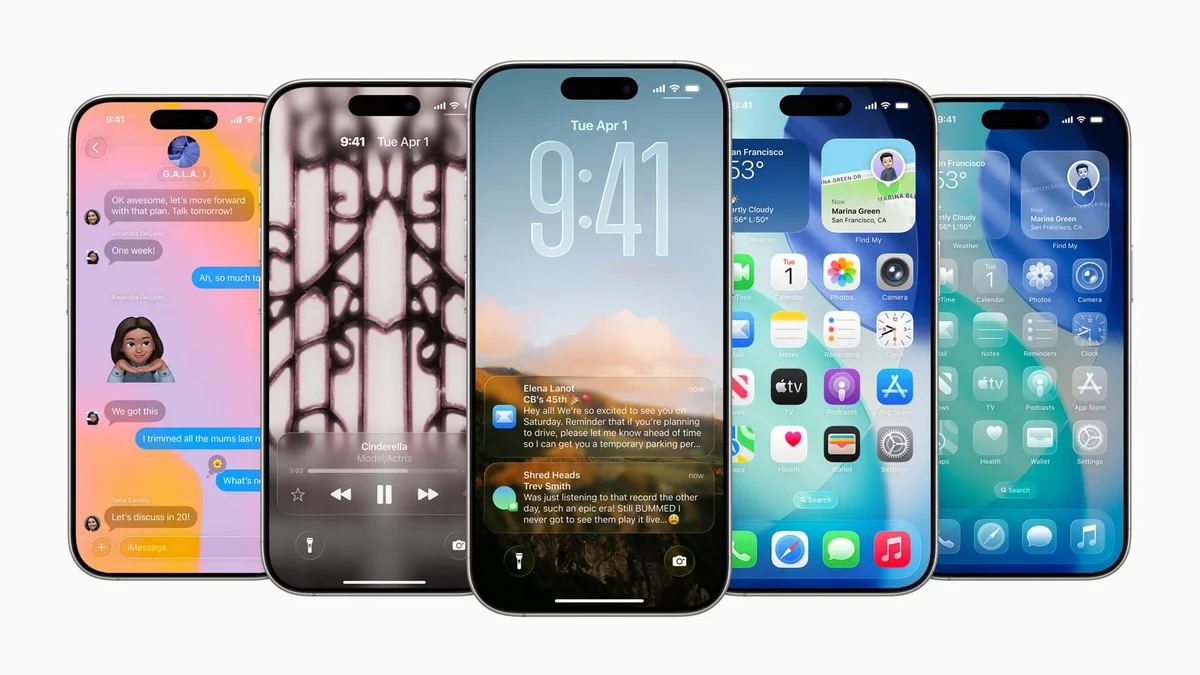
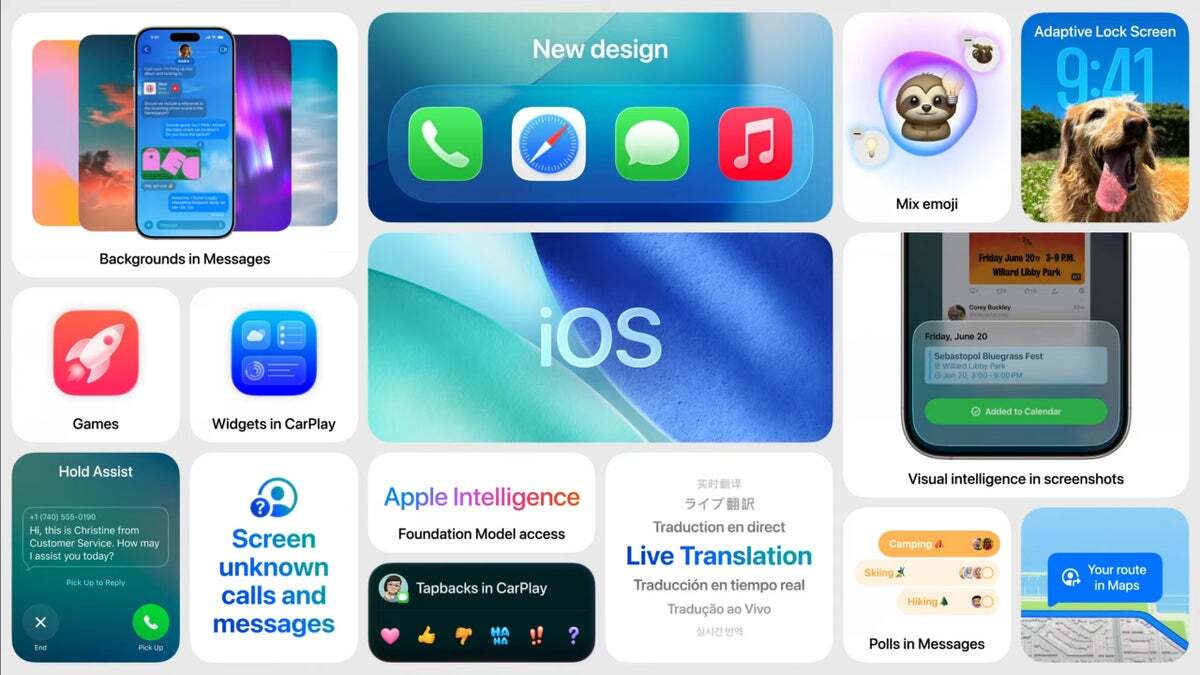
iOS 26 features at a glance. | Image Credit - Apple
Unfortunately, some users are also experiencing bugs with Face ID, which has reportedly become slower or is failing more often. For some, Face ID sign-in was getting disabled inside third-party apps after the update.
Others see severe battery drain, including on newer devices like the iPhone 17 Pro Max. A user also reports that after the update, their iPhone ran out of space to the point of becoming "unusable".
Recommended For You
However, it's still important to note that not all iPhones are experiencing issues with the update. Some users report their iPhone running smoothly and even more stable than before. According to several forum posts, higher-end models are seeing solid performance.
The number of users experiencing bugs isn't huge so far, so there's that.
How is iOS 26.2.1 treating your iPhone?
148 Votes
Smooth as butter. No issues here.
22.97%
Glitchy & laggy.
55.41%
I'm staying on 26.2 until this is fixed.
10.14%
I’ve moved to Android.
11.49%
Downgrades are not possible anymore
Meanwhile, the Cupertino tech giant has stopped signing iOS 26.2 after iOS 26.2.1 rolled out. This just about means that you can't go back to iOS 26.2 if you're experiencing issues.
iOS 26.2.1 addressed several small bugs that were present on iPhones from iOS 26. For example, there was a bug that showed some icons overlapping in control panels that this update is fixing. Also, the update addresses some issues with system stability as well. And, as we already mentioned, it adds support for the new AirTag 2 with improved Precision Finding.
iOS 26 in general has introduced quite many bugs to iPhones. Some users have no issues, of course, but others see small things here and there that appear unstable. The update itself was huge, with a major redesign of the OS, and with anything this big, it's natural that it's not going to be perfect.
My take on bugs on iPhones
iPhones have this reputation of working great even years down the line, with very few bugs overall. However, this has been becoming less the case recently. Of course, I can't just blame Apple for not being perfect – after all, tech is tech, and it can still break – but I can't lie and say that doesn't annoy me.
I've experienced some small bugs here and there on my somewhat old iPhone 13 Pro Max since iOS 26 was introduced. Yep, these bugs don't render the phone unusable to me, but they're noticeable on a phone that experienced no issues for four and a half years since I bought it.
Of course, newer iOS versions are more optimized for newer phones, so my issues could be because this is an older iPhone. Still, many newer models have experienced bugs as well, which makes me think it's not just because I am due for an upgrade soon.
Obviously, it's not like Apple devices were never experiencing anything before, but it does seem the issues are multiplying now instead of disappearing. Not a dealbreaker for me thus far, but it does make me hesitate to update.
iMac (M1 series, 2021) flash sale! Limited time offer!
Save $40 on iMac (M1 series, 2021) from Back Market. Discount automatically applied at checkout. Offer ends 27 September 2026 at 23:59.
Iskra Petrova is a news writer at PhoneArena, where she covers mobile tech news and maintains the site’s device hubs with the latest leaked specs, rumors, and official details for upcoming phones. She joined PhoneArena in 2020 after three years in technical support for Microsoft Exchange, giving her practical experience with software infrastructure and troubleshooting. Iskra holds a Master’s Degree in Literature, which helps her translate complex tech details into clear, reader-friendly coverage. She is a daily Apple ecosystem user, while also closely following Sony Xperia’s camera-focused phones and Samsung’s Galaxy Z Flip series.
A discussion is a place, where people can voice their opinion, no matter if it
is positive, neutral or negative. However, when posting, one must stay true to the topic, and not just share some
random thoughts, which are not directly related to the matter.
Things that are NOT allowed:
Off-topic talk - you must stick to the subject of discussion
Offensive, hate speech - if you want to say something, say it politely
Spam/Advertisements - these posts are deleted
Multiple accounts - one person can have only one account
Impersonations and offensive nicknames - these accounts get banned
To help keep our community safe and free from spam, we apply temporary limits to newly created accounts:
New accounts created within the last 24 hours may experience restrictions on how frequently they can
post or comment.
These limits are in place as a precaution and will automatically lift.
Moderation is done by humans. We try to be as objective as possible and moderate with zero bias. If you think a
post should be moderated - please, report it.
Have a question about the rules or why you have been moderated/limited/banned? Please,
contact us.











Things that are NOT allowed:
To help keep our community safe and free from spam, we apply temporary limits to newly created accounts: