Google's biggest Pixel update of 2026 so far is here, and it arrives on three fronts at once. The June Pixel Feature Drop, the Android 17 rollout and Wear OS 7 are reaching Pixel phones (starting with the Pixel 6) and Pixel Watches together.
Currently, none of it reaches other flagships such as the Galaxy S26 Ultra, but Google devices, including its best foldable and its watch, just got more capable overnight.
What Google just dropped
This is really three announcements rolled into one. Google is shipping the June 2026 Pixel Feature Drop alongside the broader Android 17 release and Wear OS 7 for Pixel Watch, all starting today.
A lot of what is arriving was previewed at Google I/O 2026 earlier this year, and it is finally rolling out to real devices. We recently noted that this drop looked imminent, so the timing is no surprise.
Android 17 is here, bringing a suite of features designed to enhance your productivity, entertainment, security and safety.
Seang Chau, VP and GM of Android Platform, Google blog, June 16, 2026
Android 17 reaches Pixel first today, with other eligible Android devices following throughout 2026. If you own a Pixel, you are at the front of the line for all of it.
Which part of this Pixel drop are you here for?
79 Votes
Bubbles and Bubble Bar, multitasking done right
41.77%
Screen Reactions, my content workflow just got easier
3.8%
Wear OS 7 battery and Live Updates on my wrist
26.58%
The thief-proofing in Find Hub and Android 17
27.85%
New on Pixel phones
Let's start with the Pixel-only tools, since Pixel owners get these first.
Recommended For You
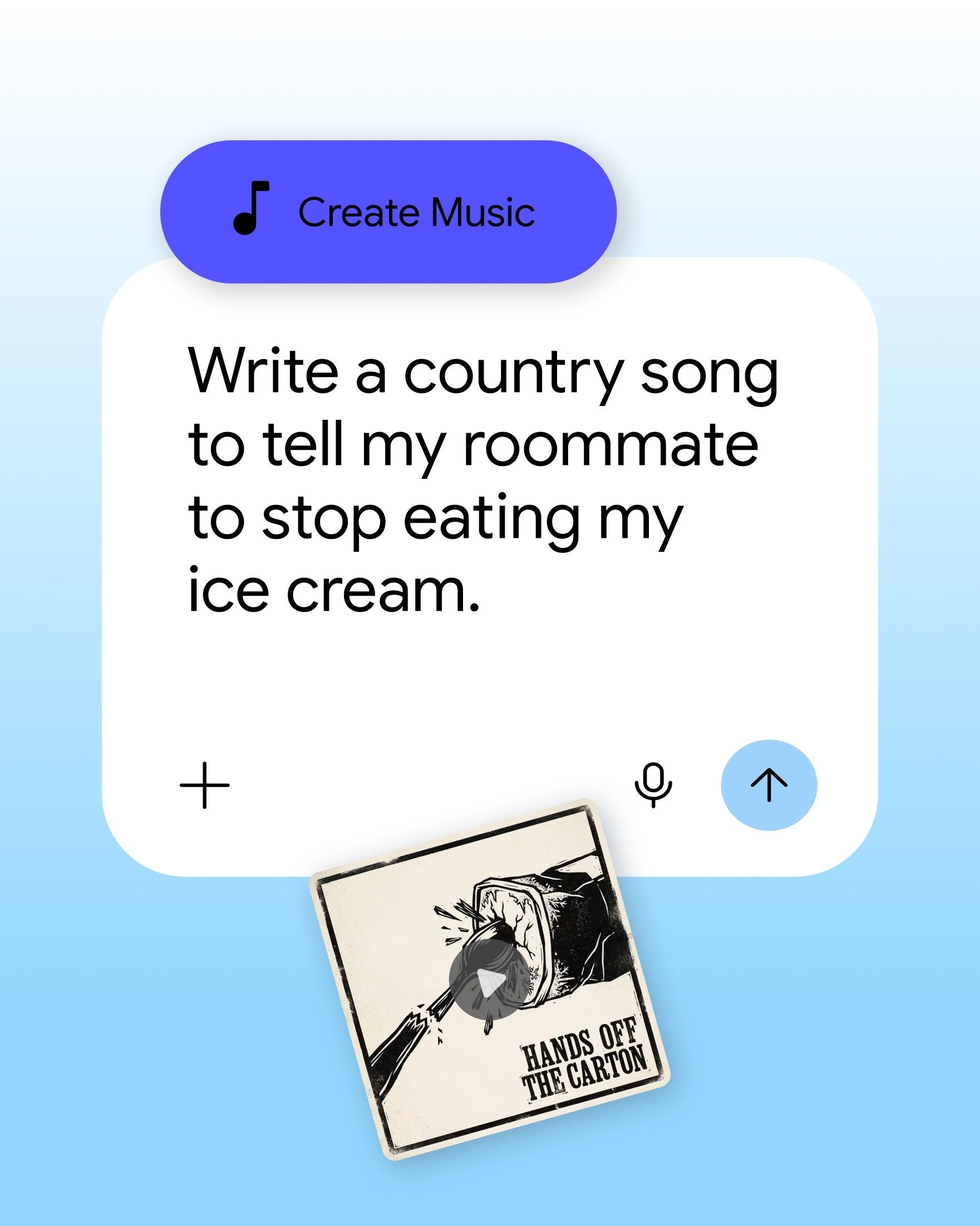
Lyria 3: generate original music from a text prompt or an image.
Lyria 3 turns a written prompt into an original track right inside Gemini. | Image by Google
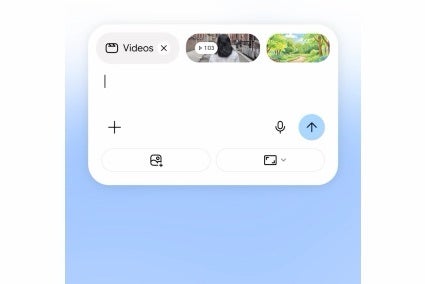
Gemini Omni: turn a text description into a custom video clip (needs a Gemini Pro subscription and works wherever the Gemini app does, not just on Pixel).
Gemini Omni builds a custom video clip from a single text prompt. | Image by Google
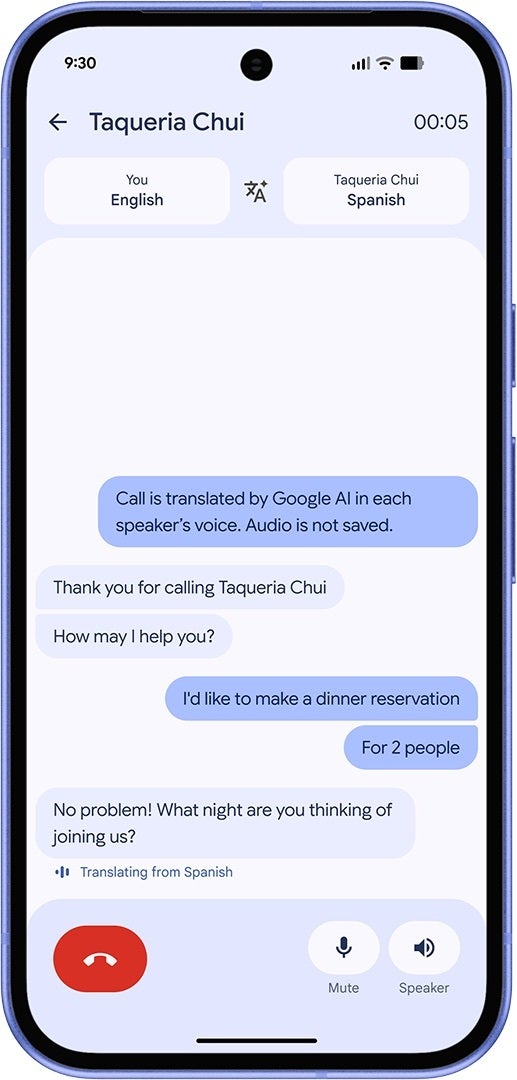
Voice Translate: now on the Pixel 10a, translating each caller in their own voice during a live call.
Voice Translate now reaches the Pixel 10a, translating each caller in their own voice. | Image by Google
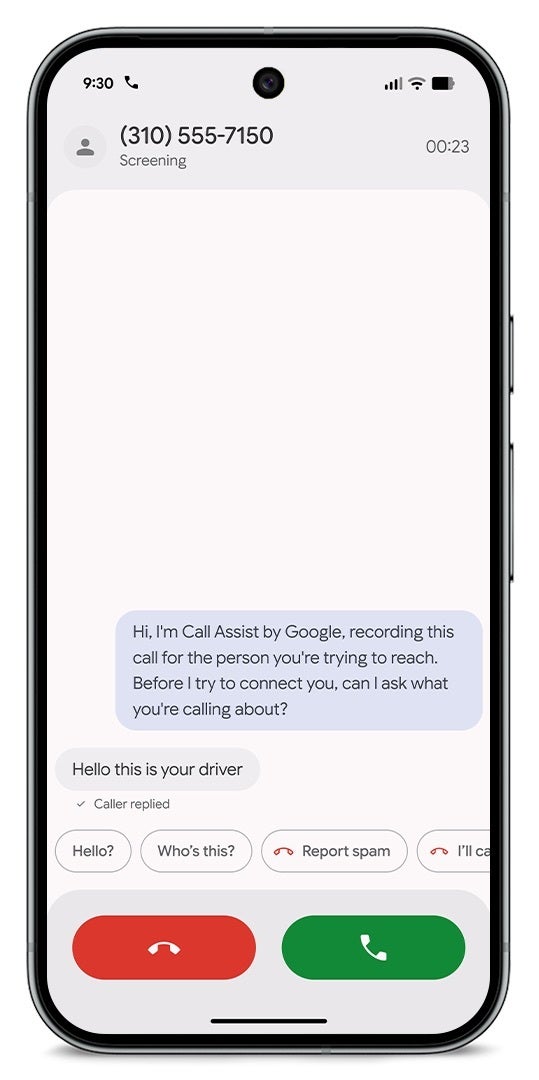
Manual Call Screen: expands to India so Call Screen can answer unknown numbers for you.
Manual Call Screen lets Call Assist answer unknown numbers and show you who is calling. | Image by Google
Take a Message: rolls out to more markets and adds Custom Greetings, with real-time transcripts.
Quick Share with AirDrop: now works on the Pixel 9a and Pixel 8a.
Magic Cue: contextual suggestions expand to more messaging apps on the Pixel 10 series.
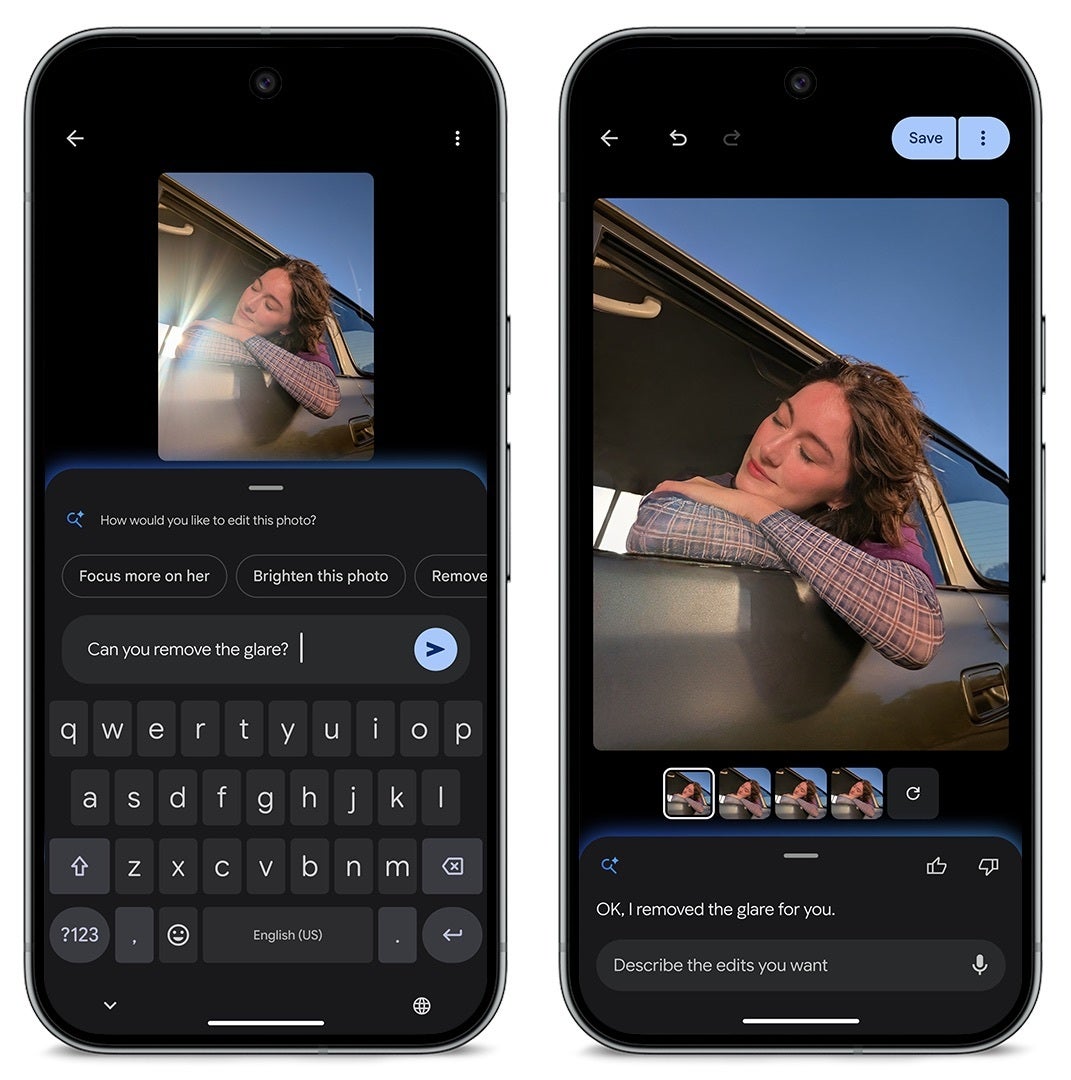
Photos conversational editing: lands on Pixel 6 and newer in five European markets (Germany, the UK, France, Spain and Italy), so you can edit by talking to your phone.
Conversational editing in Google Photos removes glare when you just ask for it. | Image by Google
What changes in Android 17
The Android 17 features are where the main stuff lives, and Pixel gets them first.
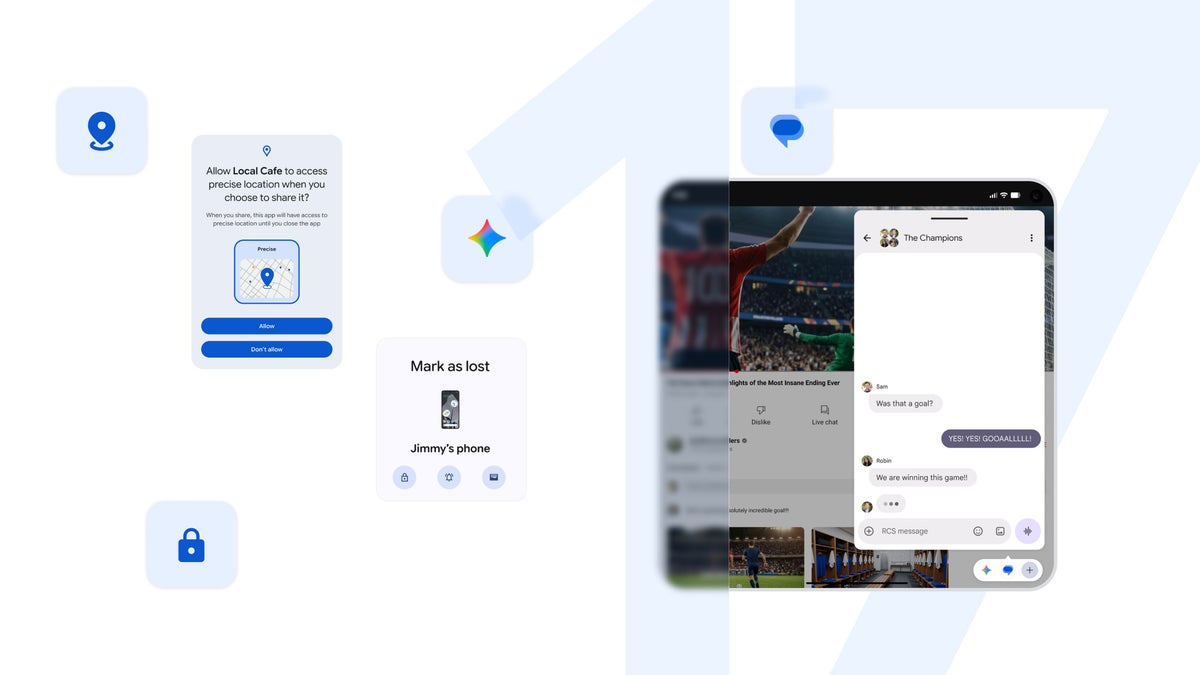
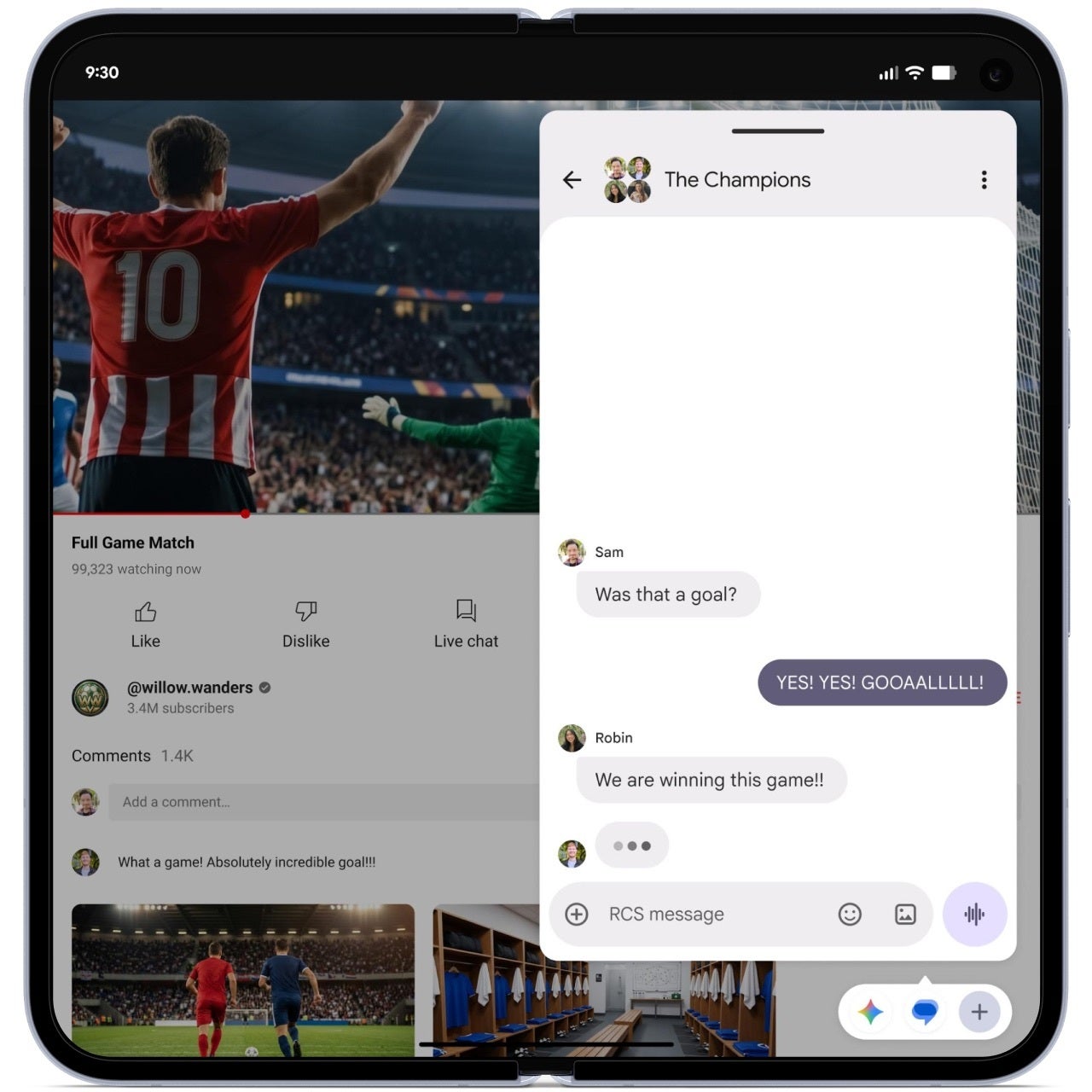
Bubbles: long-press any app icon to float it over whatever you are doing, and on Pixel folds those bubbles dock into a Bubble Bar for one-tap switching.
Bubbles floats an app like Gemini over whatever is already on your screen. | Image by Google
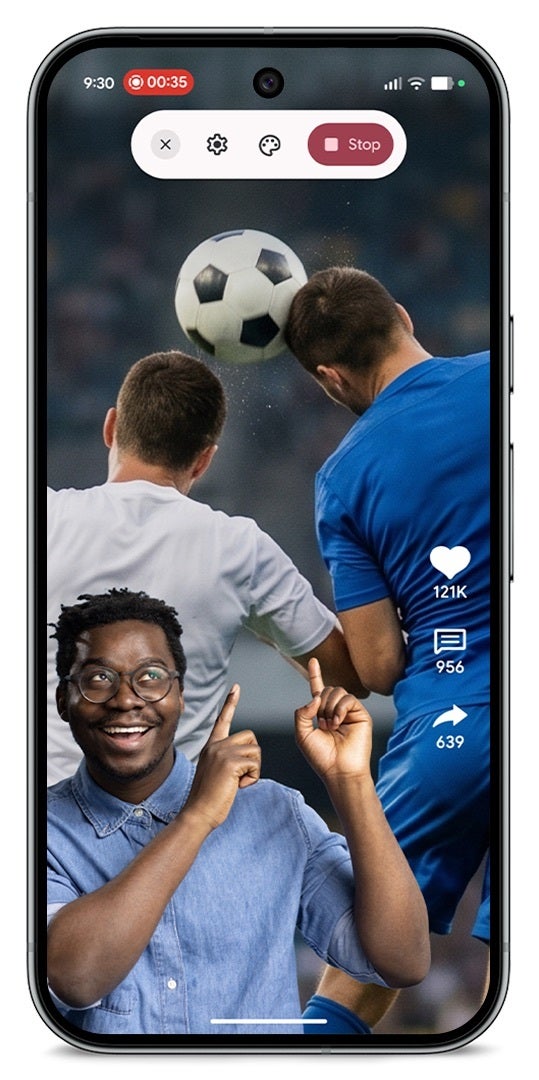
Screen Reactions: record yourself on the selfie camera while capturing your screen, so you can react to a site or video without a green screen or a second app.
Screen Reactions drops your selfie camera straight into a screen recording. | Image by Google
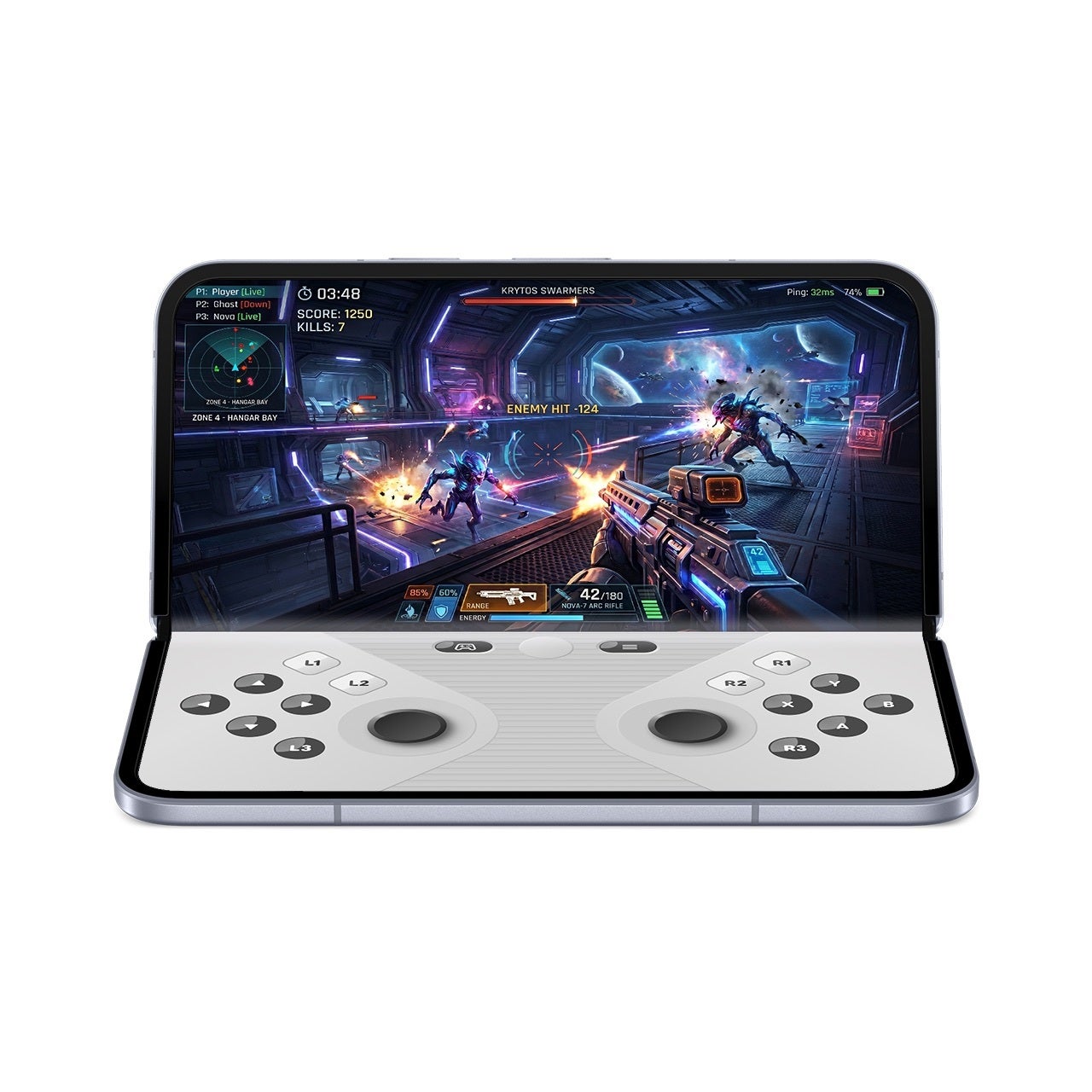
Foldable gaming mode: splits a fold into a 50/50 layout with the game on top and a gamepad below, plus native controller remapping. It is enabled now and arrives in the coming months.
Foldable gaming mode puts the game up top and a gamepad on the lower half of a fold. | Image by Google
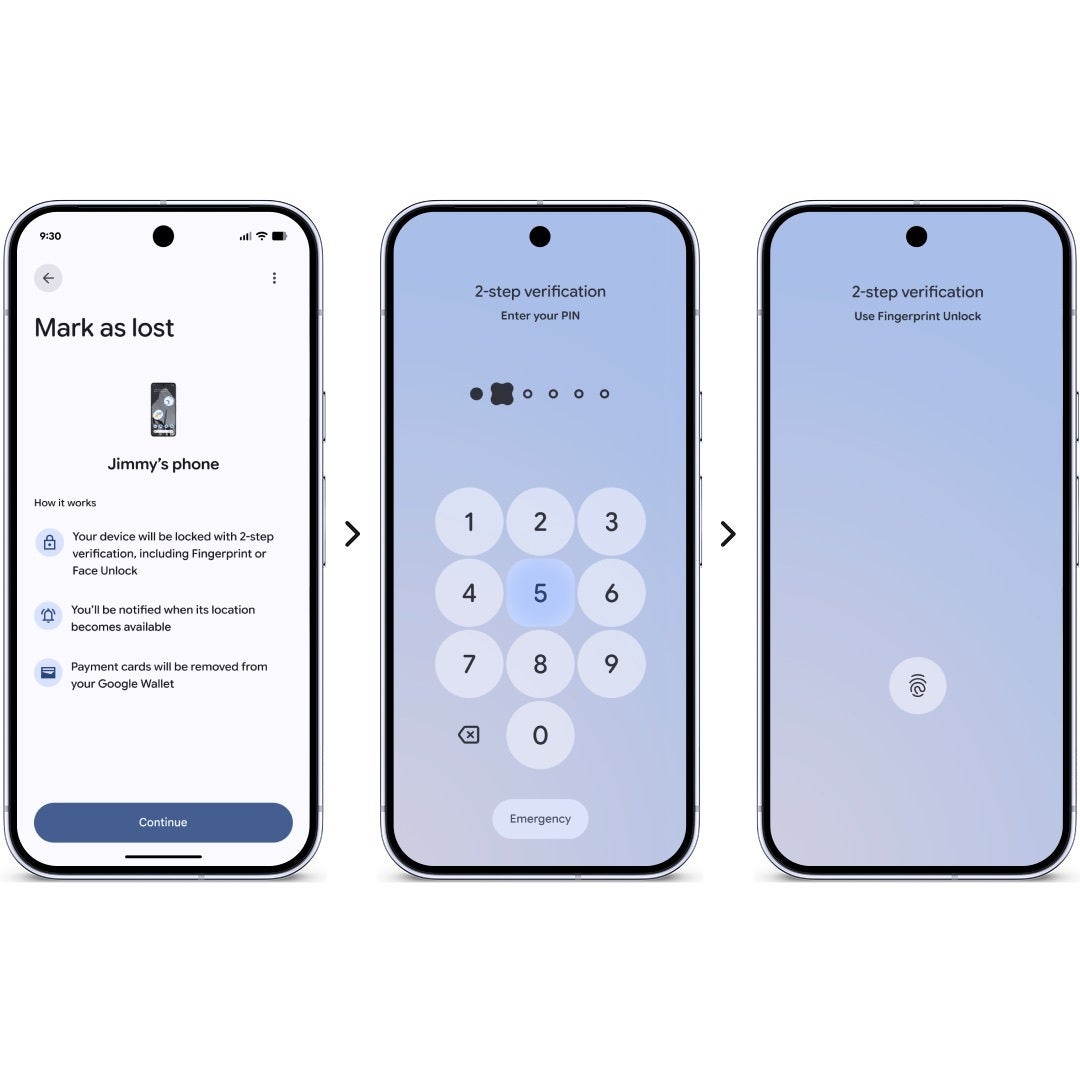
Security and privacy: grant an app temporary access to your precise location, share only specific contacts, and use an upgraded "Mark as lost" in Find Hub that locks a missing phone behind your biometrics even if a thief has your passcode.
An upgraded Mark as lost locks a missing Pixel behind your fingerprint or PIN. | Image by Google
More under the hood: tighter PIN-guess limits, improved Live Threat Detection and Advanced Protection, a setting to hide app names, expanded Parental Controls, a dedicated assistant volume control and app memory limits for better performance and battery.
Wear OS 7 is rolling out to eligible Pixel Watch models today.
Live Updates: track ongoing things like a game score, a food delivery or your workout progress right on the watch face.
Cross-device control: manage media across your earbuds, speakers and phone from your wrist, and review a capture from Google's upcoming audio glasses, which launch this fall.
Better battery: up to a 10% improvement when you upgrade from Wear OS 6 to Wear OS 7.
Gemini Intelligence (later this year): build custom dashboards by voice and let it handle multi-step tasks for you.
Emergency Detection: Emergency Sharing now folds into Car Crash, Fall and Loss of Pulse detection, calling emergency services and alerting your chosen contacts automatically.
Why this drop matters
For most people, the appeal is simple: you get a pile of new features without buying new hardware, and many of them reach Pixel 6 phones and up. If you have been refreshing your update screen waiting for this, the wait is over.
Google's own numbers explain why the watch side leans so hard on battery. The company says more than half of Wear OS users wear their watch seven days a week, and the most active keep it on for over 23 hours a day.
When a watch is meant to live on your wrist around the clock, a 10% battery gain decides whether you make it through a full day plus sleep tracking. That tracks with what our Pixel Watch 4 review praised most about the hardware.
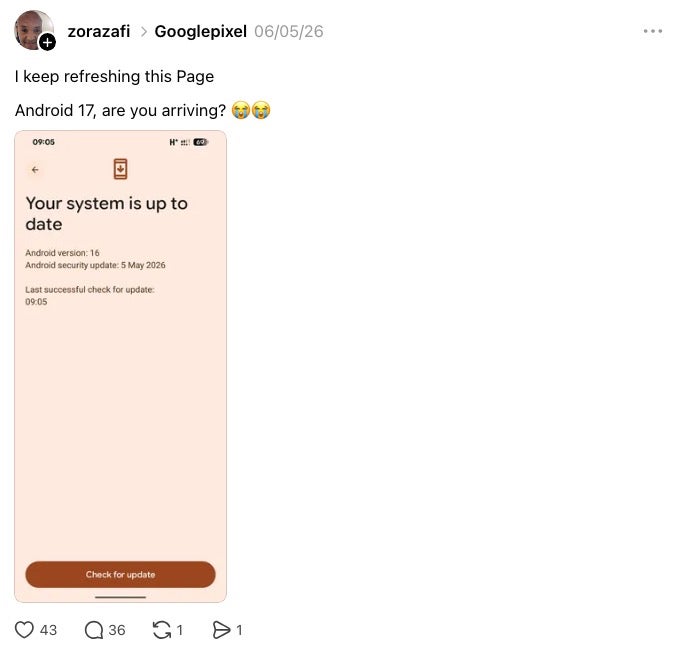
Over on Threads, the run-up to the Android 17 beta turned into a waiting game after Google I/O, with Pixel fans refreshing their update screens for days. It is anecdotal, but it captures how much appetite there is for this drop.
One Pixel fan summed up the Android 17 beta wait with 'are you arriving?' while refreshing the update page. | Image by zorazafi via Threads
If you are on a Galaxy S26 Ultra or an iPhone 17 Pro Max, none of this touches your phone. Samsung and Apple have their own takes on live call translation and floating multitasking, so this is less about switching and more about Google setting the pace on the watch and creator fronts.
Who gets the most out of this drop
Pixel owners are the clear winners, since everything here reaches Pixel first and a lot of it goes back to the Pixel 6. Fold owners get the most toys, with the Bubble Bar and foldable gaming mode built for the big screen.
Watch wearers get the quietly important upgrade. Better battery and Live Updates make an everyday wearable easier to rely on, especially if you keep it on overnight.
What I think after living on the beta
I have been running the Android 17 beta on my Pixel 10 Pro Fold, and the Bubble Bar is the feature I did not know I needed. Real multitasking on the inner screen finally feels like the whole point of a foldable instead of a nice extra.
Our review called the Pixel 10 Pro Fold a flawed and incremental foldable, and that read is fair. Software like this, though, is exactly what keeps me reaching for it over a regular slab phone.
As a content creator, Screen Reactions is the one I am itching to test. Recording my face over a screen capture without juggling separate apps could save me real time in editing.
I will report back once I have run Screen Reactions through a few videos and once foldable gaming mode arrives in the coming months.
Johanna Romero is a Senior News Writer at PhoneArena, covering mobile technology news across Android, iOS, wearables, and the Google ecosystem she knows best. Drawing on 15 years in IT and tech support from 2007 to 2022, she brings a user-friendly eye for the practical features and lesser-known tricks readers care about. Google named her an official #TeamPixel member in 2022, and she also reviews the latest devices on her YouTube channel, JoJo the Techie.
A discussion is a place, where people can voice their opinion, no matter if it
is positive, neutral or negative. However, when posting, one must stay true to the topic, and not just share some
random thoughts, which are not directly related to the matter.
Things that are NOT allowed:
Off-topic talk - you must stick to the subject of discussion
Offensive, hate speech - if you want to say something, say it politely
Spam/Advertisements - these posts are deleted
Multiple accounts - one person can have only one account
Impersonations and offensive nicknames - these accounts get banned
To help keep our community safe and free from spam, we apply temporary limits to newly created accounts:
New accounts created within the last 24 hours may experience restrictions on how frequently they can
post or comment.
These limits are in place as a precaution and will automatically lift.
Moderation is done by humans. We try to be as objective as possible and moderate with zero bias. If you think a
post should be moderated - please, report it.
Have a question about the rules or why you have been moderated/limited/banned? Please,
contact us.














Things that are NOT allowed:
To help keep our community safe and free from spam, we apply temporary limits to newly created accounts: