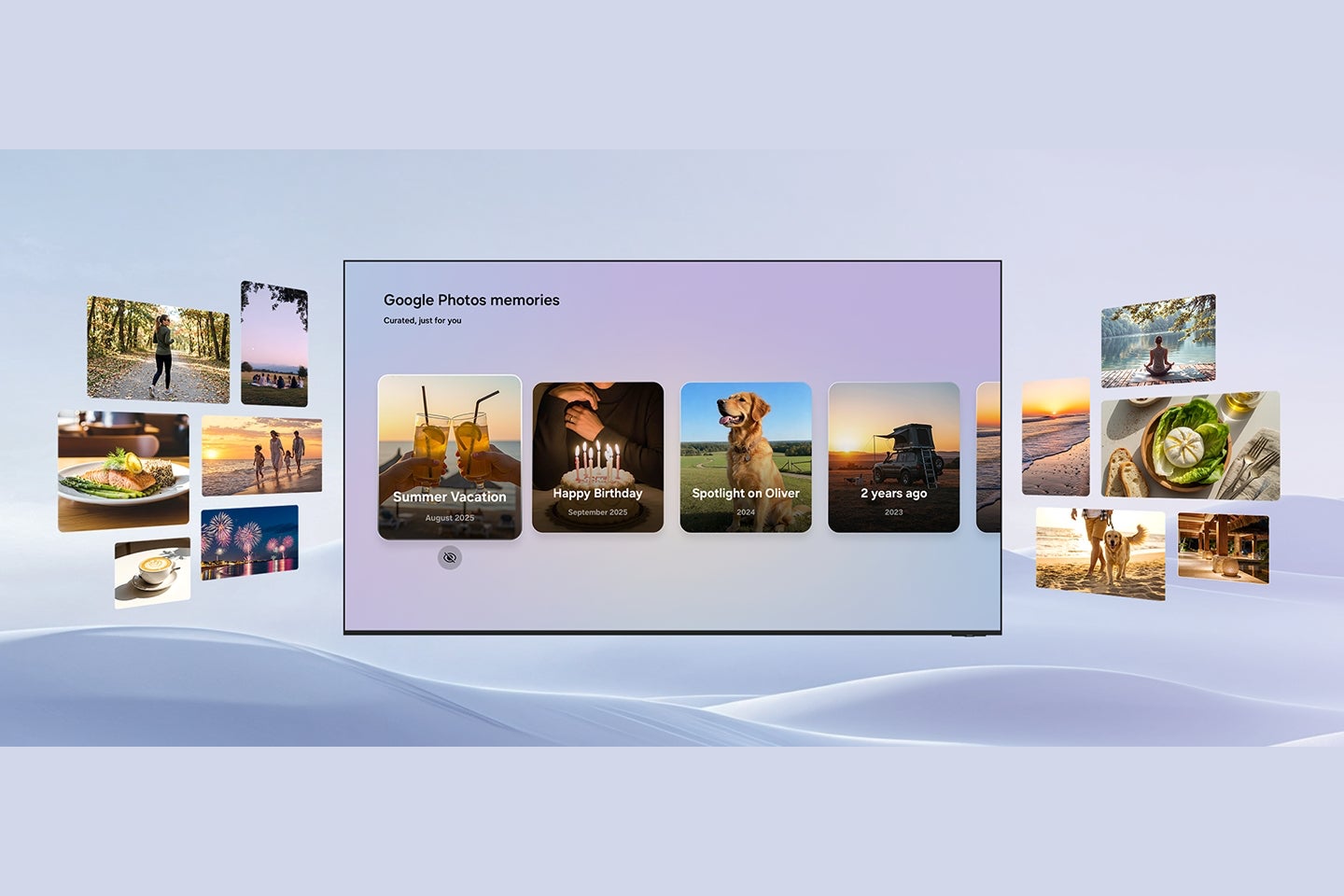
Samsung and Google are teaming up to bring a native Google Photos experience to Samsung TVs, effectively turning your biggest screen into a high-tech digital photo frame. This integration looks to ditch the need for casting and brings AI-powered editing tools straight to the living room.
Your photos are getting a big screen upgrade
We have all been there: trying to show a room full of people a funny video or a vacation photo on a 6-inch smartphone screen. It is usually a cramped, underwhelming experience. However, according to a new announcement, Samsung is solving this by integrating Google Photos directly into their TV lineup.
According to Samsung, this isn't just a basic slideshow app, though; the collaboration aims to weave your photo library into the fabric of the TV's interface, using Samsung's Vision AI Companion to surface memories naturally throughout your day.
Key features coming to the living room
Personalized Results: Instead of endless scrolling, you will be able to view slideshows categorized by specific topics or contents. This is planned for later in 2026.
Memories: Launching exclusively on Samsung TVs for a six-month window in early 2026, this feature curates stories based on people and meaningful moments, much like what you see on your phone but optimized for a TV display.
Create with AI: Also scheduled for later in 2026, this will introduce themed templates built on Nano Banana, Google's DeepMind image generation model. It includes playful transformations and a "Photo to Video" feature.
Recommended For You
Why this matters for your smart home
Google Photos is coming to Samsung TVs as a native app. | Image credit — Samsung
This integration is significant because it removes friction. While casting content from a phone to a TV has been possible for years via Chromecast or AirPlay, it is often clunky and drains your phone battery. By building the experience natively into the OS (specifically through Samsung's Daily+ and Daily Board), accessing memories becomes as easy as turning on the TV.
For families, this is a game-changer. It positions the television not just as a content consumption device for Netflix or YouTube, but as a communal hub for family watching. It is also worth noting that Samsung is pushing hard on the AI front here. By leveraging models like Nano Banana for on-screen editing and "Remixing," they are trying to make the TV an active creation tool rather than just a passive display.
How often do you look at photos on your TV?
65 Votes
I do it all the time via casting.
15.38%
Only during holidays or family gatherings.
21.54%
Never, it is too much of a hassle.
29.23%
I would do it if there was a native app.
33.85%
A welcome addition to the living room
This seems like a great feature to have if you own a Samsung TV. I have lost count of how many times I have wanted to show photos to guests but decided against it because fiddling with casting was too annoying at the moment. Having a native interface that just works—and potentially greets you with nice imagery when the TV is idle—makes the hardware feel much more personal.
If the execution matches the promise, this could be the best implementation of a "digital photo frame" we have seen yet.
Get a free Galaxy A17 with Straight Talk. To claim this deal, you need to pair the phone with activation on a Silver Unlimited Plan or higher. This tier costs $45 per month. Offer valid through 01/10/27 while supplies last online.
Johanna Romero is a Senior News Writer at PhoneArena, covering mobile technology news across Android, iOS, wearables, and the Google ecosystem she knows best. Drawing on 15 years in IT and tech support from 2007 to 2022, she brings a user-friendly eye for the practical features and lesser-known tricks readers care about. Google named her an official #TeamPixel member in 2022, and she also reviews the latest devices on her YouTube channel, JoJo the Techie.
A discussion is a place, where people can voice their opinion, no matter if it
is positive, neutral or negative. However, when posting, one must stay true to the topic, and not just share some
random thoughts, which are not directly related to the matter.
Things that are NOT allowed:
Off-topic talk - you must stick to the subject of discussion
Offensive, hate speech - if you want to say something, say it politely
Spam/Advertisements - these posts are deleted
Multiple accounts - one person can have only one account
Impersonations and offensive nicknames - these accounts get banned
To help keep our community safe and free from spam, we apply temporary limits to newly created accounts:
New accounts created within the last 24 hours may experience restrictions on how frequently they can
post or comment.
These limits are in place as a precaution and will automatically lift.
Moderation is done by humans. We try to be as objective as possible and moderate with zero bias. If you think a
post should be moderated - please, report it.
Have a question about the rules or why you have been moderated/limited/banned? Please,
contact us.













Things that are NOT allowed:
To help keep our community safe and free from spam, we apply temporary limits to newly created accounts: