What happened to this Verizon customer could happen to you no matter which carrier you use
Protect yourself from being the victim of a scam by reading what happened to a Verizon customer named Chuck.

Verzon customer is the victim of a scam | Image by PhoneArena
You might think that you can easily detect a fraud call and that you could never be the victim of such a scam. That might be what a Verizon subscriber named Chuck from New Braunfels, Texas thought until he nearly became a victim himself. Chuck fancied himself scam-savvy until one evening when he received a call from someone claiming to work in Verizon's fraud department.
This Verizon customer was hit with a well-thought-out scam
The caller gave his name and a toll-free phone number. He also supplied a fraud number and a cancellation number. At the same time, Chuck received text messages from Verizon account security asking him to authenticate changes being made to the account, or deny them.
Another message from Verizon security warned Chuck that someone was trying to change the device associated with his account. The text said that this could be due to an upgrade or a SIM change. The next text told Chuck that there was a potential scam in progress and that someone was trying to change the password on his Verizon account.
The caller directed him how to respond to the text messages he was receiving
The scammer on the phone kept telling Chuck to click on "verify," but he tapped the "deny" button, feeling that it was the safe choice to make. The scammer might have tricked him to click "deny" on purpose. Once a scammer has you on the phone, he can tell you what to do in order to block a fraud when in reality, he is actually in the midst of taking over your account.
Why would you leave an MVNO for a "Big 3" wireless firm?
59 Votes
Limited coverage
35.59%
Too slow data speeds
22.03%
No customer rewards program
6.78%
Shoddy customer service
35.59%
Chuck received a cancellation email from "noreplay@vzreturn.com" (the victim would probably have not spotted the extra "a" in the email address) with a subject line that said, "You've successfully canceled your order." The email said that the purchase of an Apple iPhone 17 Pro Max in Cosmic Orange with 256GB of storage had been canceled. That email might have made Chuck feel a little better, feeling as though Verizon had caught the scam in time to cancel the fake upgrade.
Changes to his daughter's line made Chuck realize what had happened
However, the call, the texts, and the email were all part of the scam. Chuck soon noticed that the phone associated with his daughter's line was changed to a new iPhone 17 Pro Max and that the password had been changed. At that point, he realized that he was a victim and that time was of the essence.
He called the real Verizon fraud team, and they quickly discovered that the fraud number and the cancellation number that the caller gave Chuck were both fake. Verizon was able to verify Chuck's identity and told him to re-register with Verizon using a new password and two-factor authentication (2FA).
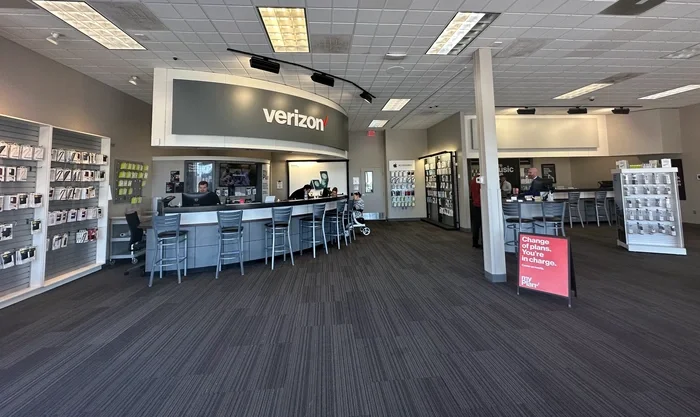
Inside a Verizon store in Perrysburg, Ohio. | Image by Levis Common
With 2FA, when you log in to an app, besides your username and password, you must type in a special code that is typically texted to you on your phone. It is considered another layer of protection that most apps offer.
This type of fraudulent activity has unfortunately become all too common. Verizon actively works against bad actors by tracking every case and identifying the hallmarks of social engineering events against our customers. We incorporate these into real-time detections to prevent attempted fraud before the transaction is completed.
Verizon spokesman
After Chuck spoke with the real Verizon fraud department, the scammer tried to call him back twice, which was another sign that the original call was a scam. A real fraud department does not call after you've made a complaint with the legitimate fraud department.
Verizon makes suggestions that you should follow no matter which carrier you use
Verizon left some suggestions you should follow:
- Verizon will never call asking for your password or a one-time security code, and if you need to call Verizon, do not use the number that someone on the other end of a call provides you. Use a phone number from a bill, an app, or a website. Verizon customers can dial 611 from a phone connected to the carrier's network.
- If a caller is guiding you through a text, telling you which links to tap, do not do what the caller says. Instead, open the carrier app.
- Be careful with "Deny" links. It might seem as though tapping Deny will protect you, but as Chuck found out, it allowed the scammer to take over his daughter's line and add a new phone to it. Chuck knew that his daughter would never do this without talking with him first, helping him come to the realization that the entire interaction was a scam.
- Watch for surprise device changes. If you are notified about a surprise new phone order, a SIM change, or a line change, notify Verizon immediately.
- Change your password on the official app or website. Avoid links. Verizon says to treat your email and mobile accounts like your bank accounts. Turn on two-factor authentication (2FA).
- Remove saved payment methods from your app once it appears that your wireless account has been broken into.
- If it does seem that your account has been accessed by a scammer, go through every line on your account to make sure no devices, phone numbers, shipping addresses, SIMs, or authorized users were changed. Look for unauthorized pending orders or upgrades.


Popular stories






Latest News

Things that are NOT allowed:
To help keep our community safe and free from spam, we apply temporary limits to newly created accounts: