Alongside the iPhone Duo and iPhone 18 Pro Max, Apple announced the Apple Watch Series 12 and Apple Watch Ultra 4 with a bunch of Siri AI-powered Audio Intelligence features. The two most controversial additions are called Siri Recap and Live Rewind, and you can now test them out.
Apple Watch is getting Siri Recap and Live Rewind with the watchOS 27.3 beta
With the announcement of the Apple Watch Series 12 and Ultra 4, Apple also introduced Apple Intelligence and promised to make all of its features available later this year. While some of the features were already available, you can now try the two most controversial ones in the first watchOS 27.3 beta.
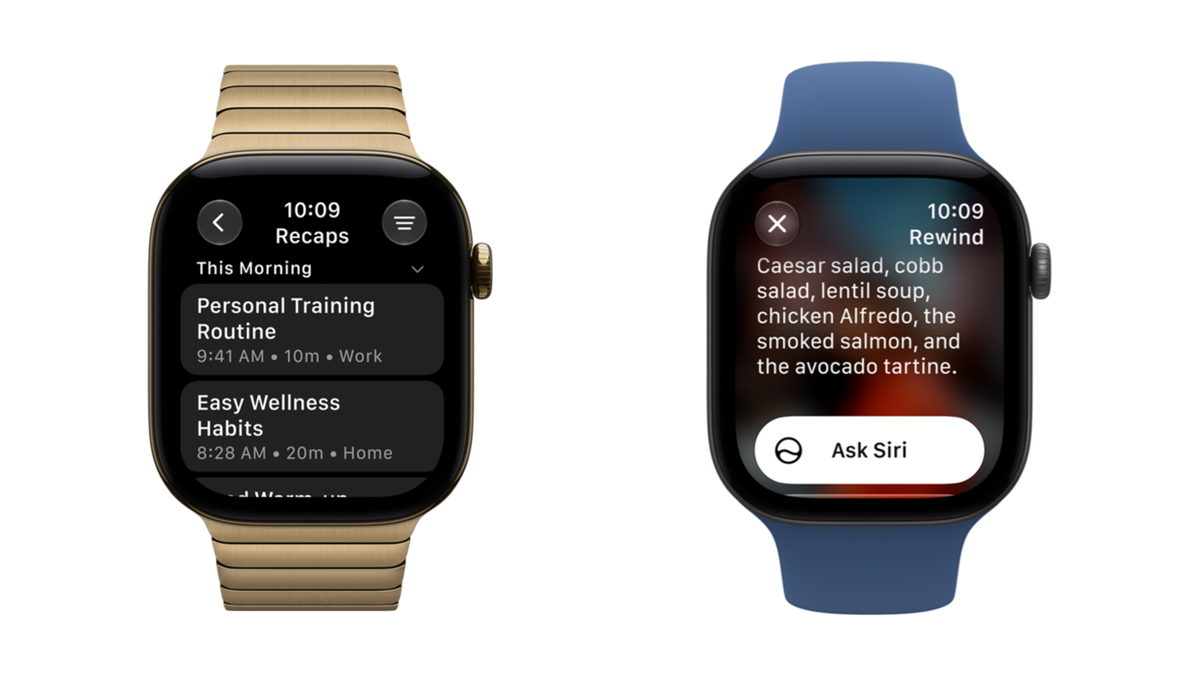
The idea for Live Rewind is to help users catch up with whatever was just said in a conversation. You can double-press the Digital Crown and see a text transcript of the last 15 seconds of a conversation and then ask Siri about the content of the text or save it in the Siri app.
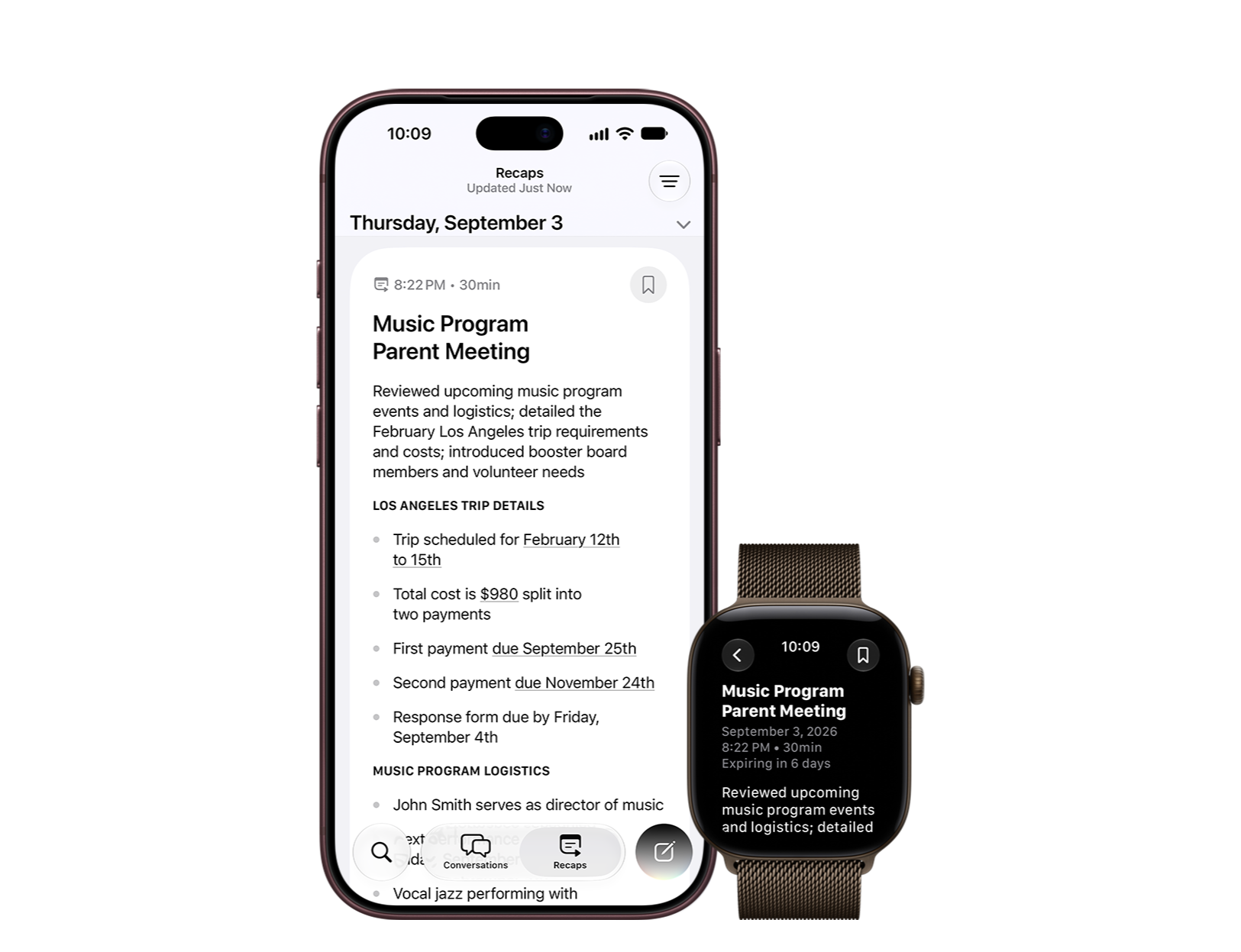
Siri Recap is similar, but it works permanently in the background by making the Apple Watch listen to conversations throughout the day and generate a high-level summary with title and key talking points. Apple says this could help users to concentrate in their conversations or jog their memory later.
Recommended For You
Poll
1 Votes
What do you think about the Audio Intelligence features on the Apple Watch?
All Audio Intelligence features are opt-in
The recaps show up in the Siri AI app. | Image by Apple
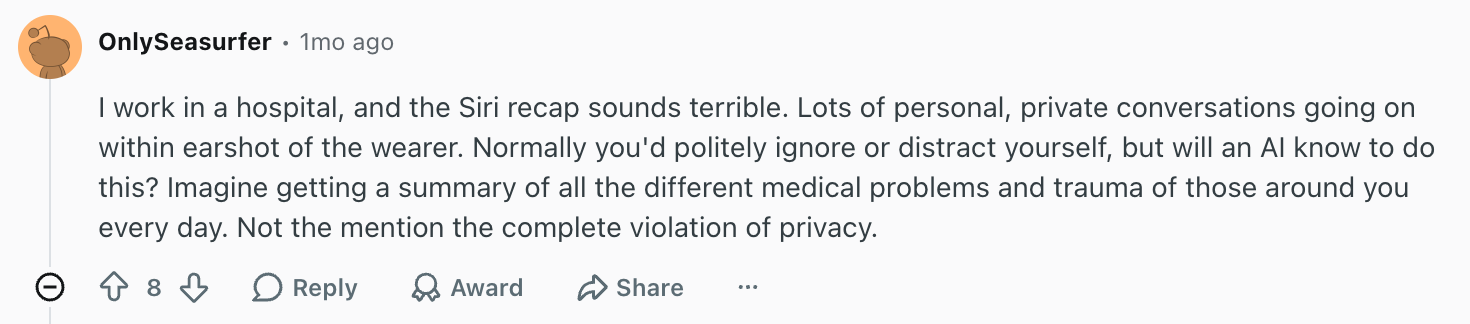
Unsurprisingly, the initial reaction to Audio Intelligence was full of outrage, though some people online were quick to point out that phones and watches have been listening to access voice assistants for a while now. Some users on Reddit thought these two features were particularly dystopian, while others felt that Apple’s approach wasn’t so invasive.
There are some serious concerns about the new features. | Image by Reddit (screenshot
It is true that all Audio Intelligence features are opt-in, meaning you need to go to the settings and activate them manually. Activating Live Rewind also requires the user to press the Digital Crown, and the transcripts are limited to 15 seconds with the text not being saved unless the user requests it. Siri Recap can be set to listen only in specific times, locations, or both.
In its extensive privacy explainer, Apple ensures there are no audio files created or stored, and the audio can’t be accessed by anyone or anything, including the OS. The feature works with the S11 chip’s Secure Exclave, which is “a hardware-isolated compartment” that “processes sensor data separately from the rest of the system.”
None of the Audio Intelligence features identify or attribute speakers. Live Rewind also produces audible chime from the speaker of the watch, even in silent mode, and shows a full-display animation and a microphone indicator to alert people nearby.
You need new devices to use these features
Both Siri Recap and Live Rewind require not only an Apple Watch Series 12 or Ultra 4, but also an iPhone 16 or later with Apple Intelligence and Siri AI. Another limitation is that the features are only available in English, but Apple says more languages will follow.
If you’re not into using developer betas, the features will be more widely available with the stable version of watchOS 27.3 sometime in December.
Check out more about the latest software updates from Apple:
Ilia, a tech journalist at PhoneArena, has been covering the mobile industry since 2011, with experience at outlets like Forbes Bulgaria. Passionate about smartphones, tablets, and consumer tech, he blends deep industry knowledge with a personal fascination that began with his first Nokia and Sony Ericsson devices. Originally from Bulgaria and now based in Lima, Peru, Ilia balances his tech obsessions with walking his dog, training at the gym, and slowly mastering Spanish.
A discussion is a place, where people can voice their opinion, no matter if it
is positive, neutral or negative. However, when posting, one must stay true to the topic, and not just share some
random thoughts, which are not directly related to the matter.
Things that are NOT allowed:
Off-topic talk - you must stick to the subject of discussion
Offensive, hate speech - if you want to say something, say it politely
Spam/Advertisements - these posts are deleted
Multiple accounts - one person can have only one account
Impersonations and offensive nicknames - these accounts get banned
To help keep our community safe and free from spam, we apply temporary limits to newly created accounts:
New accounts created within the last 24 hours may experience restrictions on how frequently they can
post or comment.
These limits are in place as a precaution and will automatically lift.
Moderation is done by humans. We try to be as objective as possible and moderate with zero bias. If you think a
post should be moderated - please, report it.
Have a question about the rules or why you have been moderated/limited/banned? Please,
contact us.












Things that are NOT allowed:
To help keep our community safe and free from spam, we apply temporary limits to newly created accounts: