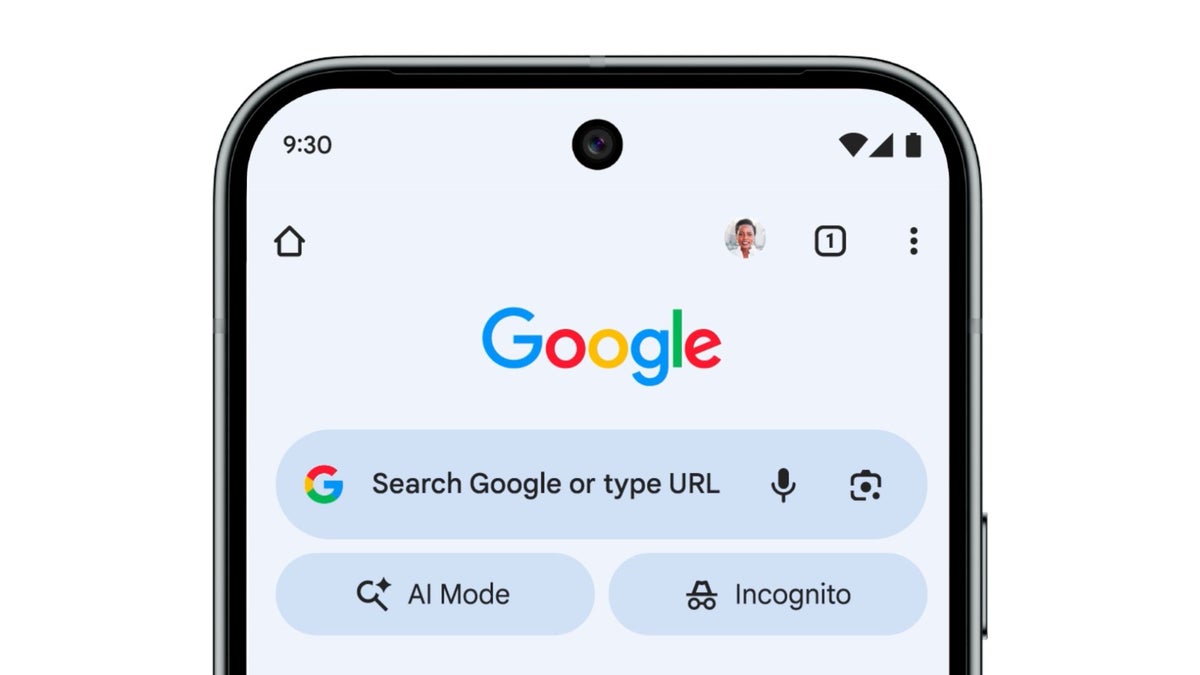
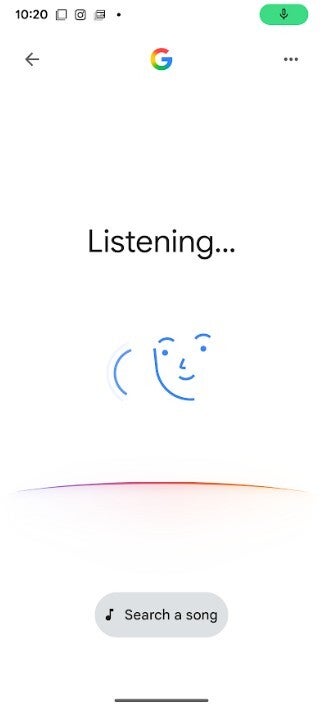
It's the one part of the Android UI that I really never liked to look at and I'm guessing that many of you feel the same way. When using voice search on the Android version of the Google app, you tap the microphone icon in the app's Search bar. Doing that used to redirect you to this page that featured an odd-looking bodyless face. Since voice search vocally responds to your query, the bodyless face appeared to move its mouth synchronized to the response you were hearing from Google.
In November, we told you that with Gemini taking over Google Assistant, the bodyless face was going away. I was using Gemini as my digital assistant, and for a couple of weeks, it did disappear. And while I continue to use Gemini for all of the things that I used to use Google Assistant for (answering questions, setting alarms and timers), the face returned and shows up briefly in the new UI.
There are several ways an Android user can access voice search
The redesigned voice search UI features the Google logo centered at the top of the page with the back button on the left and the three-dot overflow icon on the right. You will tap that icon to go to Voice settings. From the latter you can enable Spoken results so that search results will be read aloud. You can also choose from four different voices to read search results to you (Cosmo, Neso, Terra, or Cassini) and change the primary language that your voice search is spoken to you in, with a large number of alternatives available. The dark theme has also been updated.
The bodyless face still appears on the revised Google voice search UI. | Image credit-PhoneArena
You can get Google's voice search by tapping the microphone icon inside the Google Search widget on the home screen, from the persistent Pixel Launcher search bar at the bottom of the display on Pixel phones, by opening the Google app and tapping the microphone icon in the search bar. If enabled, you can open voice search hands-free by saying "Hey Google."
Look for this beta version of the Google app to view the revised voice search UI
If you are using the search bar and the microphone icon to access voice search, as soon as you press on the icon that odd bodyless face shows up with the word "Listening" on top and a four color-arc underneath the face. Under the arc is the new and larger "Search a song" lozenge. Press it and you'll open a song search UI that asks if you want to "Play, Sing, Hum." The top right corner, there is a shortcut to Song Search history.
The new UI is rolling out with stable version 17.1 and beta version 17.2 (beta) of the Google app on Android. It still has not yet been made widely available. The new UI appears in my Pixel 6 Pro running version 17.1 of the stable Google app and has the latest beta version of Android 16 QPR3 installed.
Six-month unlimited plan is now 57% off
$90
$210
$120 off (57%)
Mint Mobile is now allowing you to get whichever plan you like for either three, six, or 12 months for just $15/mo. If you go for the six-month unlimited service, for instance, you'll now have to pay just $90 upfront instead of $210.
Alan, an ardent smartphone enthusiast and a veteran writer at PhoneArena since 2009, has witnessed and chronicled the transformative years of mobile technology. Owning iconic phones from the original iPhone to the iPhone 15 Pro Max, he has seen smartphones evolve into a global phenomenon. Beyond smartphones, Alan has covered the emergence of tablets, smartwatches, and smart speakers.
A discussion is a place, where people can voice their opinion, no matter if it
is positive, neutral or negative. However, when posting, one must stay true to the topic, and not just share some
random thoughts, which are not directly related to the matter.
Things that are NOT allowed:
Off-topic talk - you must stick to the subject of discussion
Offensive, hate speech - if you want to say something, say it politely
Spam/Advertisements - these posts are deleted
Multiple accounts - one person can have only one account
Impersonations and offensive nicknames - these accounts get banned
To help keep our community safe and free from spam, we apply temporary limits to newly created accounts:
New accounts created within the last 24 hours may experience restrictions on how frequently they can
post or comment.
These limits are in place as a precaution and will automatically lift.
Moderation is done by humans. We try to be as objective as possible and moderate with zero bias. If you think a
post should be moderated - please, report it.
Have a question about the rules or why you have been moderated/limited/banned? Please,
contact us.














Things that are NOT allowed:
To help keep our community safe and free from spam, we apply temporary limits to newly created accounts: