My Galaxy phone won't be getting Android's new backup feature, and I'm furious
Digging deep inside the Google Play Services app, our colleagues at Android Authority have managed to get a hold of the info page for Google’s PC-based backup solution. And something's missing.
Google seems keen on improving Android’s backup situation this year. We’ve already seen the company testing cloud backup controls for individual apps and spotted mentions of a PC-based automatic backup solution using Quick Share.
Now, there's more information on how this aforementioned PC-based feature will work, but it comes with a major caveat for Galaxy users like myself.
Digging deep inside the Google Play Services v26.26.33 release, our colleagues at Android Authority have managed to get a hold of the info page for Google’s PC-based backup solution. The feature is looking sharp, but there's something missing.
Use your PC for backup instead of paying for cloud storage
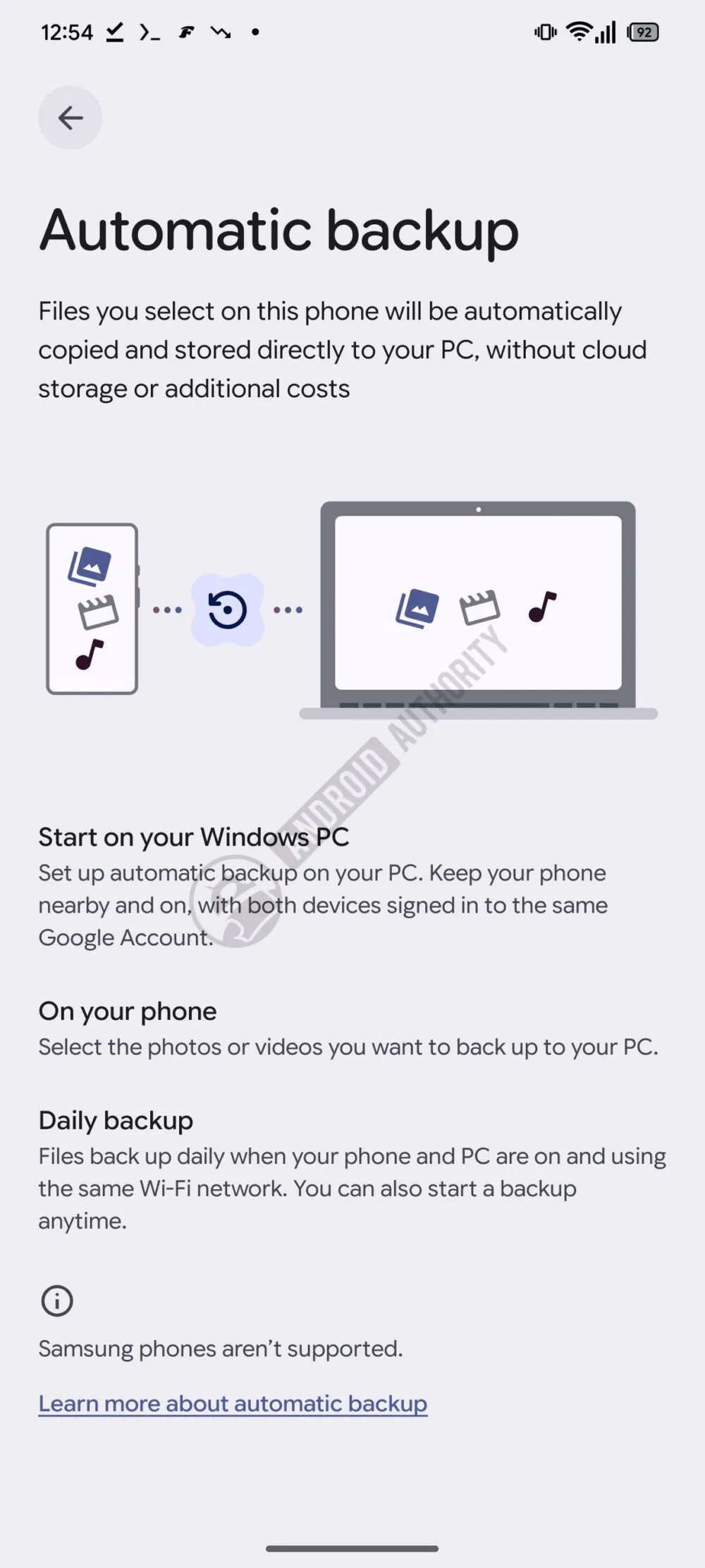
Description of the automatic backup feature coming to Android. | Image by Android Authority
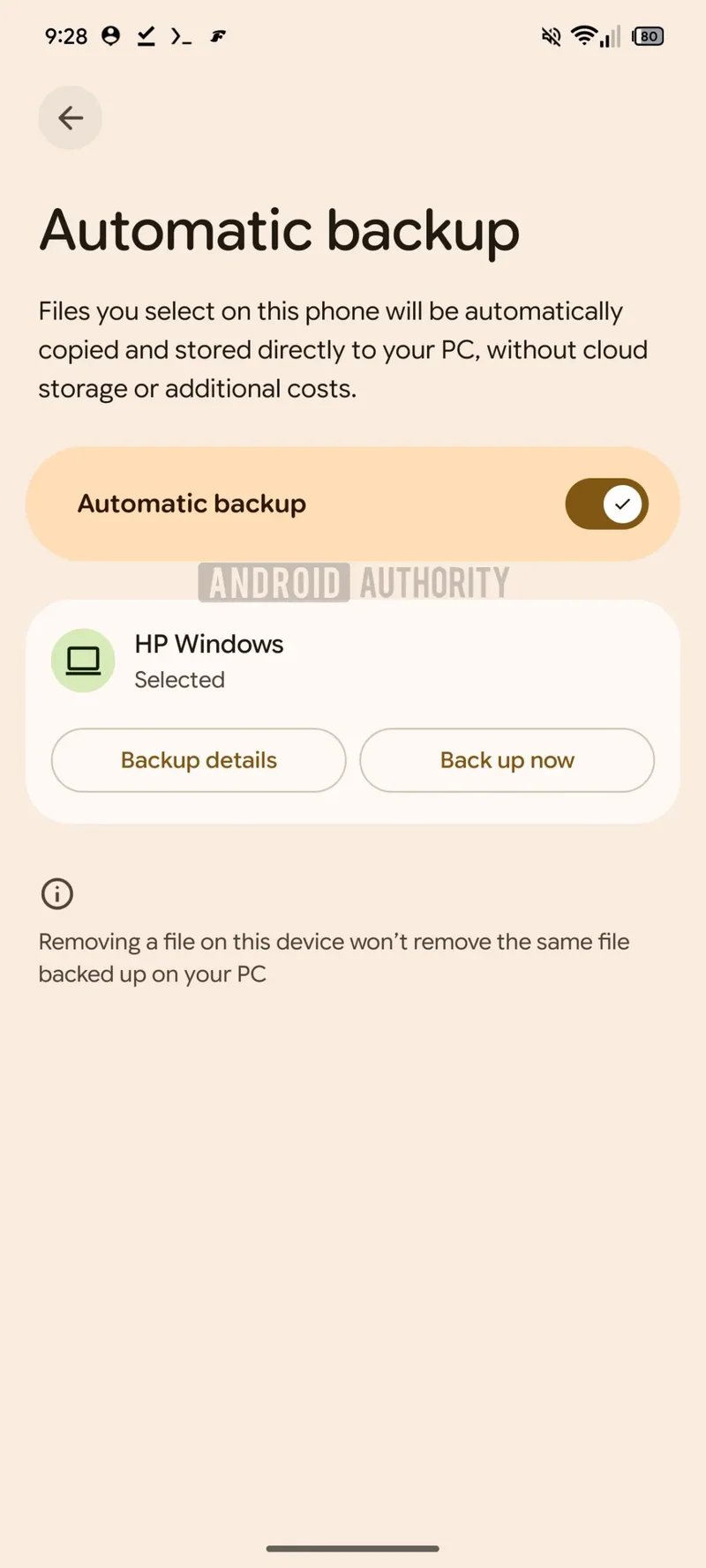
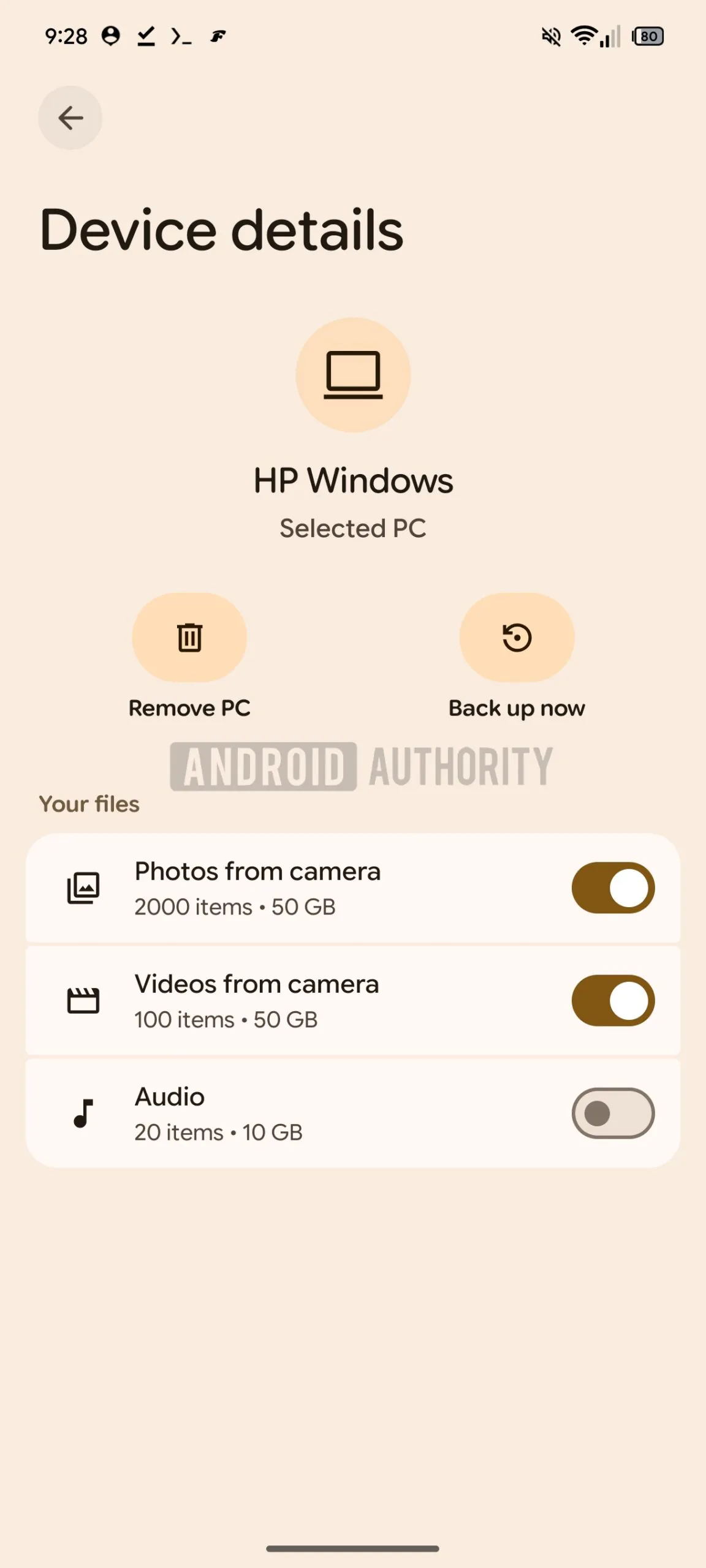
As the graphic above shows, Google is working on an automatic backup solution that backs up files you select directly to your PC, no cloud storage required and no additional cost for a subscription.
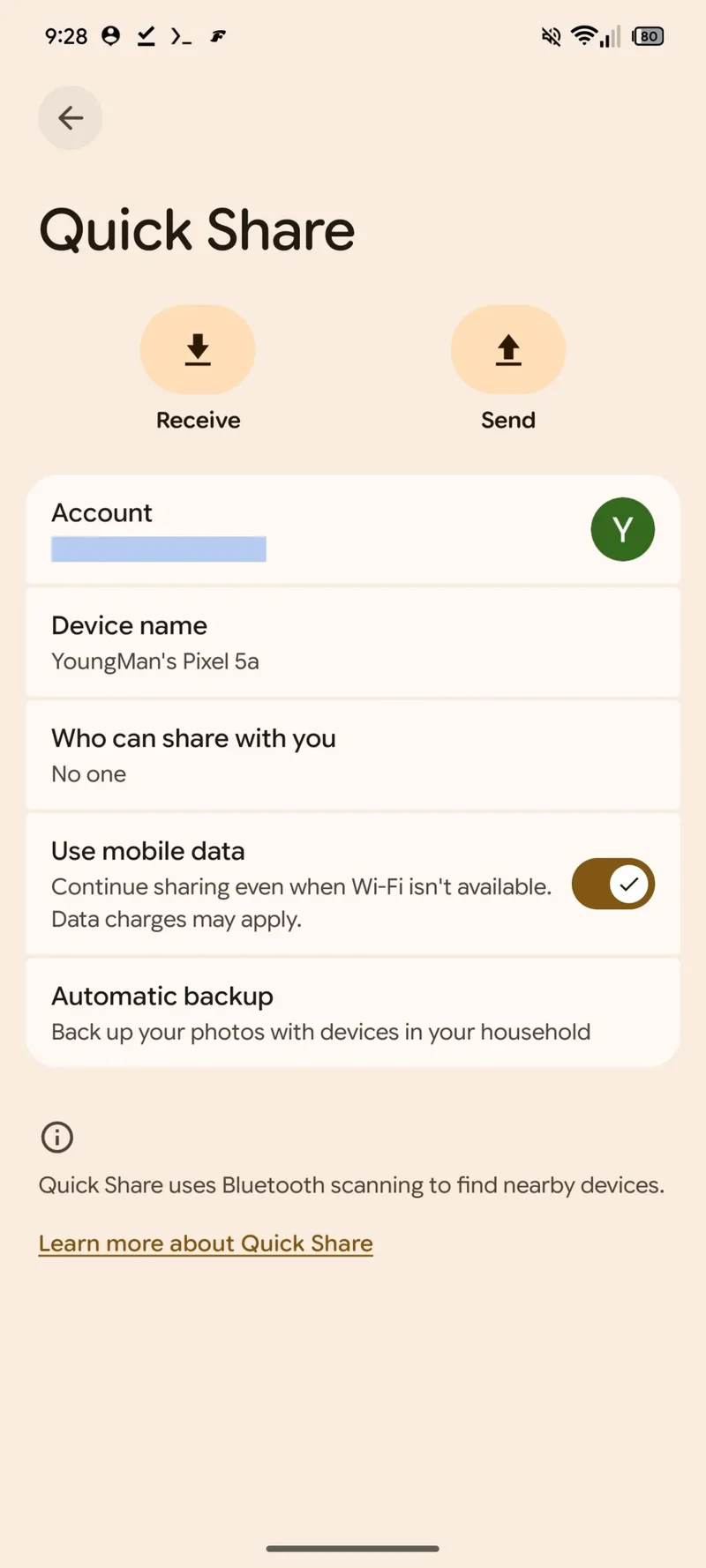
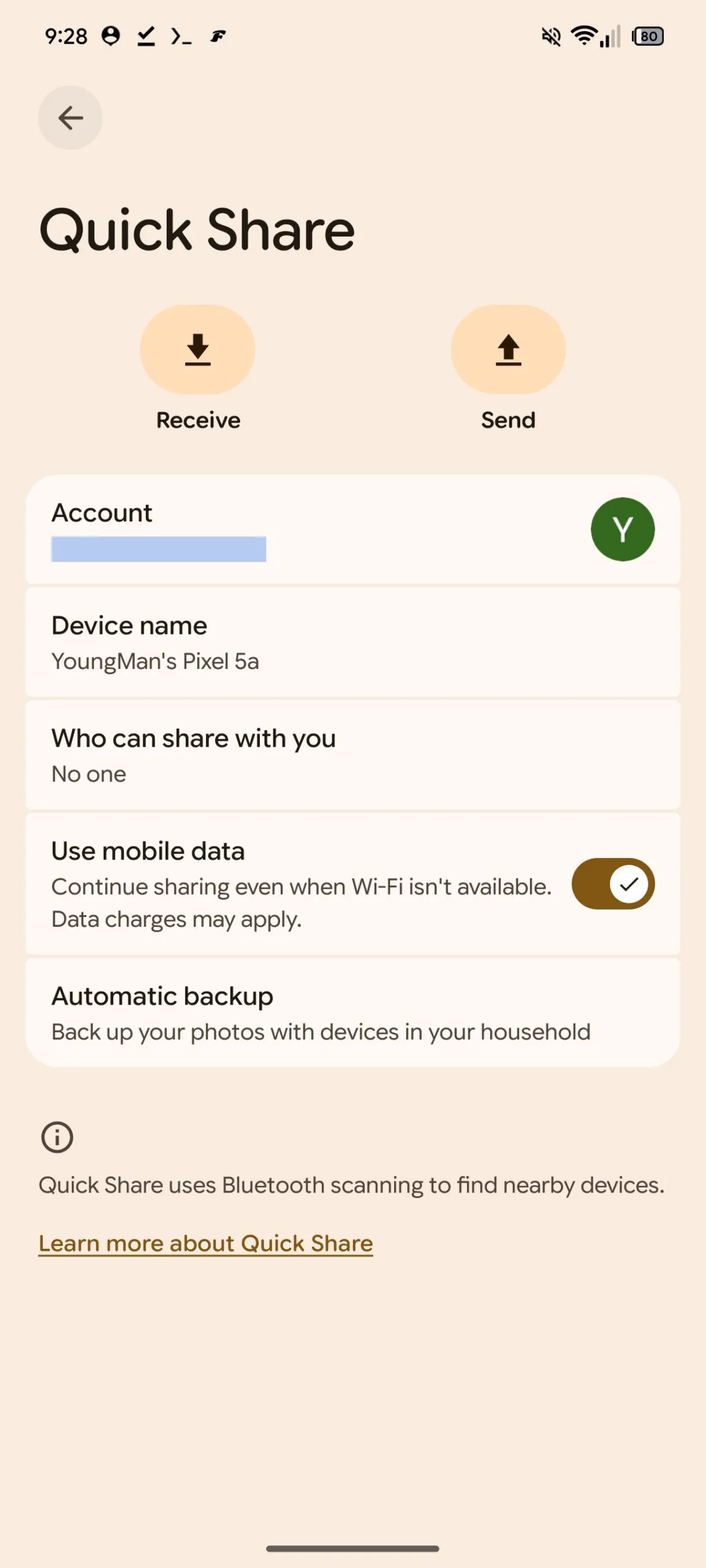
To use the feature, users will have to start the process in the Quick Share app on their Windows PC. Both the Android phone and the Windows PC must be signed in to the same Google Account, even though there's no cloud mumbo-jumbo involved.
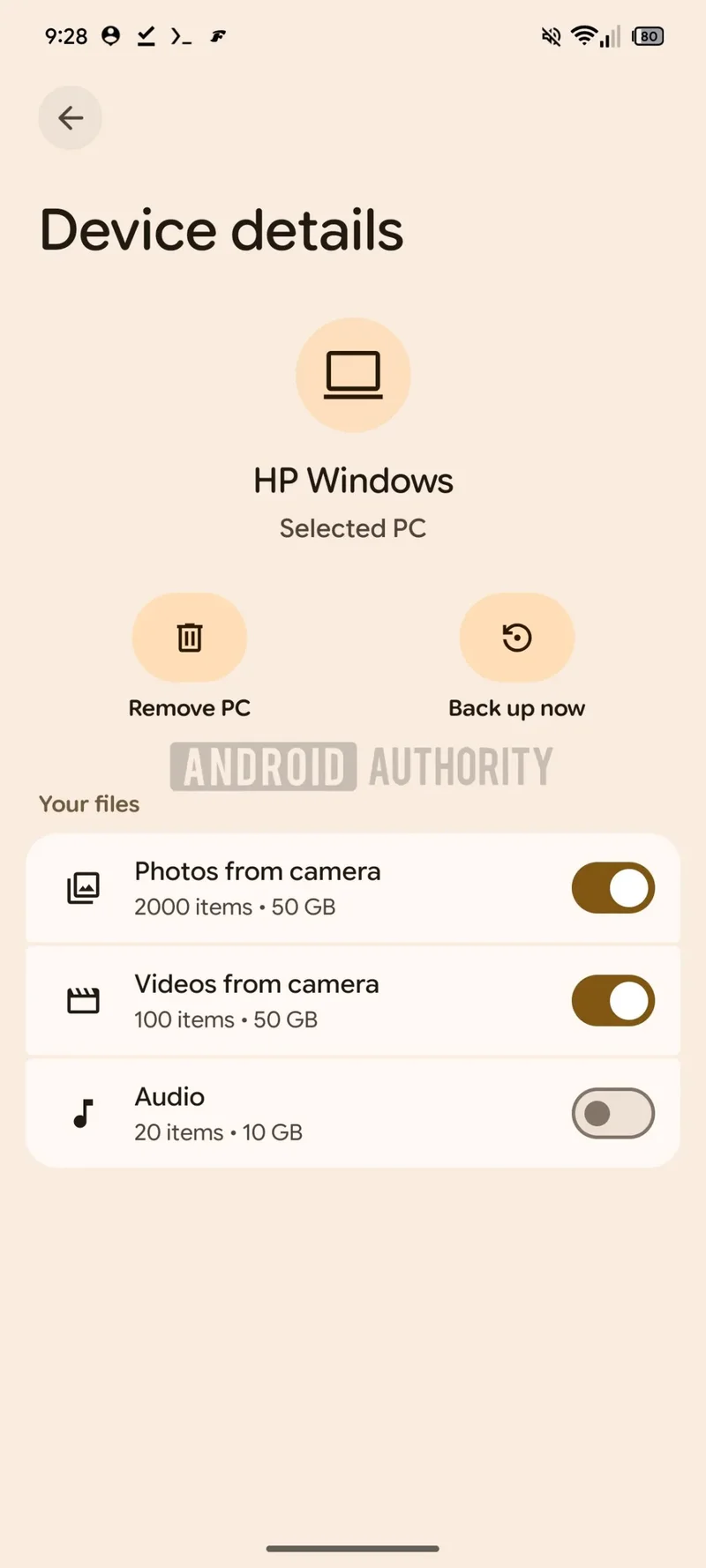
Once configured, the photos and videos you select on your phone will be backed up daily when your phone and PC are nearby, and using the same Wi-Fi network. Users will also be able to start a backup manually at any time if they feel like doing so.
Recommended For You
Would you backup your smartphone on your PC instead of using cloud storage?
34 Votes
Galaxy phones are missing from the picture
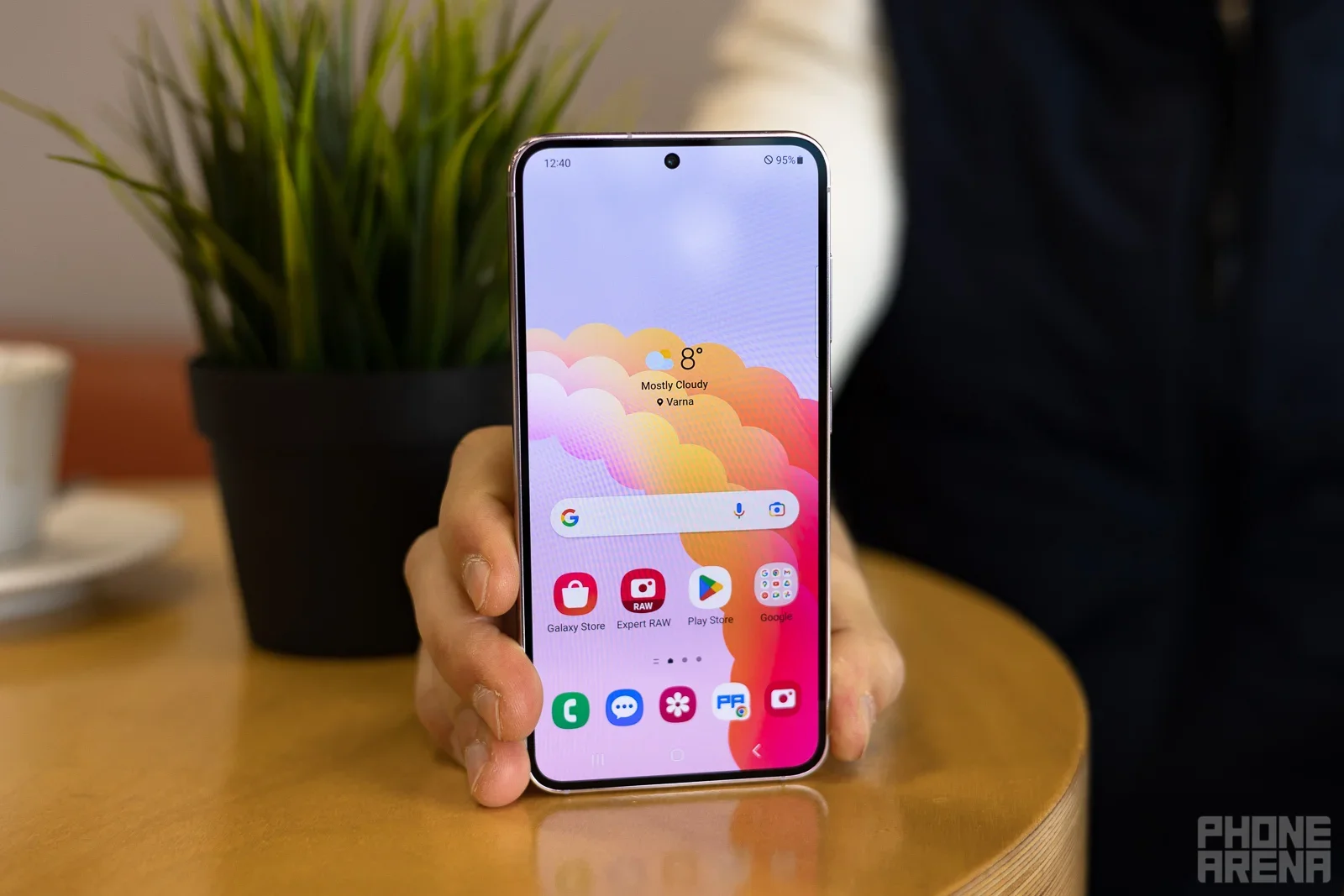
My Galaxy S23 won't be getting this cool new feature, it seems. | Image by PhoneArena
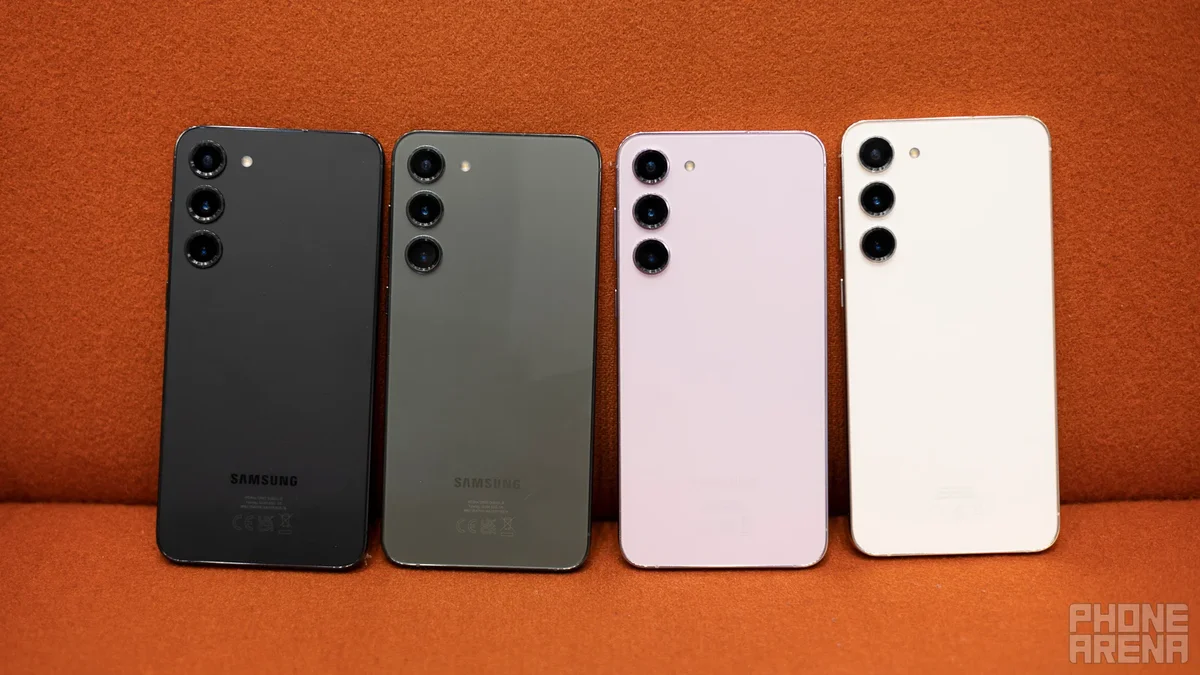
The big omission here, rather frustratingly, is the lack of support for Samsung phones. My good old Galaxy S23 won't be able to use this feature, nor will any of the most recent Galaxy flagships.
This is a huge missed opportunity as Galaxy phones make a huge part of the smartphone landscape, especially in the US.
There are several reasons why Samsung phones are missing from the picture.
Samsung's Smart Switch app is the culprit
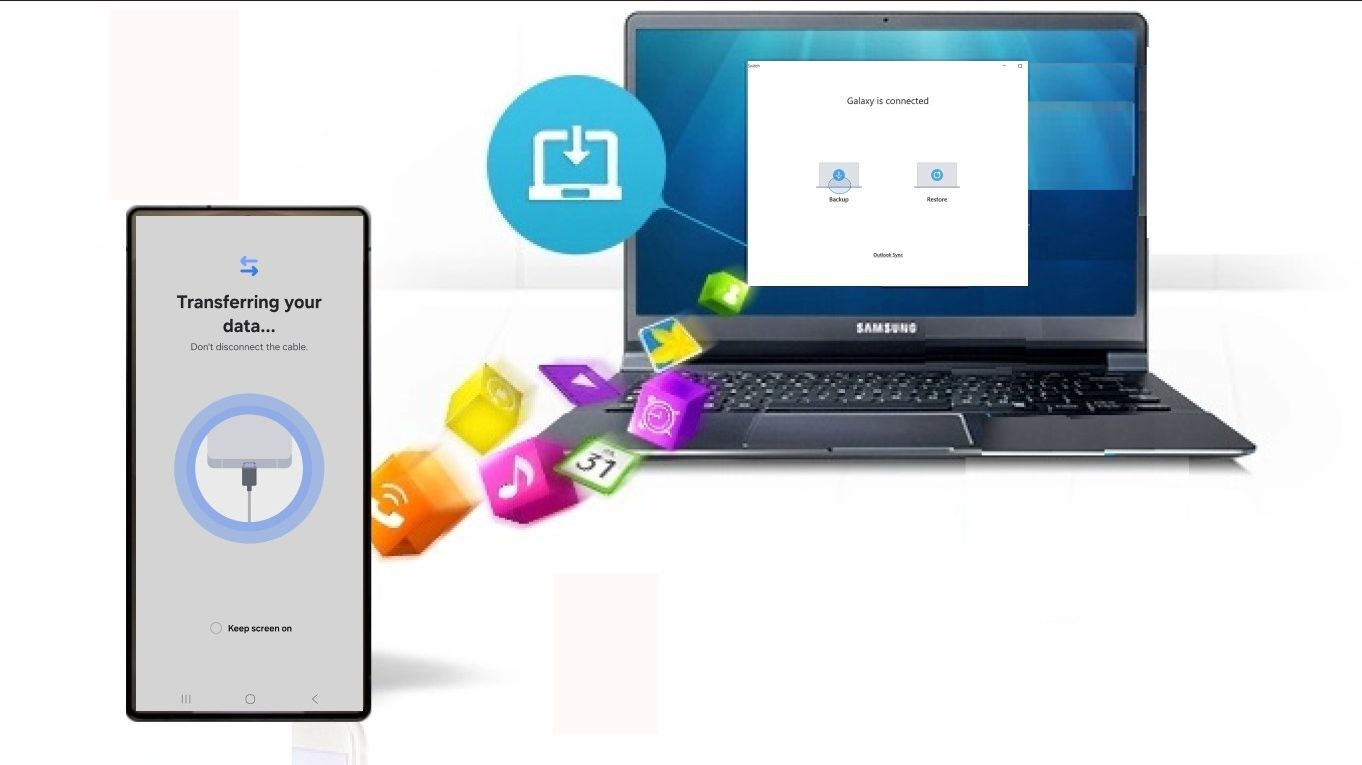
Samsung Smart Switch already has offline backups but they're not automatic. | Image by Microsoft Store
I don't know why Google has decided to leave Galaxy phones behind on this, but there are a few hints. The most likely explanation is that Samsung smartphones can already back up their data to Windows PCs, Macs, and USB flash drives via Samsung’s own Smart Switch app.
That's all fine and dandy, but Smart Switch doesn't support automatic backups, so you need to initiate them every time manually.
Another possible explanation could be Samsung's own reluctance to get on board with this new backup feature in order to keep Smart Switch relevant. Whatever the reason is, it seems that Galaxy phones won't be getting the new backup feature. At least for now.
What's coming and when?
The Automatic backup feature in action. | Images by Android Authority
Of course, these screens, acquired by Android Authority, are just a glimpse of what's coming and far from the final, set-in-stone feature. So, things could change.
The “Learn more” link in the interface currently points to the standard Quick Share app website, which does not yet mention anything about automatic PC-based backups, so we don't know when this new feature will roll out.
There is still a chance that Google and Samsung will figure out a common solution to extend automatic PC backups to Galaxy users before the official rollout, so fingers crossed. I think the feature is one of the best quality-of-life updates to come to Android, even though it might not look as such.
What do you think about all this? Would you like to be able to automatically back up your photos, videos, and files on your PC without the need to pay for cloud storage and on your Galaxy phone as well? Vote in our poll and share your thoughts in the comment section below.
Free Galaxy A17 5G with Straight Talk
Get a free Galaxy A17 with Straight Talk. To claim this deal, you need to pair the phone with activation on a Silver Unlimited Plan or higher. This tier costs $45 per month. Offer valid through 01/10/27 while supplies last online.
Mariyan, a tech enthusiast with a background in Nuclear Physics and Journalism, brings a unique perspective to PhoneArena. His childhood curiosity for gadgets evolved into a professional passion for technology, leading him to the role of Editor-in-Chief at PCWorld Bulgaria before joining PhoneArena. Mariyan's interests range from mainstream Android and iPhone debates to fringe technologies like graphene batteries and nanotechnology. Off-duty, he enjoys playing his electric guitar, practicing Japanese, and revisiting his love for video games and Haruki Murakami's works.
A discussion is a place, where people can voice their opinion, no matter if it
is positive, neutral or negative. However, when posting, one must stay true to the topic, and not just share some
random thoughts, which are not directly related to the matter.
Things that are NOT allowed:
Off-topic talk - you must stick to the subject of discussion
Offensive, hate speech - if you want to say something, say it politely
Spam/Advertisements - these posts are deleted
Multiple accounts - one person can have only one account
Impersonations and offensive nicknames - these accounts get banned
To help keep our community safe and free from spam, we apply temporary limits to newly created accounts:
New accounts created within the last 24 hours may experience restrictions on how frequently they can
post or comment.
These limits are in place as a precaution and will automatically lift.
Moderation is done by humans. We try to be as objective as possible and moderate with zero bias. If you think a
post should be moderated - please, report it.
Have a question about the rules or why you have been moderated/limited/banned? Please,
contact us.



Things that are NOT allowed:
To help keep our community safe and free from spam, we apply temporary limits to newly created accounts: