Editorials · Reviewer Insight
iOS 27 is here: The top new features from an Android user's perspective
Apple nailed the latest iOS 27 software update, which is the best one I've seen in years. Certainly a breath of fresh air after the rocky iOS 26 launch.

This article may contain personal views and opinion from the author.
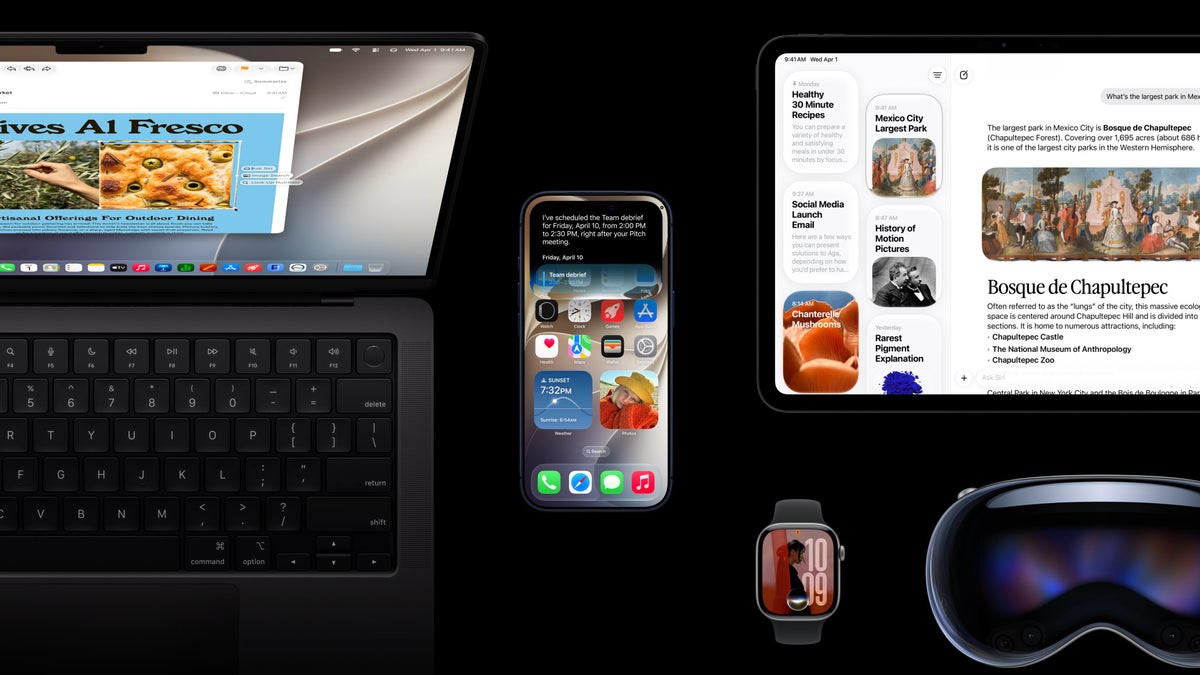
iOS 27 is coming to an iPhone near you September 14, right on track to breathe in some new life to your phone. If you've enrolled in the developer or public betas previously, then you should have already received the iOS 27 RC (Release Candidate), which is the official release everyone will get in a few days' time.
But there's a much more intuitive way to open this new Siri camera mode: simply press and hold the Camera Control button on the iPhone 16 and up, and you are thrown straight into this camera mode. That's it, a long press is all it takes.
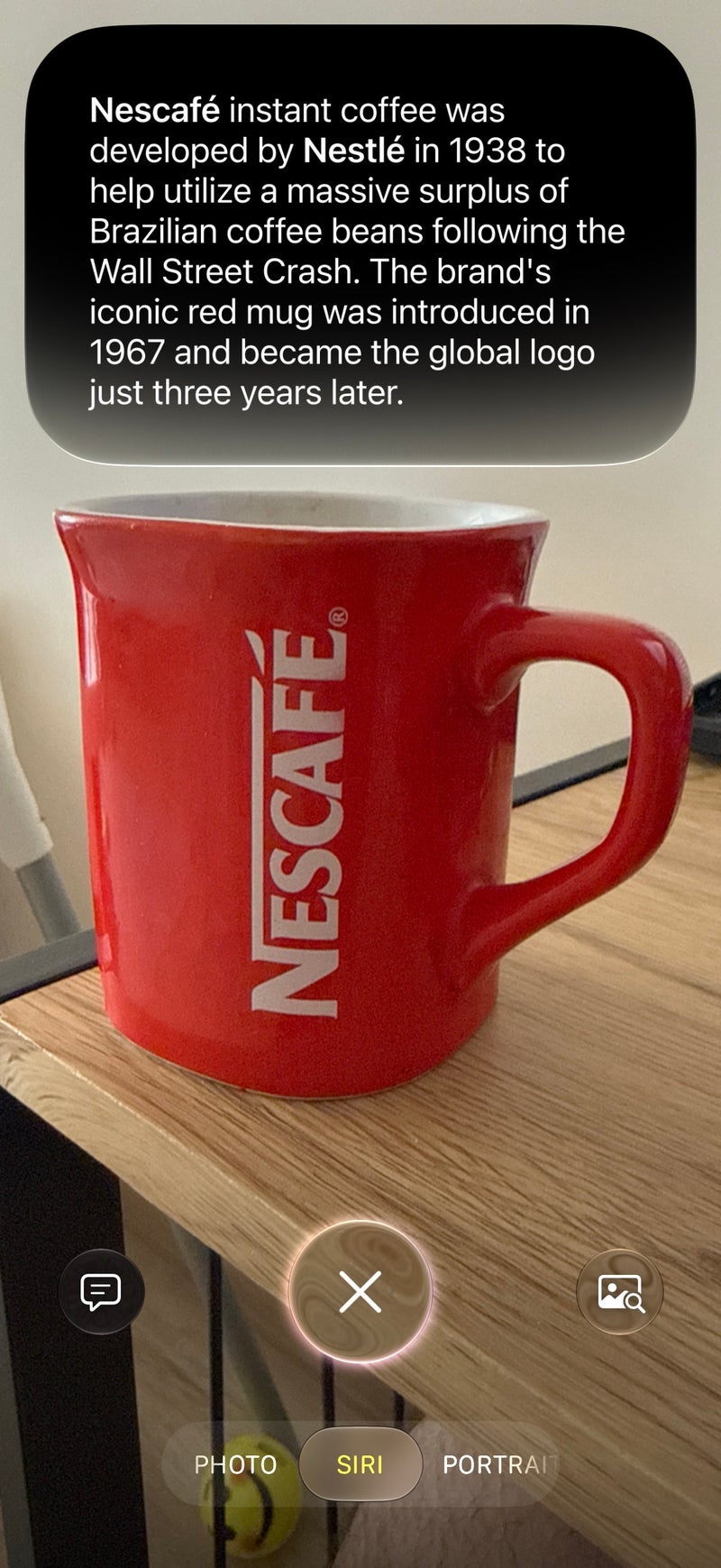
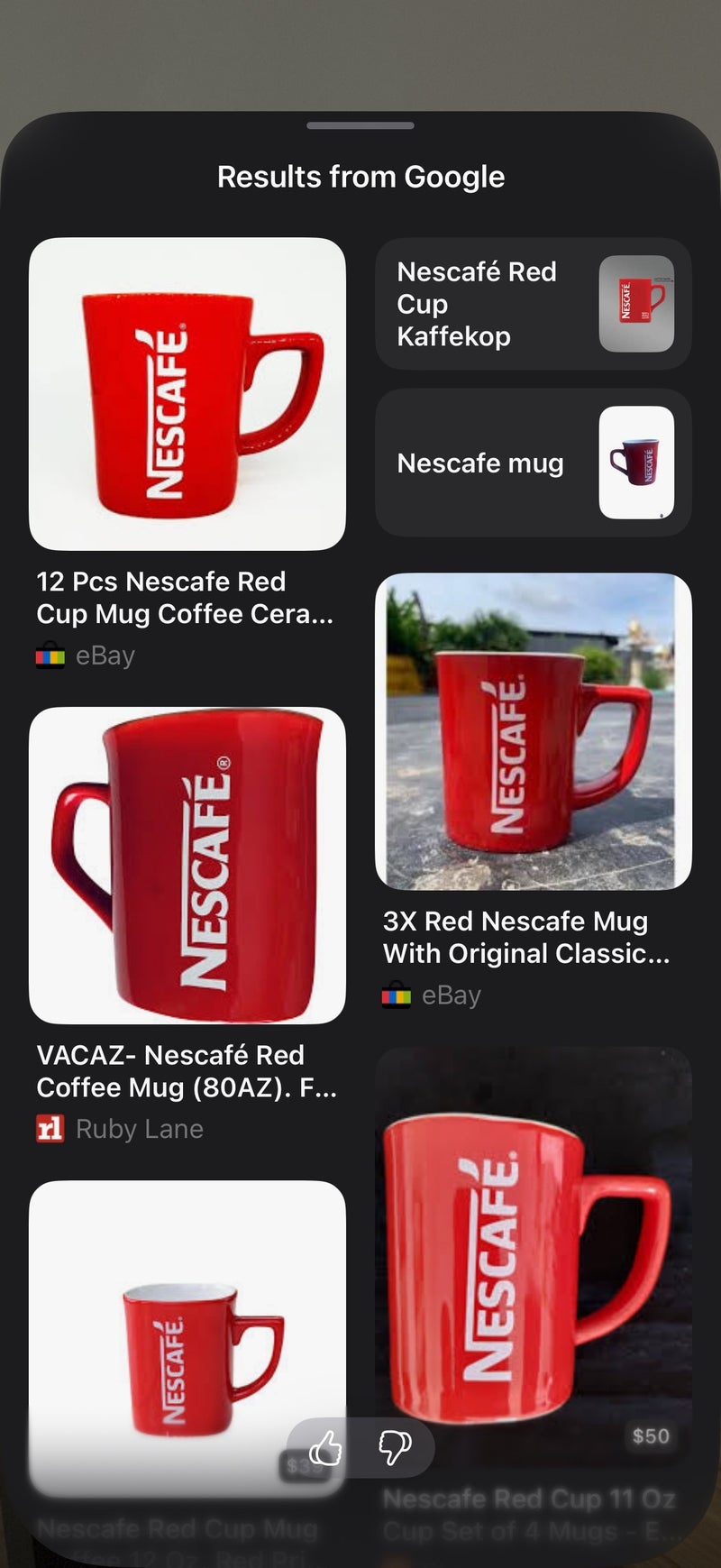
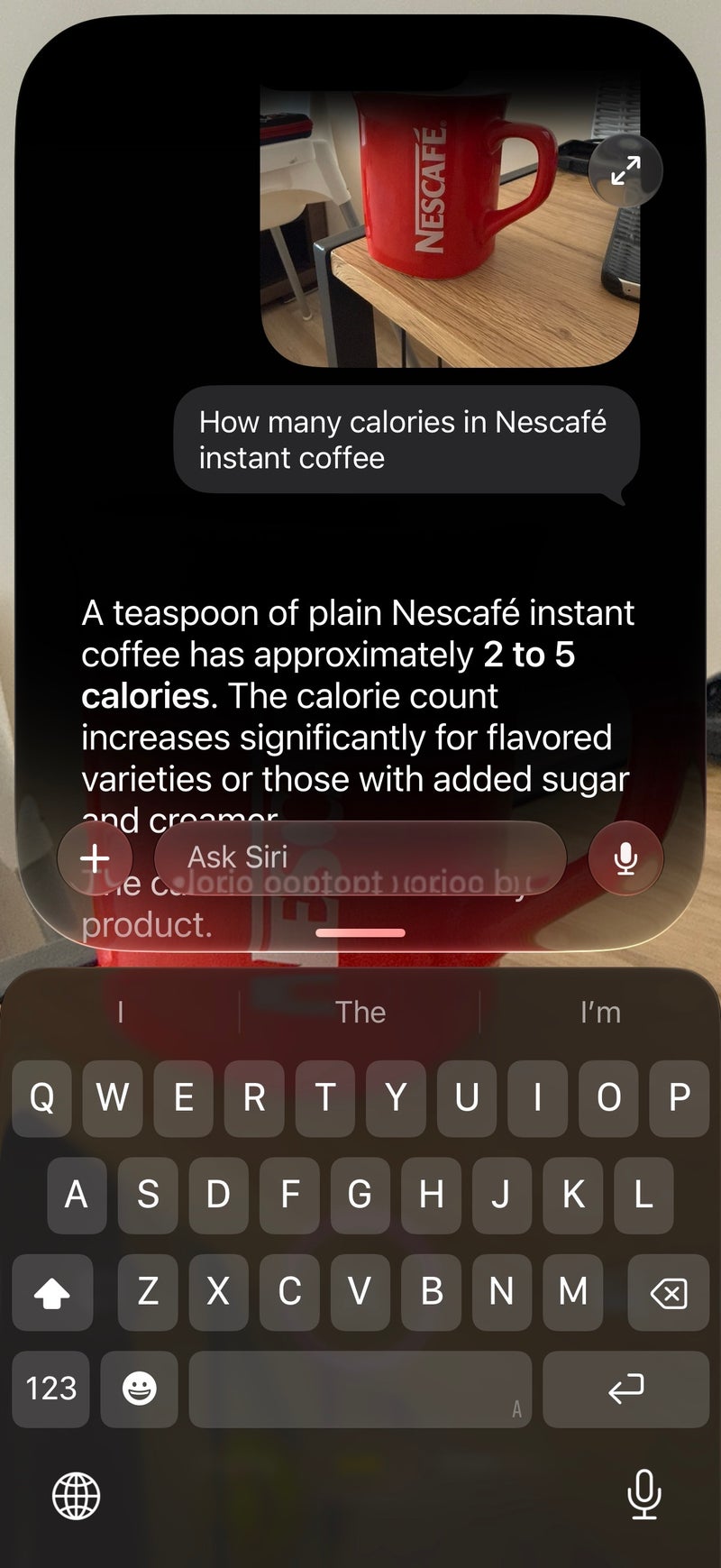
Then, another simple click of the Camera Control button snaps a picture of what you're pointing your phone at and immediately conducts a visual search. After a couple of seconds, you are presented with Siri's relevant summary of what's captured in the frame in a neat pill falling down from the Dynamic Island. You can also see relevant images and also ask further questions by interacting with the buttons to the left or right of the Siri shutter.
Realistically, is that a feature you'd use more than once?
Honestly, no. I am convinced this is a functionality that most people, me included, will play around with just once and immediately forget. After all, once you've set it to your liking, there's little logical reason to ever tinker with that slider ever again.


I've been trying each beta since the first developer one, and the verdict is clear: iOS 27 is a poster child for the perfect software update. It introduces a host of user-friendly features like a customizable Liquid Glass appearance, a smart new Siri app, and a host of performance optimizations that make iOS perform much smoother on any iPhone.
Those are real improvements, not some marketing mumbo-jumbo, and I've experienced these firsthand as a die-hard Android user who hasn't used an iPhone as a daily driver since 2024. During my testing of iOS 27, I was consistently impressed as to just how much smoother and faster it feels, especially on an older device, like my partner's iPhone 13 or the iPhone 15 Plus––either device felt a generation newer in terms of performance. That's awesome!
Here are all the cool new iOS 27 features that you can soon enjoy on your iPhone, and if they matter.
Siri got just what it needed.
With iOS 27, Siri is now a chatbot, just like ChatGPT and Gemini. Your conversations are kept in a log, just like those aforementioned apps, where you can access them later. You can attach photos, documents, and files to each chat.
New is also the way you can access Siri. Swiping down on the Dynamic Island opens the assistant regardless of what app you're in, making it effortless to access Siri no matter what you're doing. Neat!
Visual Intelligence has been massively improved, too. You can now easily access it through the new Siri mode in the camera app, which acts as a direct shortcut to Visual Intelligence on your iPhone. By default, it's available immediately to the right of the standard photo mode in your camera app, making it just a flick away when interacting with the camera.
But there's a much more intuitive way to open this new Siri camera mode: simply press and hold the Camera Control button on the iPhone 16 and up, and you are thrown straight into this camera mode. That's it, a long press is all it takes.
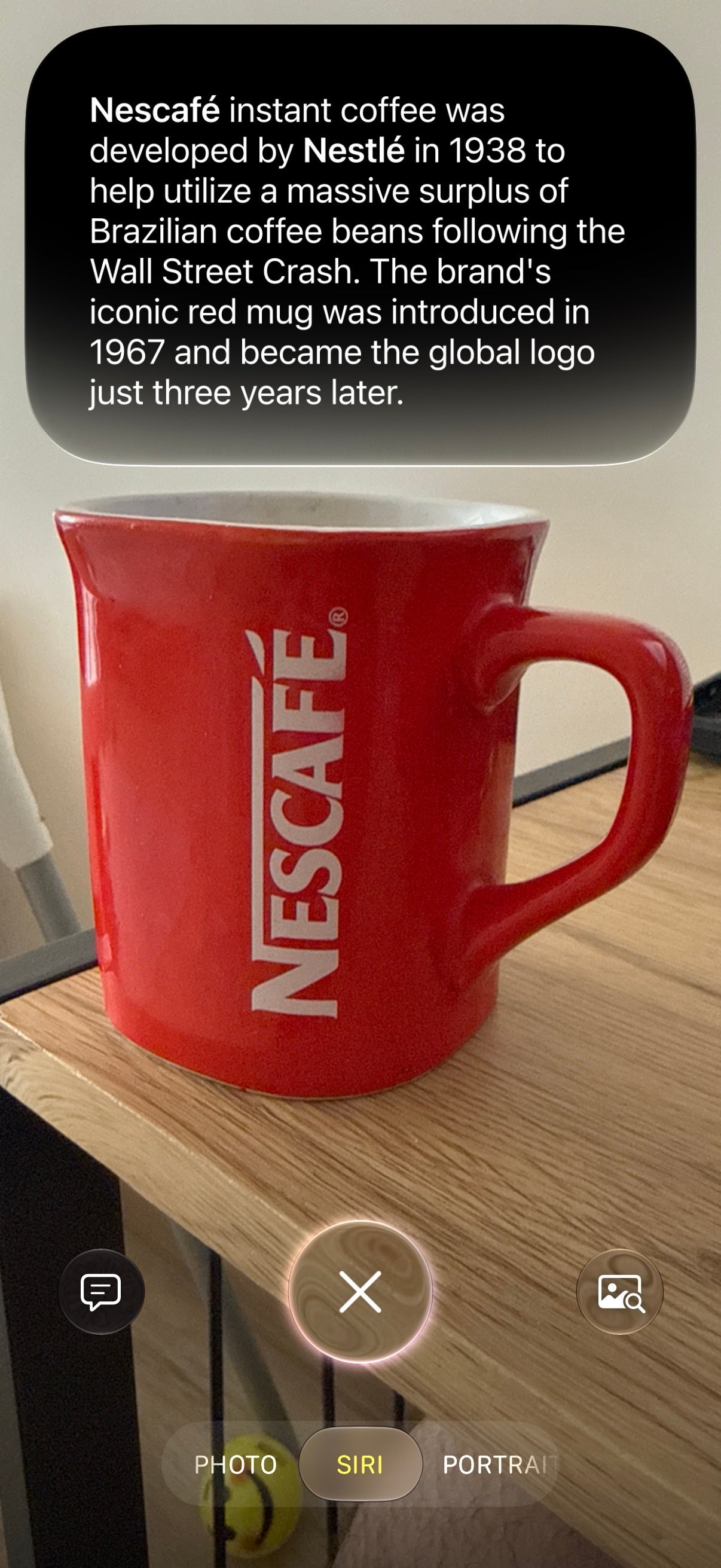
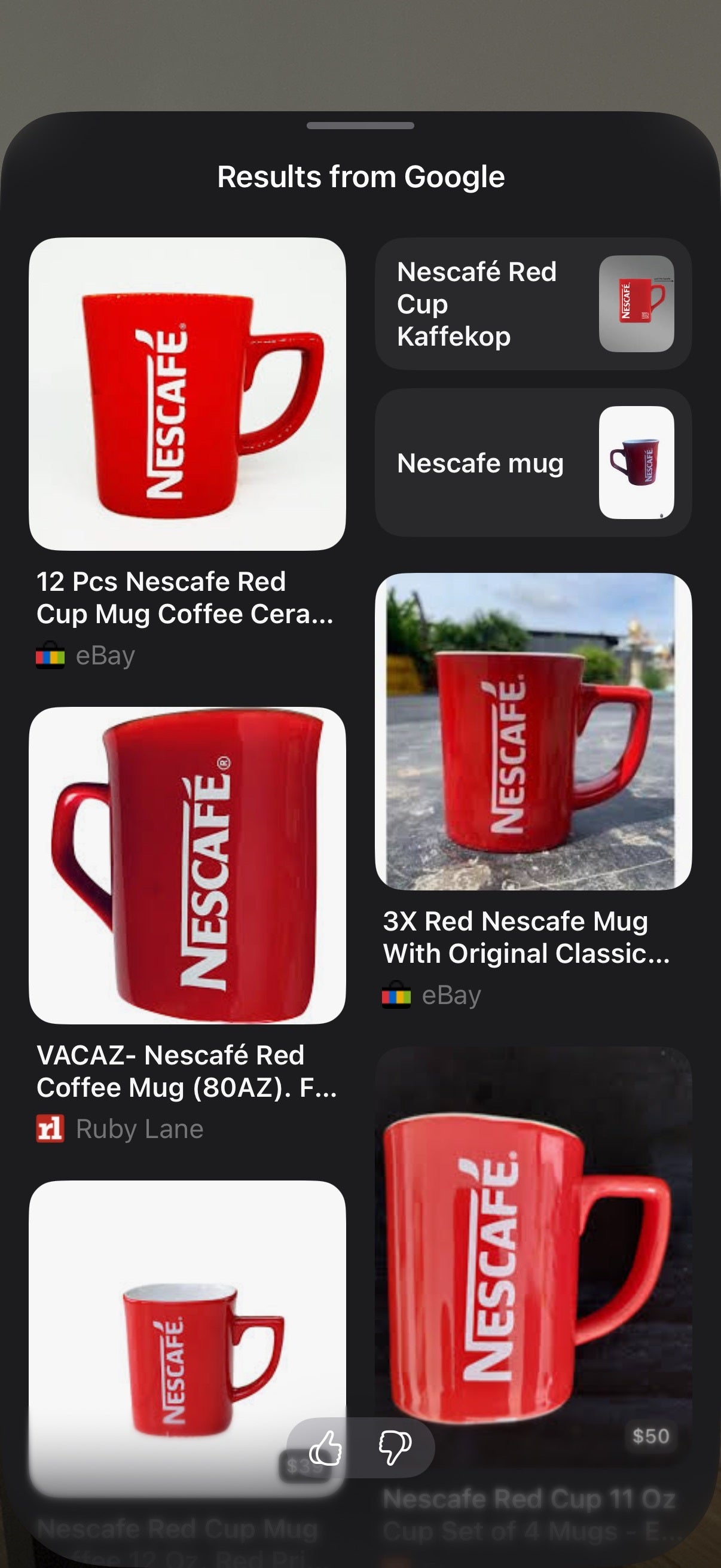
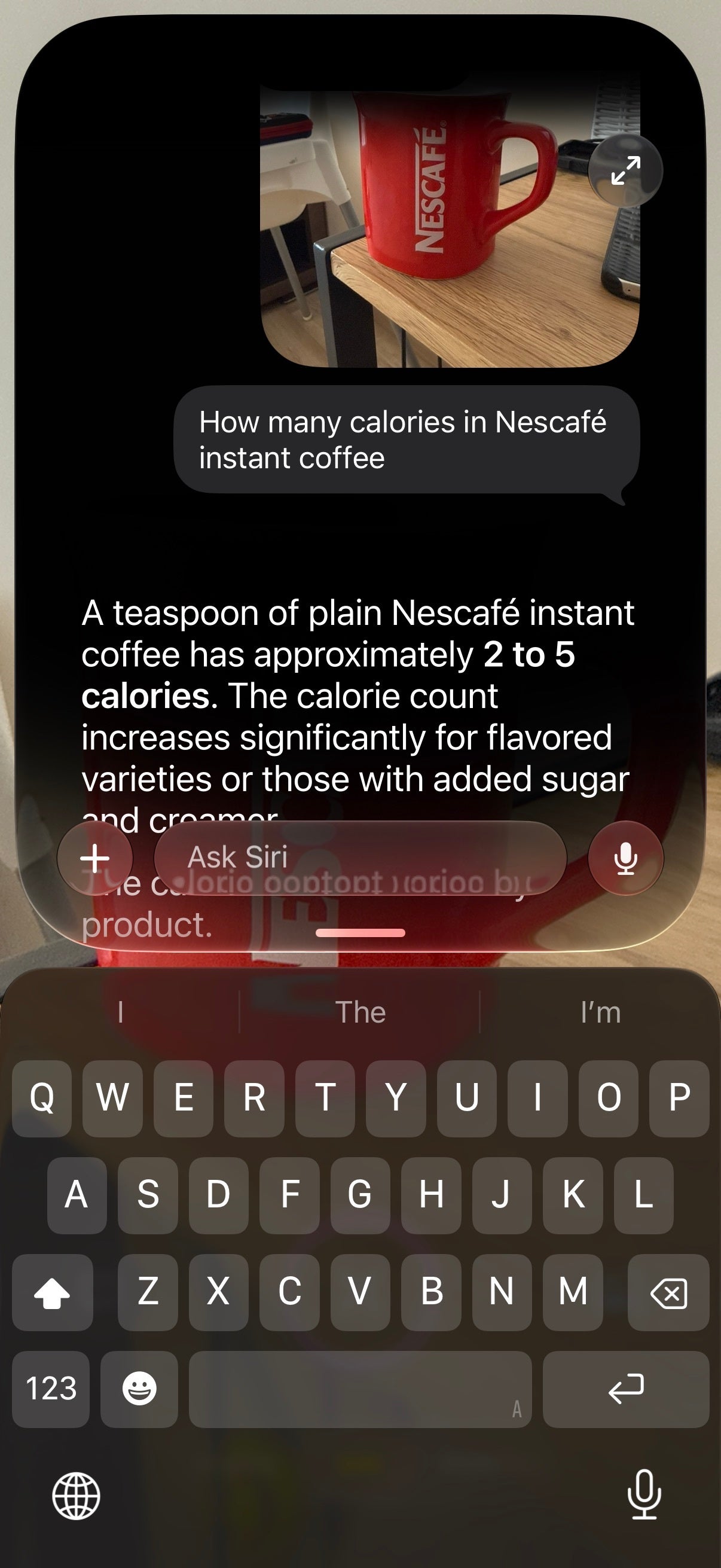
The new Siri mode in the iOS camera lets you ask questions about your surroundings quickly and efficiently. | Images by PhoneArena
Liquid Glass customization, finally
To say that Liquid Glass' release has been rocky would be an understatement. From design inconsistencies and accessibility issues, Liquid GlassApple went through a number of different opacity settings for the new design language it debuted with iOS 26, but it never really felt right for me.
No, iOS 27 is not getting rid of Liquid Glass, Apple has actually listened for once and has introduced a new Liquid Glass customization slider that lets you fine-tune the appearance of your interface. As an Android user, I'm a bit jealous of that, because most Android manufacturers adopted Apple's Liquid Glass in their Android skins as is, without giving any user choice.
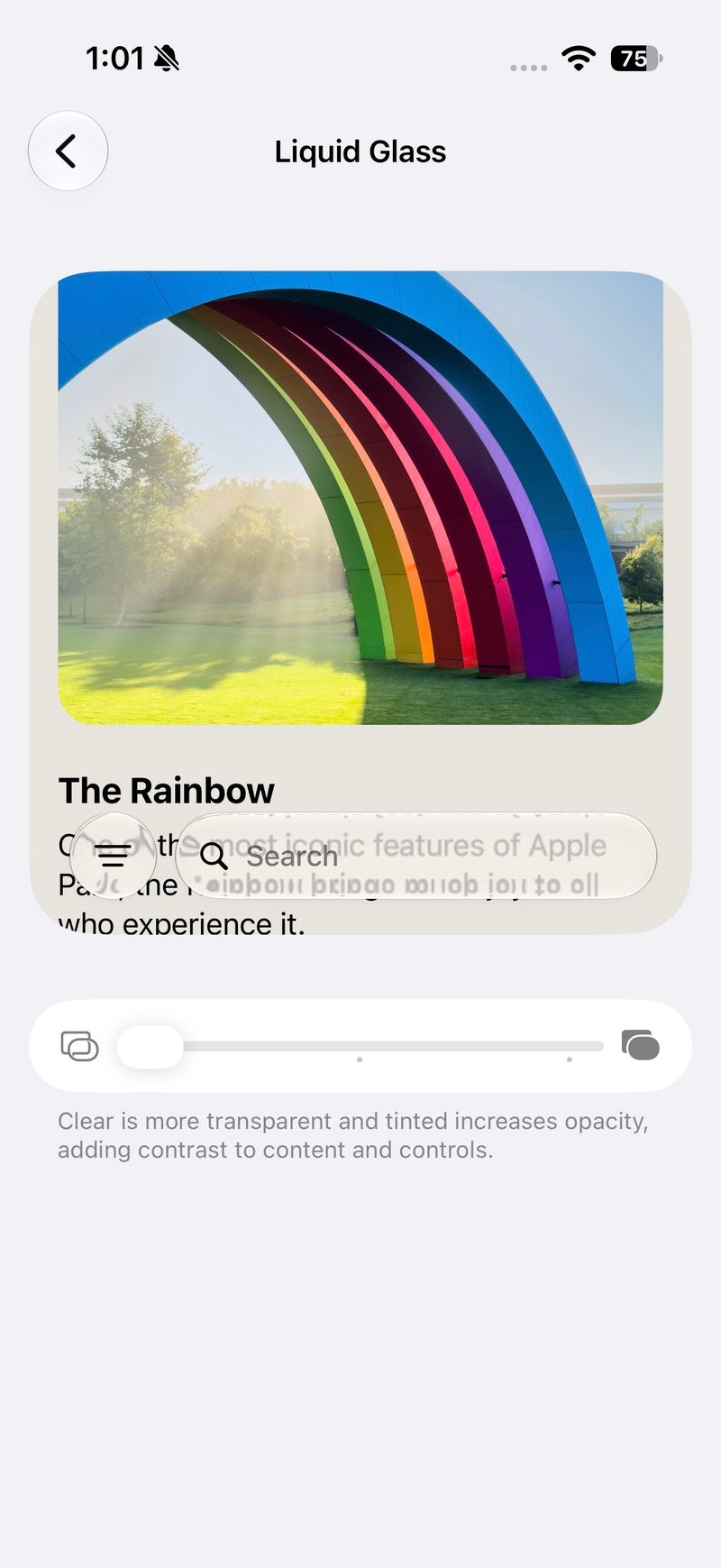
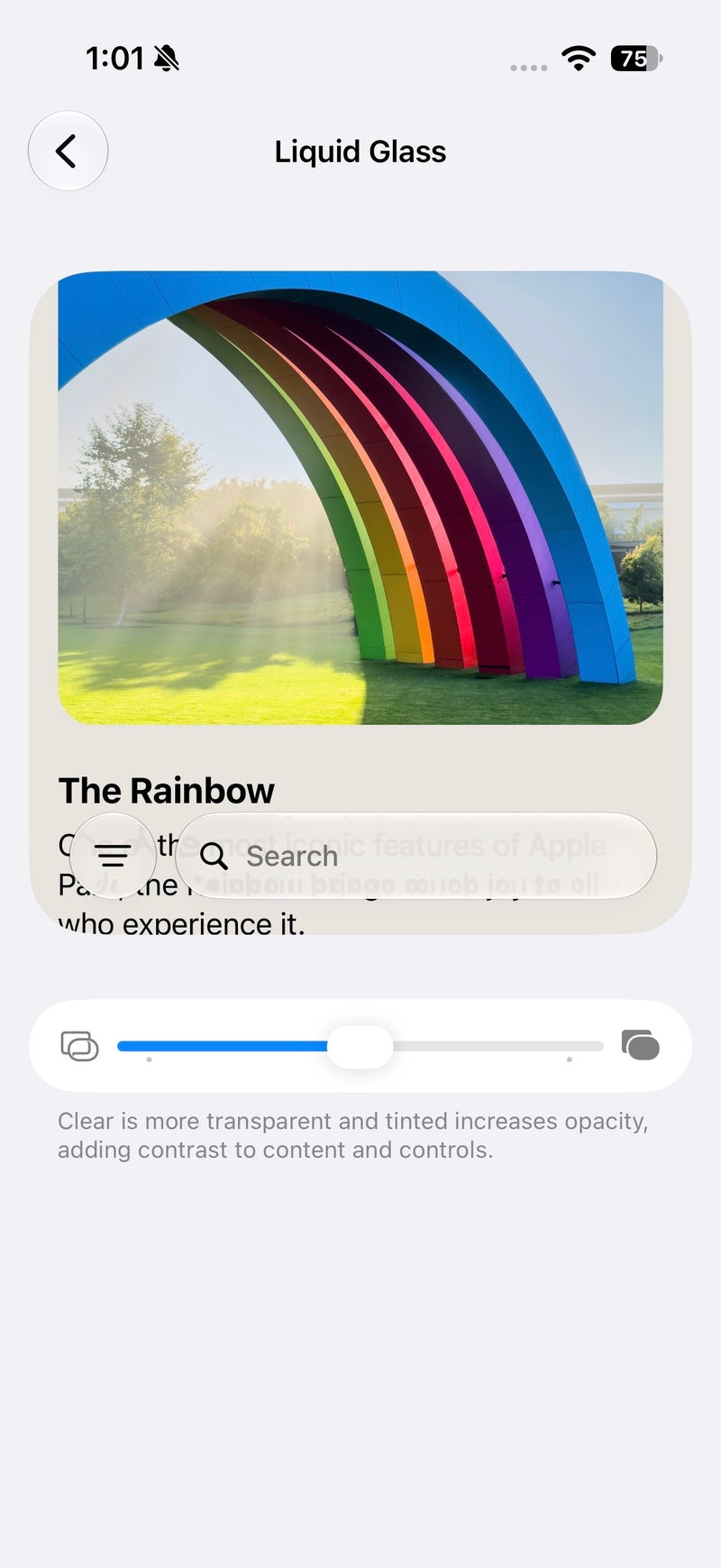
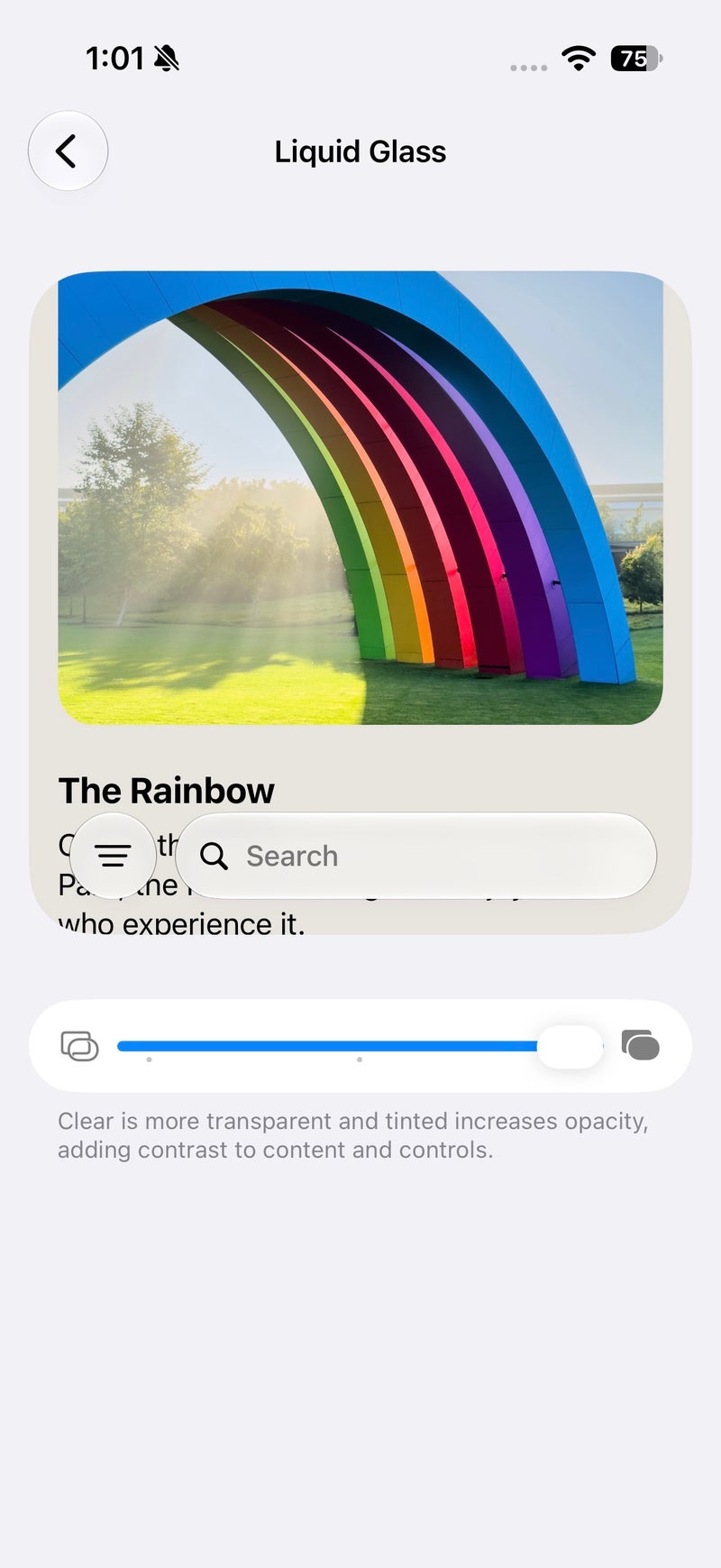
You can select between a completely clear and a completely tinted Liquid Glass appearace, but the kicker is that you can set the slider at any level you want to perfectly customize how your Liquid Glass looks.
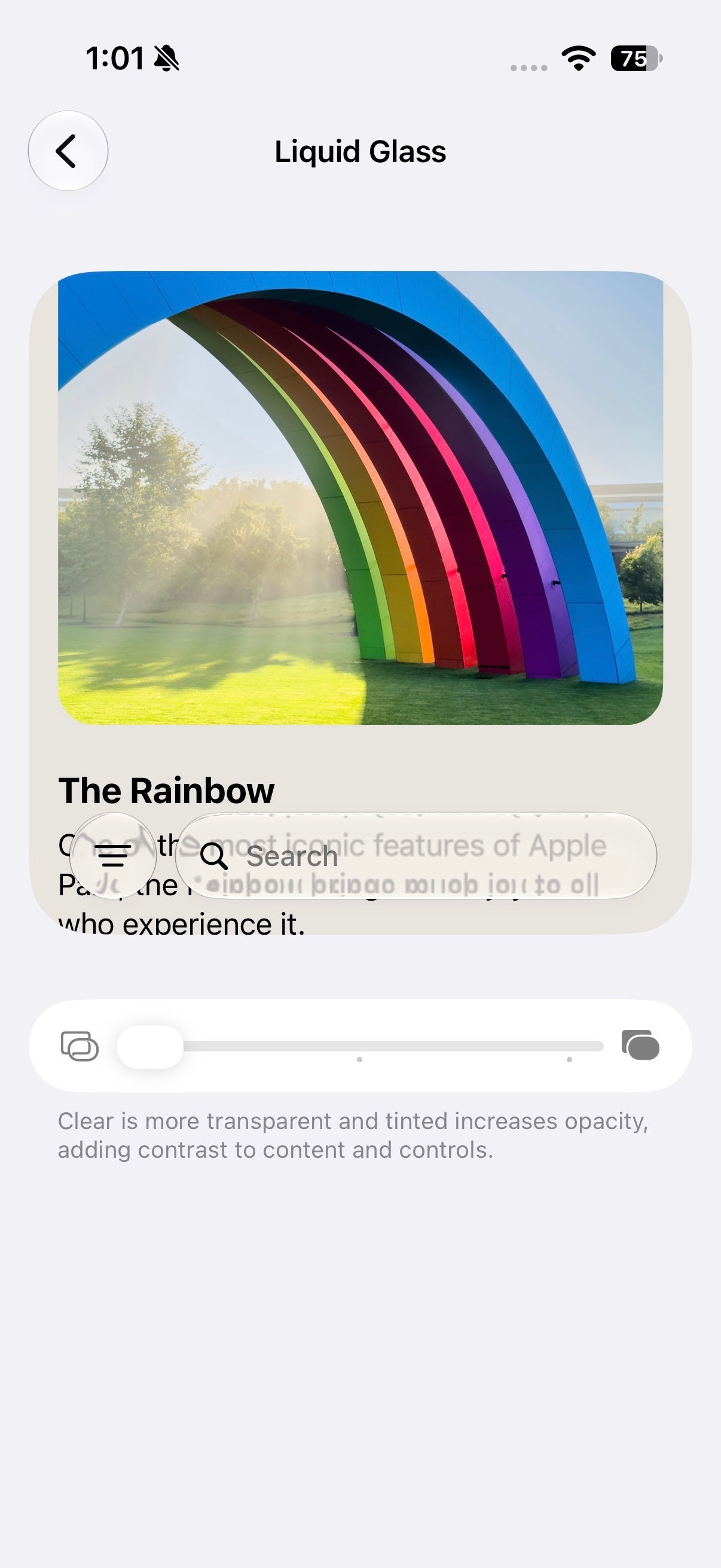
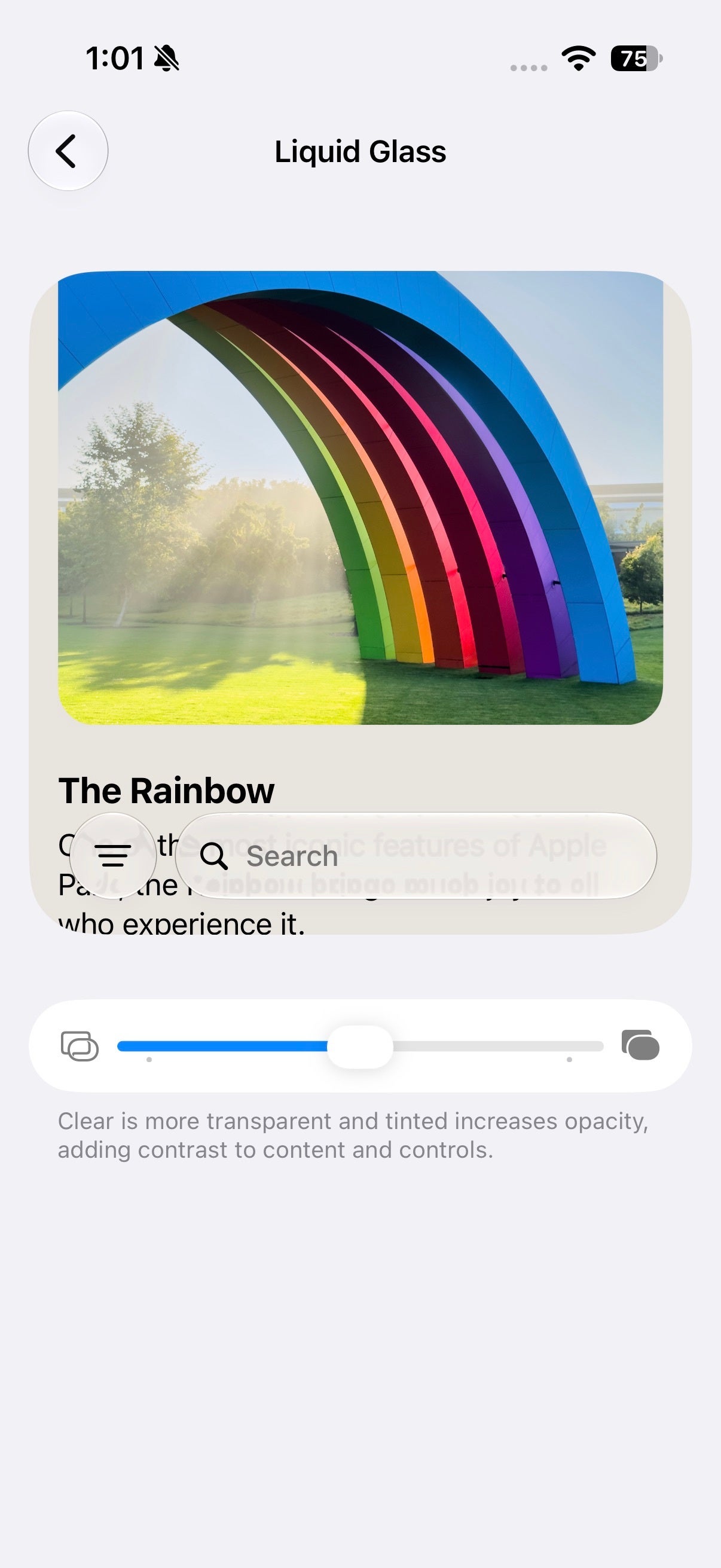
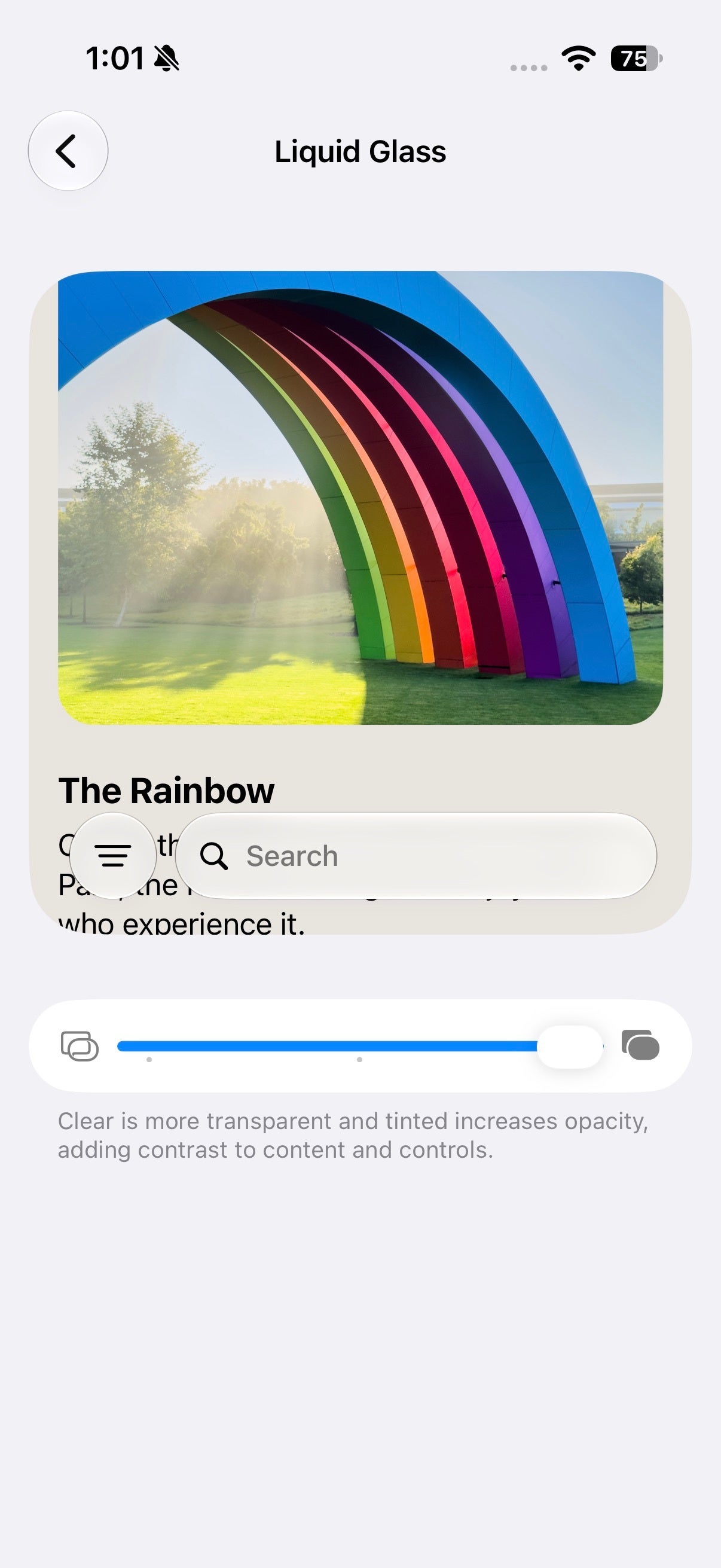
Liquid Glass tuning, yes, baby! | Images by Images by PhoneArena
You can select between a completely clear and a completely tinted Liquid Glass appearace, but the kicker is that you can set the slider at any level you want to perfectly customize how your Liquid Glass looks.
Realistically, is that a feature you'd use more than once?
Separate sliders, yes please!
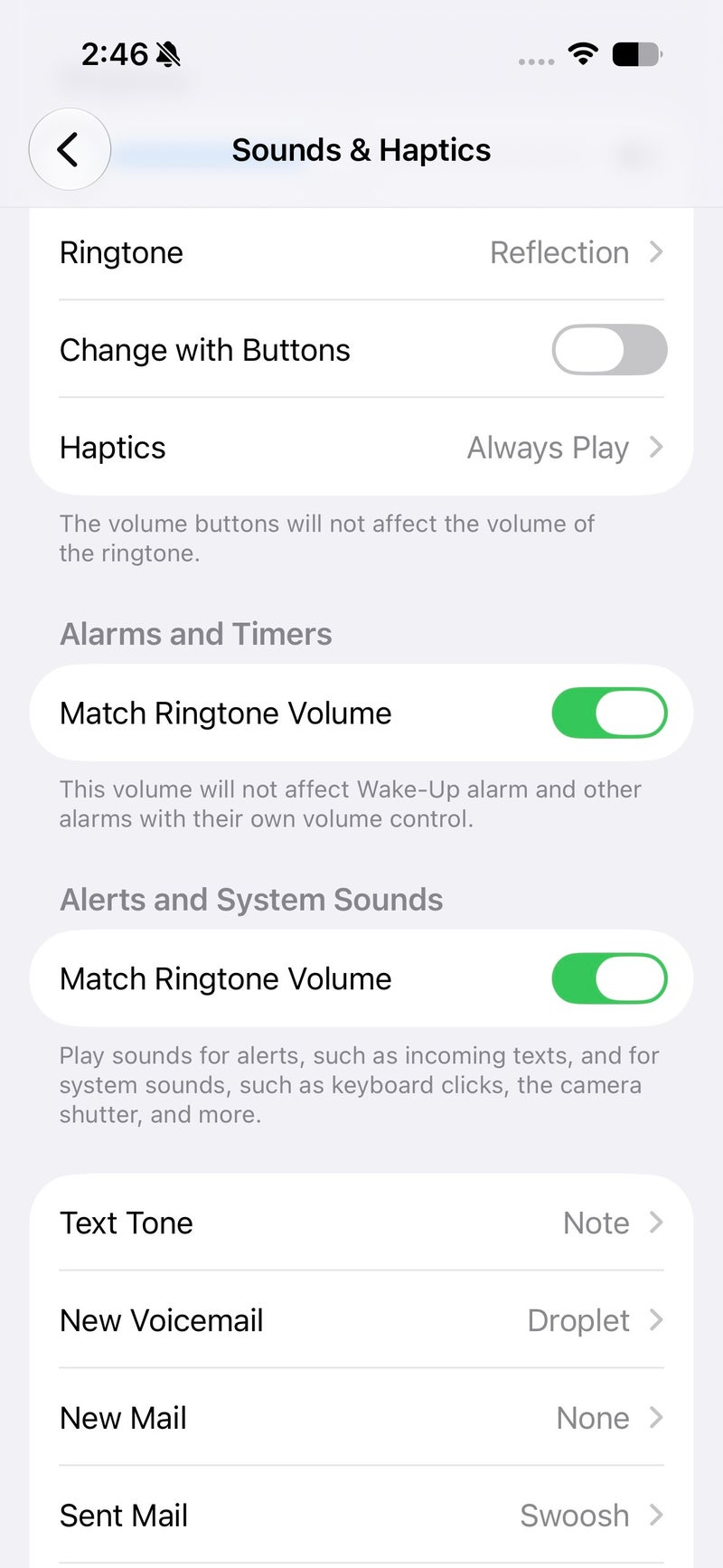
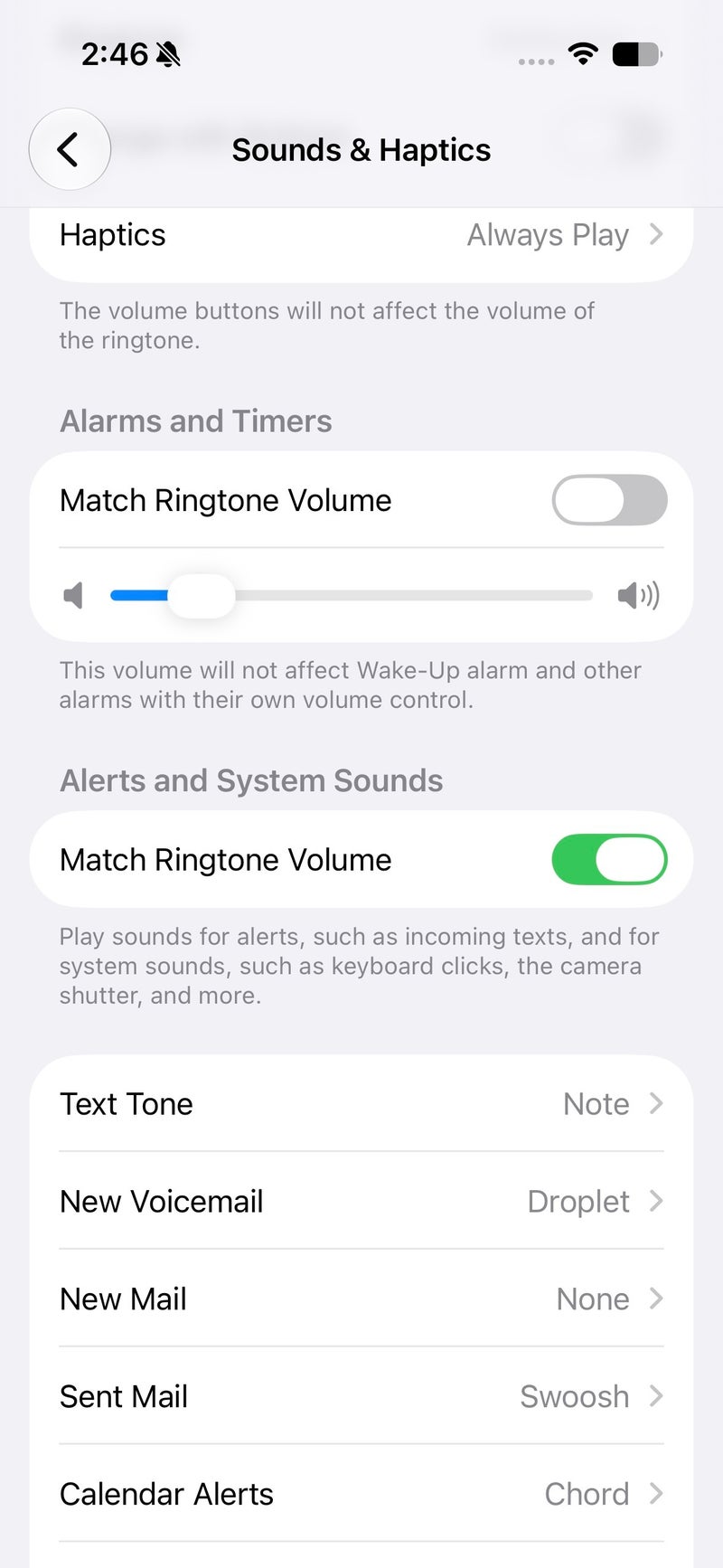
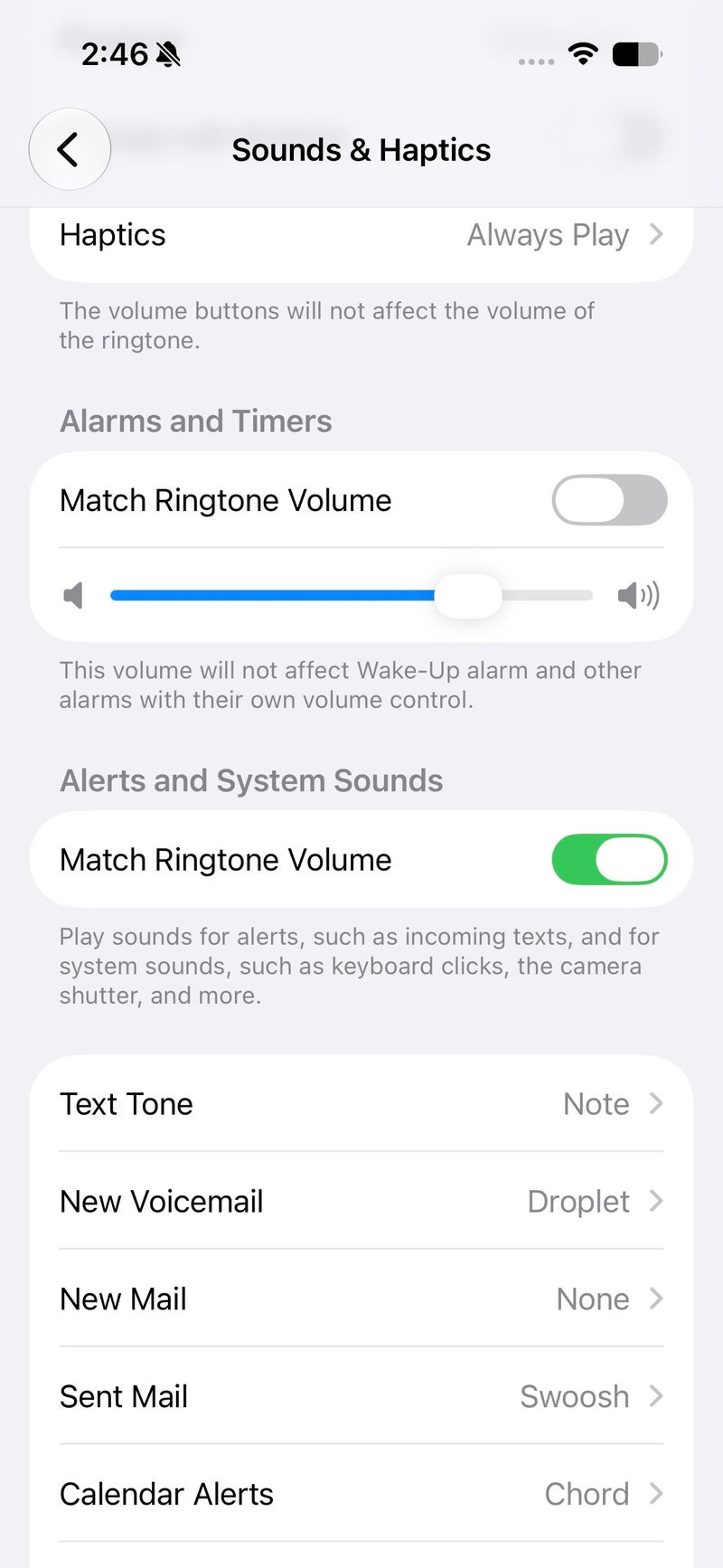
After nearly two decades of iOS being Apple's most popular operating system, it's in late 2026 that we get decoupled alarm volume, which is no longer bound to the system and ringtone volumes. Hallelujah!
As an Android user myself, it's a bit embarrassing that iOS users have not had such a basic functionality for such a long time. What's even worse is that the execution is less than ideal and once again done in a convoluted iOS way.
With iOS 27, users get a dedicated toggle in the System & Haptics menu that allows users to decouple the system and alarm volume levels. If you disable the respective toggle, you can set a preferred volume level for iPhone alarms and timers, separate from the system one.
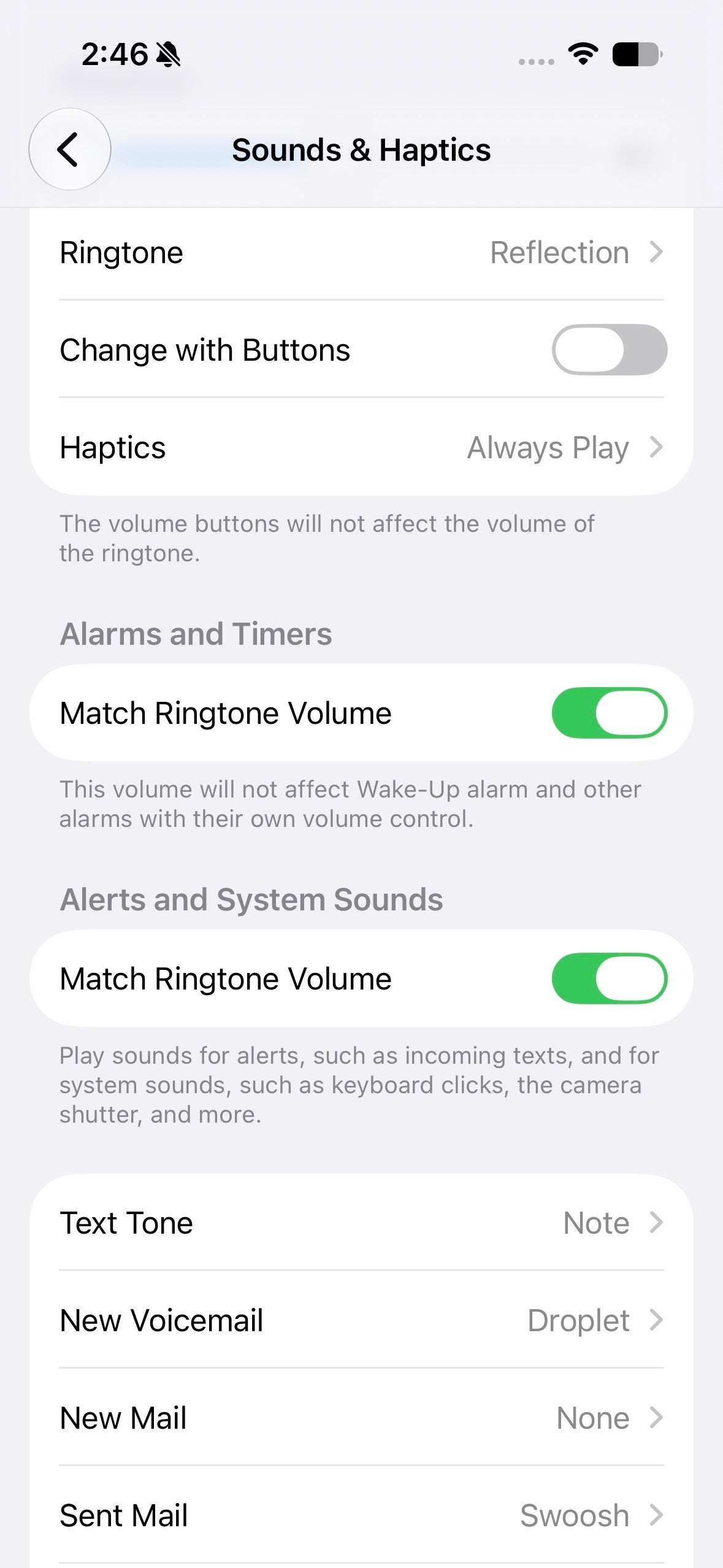
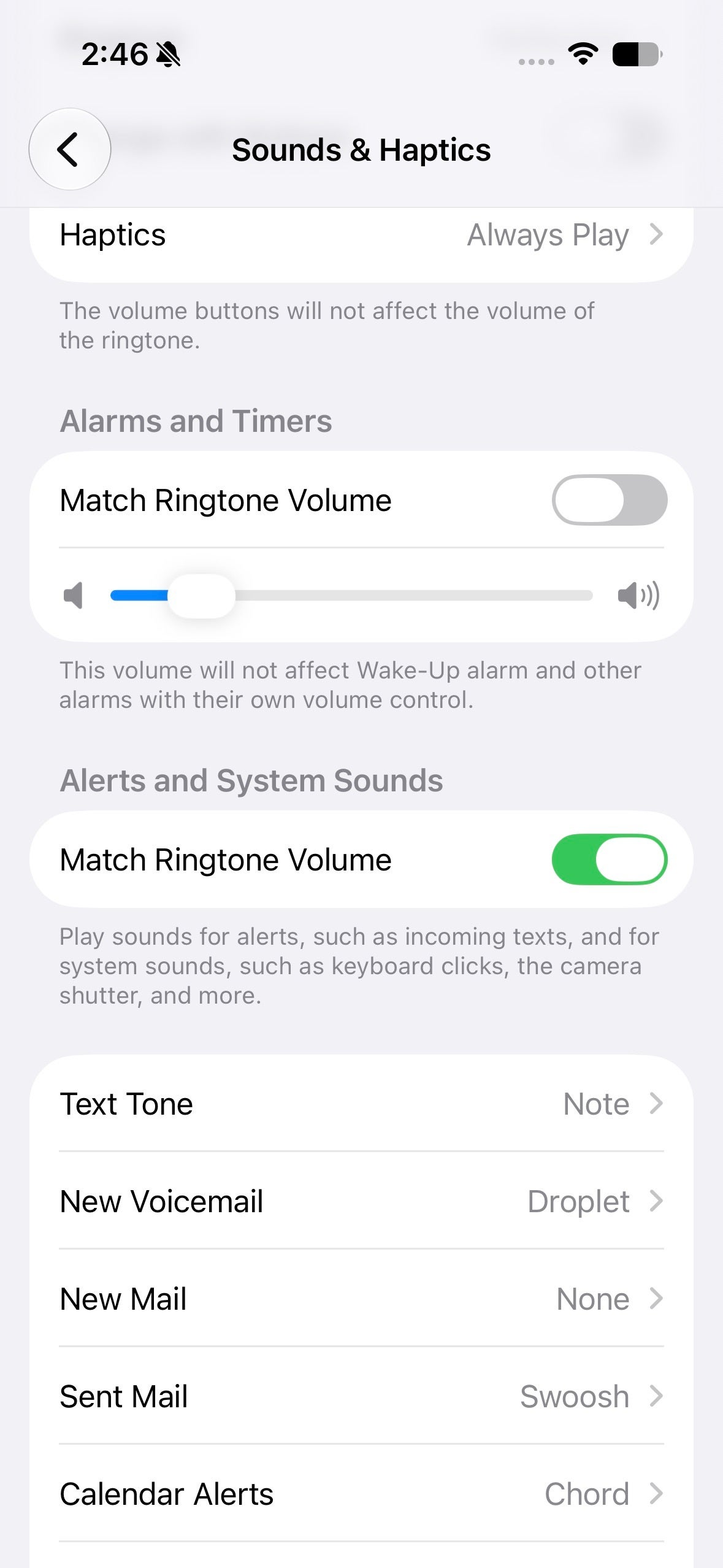
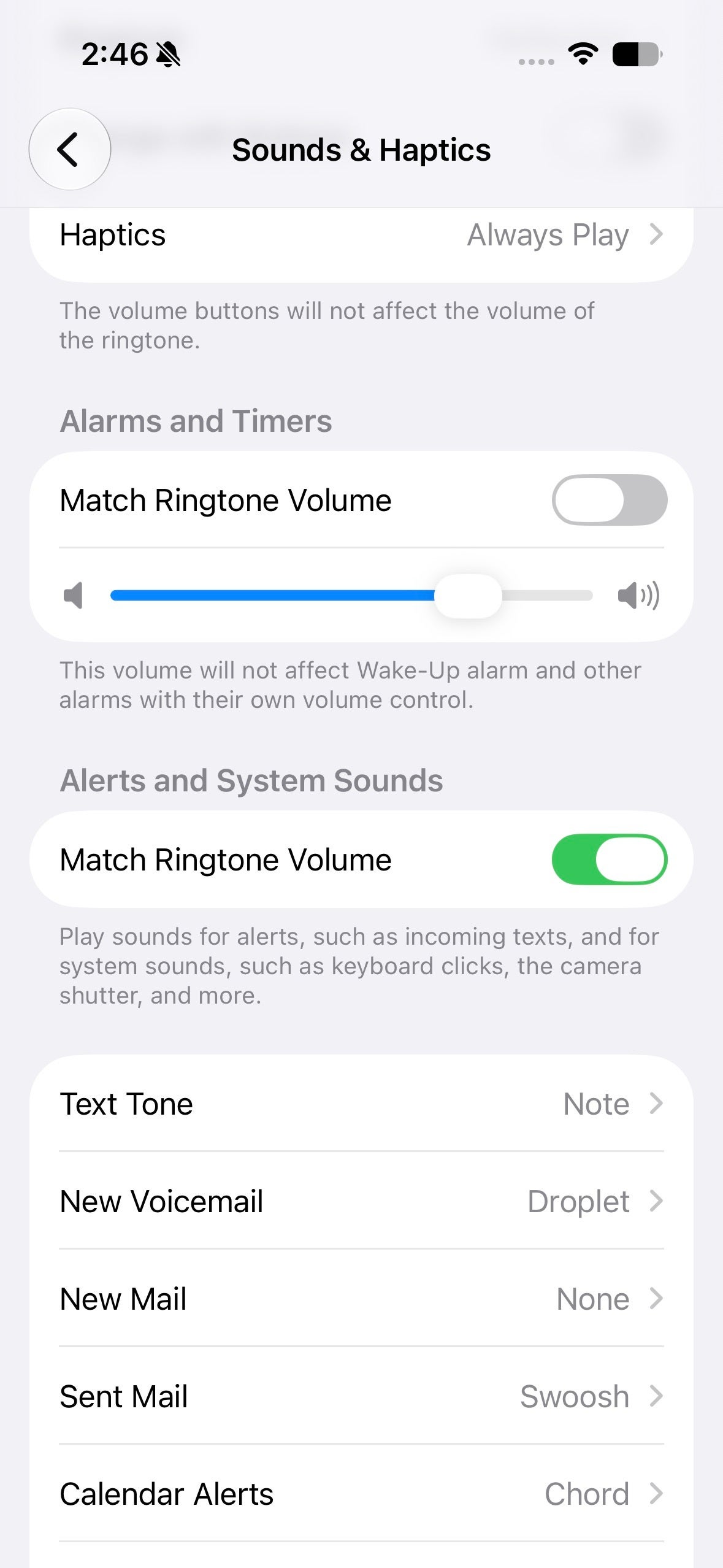
Surely, there are ways for this to have been done in a more user-friendly way.
Reframe and extend photos
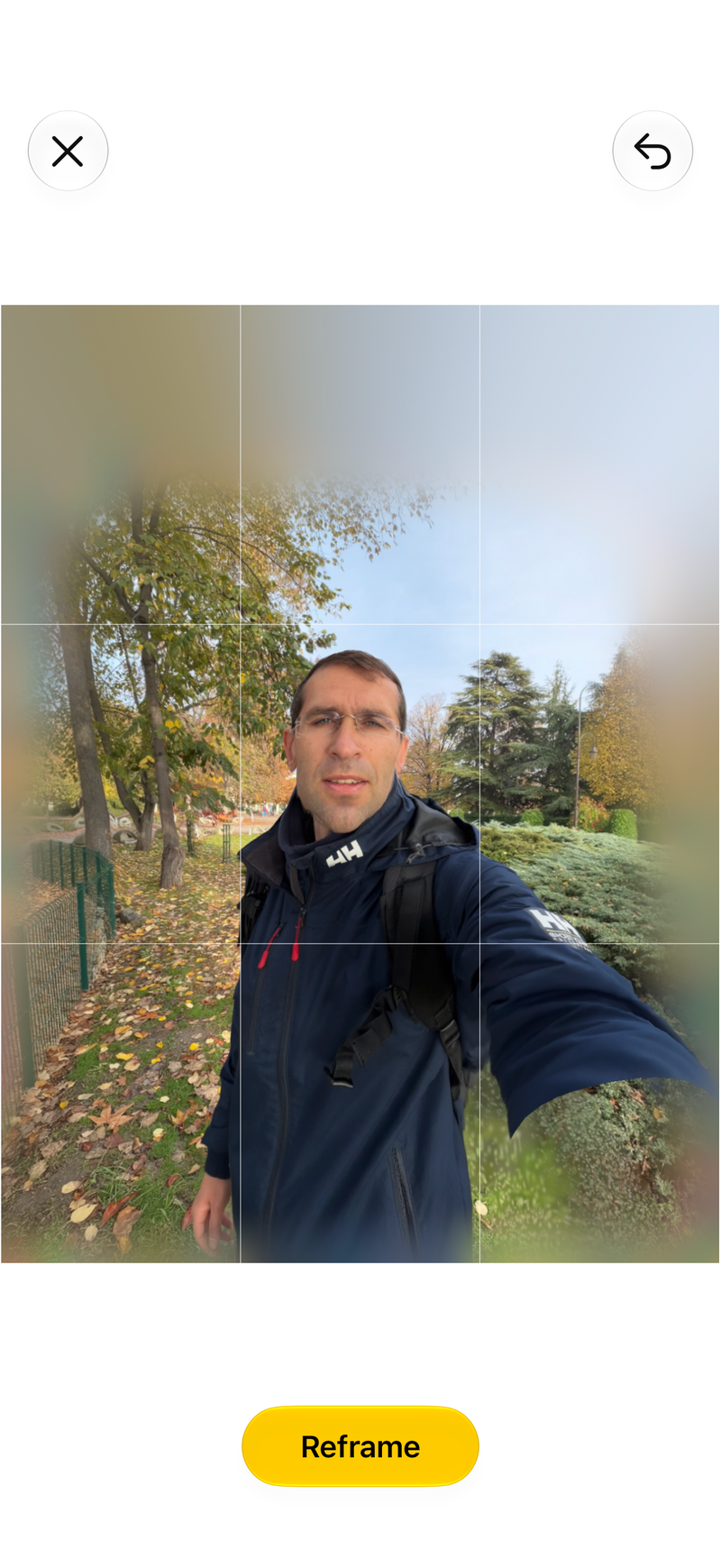
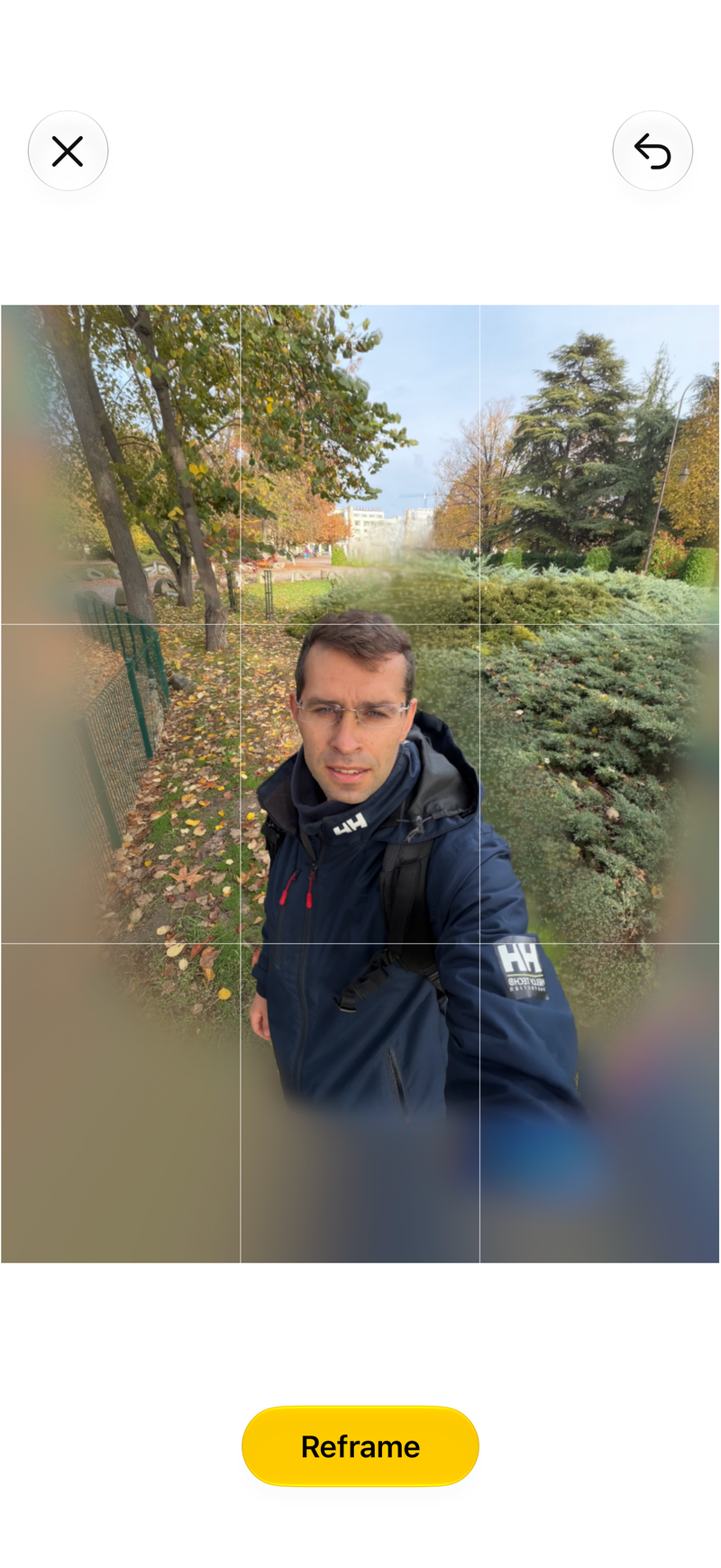
The Photos app has scored a very nifty feature that lets you extend and reframe your photos. Of course, it relies on Apple Intelligence for the brunt of the generative work, and the results can be, well, decent in some cases but not so much in others.
It very much depends on the photo you use, but in most cases I tried of my personal photos, the results were less than ideal. I wouldn't necessarily call these "AI slop", but wouldn't recommend the feature either.


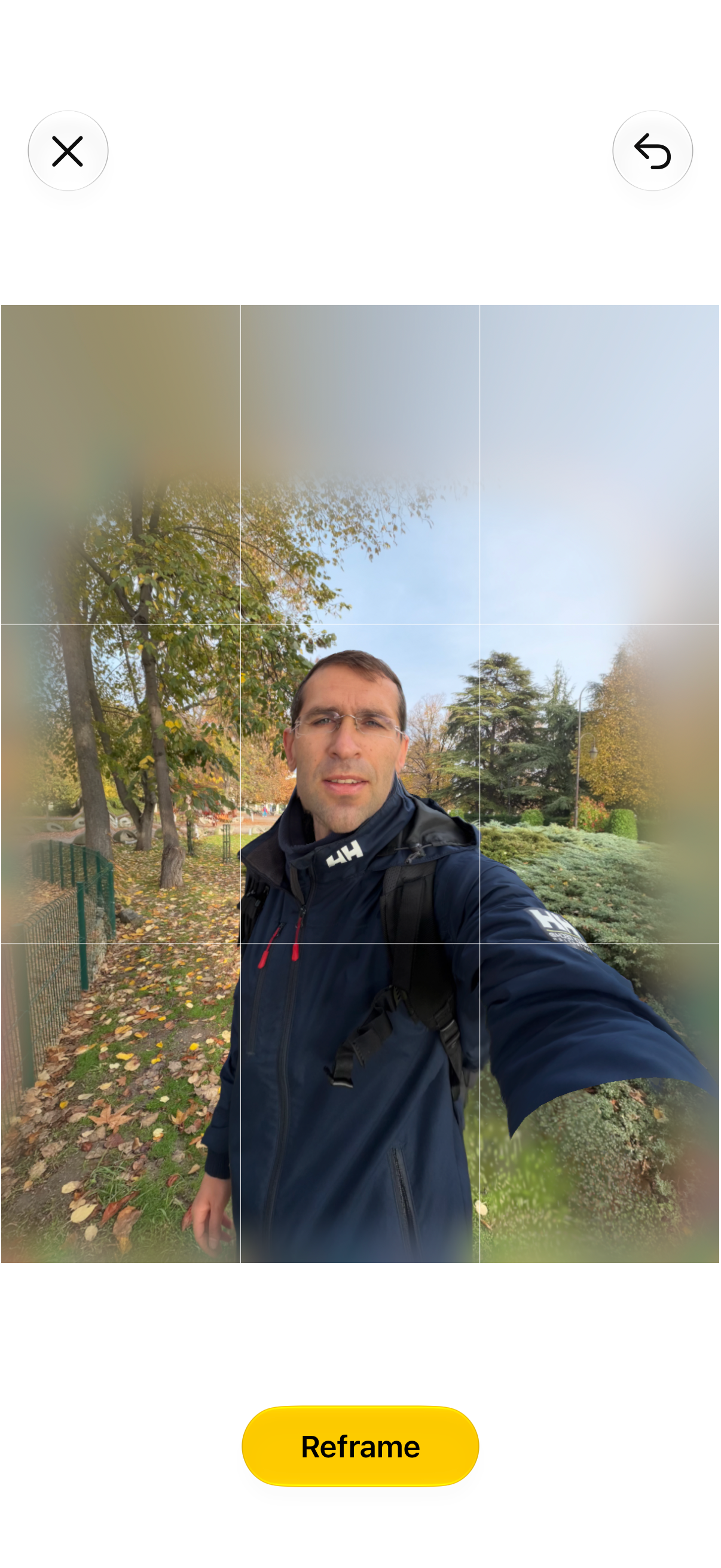
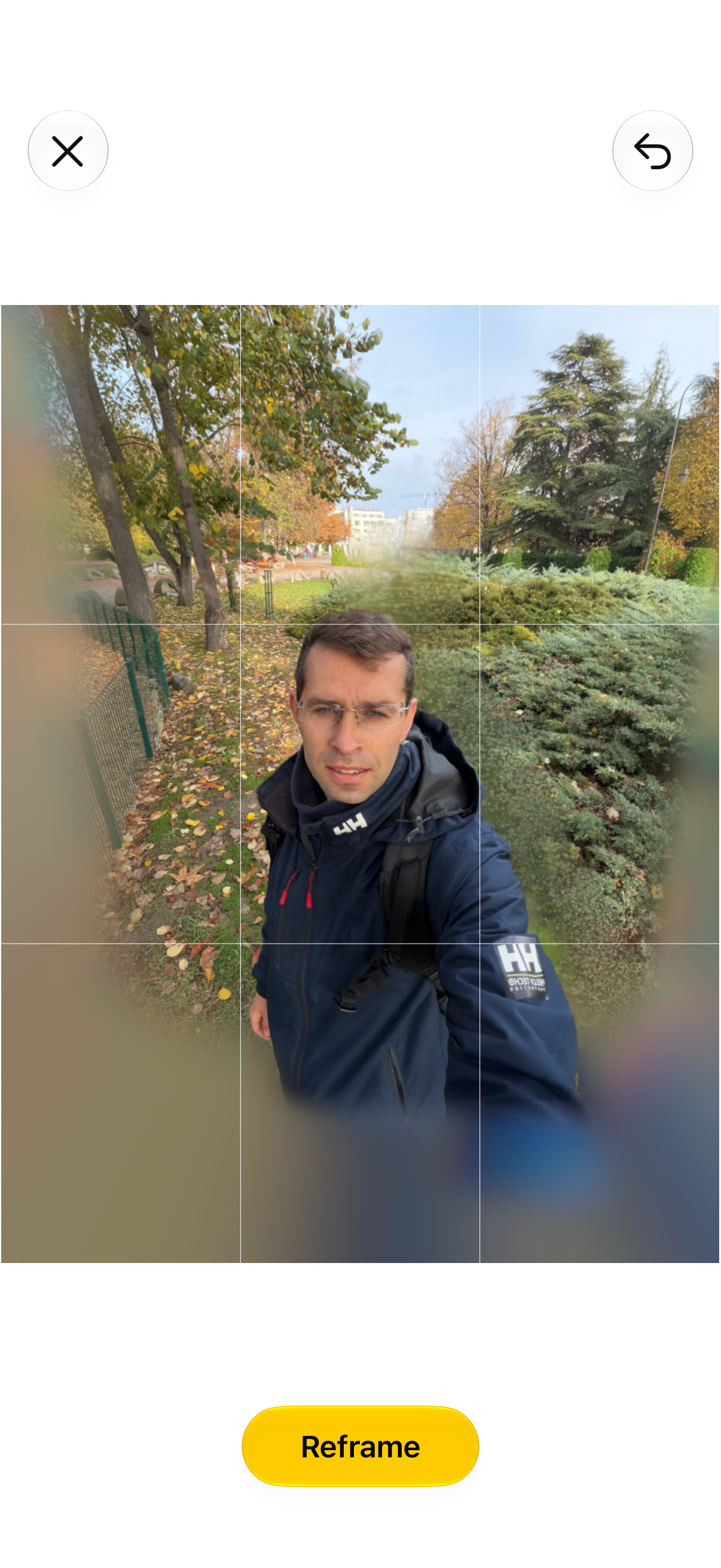
Not a fan of such AI manipulations. | Images by PhoneArena
Full-screen widgets
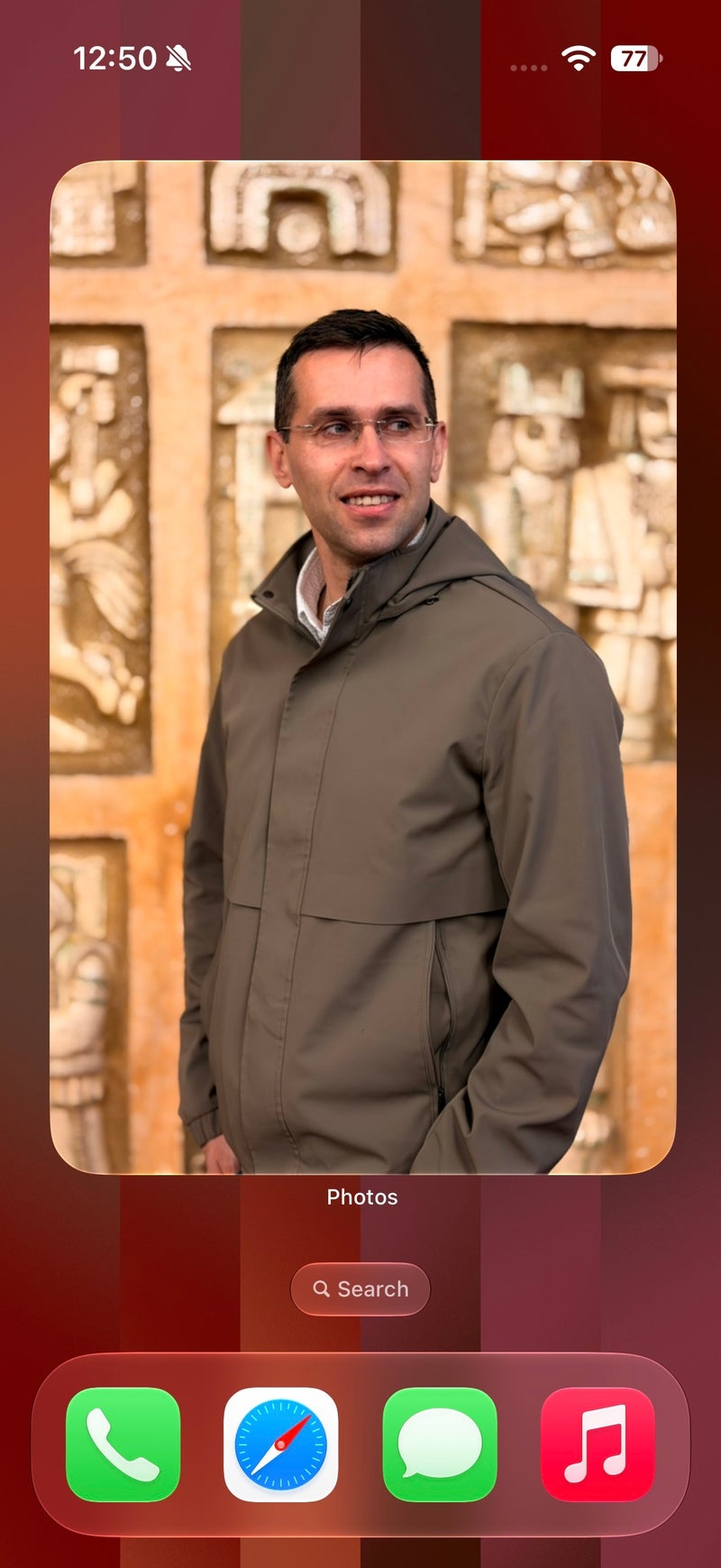
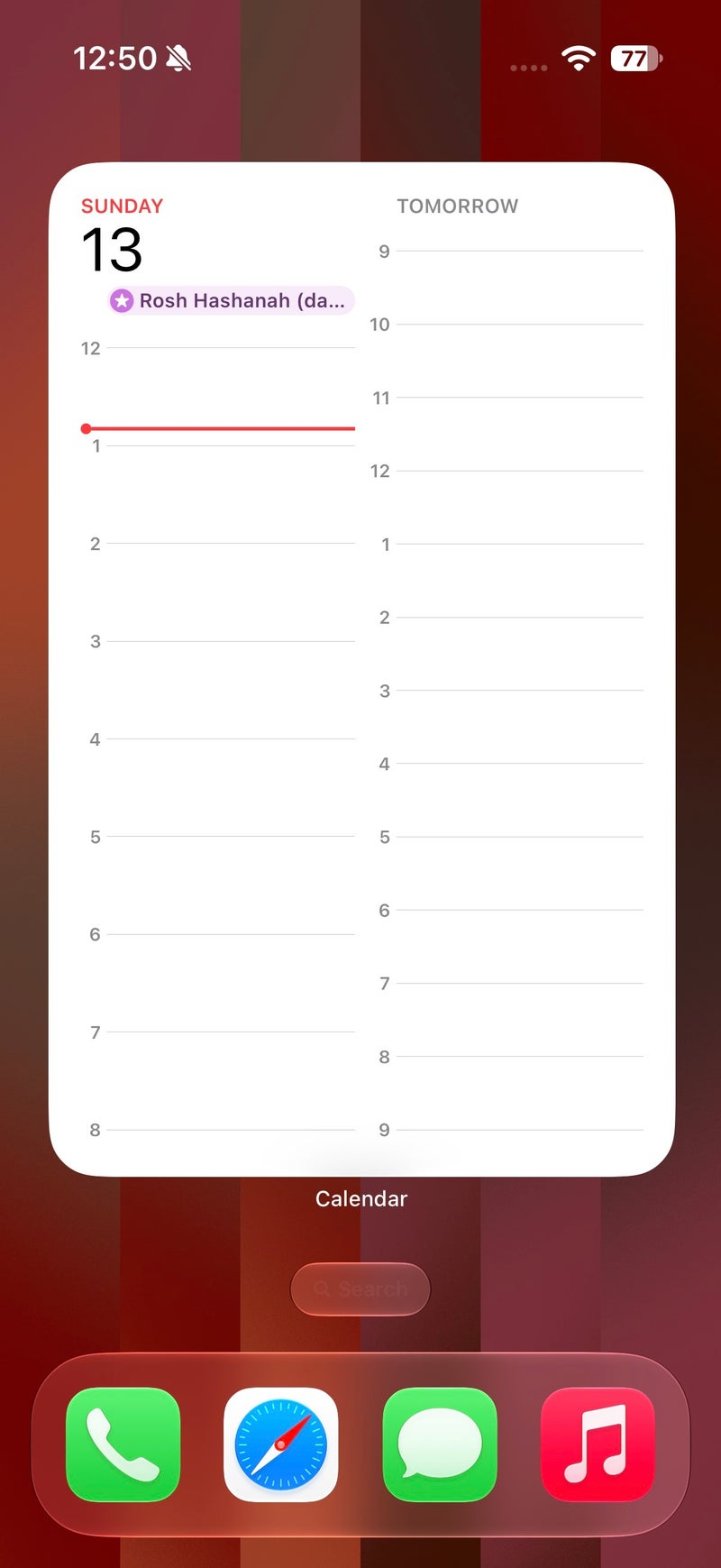
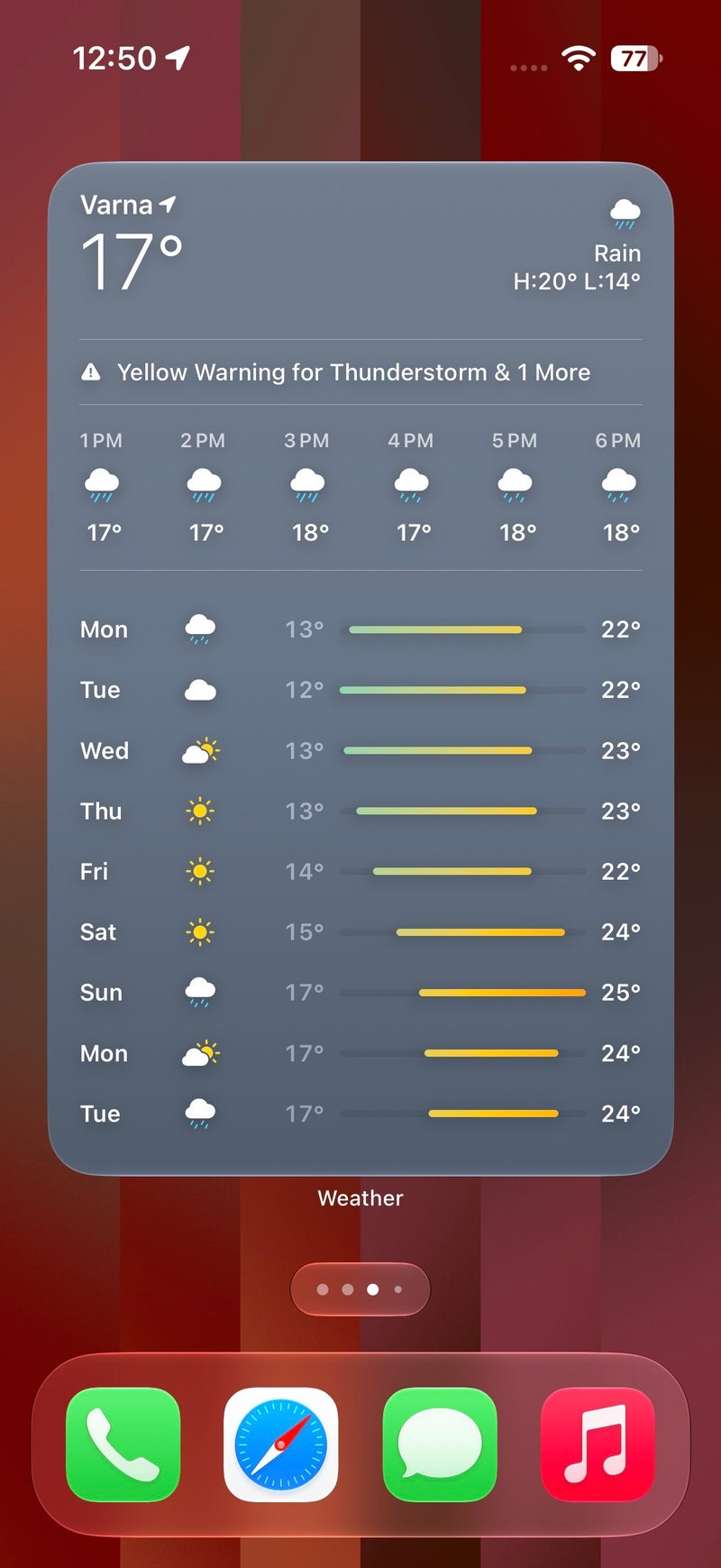
A major new feature with widgets is a new large size that essentially makes these full-screen, 6x4 ones. Not all apps are supported right now, but popular ones like Photos and Weather are supported, and the added widget real estate is used to display useful information, so that's a win. On Android, most apps are a bit more constrained in terms of size and insist on using their predefined size, so while not impossible, resizing these doesn't always yield the cleanest or smoothest results.
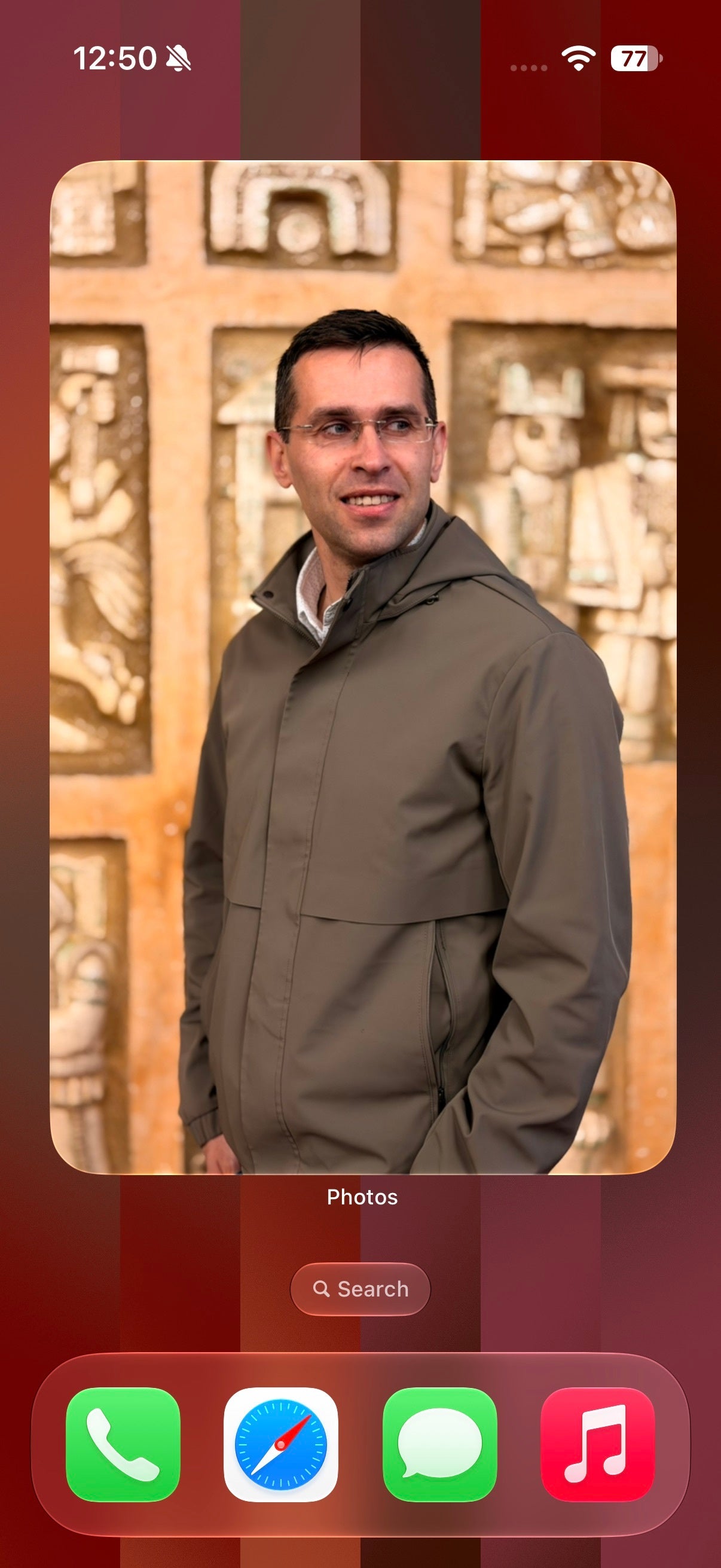
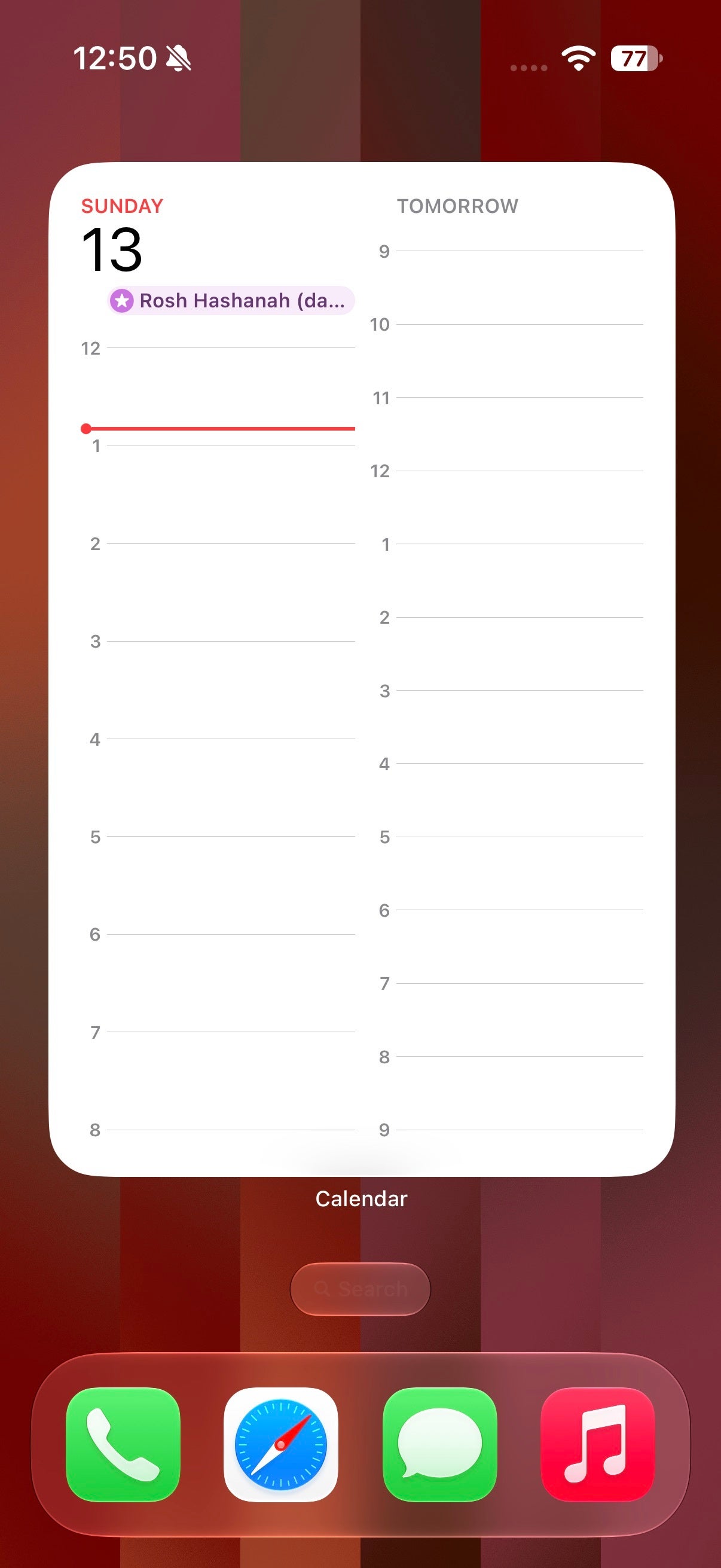
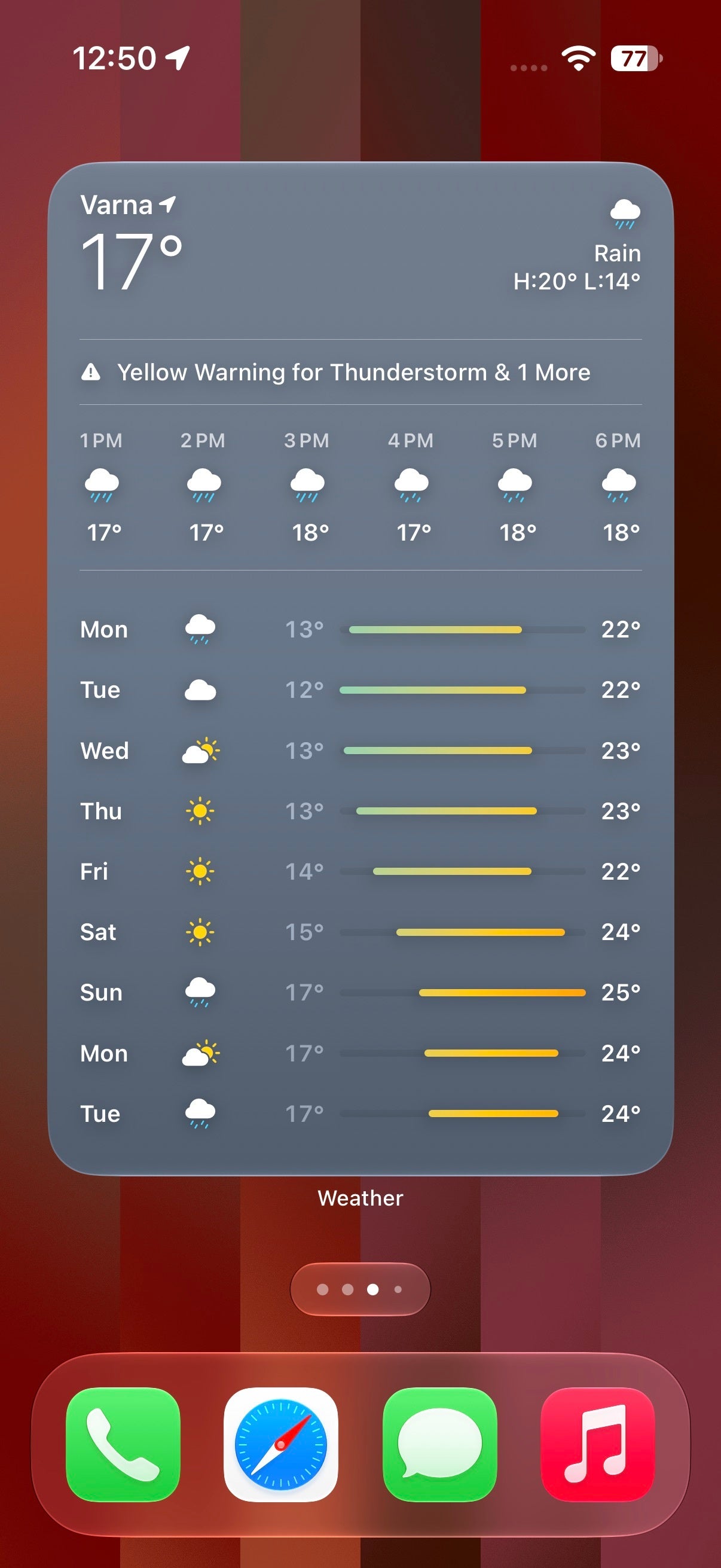
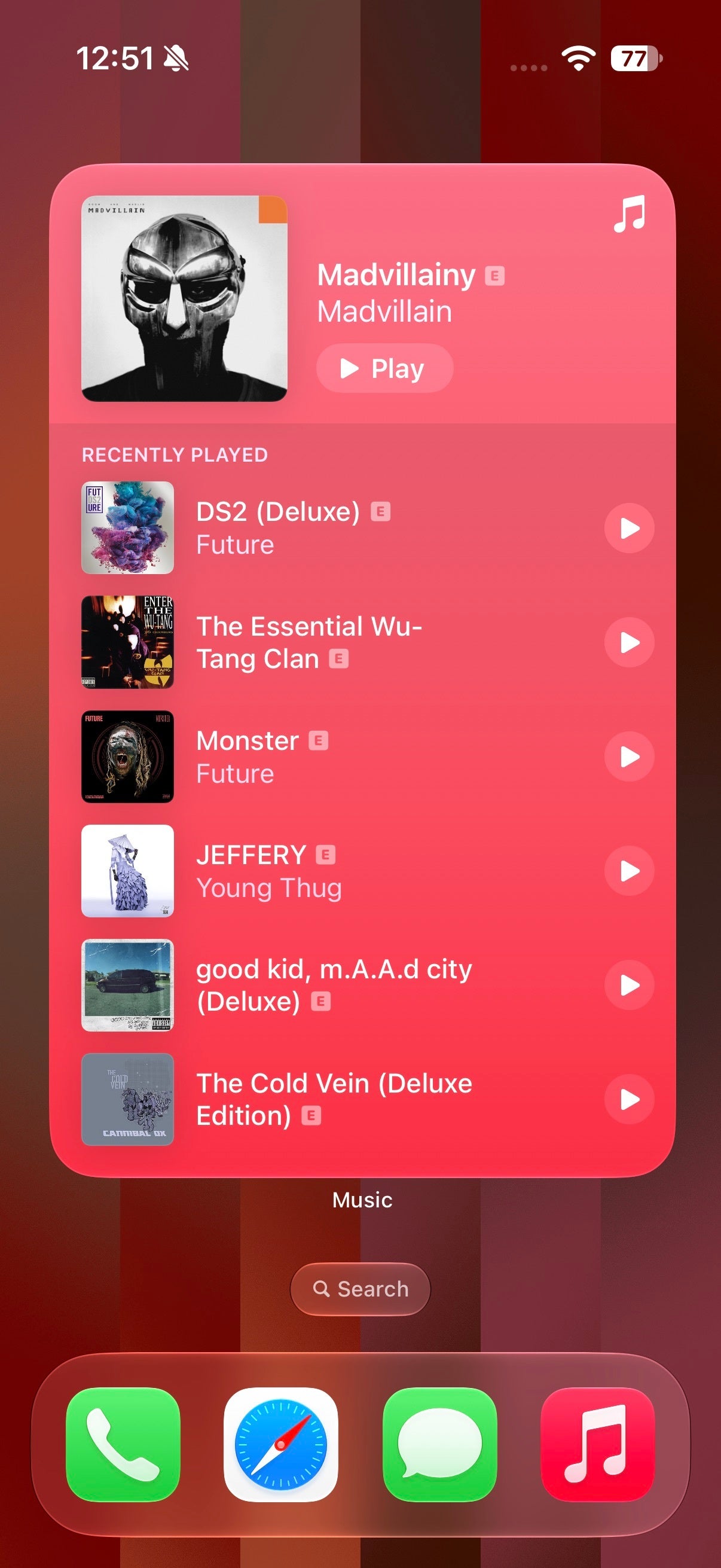
Large widgets are actually nice. | Images by PhoneArena
Apple Intelligence in Shortcuts
One default iOS app that I felt could make good use of AI is Shortcuts. I actually called it more than two years ago, and yep, I was right on the money!
The insanely powerful automation app is a treasure trove for power users but also has a high barrier to entry, making it a bit complicated for users who might not know of all the intricate available options.
With iOS 27, artificial intelligence joins the chat and will automatically create a shortcut for you after you describe it plainly in a text field. Depending on the complexity of your prompt, the feature might or might not do a splendid job depending on the capabilities of the Shortcuts app.
That's a useful feature if I've ever seen one, and since its arrival, I've already successfully "vibe-coded" a few fairly complex shortcuts on my Mac that I've struggled with for a long time.
The insanely powerful automation app is a treasure trove for power users but also has a high barrier to entry, making it a bit complicated for users who might not know of all the intricate available options.
With iOS 27, artificial intelligence joins the chat and will automatically create a shortcut for you after you describe it plainly in a text field. Depending on the complexity of your prompt, the feature might or might not do a splendid job depending on the capabilities of the Shortcuts app.
That's a useful feature if I've ever seen one, and since its arrival, I've already successfully "vibe-coded" a few fairly complex shortcuts on my Mac that I've struggled with for a long time.
Sure, the results aren't perfect every time, and you might need to tinker with some settings in order to achieve what you want, but this is where basic human intelligence, mental elbow grease, and reading comprehension come into play. AI can only help you so much.
Conclusion: iOS 27 is a great update
And that's it, iOS 27 is the perfect "I'm sorry!" love letter to all iOS fans who were disappointed with iOS 26.
The initial weirdness of Liquid Glass has been fixed, the user experience has been updated to reflect those improvements, there aren't that many major new features which almost always introduce bugs, but the most important of it all is the significant performance gains that can be felt not only on iOS, but the rest of Apple's operating system roster, too.
That's an all-around great changelog, one I'd hope Google or my favorite manufacturers will deliver with an upcoming Android software update. Because let's face it, no matter your OS affiliation, a performance bump on the software level would be great to experience.

Popular stories


Latest News

Things that are NOT allowed:
To help keep our community safe and free from spam, we apply temporary limits to newly created accounts: