
Editorials
This iPhone app needs AI more than any other one
This article may contain personal views and opinion from the author.

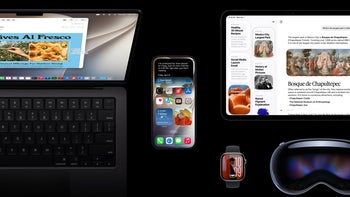
AI is coming to iOS 18, and many apps and interface elements will be getting a functional AI makeover. We've outlined most of these in our iOS 18 hub, but the gist of it is that apps like Apple Music, Health, Keynote, Numbers, Pages, Messages, and Safari are getting a pinch of that generative artificial intelligence magic.
Yet, one default iOS app that would greatly benefit from AI is seemingly not on the list.
Shortcuts.
The Shortcuts app is a prime candidate for AI integration
The iOS automator app has been an integral part of iOS (and macOS, too) for years, when it was announced at WWDC'18 alongside iOS 12. However, it didn't start its life as an Apple product––what's now Shortcuts was once a third-party app dubbed Workflow.
Regardless of the name, it has always been a rather powerful tool that lets you combine actions and triggers into multiple steps to get tasks done on your phone. The Shortcuts app also lets you automate device-specific shortcuts, which are activated via events, not manually.
And while immensely powerful––Shortcuts is a complex app that's rather difficult to master––some of the more convoluted tasks that are theoretically possible might require more than basic programming skills and understanding of the app's inner workings and logic. That steep learning curve is surely the limiting factor for the app, one that the recent artificial intelligence can "fix".
AI can democratize Shortcuts
This is where AI could be immensely beneficial. Just think of the possibilities: you ask Siri (or the probable AI chatbot that's coming to iOS 18) to help you with a specific task by giving you directions, and why not even automatically create the complex, multistep shortcut for you?
This way, convoluted and oddly specific scenarios that involve some advanced Shortcuts know-how will be within the grasp of regular users, who have just the faintest idea of what the automator app is capable of.
"But, Peter, ChatGPT and other AI chatbots are already well-versed in walking you through the steps of creating a specific shortcut from a prompt," some of you might rightfully say. While that's true, it's nowhere near perfect, as it often makes tiny mistakes that prevent the shortcut from working as intended. Still, it does a good job at steering you in the right direction.
And yes, I know that custom pre-made shortcuts are available out there, created by knowledgeable Shortcuts aficionados and openly shared on the web. It's just that they are usually not well suited for the specific needs one might have. What's more, changing a specific parameter even slightly can easily lead to the whole pre-made shortcut not working properly.


Popular stories



Latest News



Things that are NOT allowed:
To help keep our community safe and free from spam, we apply temporary limits to newly created accounts: