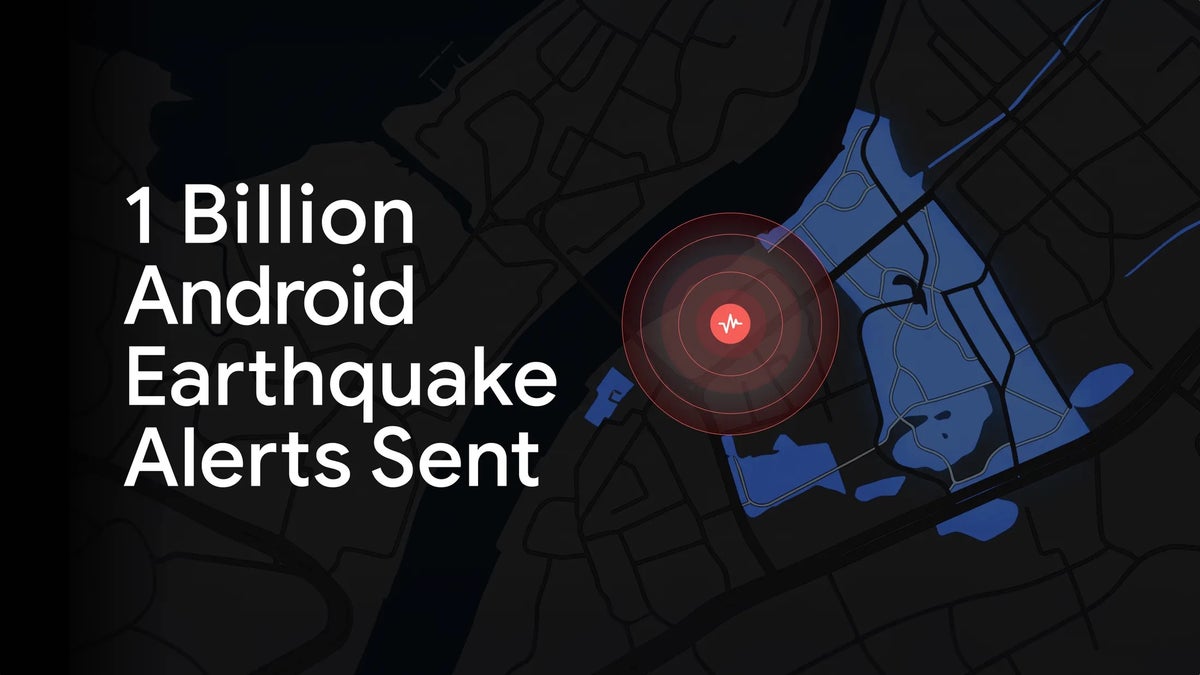
Android Earthquake Alerts are expanding to more than double the number of countries and regions. Some of these new locations include Panama, Guatemala and many more. This change was announced today (October 15) by Google in its blog where it shared that over 1 billion alerts have been sent so far since 2021. This reaches Android phones such as the Pixel 11 Pro and the Galaxy S26 Ultra.
Android Earthquake Alerts double their reach
Google increased the reach of Android Earthquake Alerts from 98 countries and regions to more than 200. Notable countries added to the list are Panama and Guatemala, both of which were struck this month, among many more.
Our physical safety products are deeply important to us. While we hope they never get used, we’re grateful to be able to bring more information to more people when they need it most.
Boone Spooner, Group Product Manager for Earthquake Alerts, Google blog, October 15, 2026
This is important because in an earthquake situation every second of warning could give someone a chance to take cover. Google also says that this mobile-based early alert network is the world's largest.
A Be Ready alert pops up on your phone. What's your first move?
4 Votes
How your Android phone becomes a seismometer
These alerts are possible thanks to the accelerometer, which is the same sensor that rotates your screen. On most Android phones, the ability for this sensor to detect a quake is built into Google Play Services, and it's turned on by default.
Recommended For You
When the ground shakes, a weaker but faster P-wave arrives first, then a slower, more destructive S-wave follows. If one phone catches the P-wave, it will send a signal and a rough location to Google's server. When more phones join in, the estimated location and strength gets more accurate.
The alert then goes out ahead of the stronger S-wave hitting, which gives people seconds to drop and cover, depending on how close they are to the epicenter. This, of course, needs either a mobile data or Wi-Fi connection to work, as well as for the Earthquake Alerts and location settings to be on.
The "Be Ready" earthquake alert
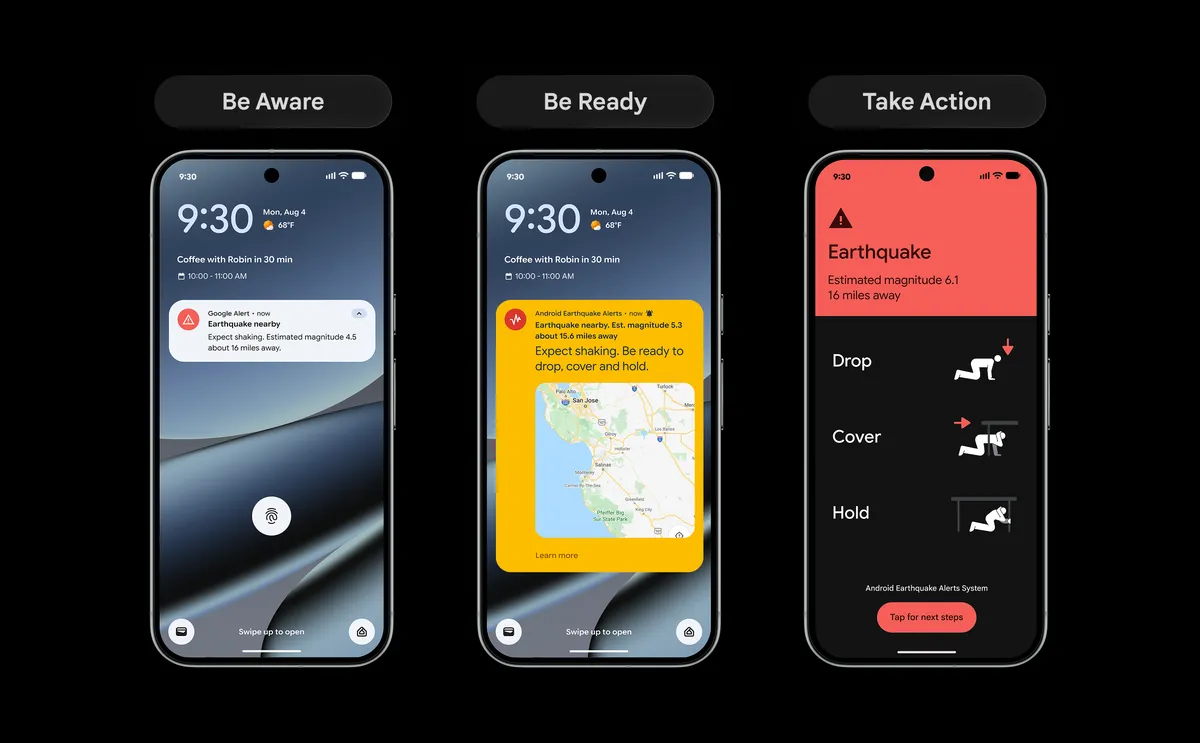
When the system is triggered, there are three alert levels that can be sent, which are:
Be Aware: when only light shaking is expected, serving merely as a heads-up.
Be Ready: when stronger shaking is expected, letting you know to prepare to take action.
Take Action: when shaking is moderate to heavy. It takes over the whole screen telling you what safety steps you should follow.
The "Be Ready" alert is being upgraded in the coming months to display a map with a radius of the area where the shaking was detected, the estimated magnitude, what you should do and a button to learn more that updates as more info is available.
Android’s three earthquake alerts, with the upgraded Be Ready alert in the middle. | Image by Google
Android Earthquake Alerts may have saved lives
As we covered back in June, Venezuela was affected by back-to-back 7.2 and 7.5 earthquakes, which were only about 40 seconds apart. These quakes became the deadliest in that country in over a century.
As Venezuela has no quake early-warning system run by the government, Android phones became what may have saved many lives that day. Expansion to more places like Venezuela that have no government-run warning system of their own is pivotal.
I love seeing the upgrade to the "Be Ready" alert, which could help people better understand what the alert is about and what to do. This gives those affected more information while they process the situation and, hopefully, helps them find safety.
More on Android Earthquake Alerts and the Pixel 11 Pro:
Mint Mobile is celebrating its 10-year anniversary with a special offer on its six-month subscription plans. For a limited time, you can get your preferred tier (6GB, 17GB, 23GB or unlimited) for just $10/mo. That saves you between 50% and 71% on the carrier's mobile plans, making it way easier to recommend.
Johanna Romero is a Senior News Writer at PhoneArena, covering mobile technology news across Android, iOS, wearables, and the Google ecosystem she knows best. Drawing on 15 years in IT and tech support from 2007 to 2022, she brings a user-friendly eye for the practical features and lesser-known tricks readers care about. Google named her an official #TeamPixel member in 2022, and she also reviews the latest devices on her YouTube channel, JoJo the Techie.
A discussion is a place, where people can voice their opinion, no matter if it
is positive, neutral or negative. However, when posting, one must stay true to the topic, and not just share some
random thoughts, which are not directly related to the matter.
Things that are NOT allowed:
Off-topic talk - you must stick to the subject of discussion
Offensive, hate speech - if you want to say something, say it politely
Spam/Advertisements - these posts are deleted
Multiple accounts - one person can have only one account
Impersonations and offensive nicknames - these accounts get banned
To help keep our community safe and free from spam, we apply temporary limits to newly created accounts:
New accounts created within the last 24 hours may experience restrictions on how frequently they can
post or comment.
These limits are in place as a precaution and will automatically lift.
Moderation is done by humans. We try to be as objective as possible and moderate with zero bias. If you think a
post should be moderated - please, report it.
Have a question about the rules or why you have been moderated/limited/banned? Please,
contact us.







Things that are NOT allowed:
To help keep our community safe and free from spam, we apply temporary limits to newly created accounts: