Following the Android 16update rolling out today, Android in general — regardless of version or device — is getting a holiday feature drop that strikes a nice balance between tightening security and improving everyday utility. From identifying scams on the fly to finally letting friends know when a call is actually an emergency, here is what is hitting your phone soon.
A mixed bag of useful tools
It feels like Google is trying to tidy up the messy parts of digital life with this update. In a new blog post, the company outlined six specific changes rolling out to Android, but rather than just throwing fun emojis at us, they are actually solving some communication headaches.
New Android features
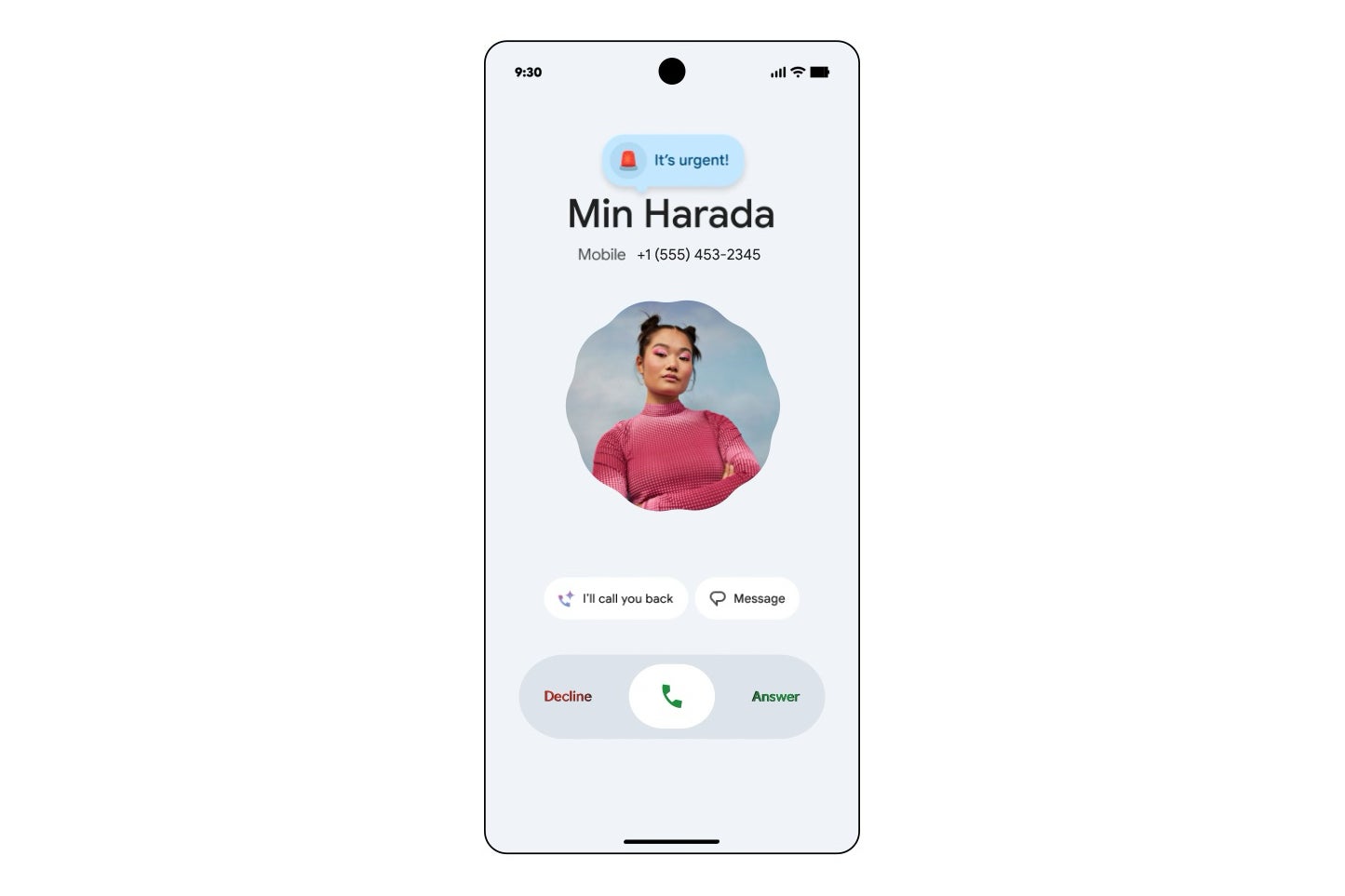
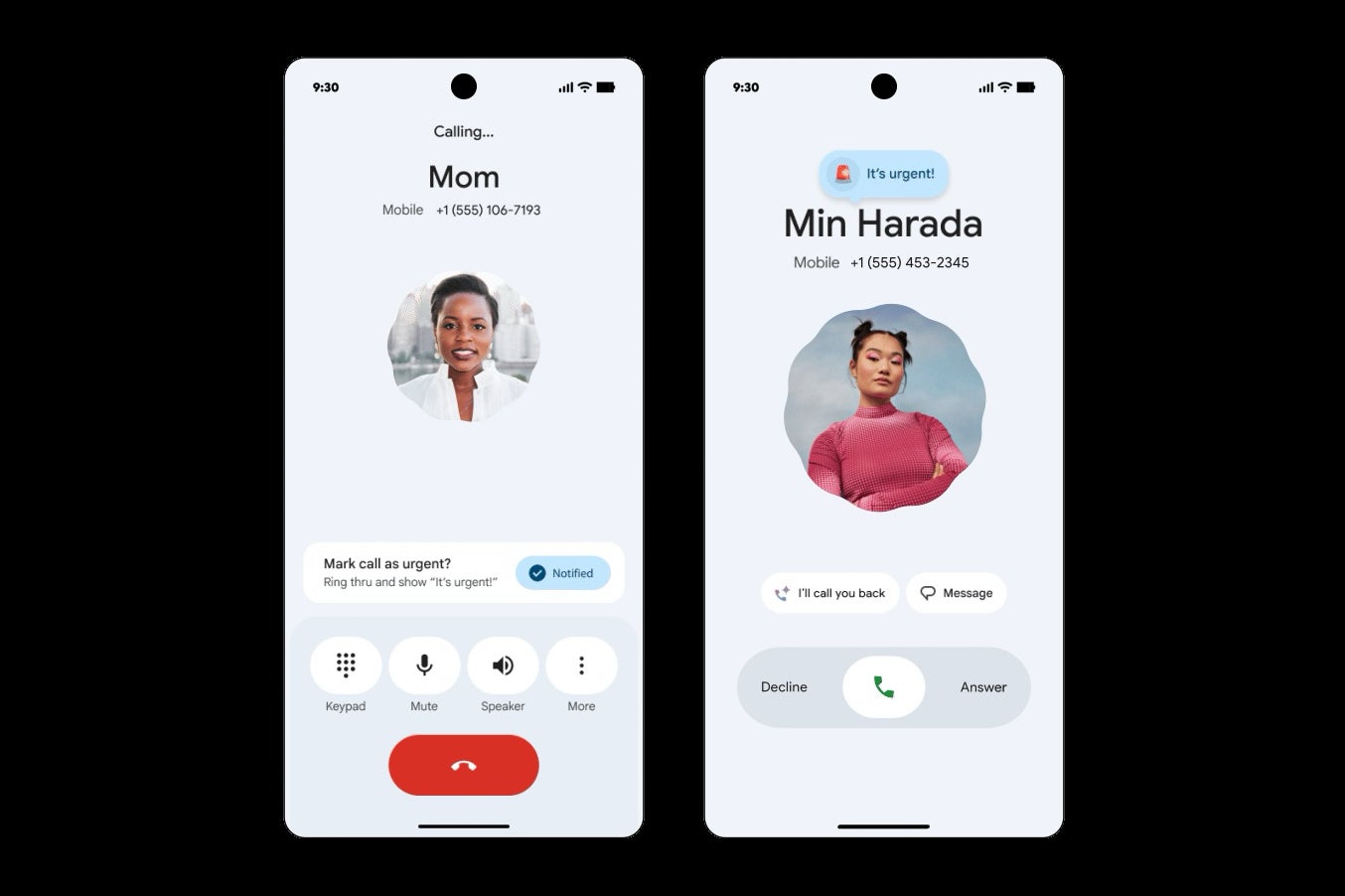
Call Reason: This, to me, is the headline feature. You can now flag a call as "urgent" to saved contacts. It shows up on their screen so they know it’s not just a casual chat.
Image credit — Google"
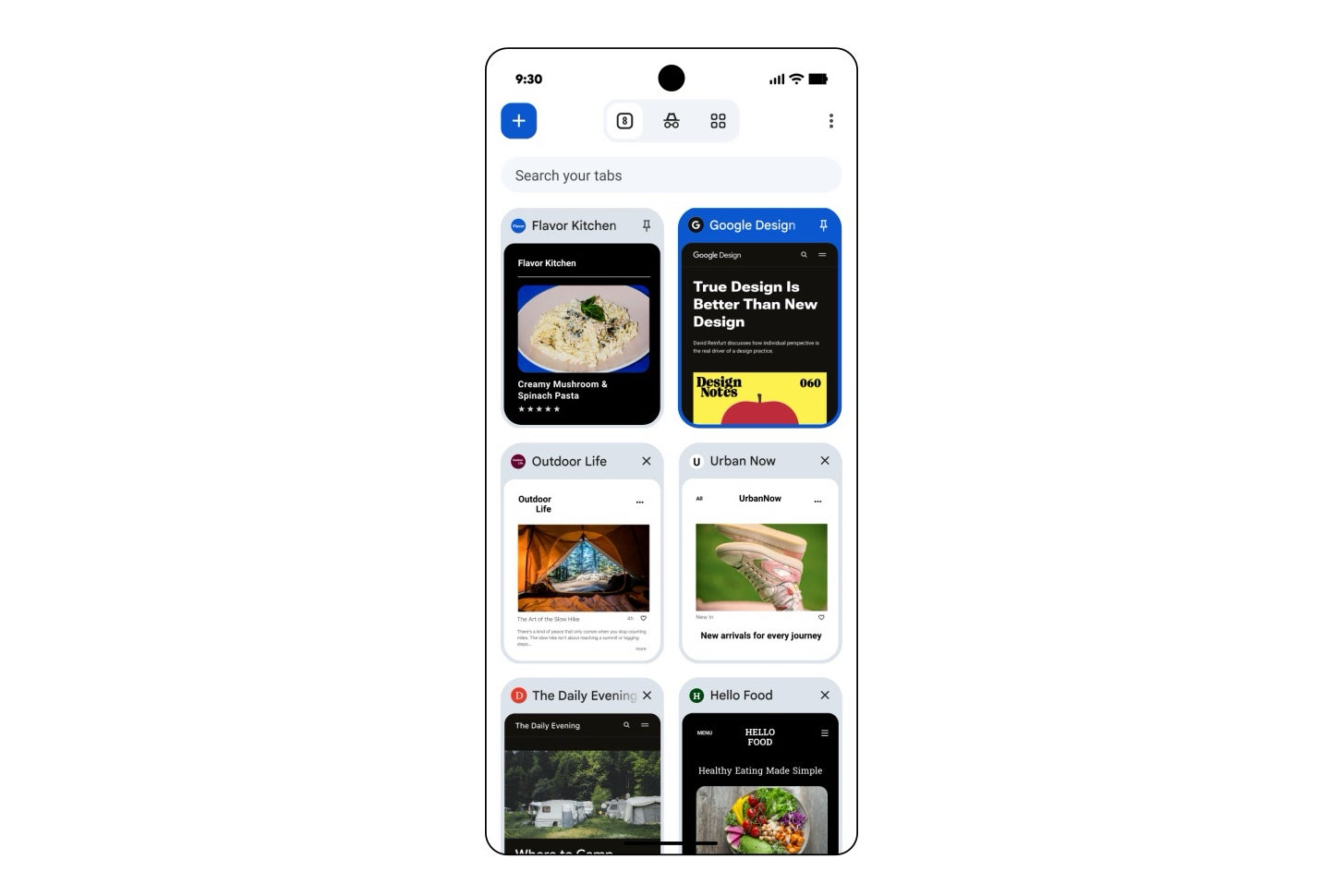
Chrome Pinned Tabs: Finally, mobile Chrome is catching up to desktop. You can pin specific tabs so they don’t get lost in the abyss of your open browser windows.
Image credit — Google
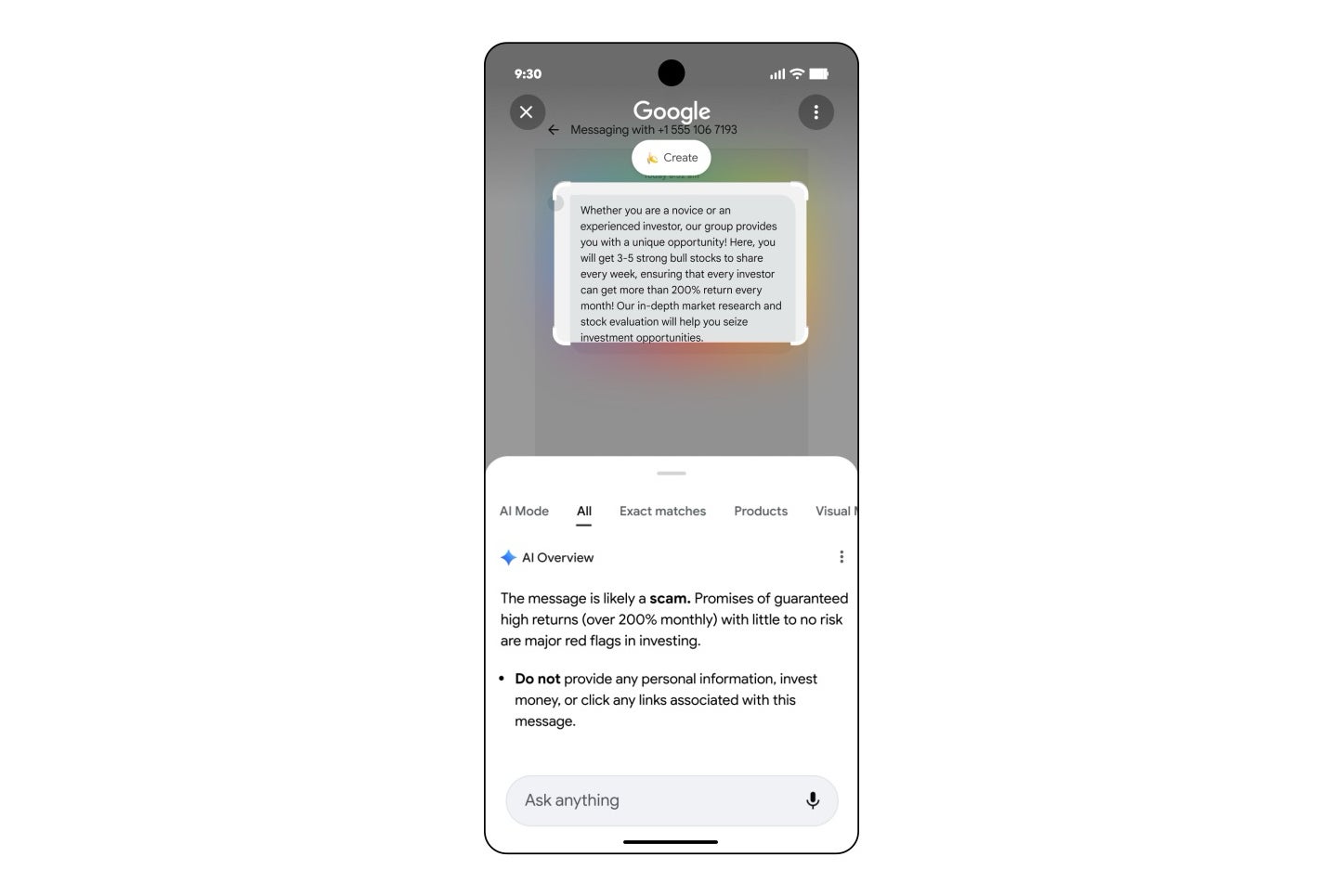
Circle to Search Scams: Using AI, you can circle suspicious text or images (like a shady crypto offer), and Google will scan the web to warn you if it looks like a known scam.
Image credit — Google
Recommended For You
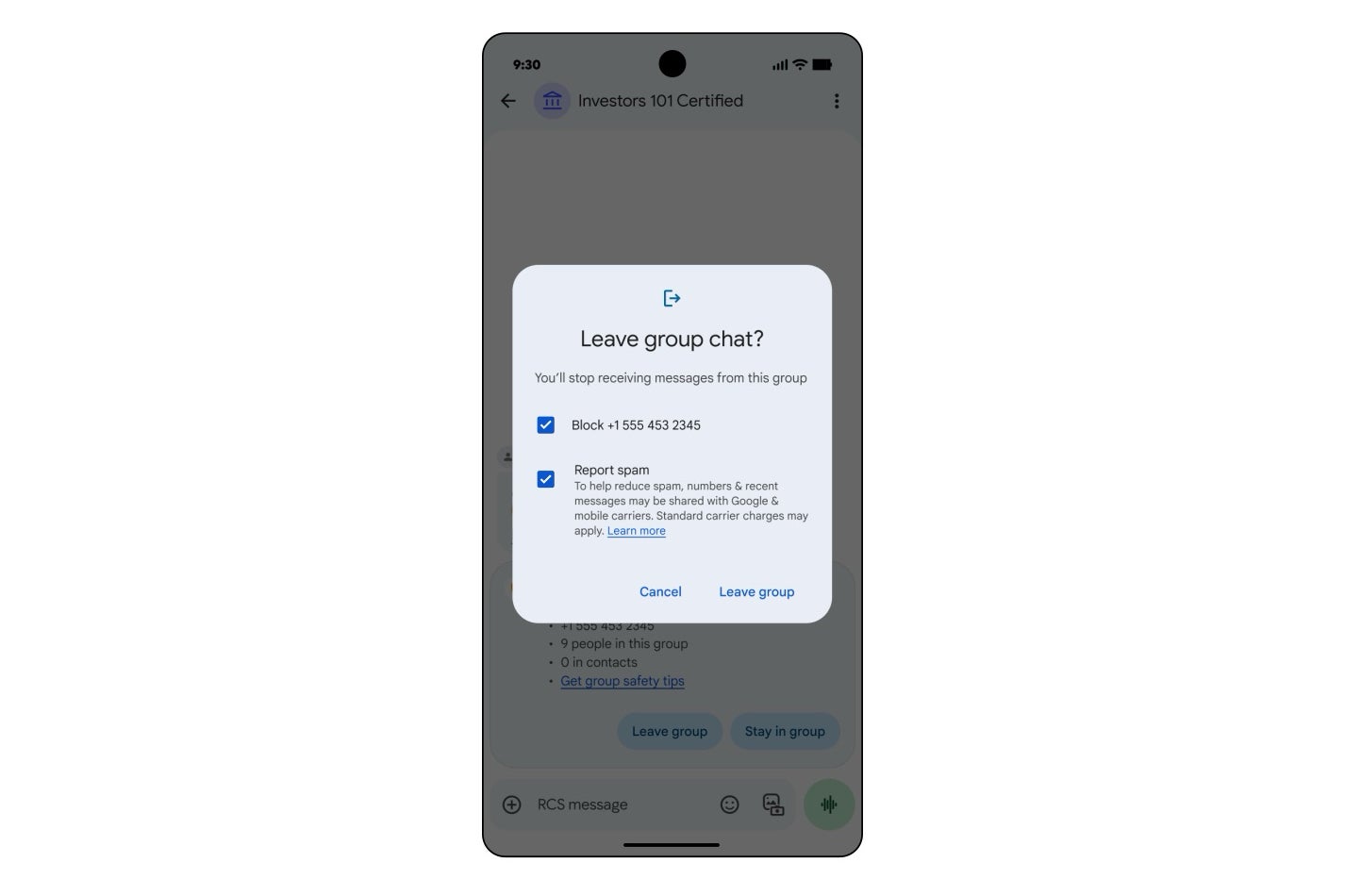
Group Chat Protection: If an unknown number adds you to a group, Android now gives you a quick summary and options to block or leave immediately—a lifesaver against spam bots.
Image credit — Google
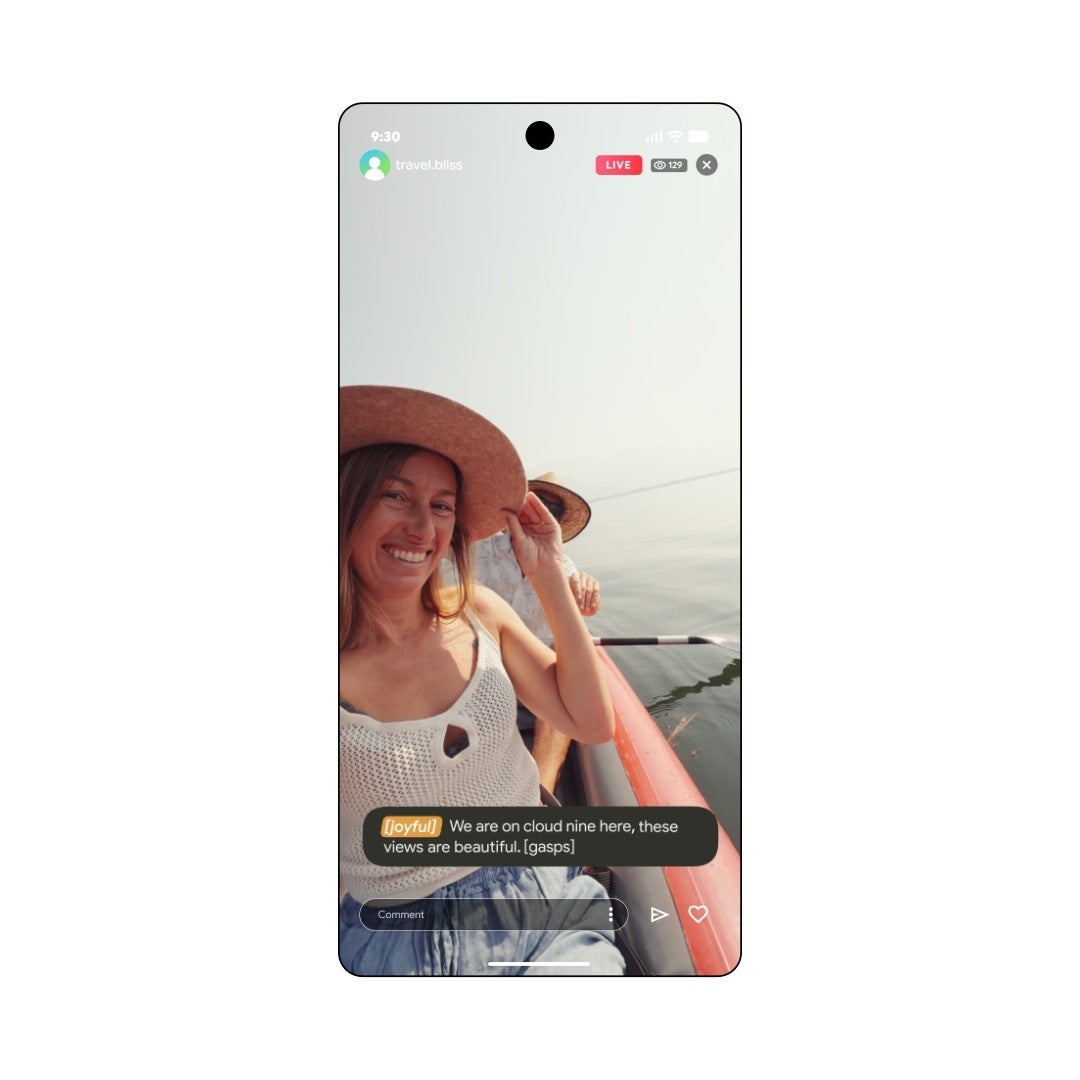
Expressive Captions: Live captions will now denote emotion, like [joyful] or [applause], rather than just transcribing text.
Image credit — Google
Emoji Kitchen: New sticker combos are live, specifically focusing on holiday themes.
Image credit — Google
Why is this helpful
Call Reason as seen from both ends. | Image credit — Google
Context is king, and Google is finally giving us some. The "Call Reason" feature is particularly interesting because it tackles a problem Apple has tried to solve differently. On iOS, if you have a Focus mode on, a contact can choose to "Notify Anyway," breaking through your silence.
Google is taking a more direct approach. Instead of just breaking through "Do Not Disturb," they are adding context before you even pick up. It’s a smart play that bridges the gap between a text and a phone call. Additionally, the move to integrate scam detection directly into the OS via Circle to Search puts Google ahead of the curve regarding user safety, an area where third-party apps usually have to pick up the slack.
Which is your favorite Android feature rolling out today?
107 Votes
Call Reason
51.4%
Leave and report groups
6.54%
Avoid scams with Circle to Search
27.1%
Pinned tabs in mobile Chrome
9.35%
Emoji Kitchen new sticker combos for the holidays
3.74%
Expressive captions
1.87%
A feature with high risk for abuse
I have to be honest: while the "urgent" call tag sounds great on paper, I’m skeptical about how it will play out in real life. We all have that one friend who thinks everything is an emergency. If Google doesn't put some guardrails on this, it could turn the phone dialer into a bit of a boy-who-cried-wolf situation.
That said, the Chrome pinned tabs update is an absolute winner. It’s one of those small quality-of-life changes that you don’t realize you need until you have it. If you are the type of person who keeps 50 tabs open "just in case," this is going to make your mobile browsing feel a lot less chaotic.
Johanna Romero is a Senior News Writer at PhoneArena, covering mobile technology news across Android, iOS, wearables, and the Google ecosystem she knows best. Drawing on 15 years in IT and tech support from 2007 to 2022, she brings a user-friendly eye for the practical features and lesser-known tricks readers care about. Google named her an official #TeamPixel member in 2022, and she also reviews the latest devices on her YouTube channel, JoJo the Techie.
A discussion is a place, where people can voice their opinion, no matter if it
is positive, neutral or negative. However, when posting, one must stay true to the topic, and not just share some
random thoughts, which are not directly related to the matter.
Things that are NOT allowed:
Off-topic talk - you must stick to the subject of discussion
Offensive, hate speech - if you want to say something, say it politely
Spam/Advertisements - these posts are deleted
Multiple accounts - one person can have only one account
Impersonations and offensive nicknames - these accounts get banned
To help keep our community safe and free from spam, we apply temporary limits to newly created accounts:
New accounts created within the last 24 hours may experience restrictions on how frequently they can
post or comment.
These limits are in place as a precaution and will automatically lift.
Moderation is done by humans. We try to be as objective as possible and moderate with zero bias. If you think a
post should be moderated - please, report it.
Have a question about the rules or why you have been moderated/limited/banned? Please,
contact us.
















Things that are NOT allowed:
To help keep our community safe and free from spam, we apply temporary limits to newly created accounts: