Google is introducing one of the most significant changes to how Android updates work since the launch of the OS. The company is moving from the annual system update cycle we’ve known for so long to more frequent releases.
Google will release more frequent Android updates
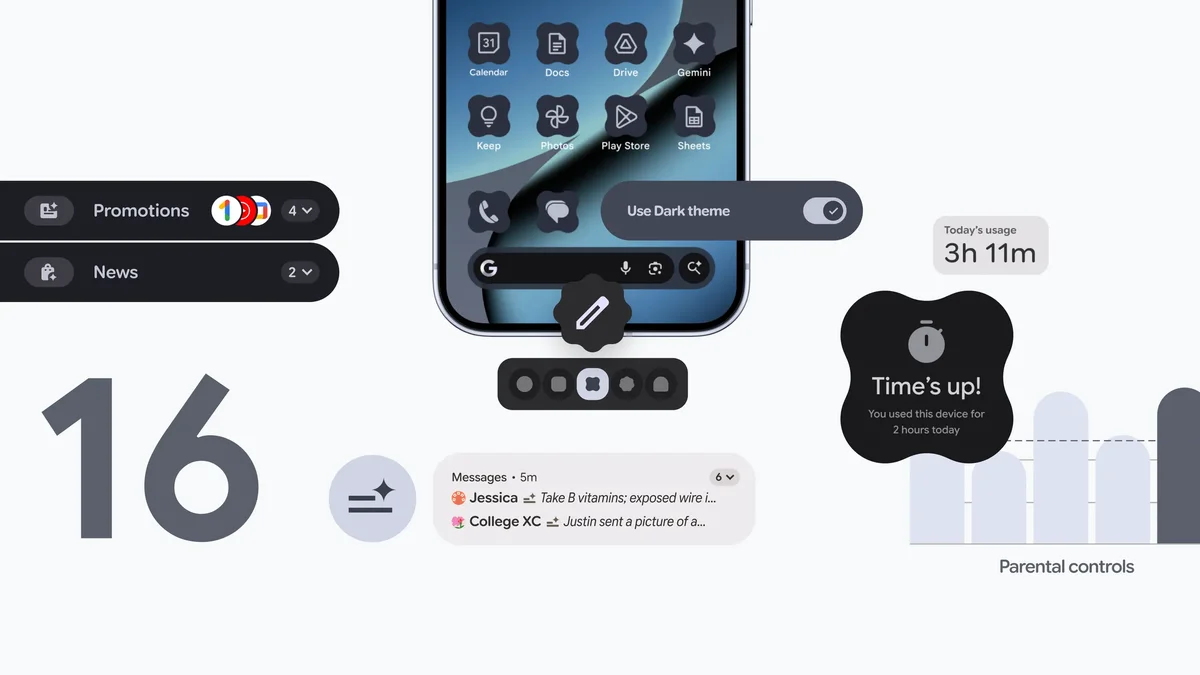
The changed release system is starting with an Android 16 release that introduces several major new features to the OS. Google says that’s “a new chapter for how Android updates work,” and the goal is to launch the latest features when they’re ready.
With the new release scheme, Google will expand some new features from Pixels to third-party devices more quickly. Of course, it’ll take some time before other manufacturers launch the updated Android 16 for their devices. Either way, that’s a significant change, and it’ll be interesting to see how other companies handle it.
Google says the new Android 16 update is launching first on Pixel 6 and newer devices today, and it will roll out to more OEMs later. The timing of the release for other OEMs will vary, though.
Notifications updates, more personalization, and parental controls
Google’s Android 16 Notification Summary feature | Video Source – Google
Google is launching three groups of features, some of which were previously exclusive to Pixel devices. One of those is a new notification organizer feature, which automatically groups lower-priority notifications and mutes them. That way, all sorts of promotions, news, and unimportant social alerts get silenced and put into categories you can choose to check or ignore.
Recommended For You
The AI-powered notifications summaries are also part of the new update. The feature uses AI to condense longer messages and group chat threads you receive into neat summaries.
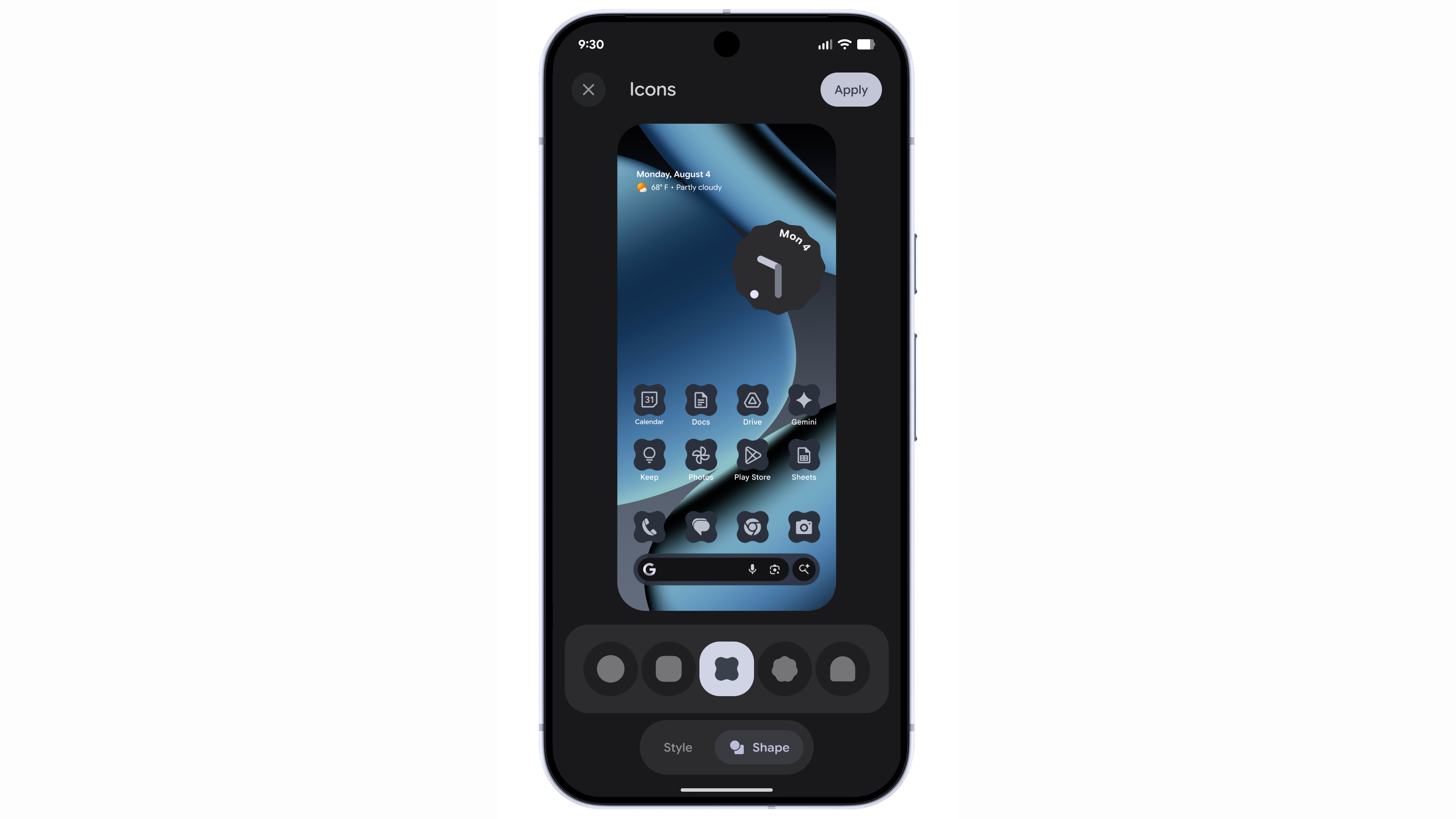
The new customizable icon shapes on Android 16. | Image by Image credit – Google
You will also be able to personalize your home screen with one of five custom icon shapes. If you use themed icons, they’ll be automatically applied across all apps, helping you get “a more consistent look and feel across all your apps.” A new expanded option in dark theme will automatically darken even apps that don’t have their own dark theme. That way, you won’t get blinded by a single app that doesn’t have light mode.
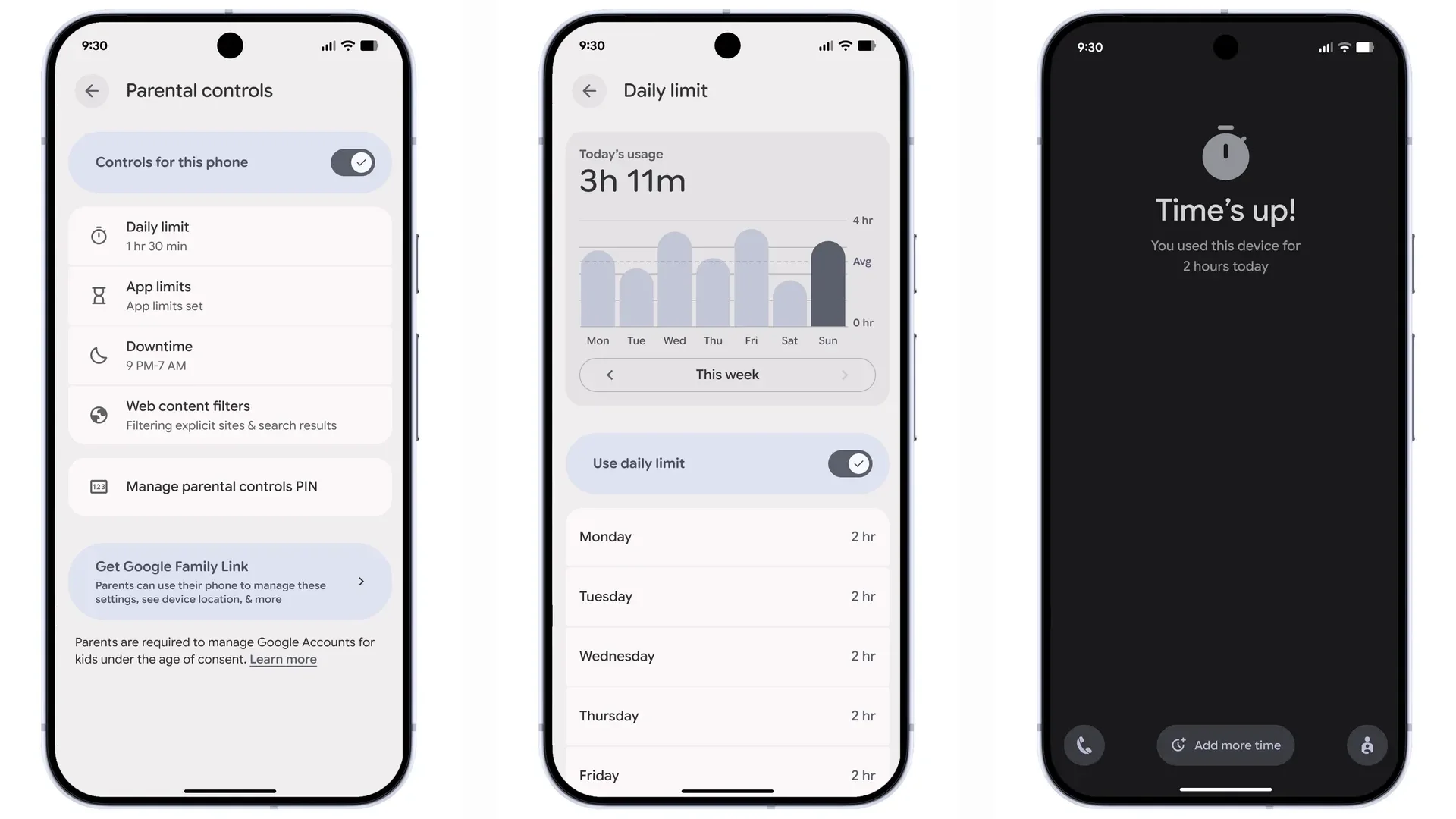
Parental Control inside the Settings on Android 16. | Image by Image credit – Google
Finally, Google is adding a Parental Control option inside the Settings, which can be locked with a PIN. Inside it, parents will be able to set overall screen time limits, limits for specific apps, including blocking certain apps, and downtime schedules. There’s also an option to extend a limit or a scheduled break.
Do you think third-party OEMs will launch the new Android 16 quickly enough?
122 Votes
No, that update will come very slowly
62.3%
Maybe, if they’ve been prepared for it
31.97%
Yes, that won’t be a surprise for them
5.74%
Parents will be able to set up Google Family Link with a shortcut inside the new menu. That way, they can get extra parental control features and control their child’s device from their own phones.
A new challenge for OEMs
I love that Google is changing its update schedule, but I am a little worried about how other manufacturers will handle it. Considering that even some of the biggest manufacturers have just launched their Android 16 updates, I wouldn’t be surprised if the new release scheme makes things messier.
Tello Halloween Promo: $10GB for $10/mo
Don’t miss this scary-good deal: 10 GB for $10/mo. Save $5/mo for your first 3 months. Offer valid now through November 9, 2026.
Ilia, a tech journalist at PhoneArena, has been covering the mobile industry since 2011, with experience at outlets like Forbes Bulgaria. Passionate about smartphones, tablets, and consumer tech, he blends deep industry knowledge with a personal fascination that began with his first Nokia and Sony Ericsson devices. Originally from Bulgaria and now based in Lima, Peru, Ilia balances his tech obsessions with walking his dog, training at the gym, and slowly mastering Spanish.
A discussion is a place, where people can voice their opinion, no matter if it
is positive, neutral or negative. However, when posting, one must stay true to the topic, and not just share some
random thoughts, which are not directly related to the matter.
Things that are NOT allowed:
Off-topic talk - you must stick to the subject of discussion
Offensive, hate speech - if you want to say something, say it politely
Spam/Advertisements - these posts are deleted
Multiple accounts - one person can have only one account
Impersonations and offensive nicknames - these accounts get banned
To help keep our community safe and free from spam, we apply temporary limits to newly created accounts:
New accounts created within the last 24 hours may experience restrictions on how frequently they can
post or comment.
These limits are in place as a precaution and will automatically lift.
Moderation is done by humans. We try to be as objective as possible and moderate with zero bias. If you think a
post should be moderated - please, report it.
Have a question about the rules or why you have been moderated/limited/banned? Please,
contact us.














Things that are NOT allowed:
To help keep our community safe and free from spam, we apply temporary limits to newly created accounts: