Android's Quick Share is receiving an important security update inspired by Apple's AirDrop
You now have one less receiving option in Quick Share.
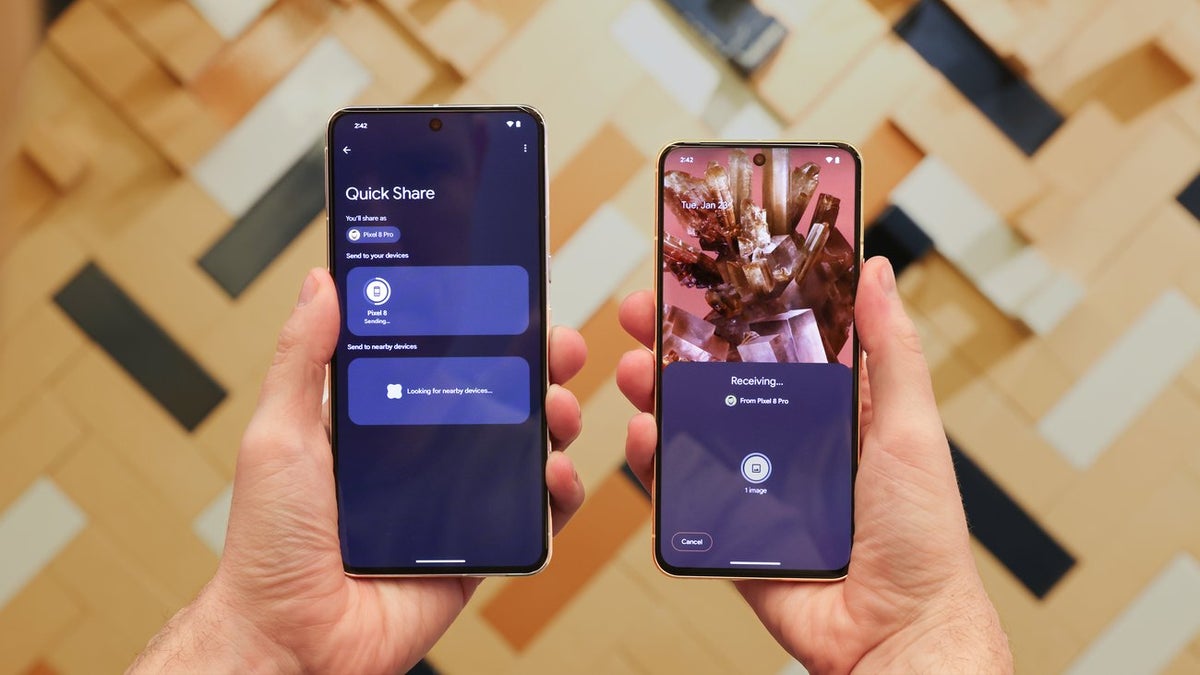
Quick Share functionality on an Android phone . | Image by Google
It's actually good for security
- Your devices: It basically means that files can be shared between two Android devices that are signed in with the same Google account.
- Contacts: All the contacts that are synced with your Google account can send files to you.
- Everyone: Anyone within range of your smartphone can share files with you.
- Everyone for 10 minutes: It is similar to the Everyone option, but it keeps the option enabled only for 10 minutes.
While all these options can prove helpful in different situations, the "Everyone" option also poses a security risk. If you have it selected, you might receive malicious files from someone nearby. The files would definitely not be received until you hit the accept button in the pop-up that appears, but malicious actors could trick you into hitting that accept button through social engineering.
To mitigate this from happening, Google has now removed the "Everyone" option from Quick Share. Interestingly, AirDrop never had the "Everyone" option. You get three receiving options in it: Receiving Off, Contacts Only, and Everyone for 10 minutes.
Which of these is most important to you when it comes to file sharing?
21 Votes
Convenience & file transfer speed.
42.86%
Privacy and security.
4.76%
Both security and file transfer speed.
47.62%
I rely on cloud apps like Google Drive anyway.
4.76%
Quick Share is getting many useful updates lately
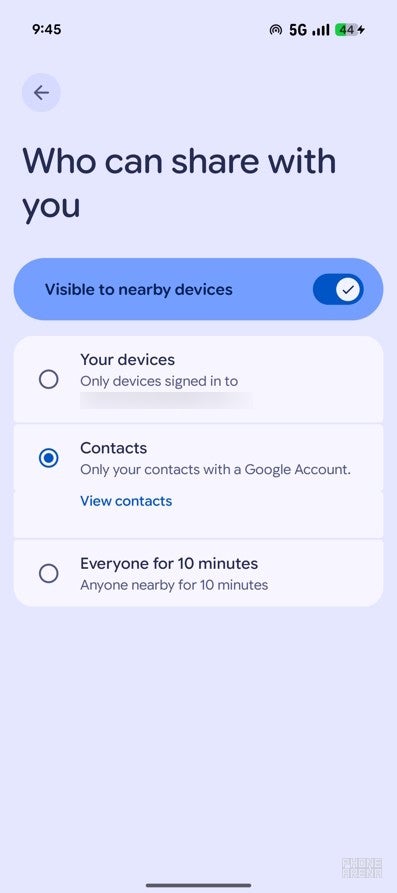
Quick Share receiving window in Pixel 10. | Image by PhoneArena
However, the Android sharing option is getting some noticeable upgrades recently that could definitely help it become even better than AirDrop sometime in the future. For instance, if you have a Pixel 10 or Pixel 9 series phone, you can now transfer files between Quick Share and AirDrop.
Google reportedly also has plans to expand this functionality to more Android devices in the future. Now, with the removal of the "Everyone" option, Quick Share has come even closer to AirDrop, prioritizing security more than ever before.


Popular stories


Latest News

Things that are NOT allowed:
To help keep our community safe and free from spam, we apply temporary limits to newly created accounts: