Android 16 QPR3 Beta 1 is finally addressing a long-standing gripe for Pixel enthusiasts who value home screen symmetry. You will soon be able to reclaim that precious top-row real estate by finally ditching the permanent At a Glance widget.
The widget you couldn't make go away
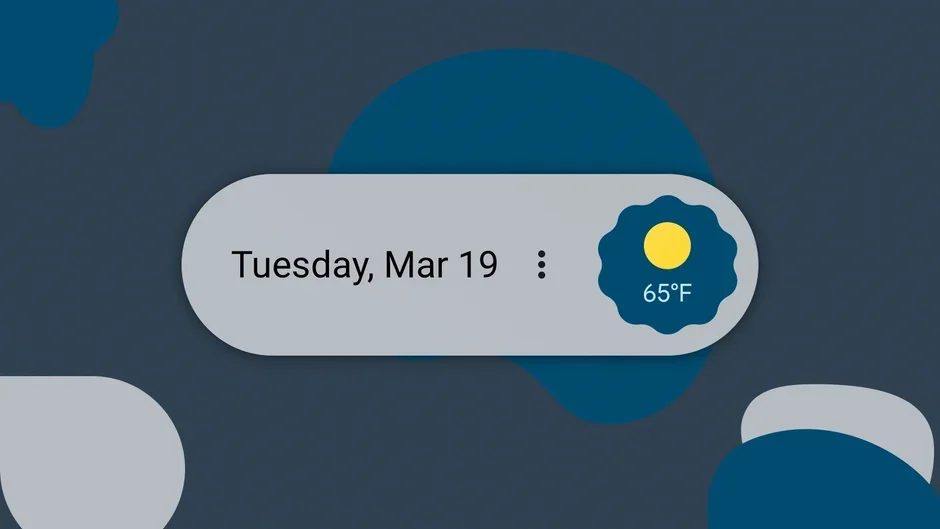
Every Google Pixel user has been there—staring at that unmovable block of weather and calendar info, wishing we could just slide a custom widget or a row of icons into its place. While it was once a staple of the "Google way," it has become sort of tiring for those who prefer a truly clean aesthetic.
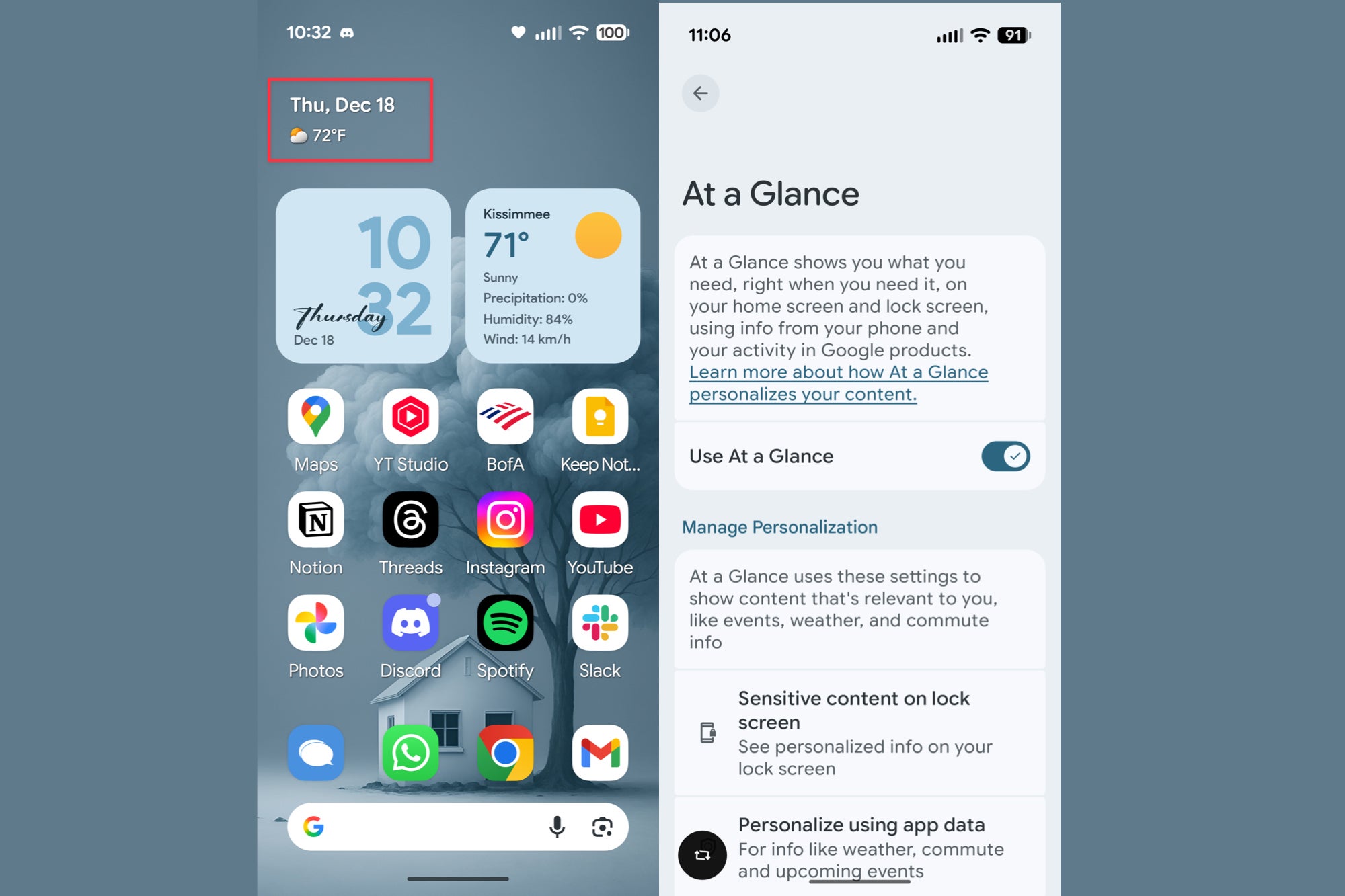
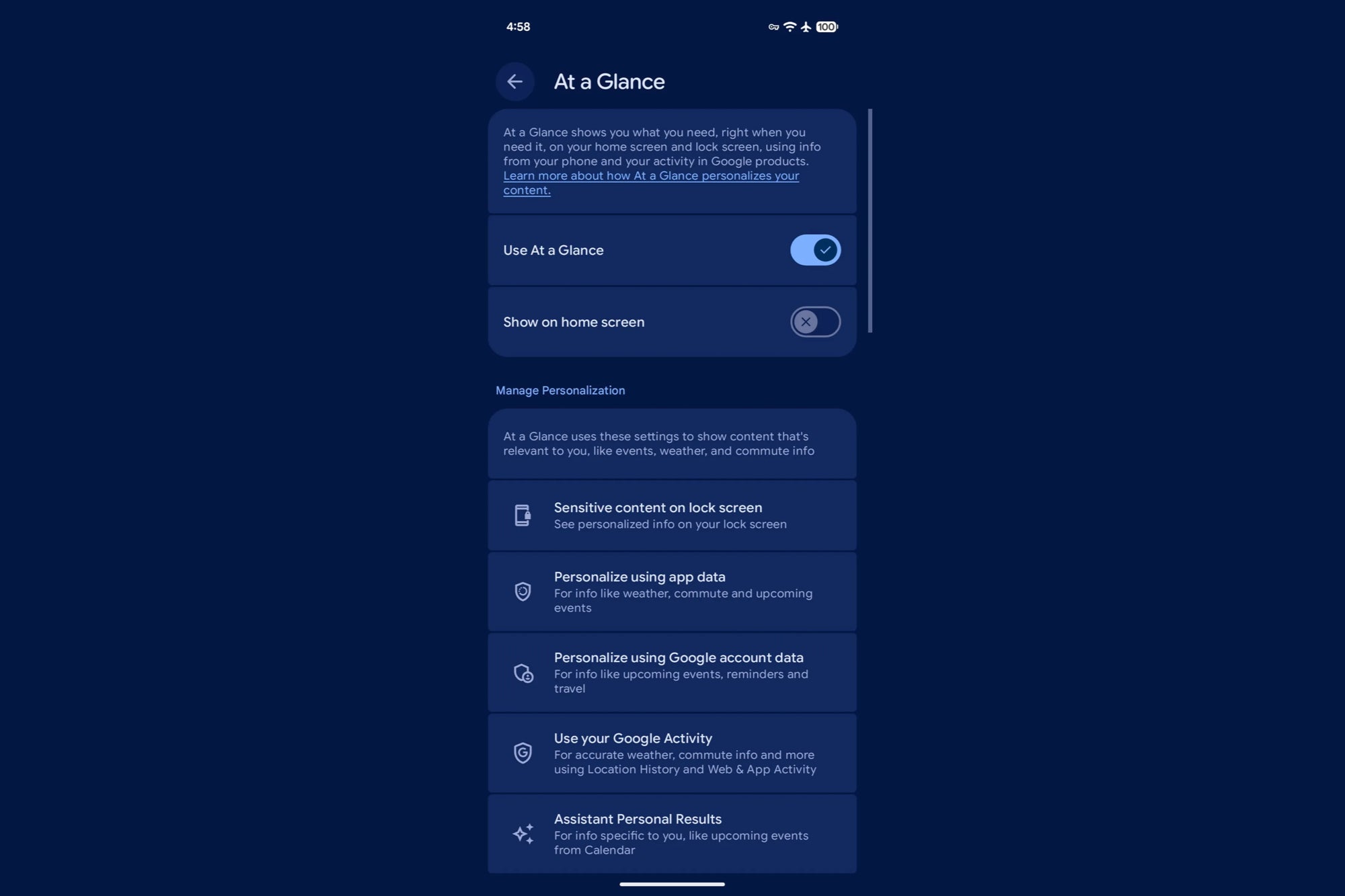
Luckily, it’s been discovered that the latest beta version of Android 16 (QPR3 Beta 1) is finally letting users toggle this feature off. It isn't a universal rollout just yet — yours truly is still seeing the widget firmly planted on my screen without the option to toggle it off — but the option is definitely popping up for a lucky segment of beta testers. This is the kind of customization that users have been screaming for since the early days of the Pixel line.
At a Glance widget and its options in QPR2 and Stable Android 16 builds. | Image credit — PhoneArena
A shift in Google’s philosophy
At a Glance widget options appearing in QPR3 beta 1 for some users. | Image credit — 9to5Google
Recommended For You
For years, the Pixel experience has been a "take it or leave it" situation when it comes to the home screen. If you look at the competition, like Samsung’s One UI, the level of customization is staggering. Samsung users can move, resize, or delete virtually anything. Google, by comparison, has always felt a bit rigid, insisting that its "At a Glance" experience was central to the Pixel identity.
This change suggests Google is finally loosening the reins. It matters because the modern smartphone user wants agency over their $1,000 device. Whether you're a minimalist or a power user who wants to use a third-party calendar widget, being forced into a specific layout is frustrating. On forums like Reddit, the consensus is clear: people love the information the widget provides, but they hate the lack of choice. This move finally brings the Pixel closer to the flexibility found in the rest of the Android landscape.
Will you be disabling the "At a Glance" widget as soon as you have the option to?
84 Votes
Yes, I’ve been asking for ages to have this capability.
77.38%
No, I think the widget is useful and should not be removed.
22.62%
No more permanent widgets, please
I think it’s about time. I’ve always felt that the Pixel’s greatest strength—its simplicity—was slowly becoming a weakness because it felt too restrictive. I personally love the Pixel's software, and I tend to stay away from using third-party launchers, but I'd be lying if I said I didn't consider installing one just to get rid of that permanent top-row. Once this feature makes it to the stable build, I’ll be disabling it on day one to make room for a more personalized layout.
It’s a small change on paper, but for those of us who spend hours tweaking our setups, it’s a massive win. It makes the Pixel feel less like a managed service and more like a personal tool. If you’re a customization nerd, keep your eyes peeled for the stable rollout or the beta rollout if you happen to be enrolled; the Pixel home screen is about to get a lot more interesting.
Android 16 QPR3 Beta 1 is here for Pixel 6 and later featuring brighter flashlight with new controls, more
Google is testing a toggle switch that many Pixel fans have been asking for
Get iPhone 18 Pro with Visible, get $480 off!
$719
/mo
$1199
$480 off (40%)
On the Visible+ Pro plan, you get access to 5G Ultra Wideband data on Verizon's fastest network. Along with unlimited roaming across Mexico and Canada, 2 days of Global Pass per month, 3x hotspot speeds, 4K streaming, and Smartwatch service.
Johanna Romero is a Senior News Writer at PhoneArena, covering mobile technology news across Android, iOS, wearables, and the Google ecosystem she knows best. Drawing on 15 years in IT and tech support from 2007 to 2022, she brings a user-friendly eye for the practical features and lesser-known tricks readers care about. Google named her an official #TeamPixel member in 2022, and she also reviews the latest devices on her YouTube channel, JoJo the Techie.
A discussion is a place, where people can voice their opinion, no matter if it
is positive, neutral or negative. However, when posting, one must stay true to the topic, and not just share some
random thoughts, which are not directly related to the matter.
Things that are NOT allowed:
Off-topic talk - you must stick to the subject of discussion
Offensive, hate speech - if you want to say something, say it politely
Spam/Advertisements - these posts are deleted
Multiple accounts - one person can have only one account
Impersonations and offensive nicknames - these accounts get banned
To help keep our community safe and free from spam, we apply temporary limits to newly created accounts:
New accounts created within the last 24 hours may experience restrictions on how frequently they can
post or comment.
These limits are in place as a precaution and will automatically lift.
Moderation is done by humans. We try to be as objective as possible and moderate with zero bias. If you think a
post should be moderated - please, report it.
Have a question about the rules or why you have been moderated/limited/banned? Please,
contact us.









Things that are NOT allowed:
To help keep our community safe and free from spam, we apply temporary limits to newly created accounts: