Signing up for a new app on Android has always felt like an obstacle course. You type in your email, bounce over to Gmail for a one-time code, come back, punch in the code, maybe set a password, and hope nothing broke along the way. However, Google just decided that entire routine is over.
What Google actually announced
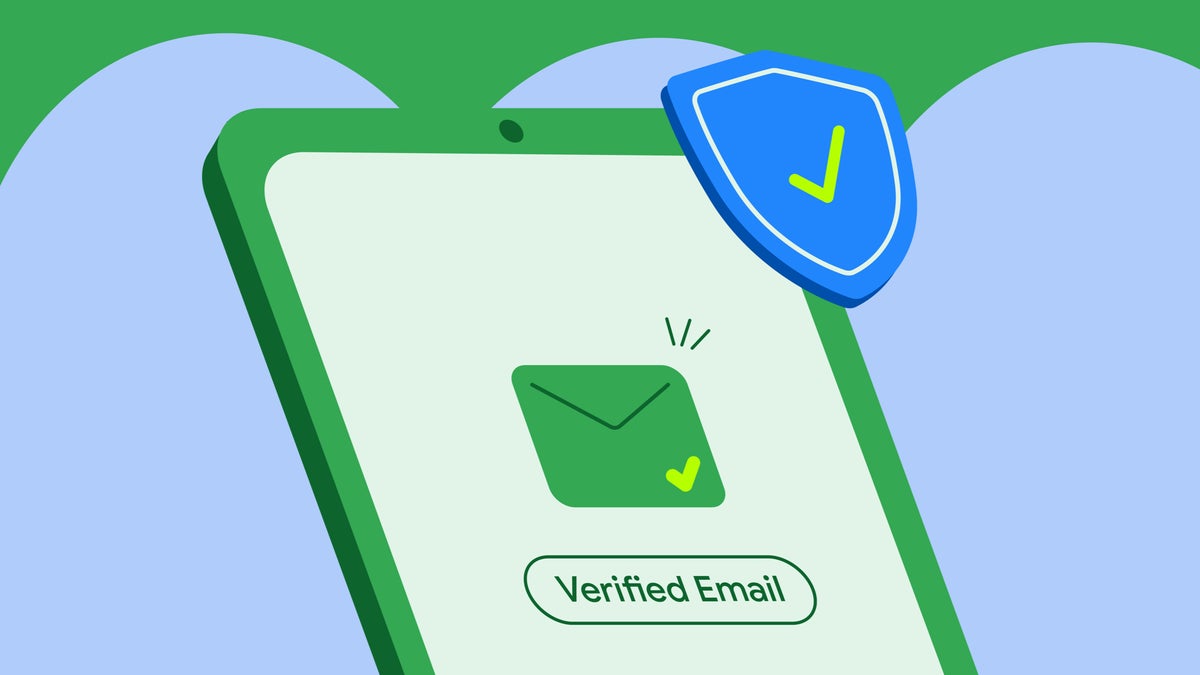
Earlier this week, Google announced a new feature called Verified Email, which gets delivered straight through Android's Credential Manager API. Apps can now pull your Google-verified email from your device with a single tap, instead of making you run back and forth to your inbox.
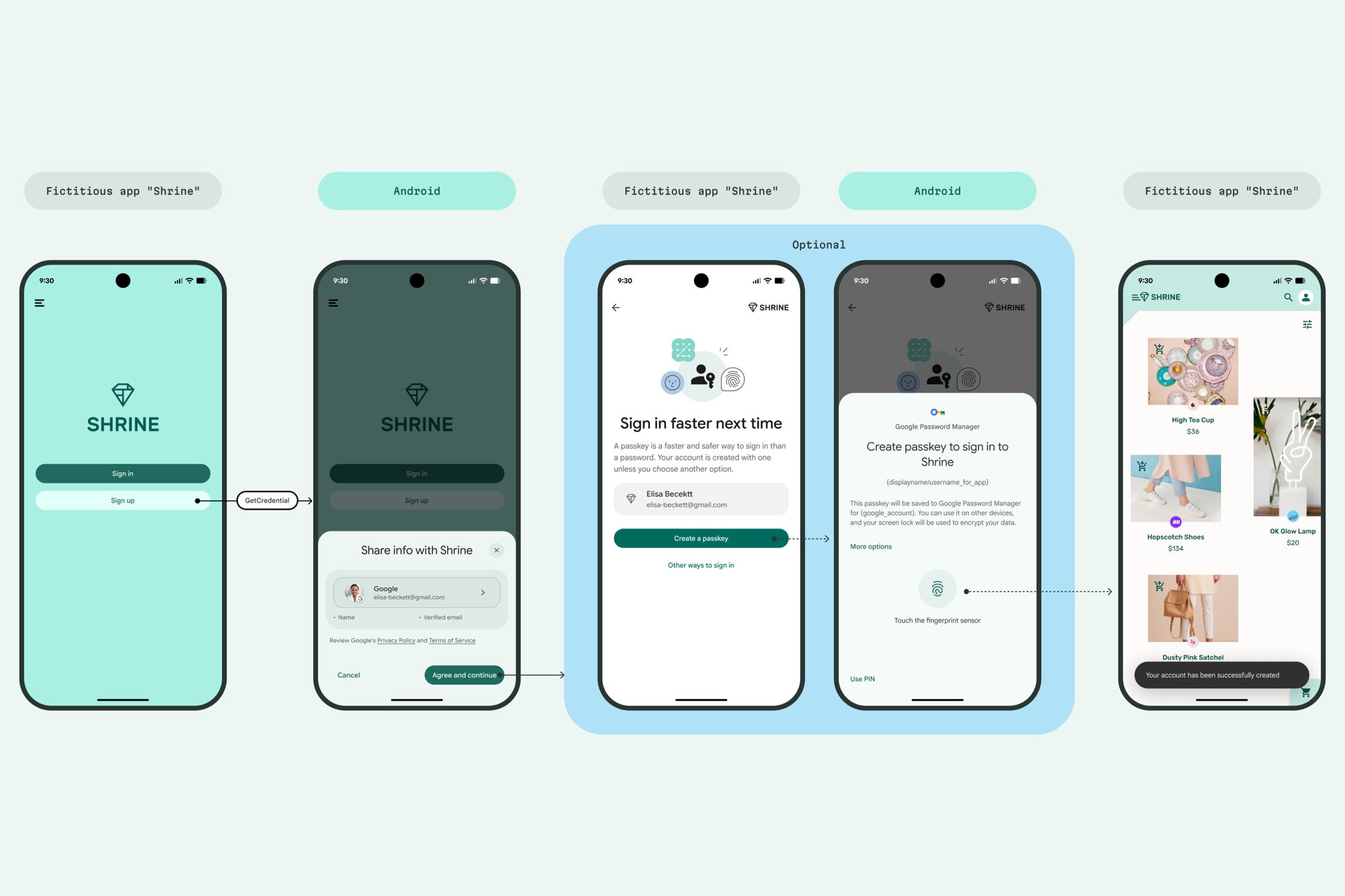
The way it works is refreshingly simple. You tap a sign-up field or a recovery button, a native Android sheet pops up showing exactly what data the app is asking for, you tap "Agree and continue," and that's the whole transaction.
Google is also pushing developers to pair this with passkey creation, which it has been nudging the industry toward since its rollout back in 2023. The goal is a sign-up flow where you never type a password or hunt for a code at all.
Google's Verified Email via Credential Manager procedure. | Image by Google
The part that actually matters for users
It should be noted that this is built on the W3C Digital Credentials API, not a Google-only hook. That means any identity provider can issue credentials this way down the line, so this isn't just Google locking you deeper into its ecosystem.
Recommended For You
For now, the verified email credential itself only works with consumer Google accounts, so Workspace and supervised accounts are sitting this one out. Google is also telling developers to auto-verify @gmail.com addresses and still route custom domain emails through the traditional OTP path, which is a sensible compromise.
What's your biggest pain point when signing up for a new app?
10 Votes
The endless OTP email hunt, every time
20%
Making yet another password I'll forget
40%
Handing over my Google account to random apps
0%
Nothing, I just give up and close the app
40%
How this compares to Sign in with Google
This is where people are going to get confused, so here's the clean version: Sign in with Google creates a federated login tied to your Google account. Verified Email just confirms who you are so you can still make a regular username/password or passkey account, minus the email verification dance.
In other words, it's meant for people who don't want Google handling the entire login but still want the friction gone. That's a smart, user-respecting distinction that more platforms should be making.
Why this is one of the better things Google has shipped lately
Android has been the operating system of a thousand paper cuts when it comes to authentication, and a lot of those cuts were inflicted by Google itself. Every app has its own account, every account wants its own verification, and the result is a phone full of half-finished sign-ups and forgotten passwords.
Fixing that at the OS level, in a way that also works for non-Google identity providers, is exactly the kind of infrastructure move Android needed. Will third-party apps actually adopt it quickly, though? Based on how slowly passkeys have spread across Android apps, we should not be holding our breath.
Six-month unlimited plan is now 57% off
$90
$210
$120 off (57%)
Mint Mobile is now allowing you to get whichever plan you like for either three, six, or 12 months for just $15/mo. If you go for the six-month unlimited service, for instance, you'll now have to pay just $90 upfront instead of $210.
Johanna Romero is a Senior News Writer at PhoneArena, covering mobile technology news across Android, iOS, wearables, and the Google ecosystem she knows best. Drawing on 15 years in IT and tech support from 2007 to 2022, she brings a user-friendly eye for the practical features and lesser-known tricks readers care about. Google named her an official #TeamPixel member in 2022, and she also reviews the latest devices on her YouTube channel, JoJo the Techie.
A discussion is a place, where people can voice their opinion, no matter if it
is positive, neutral or negative. However, when posting, one must stay true to the topic, and not just share some
random thoughts, which are not directly related to the matter.
Things that are NOT allowed:
Off-topic talk - you must stick to the subject of discussion
Offensive, hate speech - if you want to say something, say it politely
Spam/Advertisements - these posts are deleted
Multiple accounts - one person can have only one account
Impersonations and offensive nicknames - these accounts get banned
To help keep our community safe and free from spam, we apply temporary limits to newly created accounts:
New accounts created within the last 24 hours may experience restrictions on how frequently they can
post or comment.
These limits are in place as a precaution and will automatically lift.
Moderation is done by humans. We try to be as objective as possible and moderate with zero bias. If you think a
post should be moderated - please, report it.
Have a question about the rules or why you have been moderated/limited/banned? Please,
contact us.












Things that are NOT allowed:
To help keep our community safe and free from spam, we apply temporary limits to newly created accounts: