TypeWay iPad on-screen keyboard learns from your mistakes, morphs accordingly

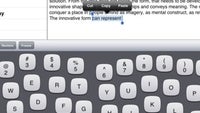
Typing on the iPad's virtual on-screen keyboard can be a drag for obvious reasons. First, there is pretty much no tactile feedback whatsoever, and second, fat-fingered users would find themselves pressing the wrong key quite often. One of the solutions to the issue is to find a nice accessory that can emulate a real keyboard, or better yet, grab a pocket-sized Bluetooth one, but carrying such around all the time is anything but convenient.
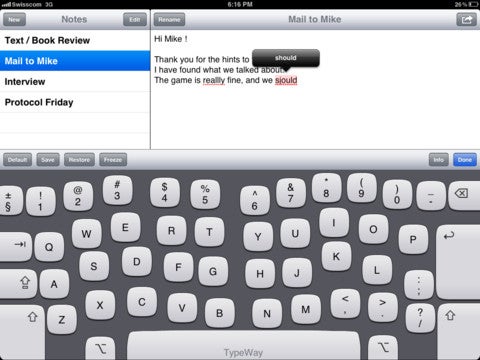
Perhaps, a software workaround would put an end to all keyboard related frustration? TypeWay, for example, is a substitute on-screen keyboard for the iPad that adapts in accordance to the user's style of typing. The keys literally get shifted around automatically depending on your typing habits. Once you are happy with a given layout, you can save it for future use.

Popular stories




Latest News





Things that are NOT allowed:
To help keep our community safe and free from spam, we apply temporary limits to newly created accounts: