Imagine traveling hundreds of miles to finally get to that ski resort. You get all the gear, you buy the ski pass, and you are finally on the slopes.
You are having a good time in the snow, it’s a beautiful winter day, and you really want to have a few meaningful memories.
But since everyone is in a bit of a rush to get the most riding time, your friends usually don’t want to set up a whole photo shoot. You get a quick snap, and you move on to the fun part — the skiing.
Only to later notice how that perfect photo with the beautiful mountain backdrop has a random stranger in a bright orange jacket, ruining the whole vibe.
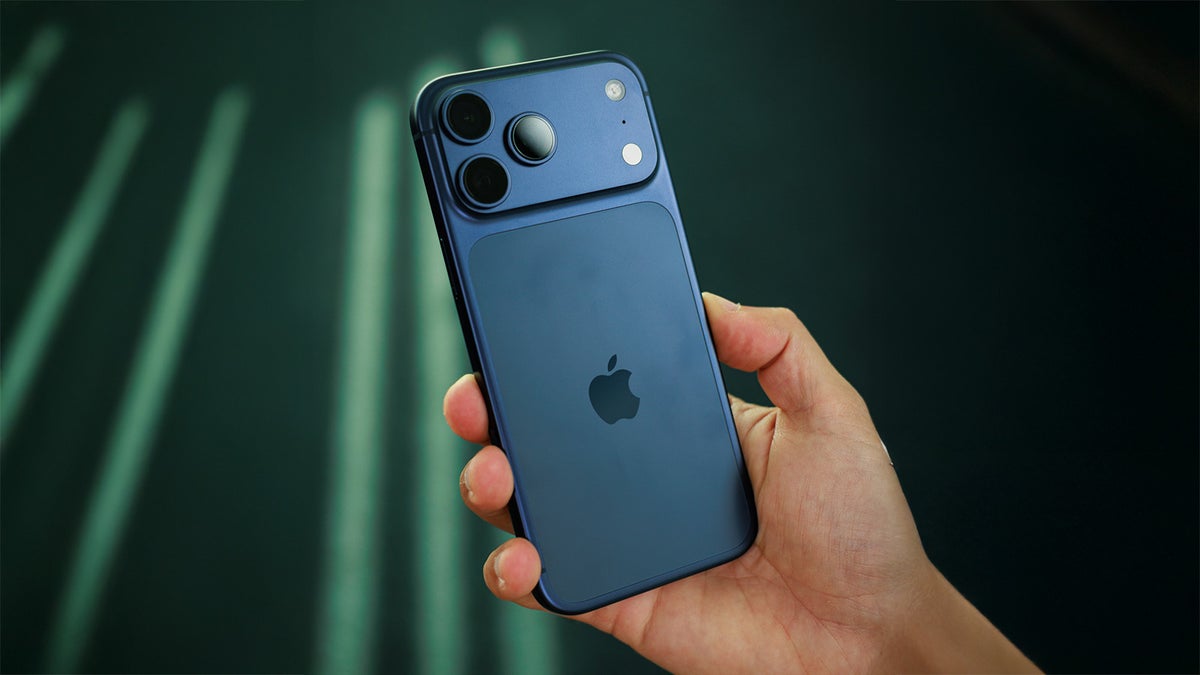
Normally, I wouldn’t sweat over this. Many phones have AI removal tools, but not the fancy iPhone 17 Pro I had with me. And at that moment, I realized how much I missed something like Samsung’s powerful AI removal feature.
The iPhone camera is… generally fantastic
I have to be fair. The iPhone 17 Pro camera is generally fantastic.
I took a bunch of snaps, and most of them captured the scene beautifully. The wide dynamic range with the bright snow was impressive, and the phone handled the harsh contrast of the ski slopes very well.
The improved selfie camera was also very much appreciated to snap some great memories, and the wider field of view was definitely appreciated to fit more of the background.
Recommended For You
Another impressive element was the stabilization in video. Despite my poor riding skills and shaky hands, the footage turned out perfectly smooth.
I did notice some color inconsistencies with colder white balance when switching to the 4X zoom camera, but those were occasional and not that much of a deal-breaker.
Which makes it all the more frustrating that the iPhone was failing at something seemingly simple.
Apple’s Clean Up struggles with even slightly complex backgrounds
Apple’s Clean Up tool launched more than a year ago in late October 2024 with iOS 18.1, and it was immediately criticized for the blurry smudges it often left in images.
The tool got one big upgrade with iOS 26 and a new generative model. This introduced texture awareness, basically improving scenarios such as removing a person from a brick wall background. The update also brought better lighting logic, with improved shadow and light consistency, and more realistic edits. That update also brought a speed improvement as you no longer needed to wait a couple of seconds, and the tool was almost instantaneous.
But… that is still not enough.
For simpler object removals, Clean Up works fast and quite well.
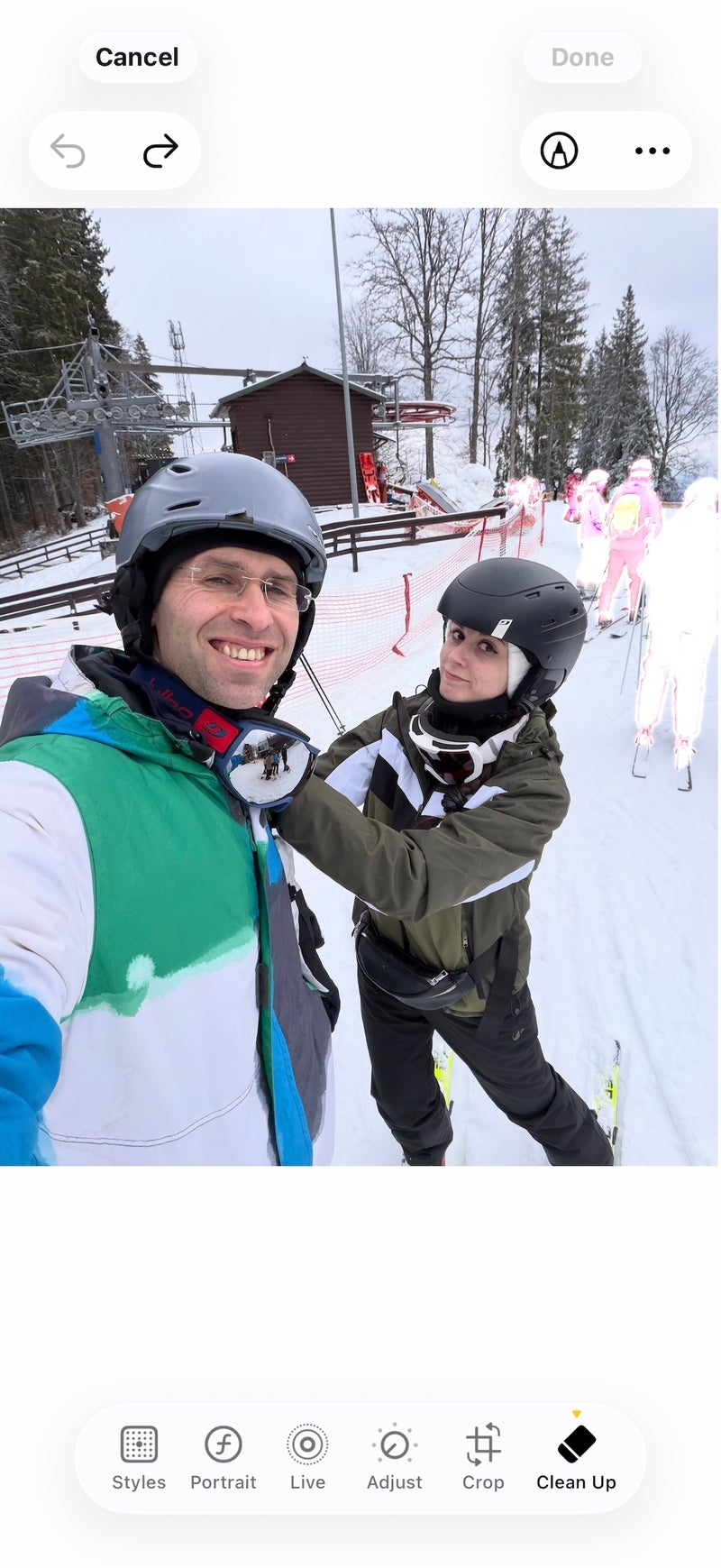
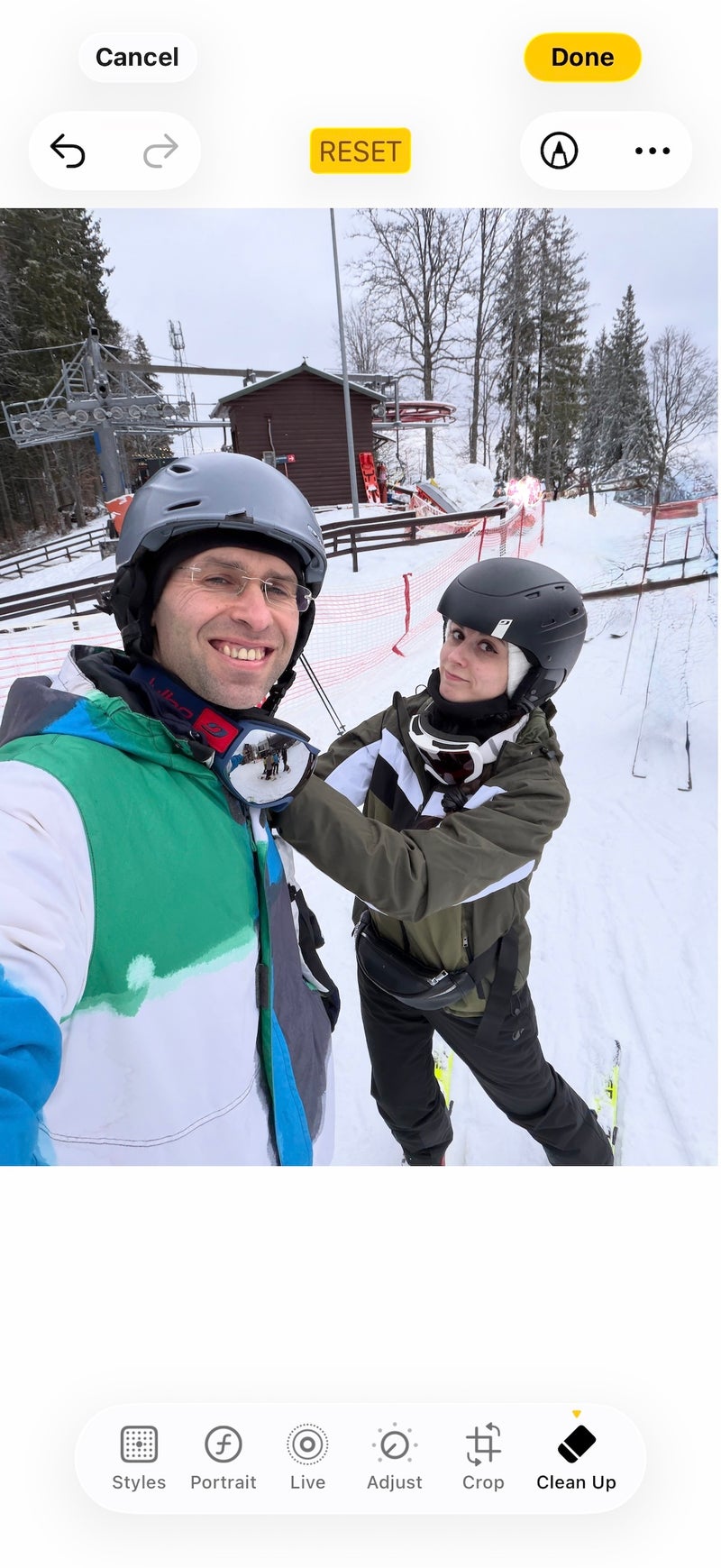
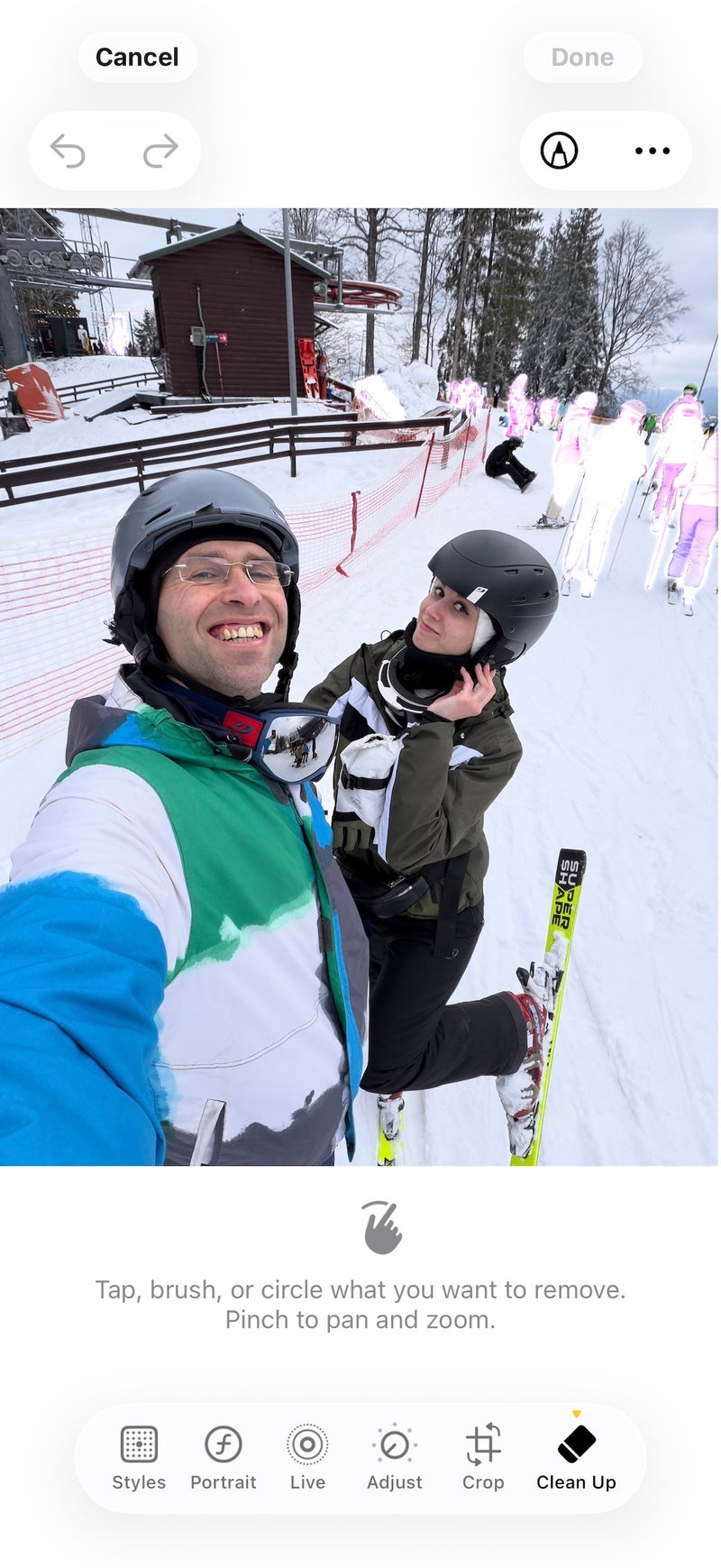
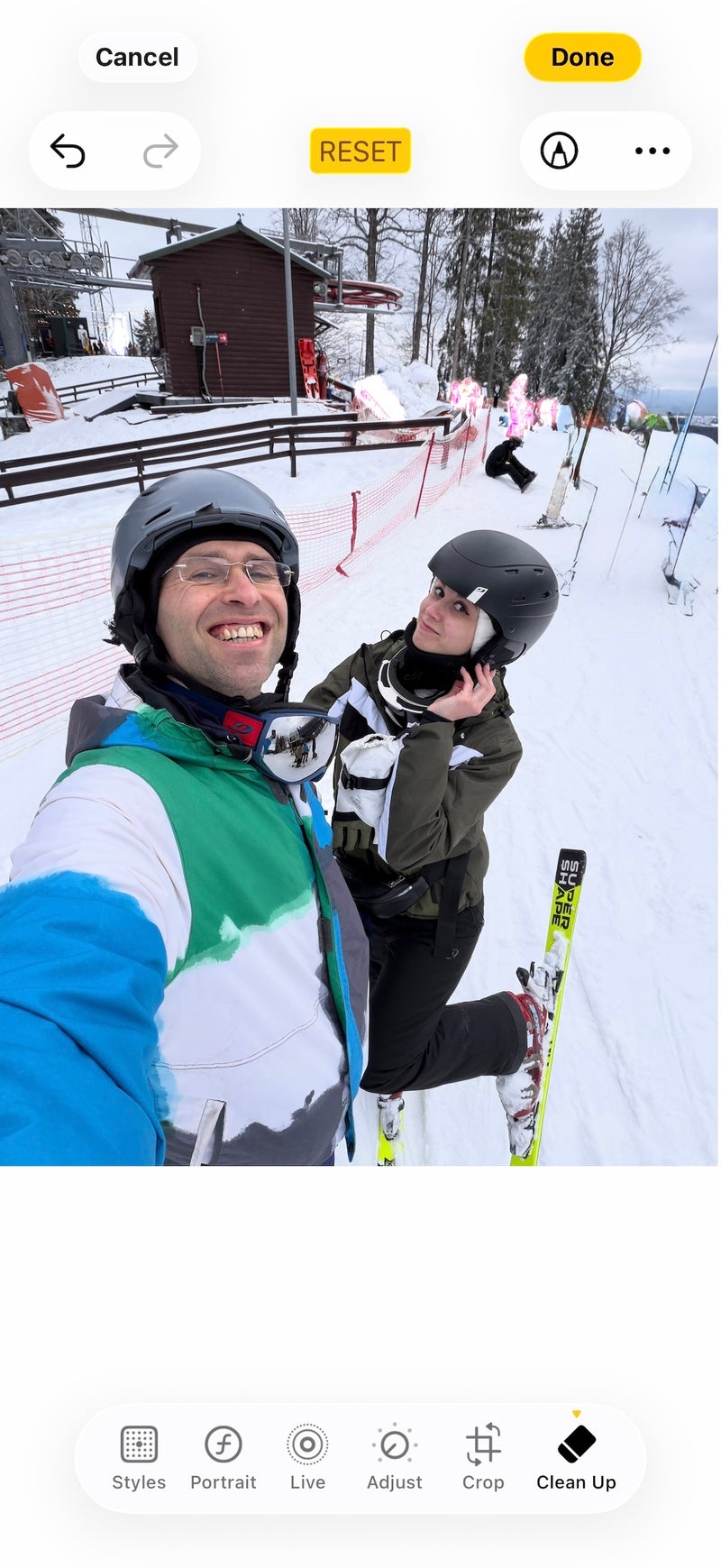
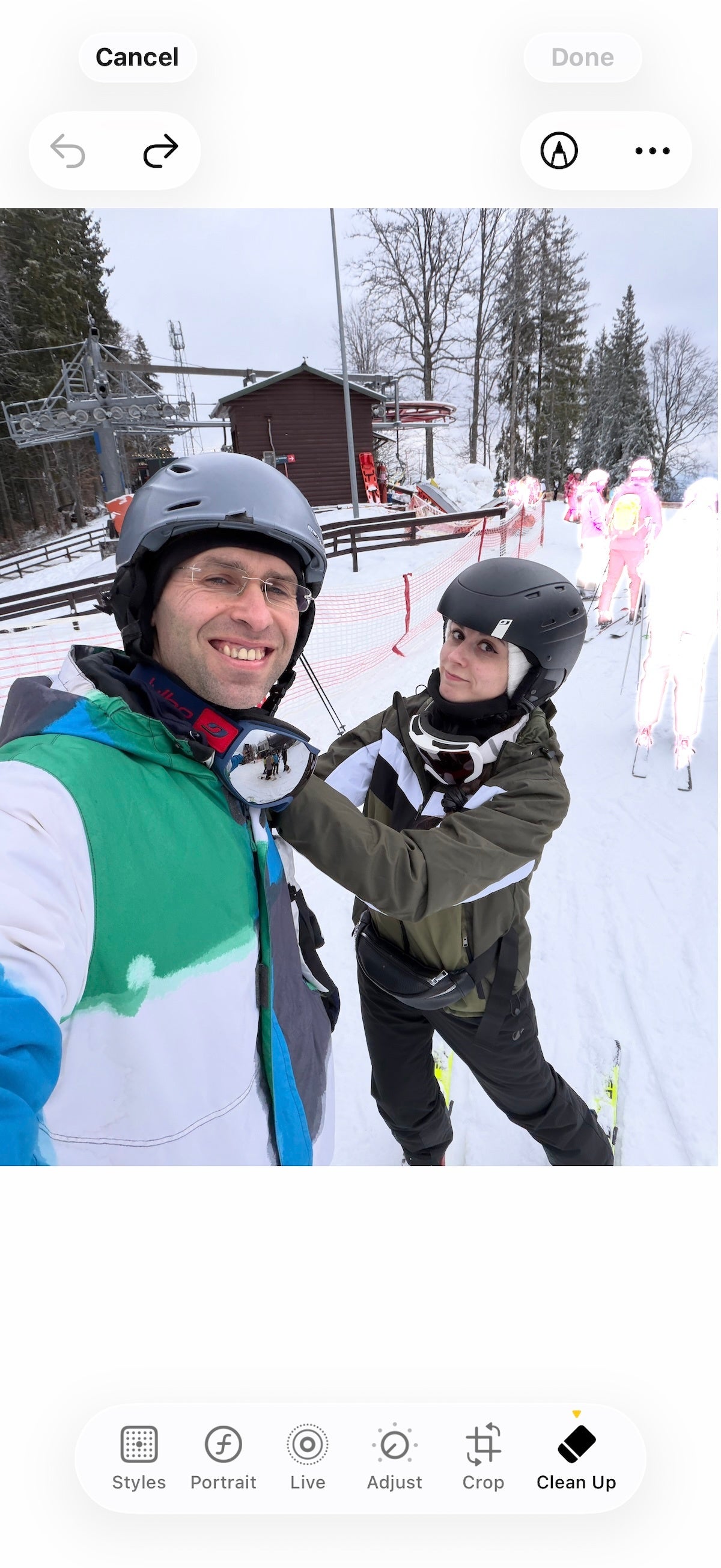
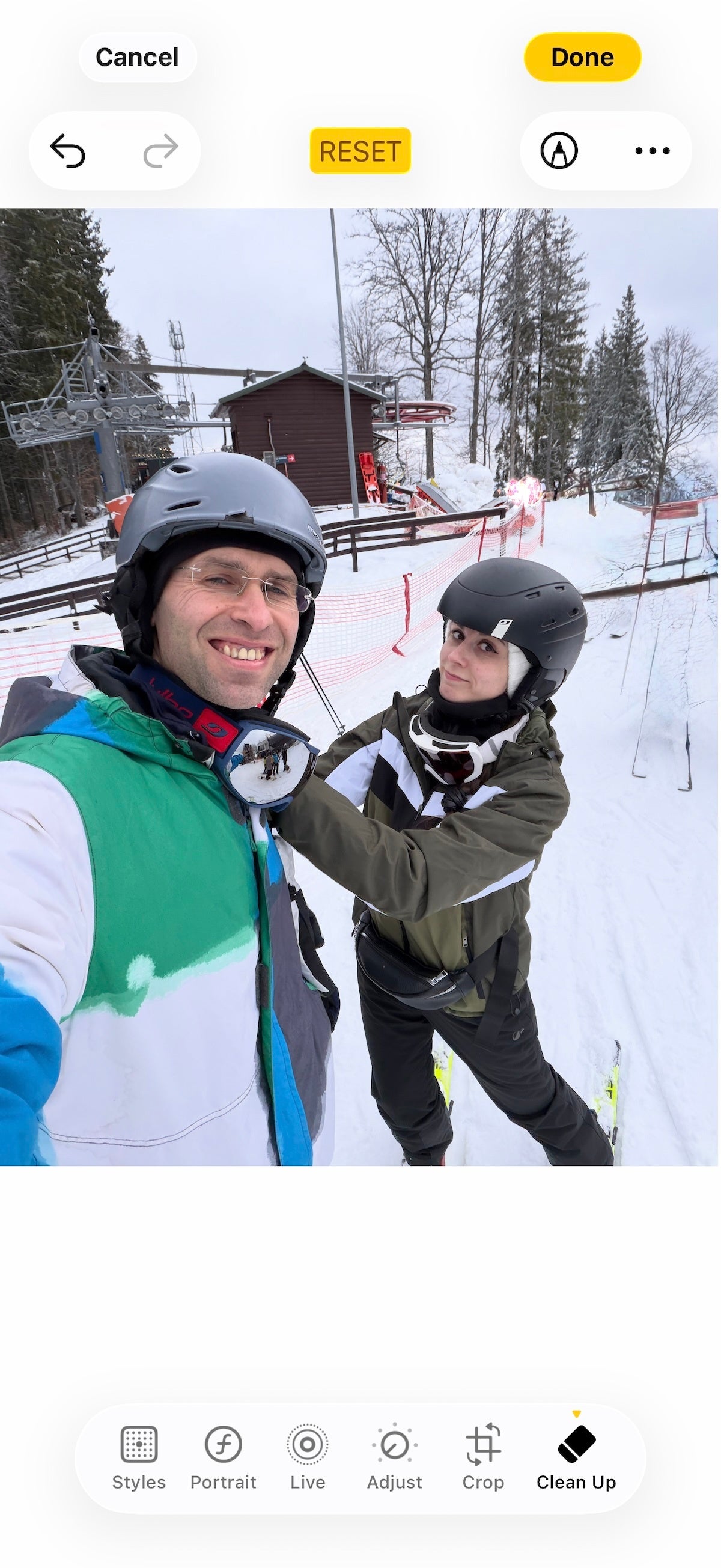
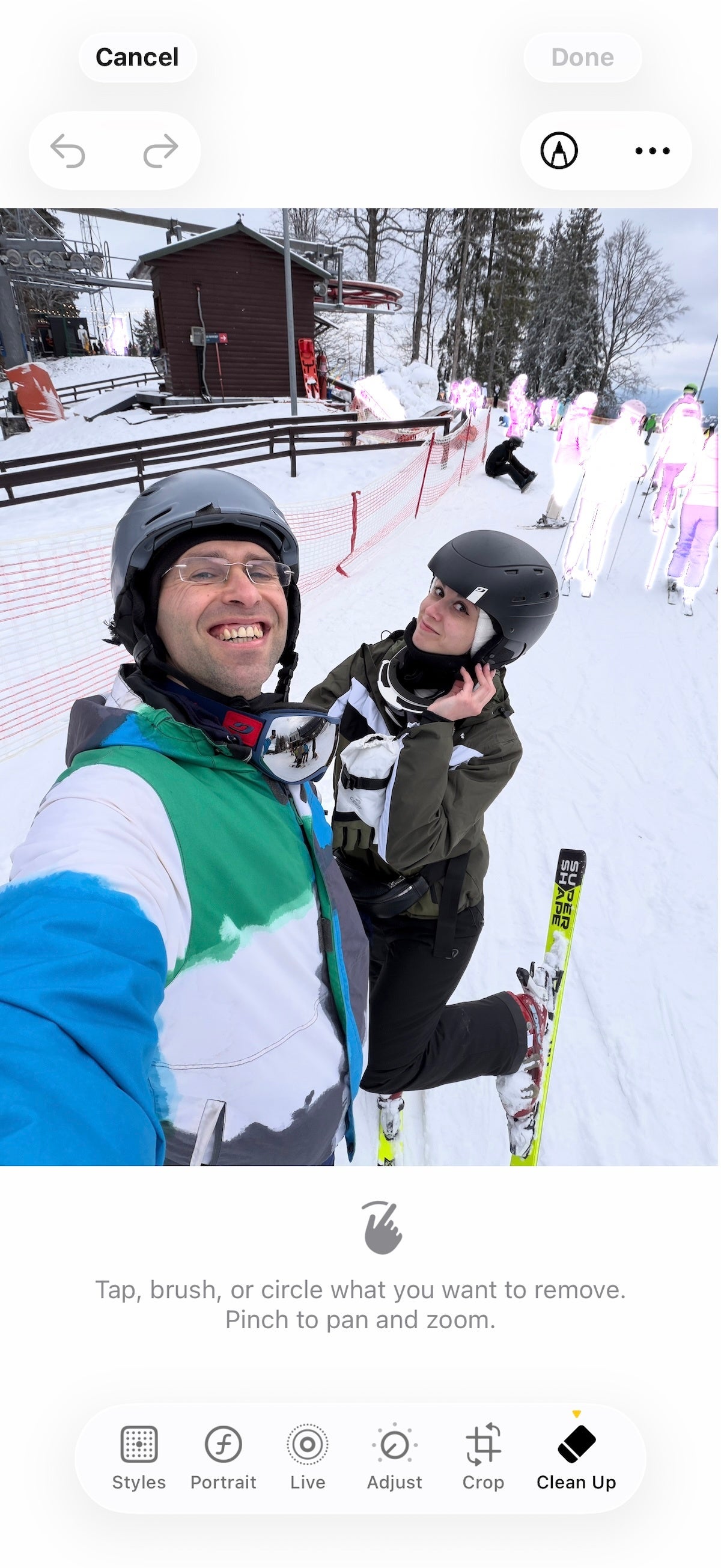
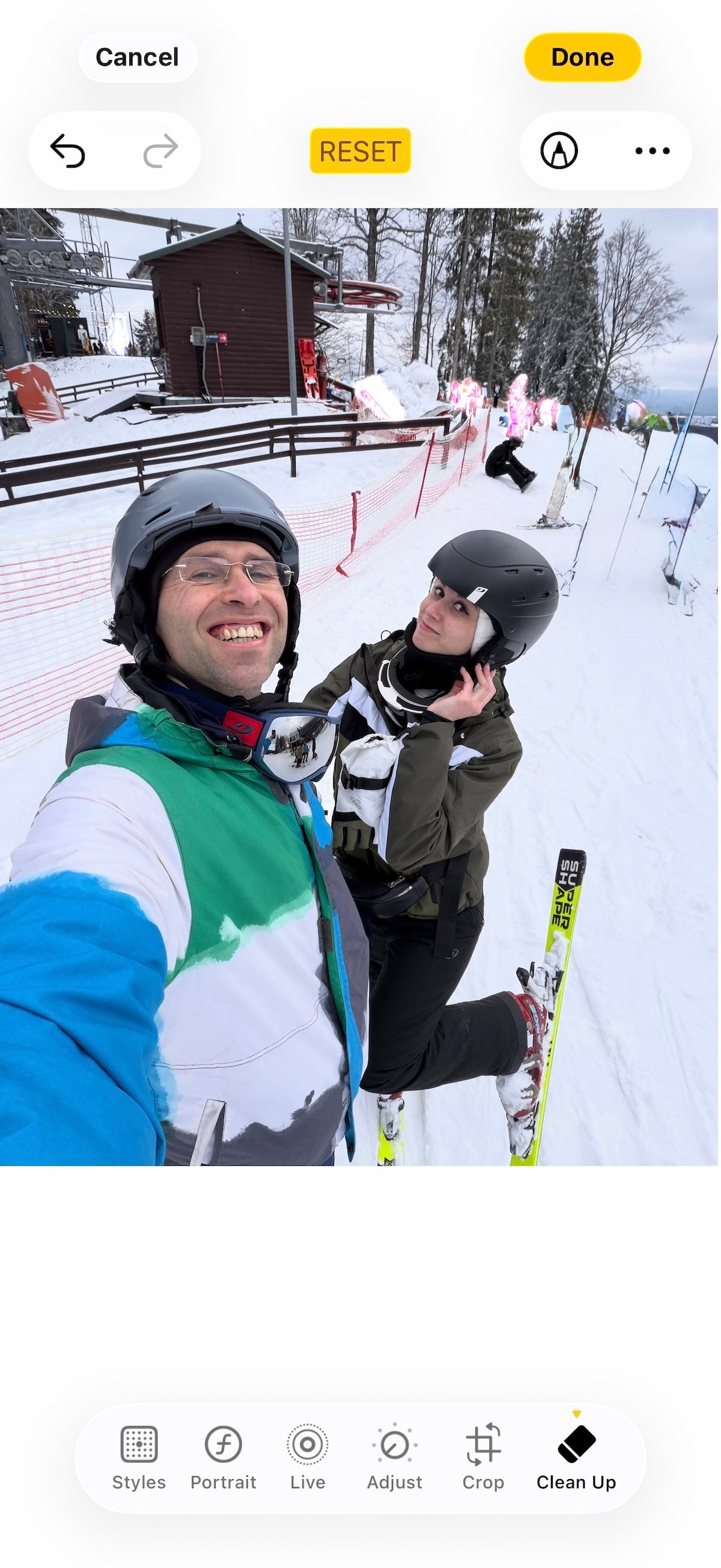
But whenever you have a larger area to work with, the results are usually bad. Here are a few examples:
Rather than replacing people with the background, the tool created weird, nonexistent terrain or some strange patches.
I don’t want AI to invent terrain or paint a new color for the sky, but I do want it to remove photobombers or random people in the background.
Google and Samsung lean heavy on AI
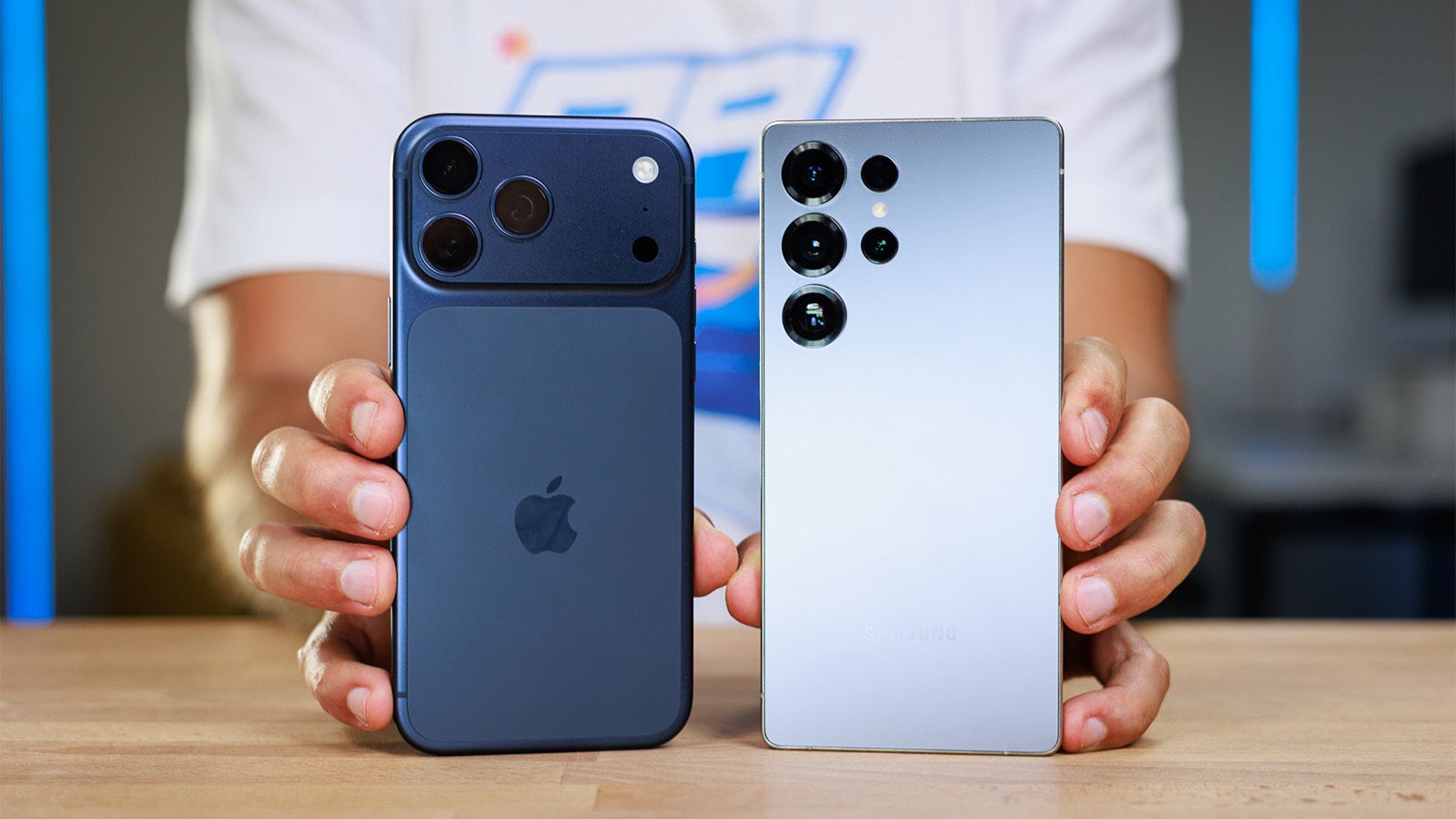
iPhone 17 Pro Max vs Galaxy S25 Ultra | Image by PhoneArena
Contrast this to Google’s "Magic Editor". It now allows for "Reimagine," where you can change the sky or the texture of the snow entirely. That can result in a totally different picture and questions emerge whether that even qualifies as a “photograph”.
Samsung does not go as far as Google, but its Galaxy AI allows you to move objects in an image, resize them, or even reconstruct half a human face if you cover it with one hand. This also oversteps the boundary of a “photograph.”
Apple refuses to do all this. With this stance, it defends the authenticity of the image.
Apple’s AI strategy
We all know that Apple has been slow and careful with its adoption of AI.
It has stuck with a photo remaining a photo rather than allowing users to completely alter it. I, personally, appreciate that.
But it also still hasn’t perfected a basic utility tool like object removal.
Users genuinely need these basic features to work. The Clean Up tool has an easy to grasp interface, and it is not attempting to do too much, but it needs to get better if Apple wants to win the AI camera race.
Trade in your old phone for cash at ecoATM!
Recycle your used phone and get instant cash. Find out how at ecoATM!
Victor, a seasoned mobile technology expert, has spent over a decade at PhoneArena, exploring the depths of mobile photography and reviewing hundreds of smartphones across Android and iOS ecosystems. His passion for technology, coupled with his extensive knowledge of smartphone cameras and battery life, has positioned him as a leading voice in the mobile tech industry.
A discussion is a place, where people can voice their opinion, no matter if it
is positive, neutral or negative. However, when posting, one must stay true to the topic, and not just share some
random thoughts, which are not directly related to the matter.
Things that are NOT allowed:
Off-topic talk - you must stick to the subject of discussion
Offensive, hate speech - if you want to say something, say it politely
Spam/Advertisements - these posts are deleted
Multiple accounts - one person can have only one account
Impersonations and offensive nicknames - these accounts get banned
To help keep our community safe and free from spam, we apply temporary limits to newly created accounts:
New accounts created within the last 24 hours may experience restrictions on how frequently they can
post or comment.
These limits are in place as a precaution and will automatically lift.
Moderation is done by humans. We try to be as objective as possible and moderate with zero bias. If you think a
post should be moderated - please, report it.
Have a question about the rules or why you have been moderated/limited/banned? Please,
contact us.













![Another batch of Galaxy S26 series users in the US are getting a nice surprise today [UPDATED]](https://m-cdn.phonearena.com/images/article/183643-wide-two_350/Another-batch-of-Galaxy-S26-series-users-in-the-US-are-getting-a-nice-surprise-today-UPDATED.webp)
Things that are NOT allowed:
To help keep our community safe and free from spam, we apply temporary limits to newly created accounts: