Nokia Lumia Icon vs Samsung Galaxy S4

Introduction
Nearly a year has gone by, and it’s hard to believe that the Samsung Galaxy S4 is still in contention – its heart still beating profusely in light of the heavy competition around. Over on Verizon’s lineup, the Nokia Lumia Icon is giving the carrier a contemporary Windows Phone that customers have been craving, which is a refreshing addition taking into account the rarity of Windows Phones in general.
One new smartphone, another widely regarded as aged, both are no doubt going to compete against one another to earn loyalty amongst Big Red’s customer base. Right off the bat, it’s looking mighty favorable for the Lumia Icon because it’s brand spanking new, but don’t count out Sammy’s flagship from giving it a good run for its money.
Design
There’s a distinctive styling attached to Nokia’s line of Lumia smartphones that make them oh-so appealing from a design standpoint. Of course, the Icon follows all of those design principles to give it the slightly favorable design over the Galaxy S4. For starters, the Icon’s construction, which consists of a polycarbonate body sandwiched together by a metallic frame, radiates a significant amount of sturdiness over the Galaxy S4’s slippery polished polycarbonate casing.

5.39 x 2.79 x 0.39 inches
137 x 71 x 10 mm
5.86 oz (166 g)

5.38 x 2.75 x 0.31 inches
136.6 x 69.8 x 7.9 mm
4.59 oz (130 g)

5.39 x 2.79 x 0.39 inches
137 x 71 x 10 mm
5.86 oz (166 g)

5.38 x 2.75 x 0.31 inches
136.6 x 69.8 x 7.9 mm
4.59 oz (130 g)
See the full Nokia Lumia Icon vs Samsung Galaxy S4 size comparison or compare them to other phones using our Size Comparison tool.
Display
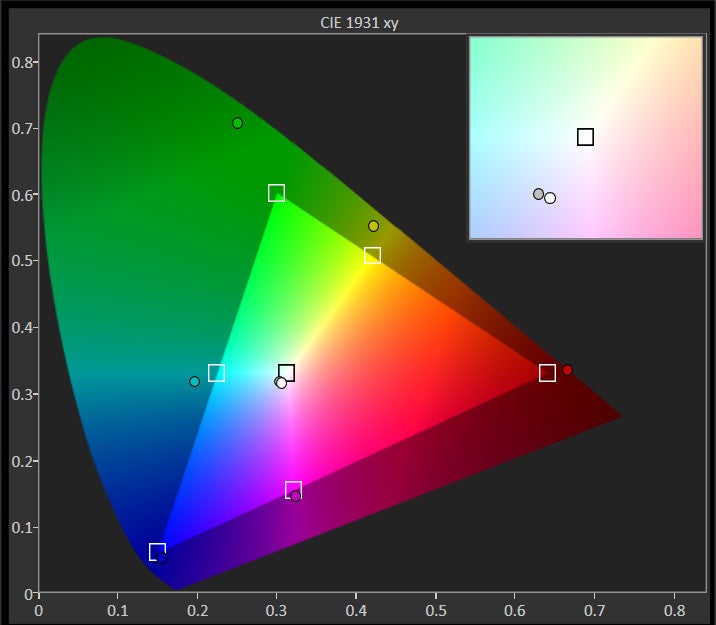
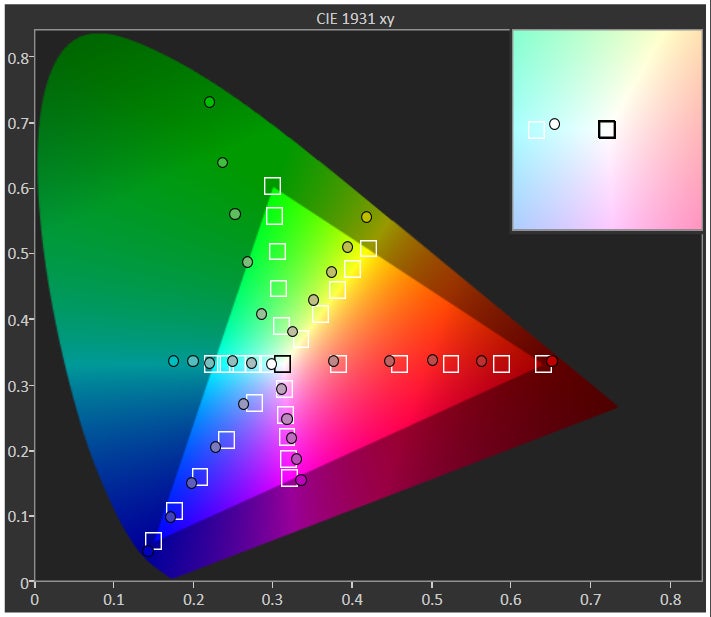
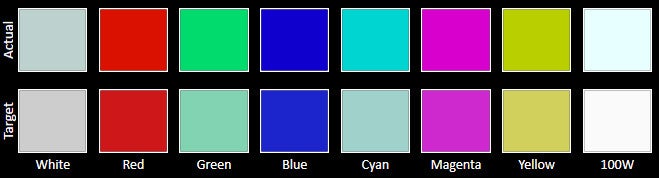
Interestingly enough, they share very similarly spec’d displays that rely on OLED technology. To elaborate more on that, it’s a 5-inch 1080p ClearBlack AMOLED display in the Lumia Icon, and a 5-inch 1080p Super AMOLED display with the Galaxy S4. Knowing that they have the same screen sizes and resolutions, they produce the same level of detail – giving even the most miniscule of text an effective amount of clarity to allow us to make them out in a zoomed out view in their web browsers.
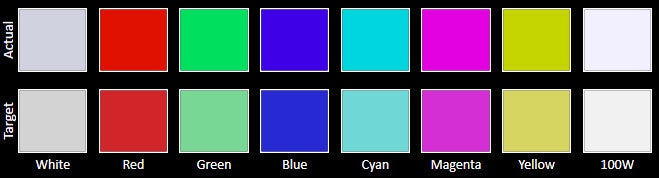
Furthermore, their saturated color productions, in combination with the stellar viewing angles, allow for minimal distortion at various angles. When bright and vivid colors are in abundance, you know for sure that these two displays have the wow factor to keep our eyes affixed to them. Neither are actually great with outdoor visibility, as the two displays barely get close to the 300 nits brightness level.


Interface and Functionality
Something we’ve compared in great detail in past comparisons, we’re yet again faced with the timeless question of which of the two mobile platforms reign supreme – Android or Windows Phone? It’s more of the same here, as Android’s maturity in tandem with Sammy’s diversified secondary features with its TouchWiz Nature UX experience shows its deeper comprehension over what Windows Phone 8 with the GDR 3 update has to bring to the table.
Interface of the Nokia Lumia Icon
Interface of the Samsung Galaxy S4
Wondering why we find the customized experience of the Galaxy S4 superior to that of the Windows Phone 8 experience of the Lumia Icon? We really just need to look at their respective multitasking and notifications systems. By in large, the Galaxy S4’s implementations are more effective in handling the tasks. Not only are notifications aggregated in one, easy to access area, but its Multi-Window feature gives us true multitasking.
When it comes to ease, we prefer the simpler layout of the Lumia Icon’s on-screen keyboard. On the flip side, the Galaxy S4’s keyboard gives us access to several characters and symbols directly from the main layout – though, it can sometimes feel overwhelming to absorb.
Windows Phone 8 has been making considerable strides when it comes to apps that matter to us, but it still doesn’t have the same breath that Android offers its users.
Processor and Memory
Newer technology always has its perks, which is evident here with the Lumia Icon’s quad-core 2.2GHz Qualcomm Snapdragon 800 processor with 2GB of RAM and the Adreno 330 GPU. It’s noticeably snappier with its performance than the S4, powered by the older quad-core 1.9GHz Qualcomm Snapdragon 600 SoC coupled with 2GB of RAM and the Adreno 320 GPU. For basic things, it’s almost hard to determine the faster of the two, but just navigating around their homescreens, we continue to see some slowdown with the Galaxy S4.
Internet and Connectivity
Surfing the web is ideal with the two, as their spacious high resolution displays, speedy 4G LTE speeds, and smooth navigational controls, all come together to give us a satisfying experience. However, the Galaxy S4’s various Air View and Air Gestures with its stock browser provides us with additional interaction.
Surfing the web
Camera
You would think that the Lumia Icon would have the upper hand when it comes to shooting modes and controls, but surprisingly enough, the Galaxy S4 is also packing an equally compelling set. To be fair, we do prefer the styling with the Lumia Icon’s camera interface, since its on-screen rotating dial menu pays homage to what we find on regular cameras. Conversely, the S4 sticks to a more straightforward menu approach when it comes to changing settings. However, we really appreciate that all of the Galaxy S4’s shooting modes are baked into its camera app – whereas we have to rely on alternate ‘lenses’ and third party photo apps with the Lumia Icon.
Camera UI of the Nokia Lumia Icon
Camera interface of the Samsung Galaxy S4
Don’t let the Galaxy S4’s age fool you, just because it’s one great device for snapping photos – more so when lighting is plentiful in the shots. Ultimately, the single factor that differentiates their qualities is the amount of detail that the 20-megapixel PureView camera of the Lumia Icon captures. With its higher resolution 19-megapixel samples, we see that fine details have improved definition. Beyond that, the qualities are nearly identical to one another. Still, we have to give the 13-megapixel camera of the Galaxy S4 some credit, as it matches toe-to-toe with what the Lumia Icon composes with its photos.
It’s also a close race with their 1080p video recording qualities, since they boast several delicious looking visuals – like their smooth recording and sharp looking visuals. Then again, we’d be more inclined to use the Icon’s camera due to its optical image stabilization and its 3x lossless zoom. They in fact are features we wouldn’t necessarily find too often with most smartphones.
Sample Videos
Multimedia
Whether it’s the stock Windows Phone or Nokia MixRadio music apps, we’re constantly finding ourselves affixed to its enchanting presentation – more so than the TouchWiz music player in the Galaxy S4. It’s tough initially to decipher, but as we listen more intently, we realize that there’s a slightly stronger volume output with the Lumia Icon’s speaker. Well, it’s still pretty loud with the Galaxy S4.
Music player of the Nokia Lumia Icon
Music player of the Samsung Galaxy S4
Our eyes are instantly glued to both displays as we play several different high-definition videos, thanks in part to the mesmerizing saturated colors produced by their displays. The size and resolutions of their screens aid in the process too, but the Galaxy S4’s secondary features, like how it’s optimized for multitasking, really diversifies the viewing experience.
Call Quality
Hands down, the Lumia Icon is the preferred handset to with when it comes to call quality, as voices are clear through the earpiece and speakerphone. As for the Galaxy S4, its voices have some distortion to them, so it’s not quite as perfect as its rival.
Battery
It doesn’t surprise us that the Galaxy S4 barely beats out the Lumia Icon in the battery life department, seeing that it’s packing a 2600 mAh battery inside of its body – as opposed to the smaller 2420 mAh one in its rival. Using our battery benchmark test, the Galaxy S4 achieves a tally of 4 hours, 59 mins, which bests the 4 hours, 50 mins mark inched out by the Icon. Although it’s a small victory for the Galaxy S4, it doesn’t translate a whole lot with real life usage, since they both deliver the average one-day of juice we expect as the bare minimum. Well, we do appreciate that the Lumia Icon features wireless charging – a feature that’s slowly being standardized with high-end smartphones.
Conclusion
There are obvious benefits picking up the handset that’s the newer of the two, so in this particular case, it would be the Nokia Lumia Icon. For starters, it bears newer hardware that’s more befitting of a high-end smartphone – albeit, the Galaxy S4’s hardware is still widely regarded as top notch. Secondly, you get that sense of freshness too with Nokia’s latest Lumia, especially when its design is uncharacteristic of other Lumias.
Now, if we’re to look at their current pricing through Verizon, we begin to see a big discrepancy between them. Almost a year old at this point, the 32GB Galaxy S4’s on-contract price of $149.99 seems out of character in comparison to the $200 price attached to the newer Lumia Icon. Moreover, there’s even a bigger disparity with their off-contract pricing, which is set for $550 for the Icon and $650 for the Galaxy S4. It’s mind boggling to see that the Galaxy S4 is priced higher than the Lumia Icon – so the decision will primarily hinge on whether or not you want to pick them up with or without a contract.


Popular stories

Related Content

Latest News
Things that are NOT allowed:
To help keep our community safe and free from spam, we apply temporary limits to newly created accounts: