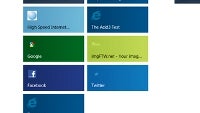
Windows 8's Metro UI browser won't support Adobe Flash, just the desktop version
Share:
Share:
26 Comments
1. Tom Polisa (unregistered) posted on 15 Sep 2011, 02:27 2
this is madness......every decent website has flash in it.....this way microsoft wont have an advantage over apple.....anyway i got sick of this joke
2. ilia1986 posted on 15 Sep 2011, 02:40 1
Really, Tom? Because that would mean that right freaking now - you're surfing on an indecent one. Shouldn't your mom be worried, Tom?
And at least Microsoft allows you to run Flash as an option if you use the desktop version of IE. Unlike Crapple.
5. ilia1986 posted on 15 Sep 2011, 03:38 0
Really, Tom? Where? I can see all of it fine - and I'm using an iPhone 4.
23. aarick (unregistered) posted on 15 Sep 2011, 18:26 0
That's because crapple turns all flash content into a static image on iOS.
13. joaolx posted on 15 Sep 2011, 06:11 0
Safari has flash. Just so you know. Except the Safari for iOs. Learn first before you talk.
15. hepresearch (unregistered) posted on 15 Sep 2011, 07:44 2
ilia1986 said he's on an iPhone 4... thus it is Safari for iOS, and has no Flash... learn to read before you reply, my friend.
20. NeXoS posted on 15 Sep 2011, 14:22 0
Who still uses IE? My entire family of computer noobs uses Chrome or FF anyway.
25. vvelez5 posted on 16 Sep 2011, 00:11 0
That's not you on the avatar. You're too hot to be a phone geek.
27. hepresearch (unregistered) posted on 17 Sep 2011, 13:31 0
Ding! Ding! Ding! Ding! Ding!
What's that sound, folks? I think we have a winner! vvelez5 has just become the 21,455th forum member to discover the sad truth... that NeXoS's... ummm... avatar... really is too "hot" to be a certifiable phone geek by conventional, stereotypical, standards. You, sir, are now automatically entered into the drawing for the Grand Prize; to go on a date with NeXoS's avatar.
(The "small print": The aforementioned "Grand Prize" is conditional upon consent from said "avatar", which is conditional upon identifying said "avatar", which is conditional upon locating said "avatar" by forum members, which is highly unlikely given electronic editing, digital rights enforcement, information privacy policies, other unforeseen factors, etc., and therefore actual chances of receiving said "Grand Prize" after said "drawing" occurs, whose date of occurrence is still in question, is highly difficult to calculate, and, furthermore, approximately, infinitely negligible. Thus, no guarantee of "Grand Prize" winnings can be certified... verified... whatever you want to call it...)
6. PeterIfromsweden posted on 15 Sep 2011, 04:18 3
I've got win 8 developer preview installed.
Win 8 has a extremely ugly UI. It is not made to work with mouse either, it's made for touchscreens (imagine swiping with a mouse instead of a finger). I'm not impressed...
8. ilia1986 posted on 15 Sep 2011, 04:39 0
Peter there is something that is troubling me: can you switch between metro apps? I mean - not drag the last app from the left. I mean - switch between apps. For example if I open the browser, the calendar, the clock and the control panel - all metro apps - in that order - and I'm in the browser right now. Can I instantly switch to the clock - without going through the calendar first?
9. PeterIfromsweden posted on 15 Sep 2011, 05:07 0
From what i have tested so far, you can only switch between apps by sliding them from the side. If you have started IE 10, Clock and control panel, you can only switch between them by sliding them out form the left. you can't choose which app to drag from the left. However if it's not the one you want, you can just put it back, and drag out a new one, and hope that's the one you're looking for.
10. ilia1986 posted on 15 Sep 2011, 05:20 0
I see. That's a shame. I was hoping for true multi-tasking. Hopefully they will fix that before the final release.
11. PeterIfromsweden posted on 15 Sep 2011, 05:34 1
some apps are even suspended, like in IOS...
It's definitely not a good multitasking on win 8. One positive thing with win 8 is that it seems extremely fast. I'm running it on a old computer with 1 GB ram and celeron processor, and it lags a little but otherwise works fine. It would probably be possible to run win 8 on a GS2.
12. ilia1986 posted on 15 Sep 2011, 06:07 1
Or on the Asus transformer.. :P
19. Pdubb posted on 15 Sep 2011, 13:08 0
You can switch by pressing the win+tab key just like in the old days of W7. It does take some getting used to but it is quite nice once you play with it for awhile.
14. Mobile-X-Pert posted on 15 Sep 2011, 06:53 1
Where did you get the Windows 8 for developer from????? I don't believe that.
16. remixfa posted on 15 Sep 2011, 08:15 1
you can download it. its a beta build for testing purposes. If i had a spare computer Id download it to play with it. Cant risk it mauling my school/gaming computer though.
17. PeterIfromsweden posted on 15 Sep 2011, 08:18 0
i downloaded it from MS developer site.
My company just purschased a HP computer tablet for running win 8 (at the moment we run win 8 on a old pc from around 2005) : )
18. corps1089 posted on 15 Sep 2011, 10:35 0
7. peterfromgriffin (unregistered) posted on 15 Sep 2011, 04:30 3
hum..i see apple preparing a lawsuit for microsoft for not using flash.
since apple don't use flash for a long time!
24. hepresearch (unregistered) posted on 15 Sep 2011, 22:34 0
... with a little Metro UI thrown on top of it... you know, to confuse the average user into thinking it's entirely new and unique...
22. captn3x posted on 15 Sep 2011, 17:38 0
apparently doing only the same old same is all Microsoft cares about. I would have thought Microsoft would have learned that they can't compete in the cellular race without being the same as the leader. If there metro UI won't support flash then neither will WP7.