If you're thinking of getting the vanilla Pixel 11, the only major upgrade that you will see in it over last year's model is the new Tensor G6 chipset. But if your eyes are on any of the Pro models, you will also get to experience the all-new HiLight feature.
While the feature appears to have a lot of potential, its functionality is very limited at the moment. The good news is that I recently came across a free app that actually introduces new capabilities to HiLight, making it way more useful and capable than it currently is.
First up, what is the HiLight feature?
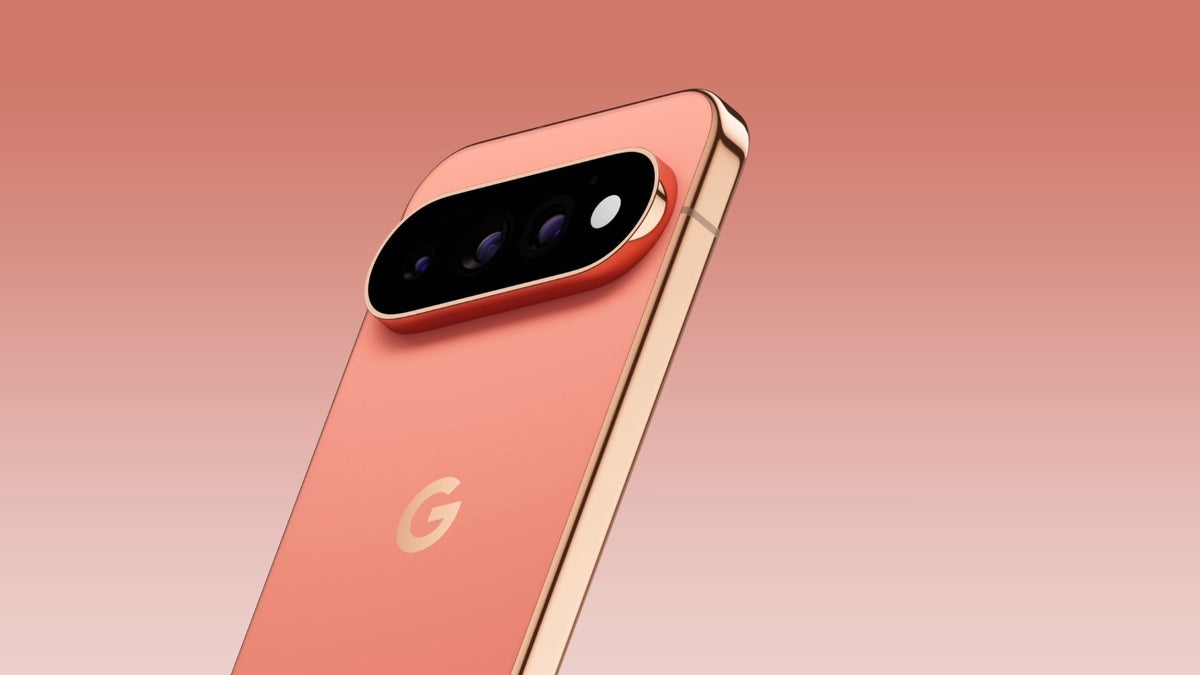
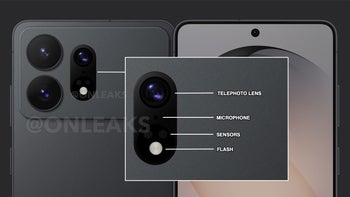
HiLight was one of the most talked-about features in the recently held Made by Google event. It's exclusive to the Pixel 11 Pro phones and has been made available by removing the temperature sensor from the camera bar. It is basically an array of ambient LED lights around the camera flash, and it currently performs only two functions: to ensure you are aware that Gemini is active and to tell you that you are receiving a call from one of your favorite contacts.
What's your thought on the HiLight feature?
475 Votes
I find it fascinating.
6.53%
It's seriously half-baked.
31.58%
It's simply a useless gimmick.
61.89%
Meet HiLight Studio
Google could have made the HiLight feature a lot more useful by making it work with other apps as well. For instance, it flashes up a particular shade of light when you receive a notification from Instagram. Turns out we already have a third-party application that makes the HiLight feature work with other installed apps on your device.
Recommended For You
Dhananjay Tech, a popular Indian tech creator, has developed an app called HiLight Studio, which actually makes the feature a lot more useful. It reportedly allows you to do almost anything you want with the LED array. You can make it work with almost all the third-party applications installed on your phone and assign a particular color shade to them.
Google put a colour LED on the Pixel 11 Pro and limited it to calls and texts.
So I made an app, so you can use it with anything
Any app, any colour, any effect you want. WhatsApp green, Slack red, Gmail whatever you like
For instance, you can make it work with WhatsApp and configure the HiLight LED to flash a green light whenever you receive a WhatsApp notification. The HiLight Studio app also lets you manually configure the brightness, intensity, and saturation of the light.
Furthermore, you also have the option to import and export presets and select a color of your choice from the eight available preset colors, or you can also use the classic color slider.
Setting up the app requires technical knowledge
While the app is completely free to use, and its developer explicitly mentions that it doesn't require any root or show any sort of ads, it's worth mentioning, though, that installing it does require technical knowledge. The reason behind this is that it isn't officially available on the Play Store; you will have to download it from GitHub. Then, you will have to unlock developer settings and use Shizuku and ADB sideloading from a computer to complete the installation process of the app on your Pixel 11 Pro phone.
That's not all. The installation description clearly mentions that the app must be restarted after every reboot.
In short, the installation isn't as straightforward as a regular app, but once done, it can make the HiLight feature a lot more capable than it currently is. That said, it's worth mentioning that I, personally, haven't tried this app.
Also, its installation requires a lot of advanced permissions, so do it at your own risk. I would only suggest getting this app if you know what you're doing and have experience of using the highly advanced Shizuku app.
Everyone wants more from HiLight
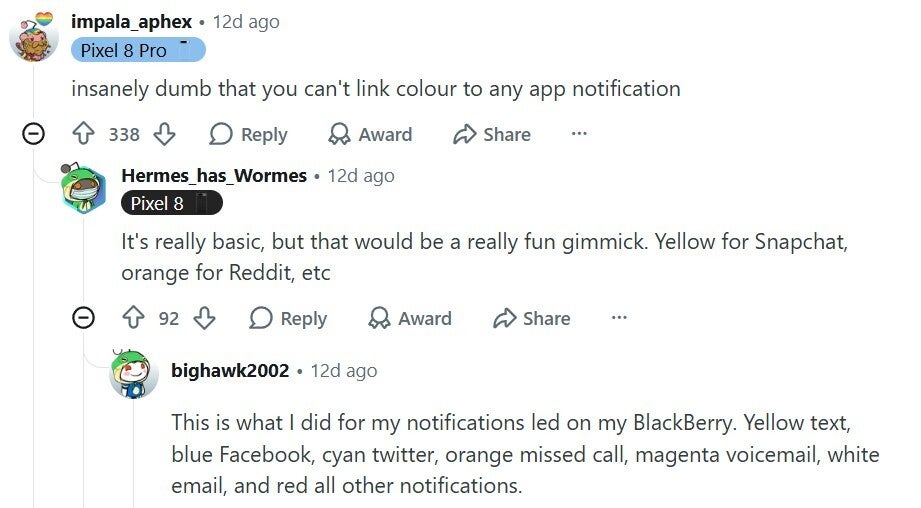
HiLight is not a very groundbreaking feature, as we already had something similar in the form of notification LEDs in phones like the Galaxy S8 and Nexus 5. Google certainly had the chance to make this functionality a lot more useful by making it work with third-party applications, but for some reason it decided not to. That's the reason why many Pixel fans believe that the feature is actually half-baked.
User criticizing the limited functionality of HiLight. | Image by Reddit
I, personally, feel that the Pixel 11 Pro phones are a bit overpriced, especially considering the mediocre performance you get in them upon running high-end apps on them. Making the HiLight feature work with third-party applications would have justified the high pricing. Unfortunately, the Big G has decided to limit its functionality.
But it's really crazy to learn that developers were able to bypass the limitation of the feature so early. Interestingly, it also opens the possibility of the tech giant officially making HiLight support capabilities like this through a software update sometime in the future.
Don't forget to check the following Pixel stories:
Mint Mobile is celebrating its 10-year anniversary with a special offer on its six-month subscription plans. For a limited time, you can get your preferred tier (6GB, 17GB, 23GB or unlimited) for just $10/mo. That saves you between 50% and 71% on the carrier's mobile plans, making it way easier to recommend.
Aman Kumar is a news writer at PhoneArena covering Google Pixel phones, Android features, AI-powered smartphone tools, and mobile tech news. Before joining PhoneArena, he spent over five years writing about consumer technology for publications like MakeUseOf, How-To Geek, and Guiding Tech. His current daily drivers are the Pixel 10 and Samsung Galaxy S26 Plus, while his red iPhone SE (2nd gen) remains a personal favorite. Aman also appreciates bold smartphone experiments and still considers the Nokia N-Gage one of the industry’s most iconic designs.
A discussion is a place, where people can voice their opinion, no matter if it
is positive, neutral or negative. However, when posting, one must stay true to the topic, and not just share some
random thoughts, which are not directly related to the matter.
Things that are NOT allowed:
Off-topic talk - you must stick to the subject of discussion
Offensive, hate speech - if you want to say something, say it politely
Spam/Advertisements - these posts are deleted
Multiple accounts - one person can have only one account
Impersonations and offensive nicknames - these accounts get banned
To help keep our community safe and free from spam, we apply temporary limits to newly created accounts:
New accounts created within the last 24 hours may experience restrictions on how frequently they can
post or comment.
These limits are in place as a precaution and will automatically lift.
Moderation is done by humans. We try to be as objective as possible and moderate with zero bias. If you think a
post should be moderated - please, report it.
Have a question about the rules or why you have been moderated/limited/banned? Please,
contact us.





Things that are NOT allowed:
To help keep our community safe and free from spam, we apply temporary limits to newly created accounts: