Pixel's "At a Glance" widget will soon become even more useful
The widget is adding two fast-moving categories that it will track for Pixel users.
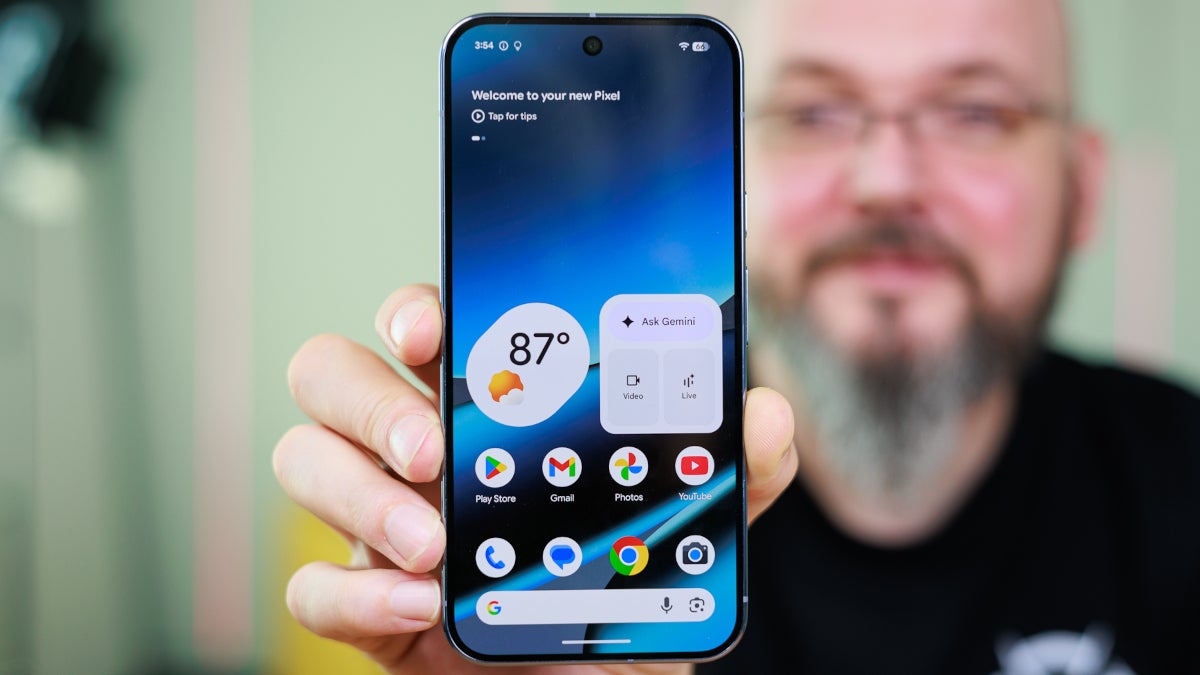
Pixel's At a Glance widget wll become even more useful. | Image by PhoneArena
Yes, I do own an iPhone 15 Pro Max. But I also love my Pixel 6 Pro because of those cool features that Google offers Pixel users like "Now Playing," using Gemini as my phone's digital assistant, and the "At a Glance" widget. I'm sure that there are other things like the proactive Magic Cue AI agent that I would love, but there probably isn't a chance of having it backported to the Pixel 6 series.
The "At a Glance" widget on my Pixel just showed me an urgent weather message
I'm sure that I'm not the only one who likes those Pixel features, although occasionally I read a Pixel user complaining about the "At a Glance" widget and demanding for a toggle that disables it. Well, there is now a way to shut down the widget. Long-press on the widget, press settings, and toggle off the button that controls the "Use At a Glance" setting. Personally, I love the widget since it keeps me up to date about so many things. For example, minutes ago my Pixel told me that I am currently under a Winter Weather Advisory.
Do you rely on the At a Glance widget?
58 Votes
Yes. It's a cool feature to look at daily.
75.86%
No. It's a waste of time as far as I'm concerned.
24.14%
The widget also informs me about earthquakes, shows me images from my Ring doorbell camera, when I should leave to make an appointment on time, tracks my Instacart delivery, and much more. And now "At a Glance" will add sports and finance updates from Google. When the updated widget is available on your Pixel, you'll be able to go to the settings following the same directions from the previous paragraph, and toggle on Sports and Finance.
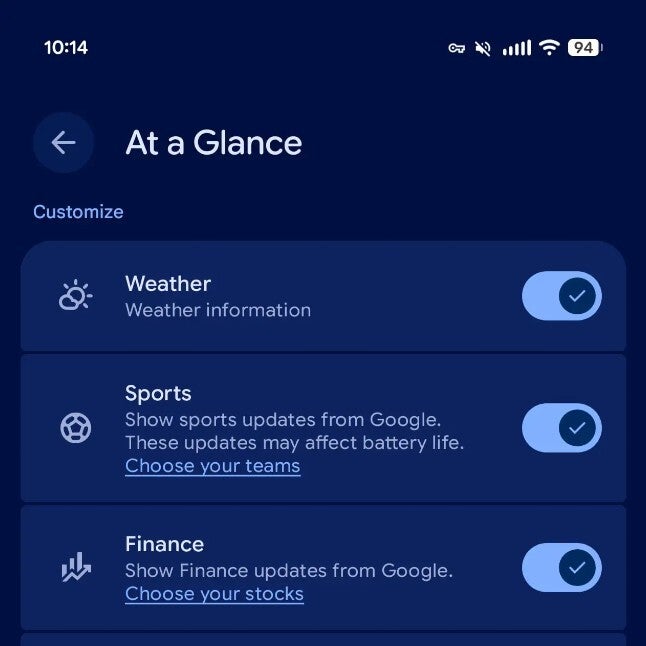
Sports and Finance are two new categories coming to the At a Glance widget. | Image by 9to5Google
Note that there is a warning that says Sports updates may affect battery life. There is also a link that you will use to choose the teams you want the widget to follow. This employs the same screen that you used to select your favorite teams for Google Search and the Discover page. The Finance toggle doesn't mention anything at all about whether it impacts battery life, but there is a link you will press that sends you to your Google Finance watchlist. From that list you can add or remove stocks leaving the ones you want "At a Glance" to track.
The widget has been around since 2017's Pixel 2 and Pixel 2 XL
Adding Sports and Finance to the long menu of topics tracked by the widget is a great idea, since both categories have data that is dynamic and is constantly changing. Surely more categories will be coming to "At a Glance," although Sports and Finance are two categories that feel as though Google should have added them much earlier. The widget made its debut in 2017 with the release of the Pixel 2 and Pixel 2 XL. Google was looking for a way to make the Pixel's home screen smarter without having to open the Google app.
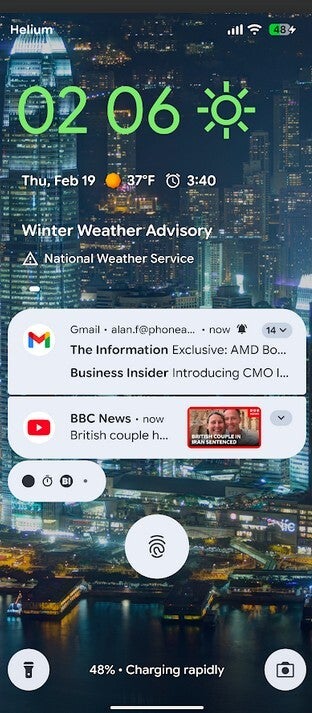
My Pixel 6 Pro just warned me that a serious storm is coming. | Image by PhoneArena
As previously noted, for the first time since its 2017 launch, Pixel users can now remove the widget from their phones. "At a Glance" can be replaced by another widget, although all I can say about that is good luck finding a replacement with the breadth of information that the widget delivers to you. Sure, it's possible that you don't want to be overwhelmed by all of the available information, but you can always go back into the settings and decide which alerts you don't want to receive anymore.
Maybe I'm just an old-fashioned phone nerd, but I prefer that my handset collect as much data as it can and present it to me in a timely manner. This s what the "At a Glance" widget does. While I'm sure that I could live without it, why would I want to?
The next Pixel Feature Drop is reportedly going to take place early next month, and hopefully the new "At a Glance" categories will be part of the update.


Popular stories



Latest News





Things that are NOT allowed:
To help keep our community safe and free from spam, we apply temporary limits to newly created accounts: