Every product we review or recommend is thoroughly tested by our in-house experts in real-world conditions, following our
review methodology
and
ethics statement
to ensure honest, independent, and data-driven results.
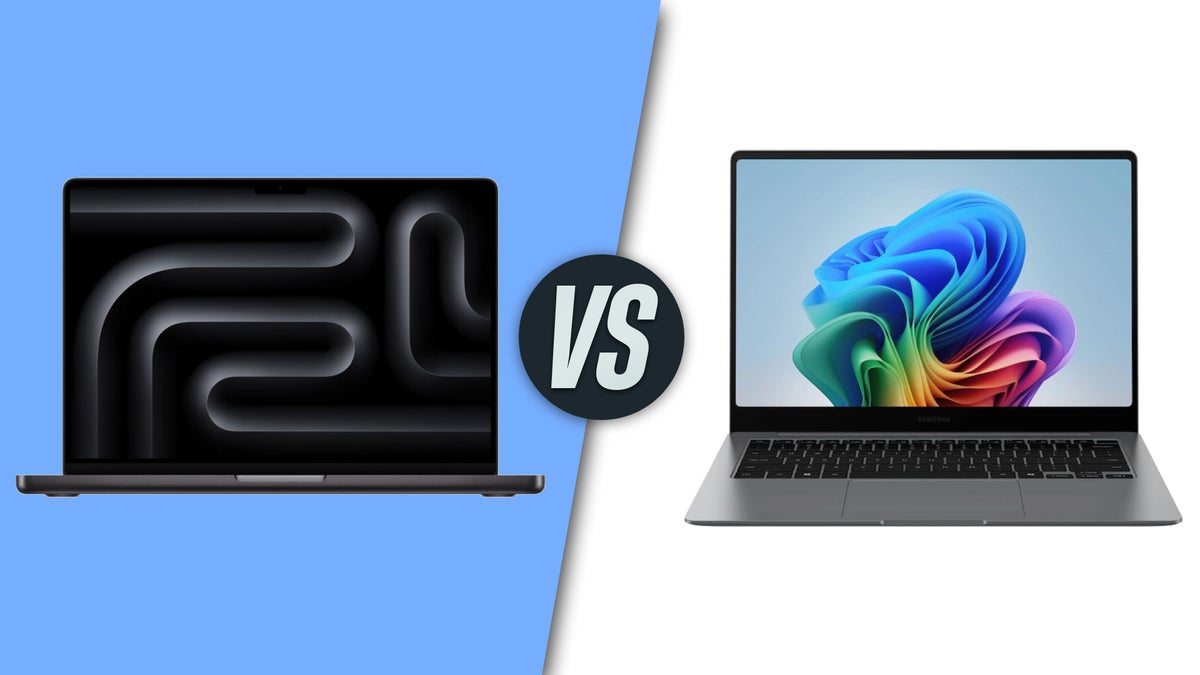
Back in October, Apple refreshed its 14-inch MacBook Pro with the latest M5 chipset, and it's another exceptional example of why Apple's lean into ARM has been a smash-hit success. Aside from the usual double-digit gains in performance, we also get the lovely package that is the rest of the MacBook Pro, one of the better-built laptops around.
Today, we are comparing a more niche product by a company that isn't running at the forefronts of the laptop industry, but still has some presence in the niche––Samsung. Its latest bets product in the category is the Galaxy Book 5 Pro. Question is, can it bring the battle to Apple, or will this conflict end up with a predestined outcome?
Apple's MacBook Pro hasn't changed itse design language at all in the past couple of years, and that's mostly for the better. That's because the exterior is pretty uniform and utalitarian in terms of design. The deivce is mostly flat, with slightly curved backplate and a large and expansive trackpad, with a notched display and fairly thin display bezels.
At the same time, the Galaxy Book 5 Pro shares a lot of similarities with the MacBook range: it's mostly the same size, has a similar styling, and comes in a gray color. The design is slightly tapered at the bottom sides, making it appear thinner than it actually is and somewhat reminding me of the older MacBook Air design language.
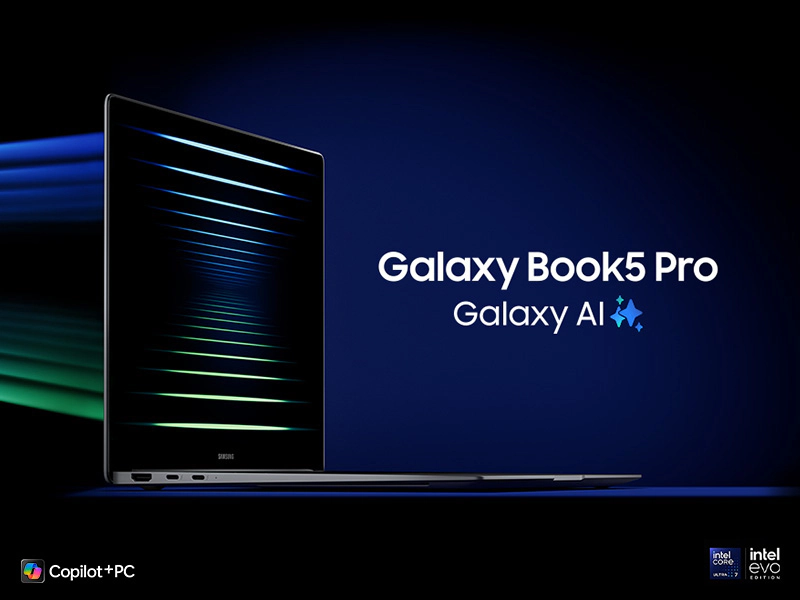
Galaxy Book 5 Pro
While MacBook Pro models usually come in two seizes, a 14-inch and a 16-inch one, the MacBook Pro with M5 inside is currently only available in a 14-inch size. The Galaxy Book 5 Pro is also available in 14-inch and 16-inch sizes.
Size-wise, the 14-inch MacBook Pro measures 31cm wide, 22cm deep, and 15.5mm thick, while the weight is a sensible 1.55kg. How does the 14-inch Galaxy Book 5 Pro compare? It's a 31.2cm wide and 22.3cm deep, with a thickness of just 11.6mm and weighs 1.23kg. Definitely similar overall size to the MacBook, but Samsung has slimmed its laptop a bit in comparison, making it that much more compact.
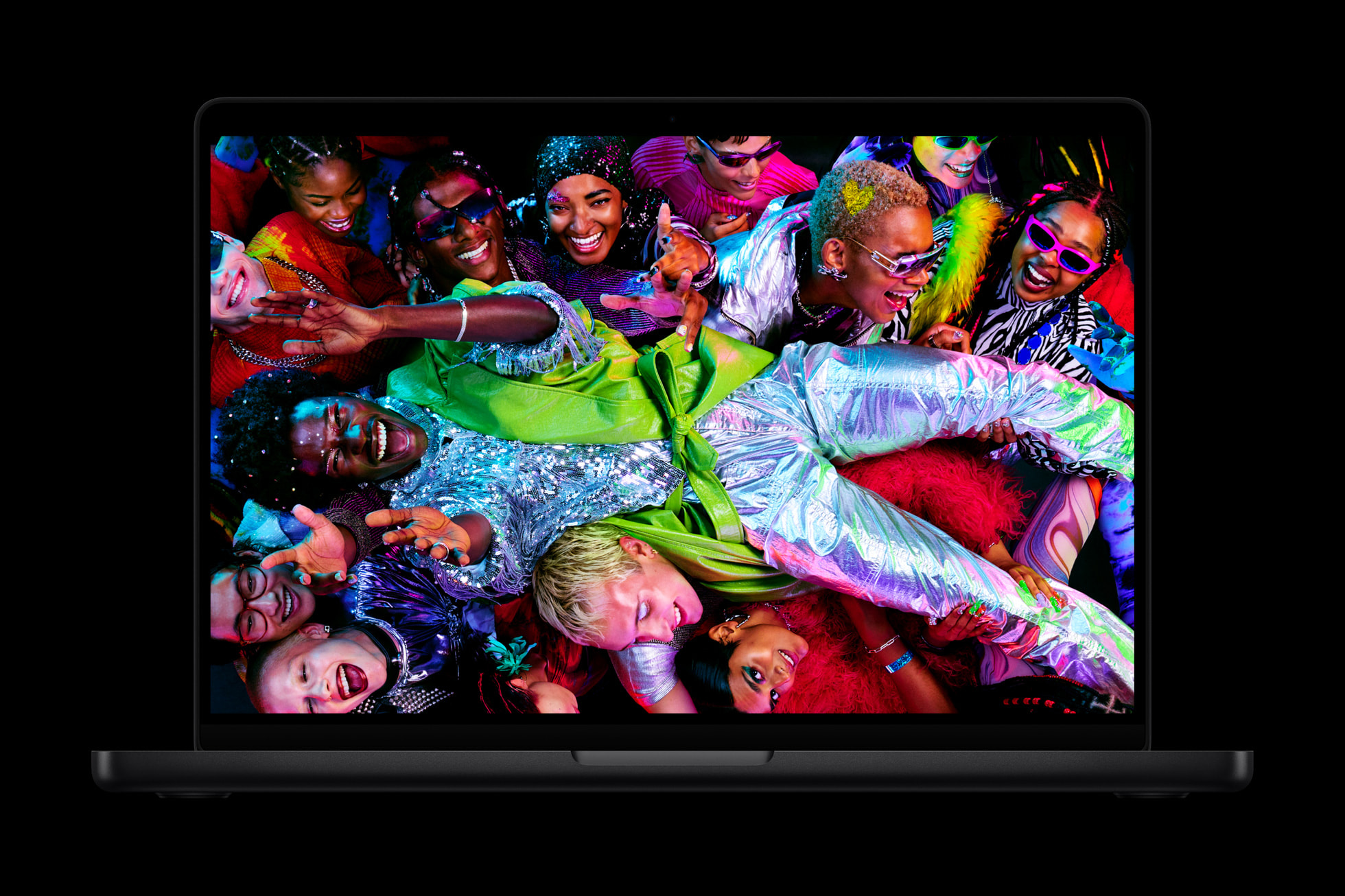
The MacBook Pro M5 now comes in black
Unlike the Galaxy Book 5 Pro 360, which opens to more than 180 degrees, the regular Galaxy 5 Book is a standard laptop with a hinge that opens as much as you'd expect.
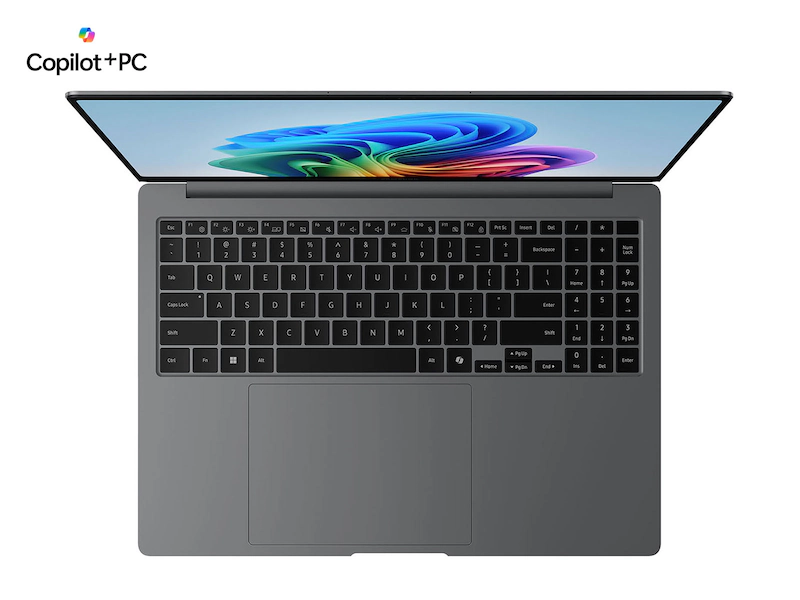
Inside, both latops feature large and expansive trackpads. The Samsung one actually rivals the MacBook in terms of size, but is slightly offset to the left, and there's a pretty obvious reason for that. It's because the keyboard has a built-in numpad keypad to the right, so Samsung had to move the trackpad a bit to the left in order to make it sit centered beneath the main keyboard.
In terms of custom buttons, the Galaxy Book 5 Pro has the dedicated Copilot key that has been a key on most newer Windows laptops. There's a fingeprint sensor here, too.
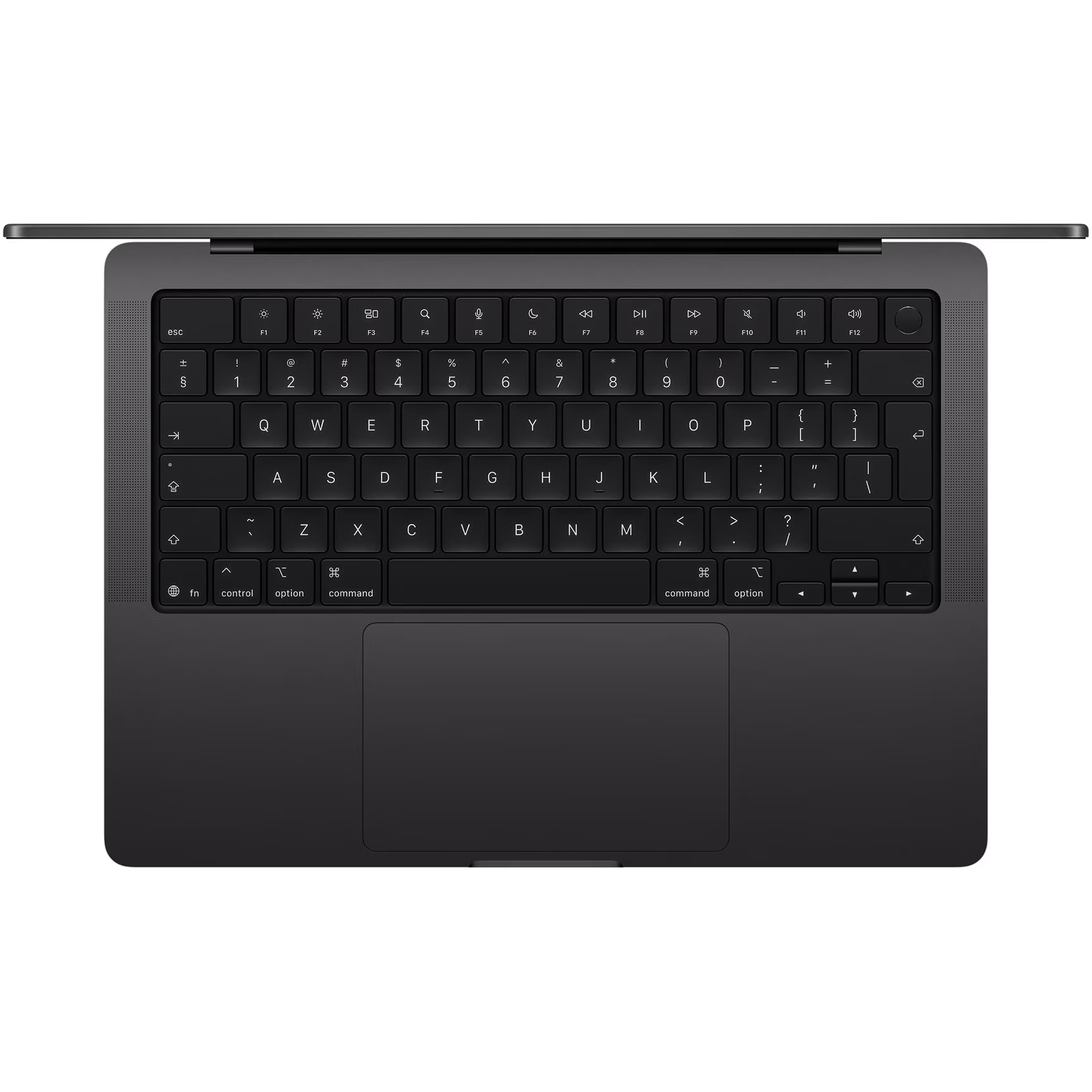
The MacBook Pro lacks a keypad and instead relies on that 78/79-key keyboard with scissor switches with short travel, which is excellent. No TouchBar here, instead a usable function row. The MacBook Pro also has a power button with Touch ID embedded inside, allowing you to authenticate purchases with Apple Pay and unlock the device itself.
In terms of colors, the 14-inch MacBook Pro arrives is Space Black and Silver, while the Galaxy laptop is available in Gray only.
Ports
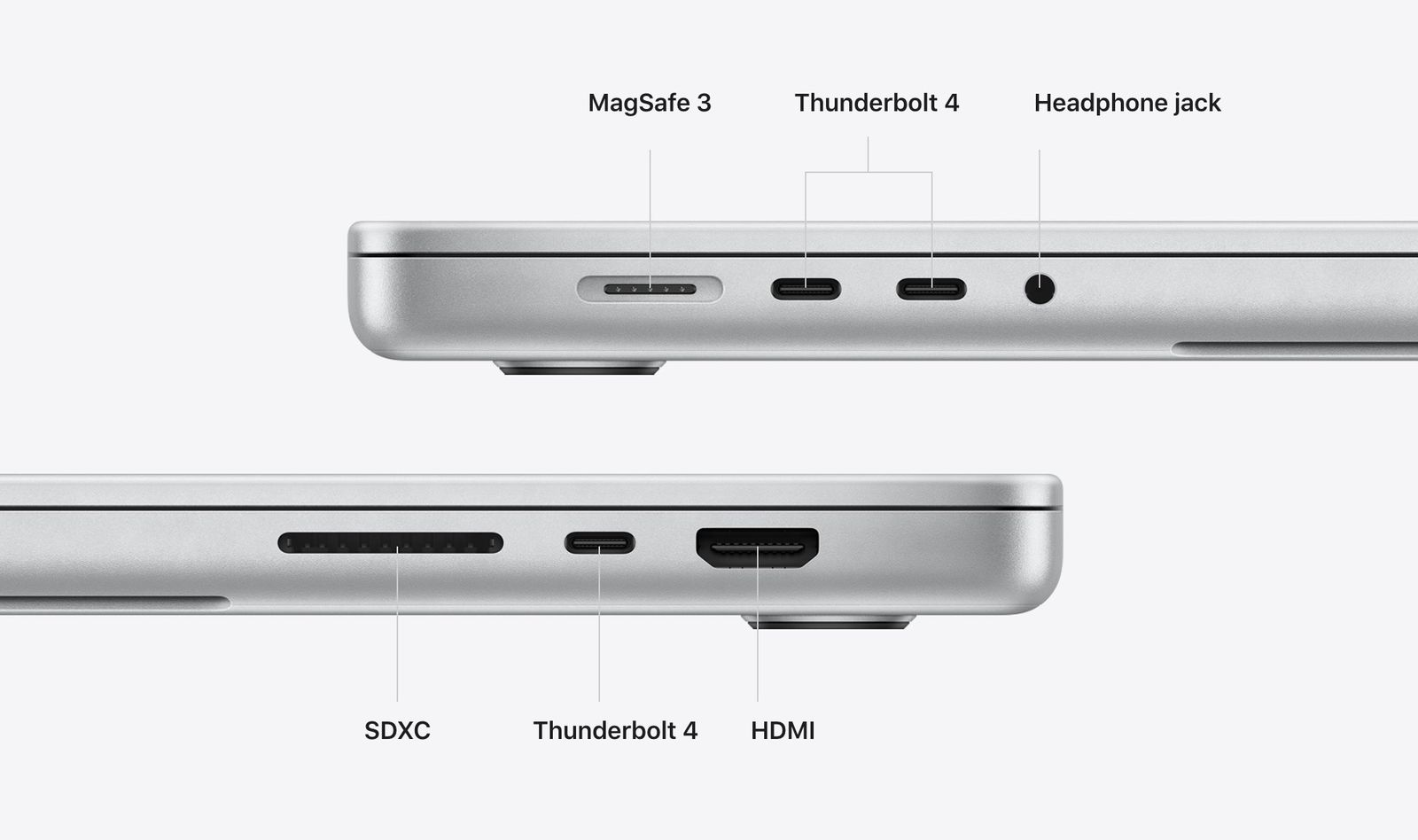
Galaxy Book 5 Pro ports
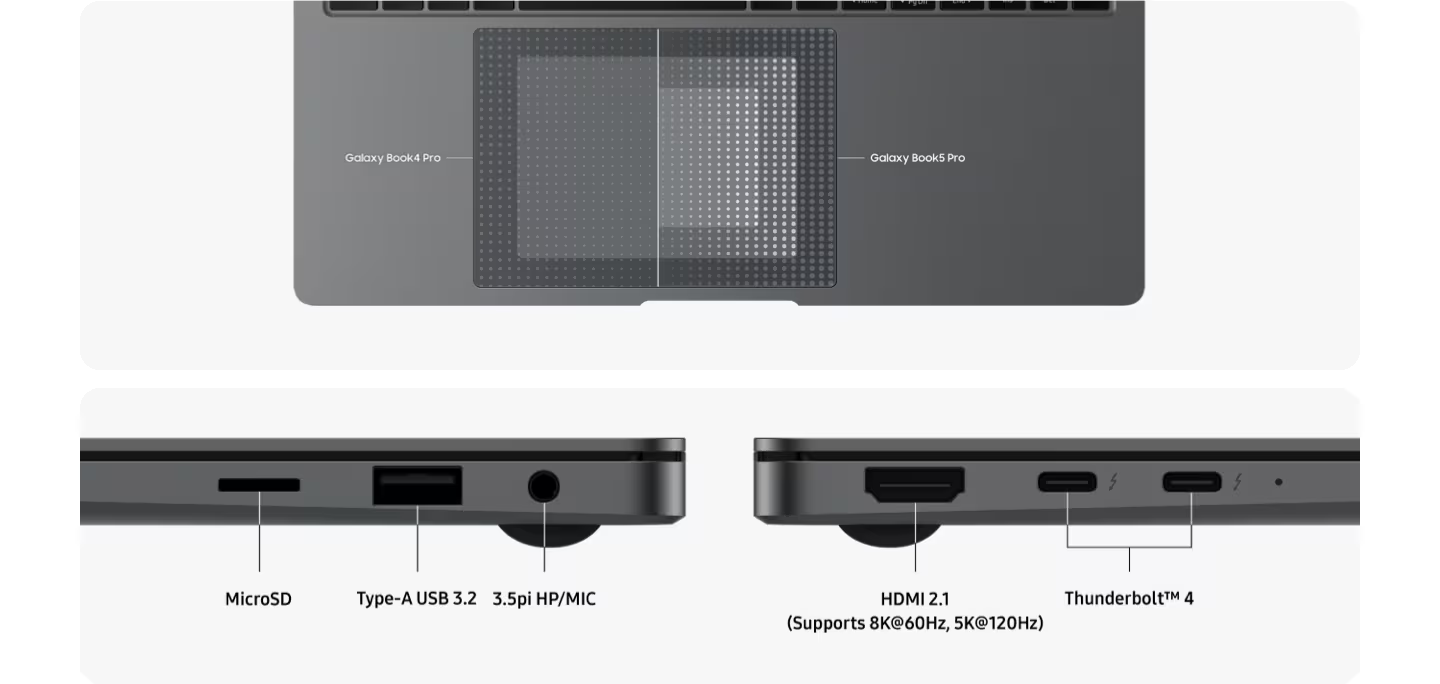
When it comes to ports, the Galaxy Book has a decent and diverse selection, which is easily matched by the MacBook.
In fact, it's safe to say the Apple laptop is better equipped here, as it has one extra USB-C Thunderbolt 4 port, but also a dedicated MagSafe 3 port for charging. You can also fit large SD cards inside of it, while the Galaxy only gets microSD cards. The only major difference is the USB A port on the Galaxy for backwards compatibility with older tech.
MacBook Pro ports
Apple MacBook M5 14"
Samsung Galaxy Book 5 Pro
Thunderbolt 4 (USB-C) x3
Thunderbolt 4 (USB-C) x2
-
USB A 3.2
HDMI (8K60Hz, 4K240Hz)
HDMI 2.1 (8K60Hz, 5K120Hz)
SDXC card slot
microSD card slot
3.5mm audio jack
3.5mm audio jack
MagSafe 3
No dedicated charging port
Display
MacBook Pro M5 display
As mentioned, the MacBook Pro normally comes in two different display sizes, but the M5 version has only been available in a single one so far. In particular, it's a 14.2-inch Liquid Retina XDR display using the miniLED technology, with a 3024 x 1964-pixel resolution that reaches around a 1,000 nits in regular mode and up to 1,600 nits peak brightness with HDR content. 120Hz ProMotion is on deck as well.
The Galaxy Book 5 Pro comes with a 14-inch display with a slightly lower 2880 x 1800 resolution, but the more intriguing key specs here are the AMOLED technology, which ensures deep blacks and excellent image quality. It's also a touchscreen display, allowing you to control the tablet with your fingers, just like you'd do with a Galaxy tablet. Finally, there's anti-reflective coating here.
Performance & Memory
ARM vs X86
The latest Apple M5 silicon ticks inside the MacBook Pro, and it's one zippy ARM chipset that further improves the top performance of the company's mobile chips. The M5 is a powerhouse that triumphs over many AMD and Intel chips in terms of both overall performance and performance-per-watt, making a perfect match for a portable laptop like the MacBook.
The M5 chip is a 3nm chipset built by TSMC with a 10-core CPU with quad performance and siz efficiency cores, along with a 10-core GPU as well. There's also a 16-core Neural Engine on board.
At the same time, the chipset inside the Galaxy Book 5 Pro is the Intel Core Ultra 7 256V, with the Intel ARC GPU with 8GB of memory. The Galaxy Book 5 Pro comes with 16GB of LPDRR5X RAM and has a 512GB NVMe SSD on deck (with another unoccupied slot available for user expansion later on).
Apple lets you outfit your MacBook Pro with either 16, 24, or 32GB of RAM. It's a unified memory, so it's shared between the CPU and the graphics processor. It's also not upgradable, so pick your memory configuration very carefully. You can get the MacBook with 512GB, 1TB, 2TB, or 4TB of storage.
Hardware-accelerated H.264, HEVC, AV1 encode/decode support
Hardware-accelerated ray tracing (Apple GPU)
Hardware-accelerated ray tracing DirectX/Vulkan (Apple GPU)
In synthetic benchmarks, it's the Apple chip that dominates its X86 rival with roughly double the performance.
Chipset
Geekbench 6 Single-Core Score
Geekbench 6 Multi-Core Score
Apple M5 (in MacBook Pro 14″)
~4 263
~17 862
Intel Core Ultra 7 256V (in Galaxy Book 5 Pro)
~2 436
~9 766
Software
The MacBook Pro comes with MacOS 26 Tahoe, which arrives with the controversial Liquid Glass redesign that has not been universally loved by the community. Aside from the visuals, Tahoe also delivers an improved Safari browser and vastly better gaming capabilities thanks to GPTK 2. The latter supercharges the Wine compatibility layer, allowing macOS gamers to emulate even newer AAA games and other software through Crossover or Wine.
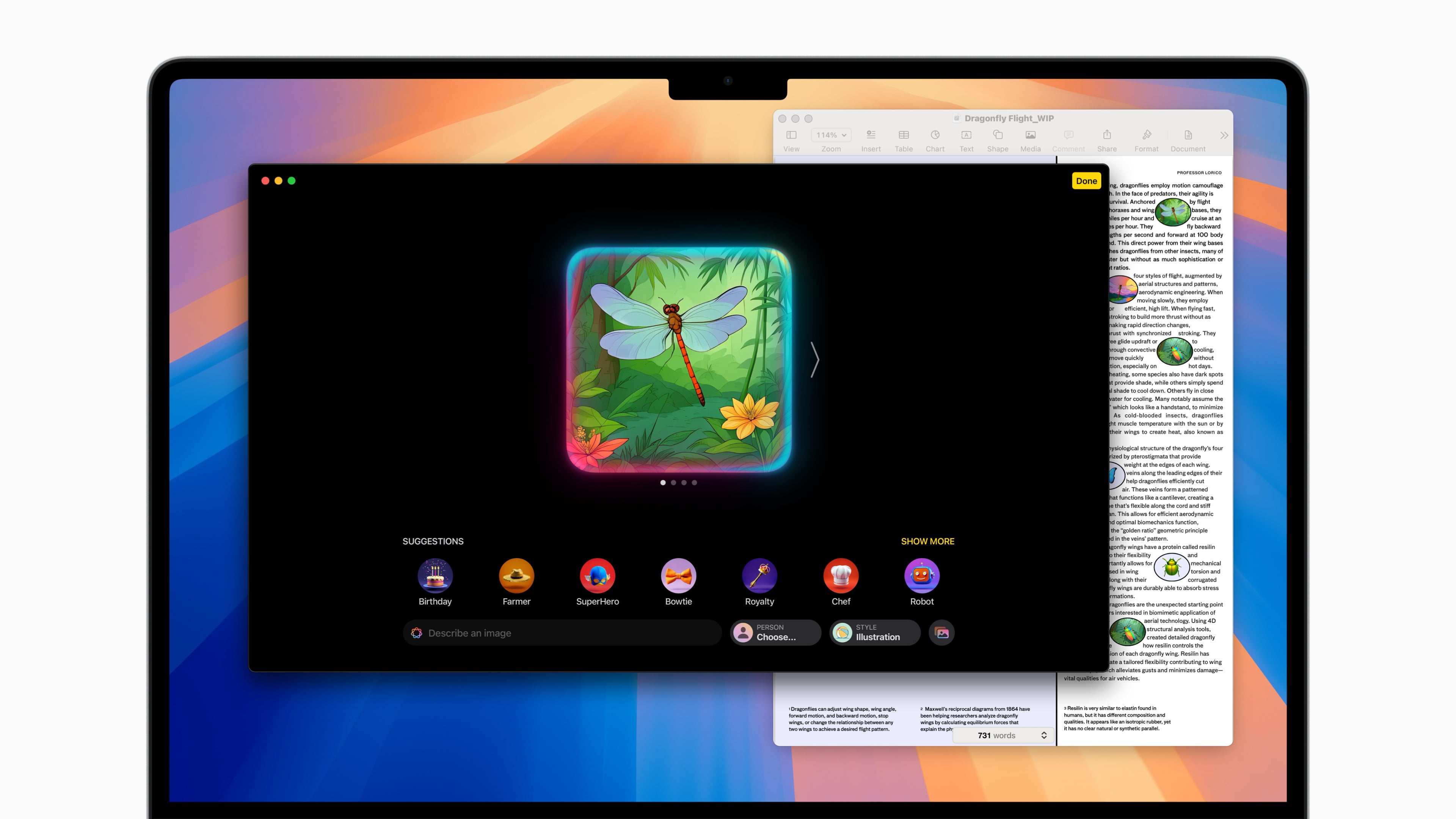
Apple Intelligence is great for generating dragonfly images, but not much else (Image Credit-Apple)
Sequoia brought Apple Intelligence to the MacBook, with Writing Tools, ChatGPT integration, Image Playground, and Genmoji. However, the revamped Siri has been delayed to next year. All in all, Apple Intelligence is not necessarily something you need.
A lot of AI on the Galaxy Book 5 Pro
The Galaxy Book 5 Pro comes with not one, but two different AI suites on board. On one hand, you have Samsung's Galaxy AI features on board, but more intriguingly, an underlying layer of native compatibility with other Galaxy devices. You can use Quick Share to effortlessly share files between your computer and your phone, mirror your screen to a Galaxy Tablet, use the laptop's keyboard and trackpad to control your other Galaxy devices, and more. It's a Frankenstein of an ecosystem that should provide a very similar experience as to having a MacBook and an iPhone, for example.
If that's not enough, you also have Windows Copilot features on board, because that tablet is running Microsoft's popular operating system for X86 systems. You get Recall, Cocreator, Windows Studio Effects, Live Captions, and the Copilot assistant, of course, but it's safe to say that the PC community's reception of these Microsoft-first AI features has been lukewarm at best.
Battery and Charging
These two laptops come with similar batteries, but the Apple laptop has the edge. The MacBook Pro comes with a 72.4 Wh battery, while the Galaxy Book 5 Pro features a 63 Wh one. Considering the better performance and efficiency, battery life should be better on the MacBook, even though both manufacturers cite similar battery life expectations: up to 24 hours video streaming/16 hours web browsing for the MacBook and up to 25 hours of battery life for the Galaxy Book.
The issue here is that Samsung's battery life expectations are based on testing of the 16" model on "local, 1080p resolution video playback, default video player (full screen), 150 nit brightness, default earbud volume, Wi-Fi and mobile network off, keyboard backlight off". As opposed to that, Apple's internal testing tests the 14-inch MacBook Pro with Apple M5 "by browsing 25 popular websites while connected to Wi-Fi. Video streaming battery life tested with 1080p content in Safari while connected to Wi-Fi. Display brightness set to 8 clicks from the bottom and keyboard backlight was off".
Tthe MacBook Pro testing procedure is a bit more realistic.
Charging-wise, the MacBook usually takes 70W charging through its MagSafe port or any of the other ThunderBolt ports, but will also happily fast-charge with a 96W or higher USB C wall adapter. The Galaxy Book 5 Pro will charge at up to 65W, and you will have to sacrifice one of the USB C ports for that.
When it comes to charging, both laptops rely on magnetic proprietary ports: MagSafe on the MacBook and Surface Connect on Microsoft's laptop. Those are very user-friendly, as they essentially free up a USB-C port that would otherwise be used for charging exclusively. As an added bonus, they will easily unlatch if someone trips on the cable, preventing your laptop from rendezvousing with the ground.
Audio and camera
Tha MacBook Pro comes with a six-speaker setup incuding two force-cancelling woofers and wide-stereo sound. Dolby Atmos is supported. The camera at the front is a 12MP one with Center Stage available.
The Galaxy Book 5 Pro comes with quad speakers, includign dual 5W woofers and dual 2W tweeters. There's a 2MP webcam up front.
Audio-wise, the 13-inch MacBook Air gets quad speakers, while the 15-inch one adds two force-cancelling woofers for extra bass response. The Surface Laptop 7 boasts OmniSonic speakers that deliver slightly louder sound than the MacBook. Dolby Atmos is available on both machines.
In terms of camera loadout, we get a 12MP FaceTime camera with Center Stage and Desk View support on the MacBook. The Surface Laptop 7 boasts a 1080p camera that also has Automatic framing, Portrait blur, and creative filters; it also lets you authenticate with Windows Hello.
The MacBook Pro is definitely the more mature product here, one that is enjoys a wider ecosystem and is altogether the better device, pound-for pound. The starting price for this one is $1,600.
The Galaxy Book 5 Pro, on the other hand, is one for the Android-Windows, and in particular, the Galaxy-Windows crowd out there, allowing seamless integration between Samsung's products and Microsoft's operating system. This one starts at $1,350, so it's definitely more affordable.
Peter is a skilled writer with over 13 years of experience at PhoneArena. He has published nearly 300 phone reviews and comparisons. This vast experience helps him navigate the mobile tech landscape with ease. He enjoys everything Android but relies on a MacBook Pro daily.
A discussion is a place, where people can voice their opinion, no matter if it
is positive, neutral or negative. However, when posting, one must stay true to the topic, and not just share some
random thoughts, which are not directly related to the matter.
Things that are NOT allowed:
Off-topic talk - you must stick to the subject of discussion
Offensive, hate speech - if you want to say something, say it politely
Spam/Advertisements - these posts are deleted
Multiple accounts - one person can have only one account
Impersonations and offensive nicknames - these accounts get banned
To help keep our community safe and free from spam, we apply temporary limits to newly created accounts:
New accounts created within the last 24 hours may experience restrictions on how frequently they can
post or comment.
These limits are in place as a precaution and will automatically lift.
Moderation is done by humans. We try to be as objective as possible and moderate with zero bias. If you think a
post should be moderated - please, report it.
Have a question about the rules or why you have been moderated/limited/banned? Please,
contact us.














Things that are NOT allowed:
To help keep our community safe and free from spam, we apply temporary limits to newly created accounts: