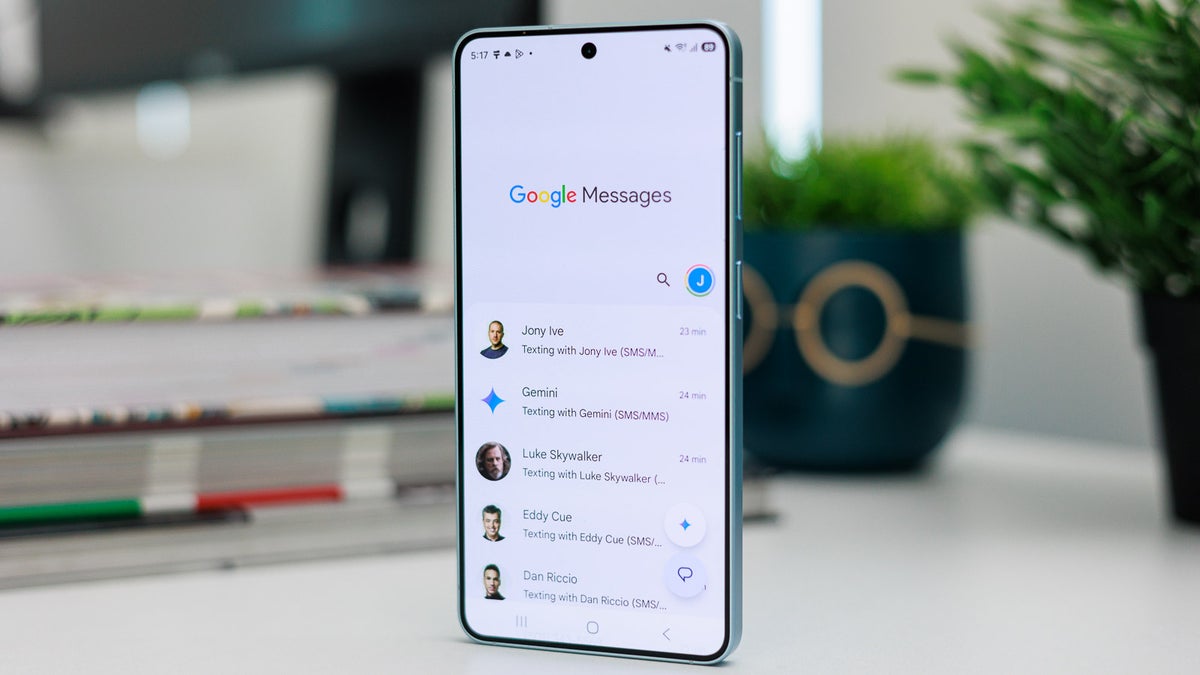
Thanks to features like RCS messaging, end-to-end encryption, and a few more, Google Messages is considered one of the best messaging apps for Android. It's now also the default app on Galaxy smartphones like the latest Galaxy S26 Ultra, following the official shutdown of the Samsung Messages app.
The good news is that Google has officially addressed one of the biggest concerns about its texting app by introducing the ability to set custom chat themes and backgrounds.
Google Messages gets custom chat themes and backgrounds
We have been hearing rumors for a long time that Google's messaging app could get new personalization settings. Then in June, my colleague Johanna reported that some beta users were seeing the option to change the chat theme and set a custom background in the app. This suggested that the company is indeed working on giving Google Messages the personalization edge it has always lacked.
The tech giant has now officially announced in a blog post that users can now personalize the chat in Google Messages using custom backgrounds and themes. For instance, you can add your family group photo to the background of the group chat that contains all your family members.
Which feature would you like to see next in Google messages?
199 Votes
Individual read receipts.
47.24%
Text animations like iMessage.
36.68%
Automatic deleting older messages.
16.08%
The best thing I liked about the change is that the chat theme remains private to the user who created it, instead of being forced on everyone in the chat. This is much better than what the company did with the colors menu previously, where the change a user made on their end was forced on everyone.
Recommended For You
Google notes in the announcement post that RCS must be enabled in order to take advantage of the new personalization features.
Google Messages has received plenty of other upgrades as well:
Google tests new features designed to make the Google Messages app easier to use
How to change a chat theme and background in Google Messages
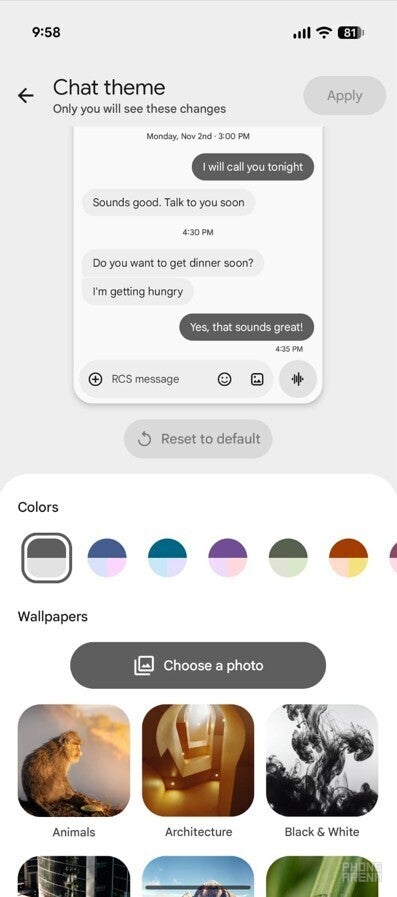
Chat Theme option in Google Messages. | Image by PhoneArena
The process to customize the chat background and theme is pretty straightforward in the Google Messages app. But before you get into that, make sure to update the app to its latest version to ensure that the feature becomes available on your device. After that, follow the steps below:
Open Google Messages, and tap on an RCS conversation whose theme or background you want to change.
Tap the three-dot icon in the top-right corner and choose "Chat theme" from the menu that appears.
Under the Colors section, you can choose a color for your messages.
Press the Choose a photo button, and then select an image from your gallery that you want to set as the background of the chat.
Hit the Apply button in the top-right corner to save the changes.
In case you don't have an interesting photo in your gallery, then you can choose one of the themes that Google offers.
Users have been requesting this change for a long time
All Samsung Messages users were requested to switch to Google Messages after the app was shut down. However, most users were apparently unhappy after making the switch, as Google's messaging app did not offer as many customization options as the Samsung app. Platforms like Reddit were also flooded with posts and comments basically saying that Google Messages is very basic and way behind Samsung Messages when it comes to customization.
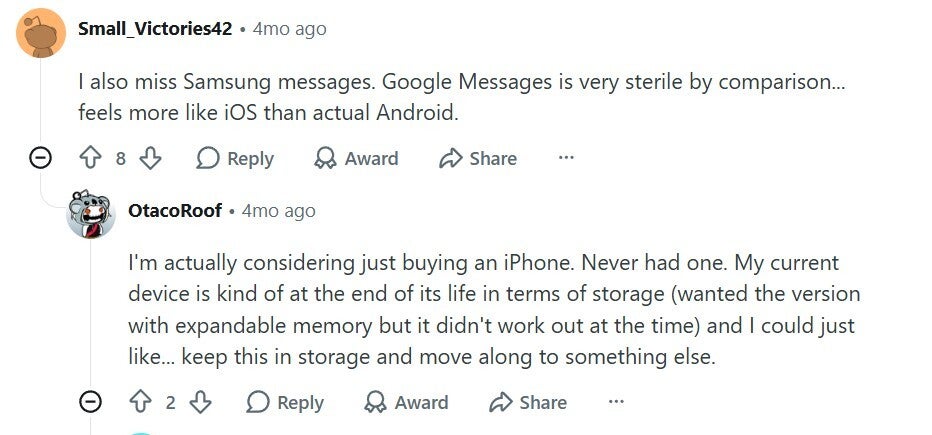
User comment about missing Samsung Messages. | Image by Reddit
A user commented on a related post that they really miss all the customization options they had in the Samsung app. Another user mentioned that the Google texting app is better in every way except that it doesn't support many personalization options. Fortunately, the main complaint of all these users has finally been addressed by the Big G.
Google Messages: the best app of its genre
Google Messages appears as one of the apps that are currently on Google's top-priority list, as it has received many meaningful upgrades recently. For instance, it recently received its very own Trash folder, and it now also allows you to share your real-time location. All these important changes are slowly making Google Messages the best messaging app for Android and also ensuring that Samsung fans don't miss their very own messaging app that they have been using for many years.
Follow me on social media to remain updated on what's happening in the tech world
Mint Mobile is celebrating its 10-year anniversary with a special offer on its six-month subscription plans. For a limited time, you can get your preferred tier (6GB, 17GB, 23GB or unlimited) for just $10/mo. That saves you between 50% and 71% on the carrier's mobile plans, making it way easier to recommend.
Aman Kumar is a news writer at PhoneArena covering Google Pixel phones, Android features, AI-powered smartphone tools, and mobile tech news. Before joining PhoneArena, he spent over five years writing about consumer technology for publications like MakeUseOf, How-To Geek, and Guiding Tech. His current daily drivers are the Pixel 10 and Samsung Galaxy S26 Plus, while his red iPhone SE (2nd gen) remains a personal favorite. Aman also appreciates bold smartphone experiments and still considers the Nokia N-Gage one of the industry’s most iconic designs.
A discussion is a place, where people can voice their opinion, no matter if it
is positive, neutral or negative. However, when posting, one must stay true to the topic, and not just share some
random thoughts, which are not directly related to the matter.
Things that are NOT allowed:
Off-topic talk - you must stick to the subject of discussion
Offensive, hate speech - if you want to say something, say it politely
Spam/Advertisements - these posts are deleted
Multiple accounts - one person can have only one account
Impersonations and offensive nicknames - these accounts get banned
To help keep our community safe and free from spam, we apply temporary limits to newly created accounts:
New accounts created within the last 24 hours may experience restrictions on how frequently they can
post or comment.
These limits are in place as a precaution and will automatically lift.
Moderation is done by humans. We try to be as objective as possible and moderate with zero bias. If you think a
post should be moderated - please, report it.
Have a question about the rules or why you have been moderated/limited/banned? Please,
contact us.





Things that are NOT allowed:
To help keep our community safe and free from spam, we apply temporary limits to newly created accounts: