You might recall that last September, we told you that the Phone by Google app would rotate into landscape mode when the phone slightly turned sideways. The big problem came when someone holding their phone in portrait mode during a phone call would try to blindly hang up and the phone turned slightly into landscape mode. As a result, the on-screen buttons would move and while you might have thought that you were pressing the buttons to disconnect the call, you were actually tapping on no buttons at all. The bottom line is that it becomes a little harder to hang up on a call if the phone app is rotating.
Google releases support note revealing the new "Keep portrait mode on calls" toggle
After teasing a fix for the unwanted screen rotation by adding a "Keep portrait mode on calls" toggle on version 202 Beta of the Phone by Google app, Google caused confusion by briefly removing the toggle in versions 203 and 204 of the phone app. In a support note to Android users released last week, Google said that after listening to all of your feedback about automatic landscape mode during calls, "You can now prevent your phone screen from rotating to landscape during calls."
How to disable the "Keep Portrait mode on calls" toggle
The support note states that a new "Keep portrait mode" setting is now available. Google says that the new setting can give you more control by keeping your calls in portrait mode. Google admits that those who are Phone by Google Beta testers were confused when the "Keep portrait mode" setting was introduced and then it disappeared. Google explained that "we briefly removed this setting to update it in response to community’s helpful feedback."
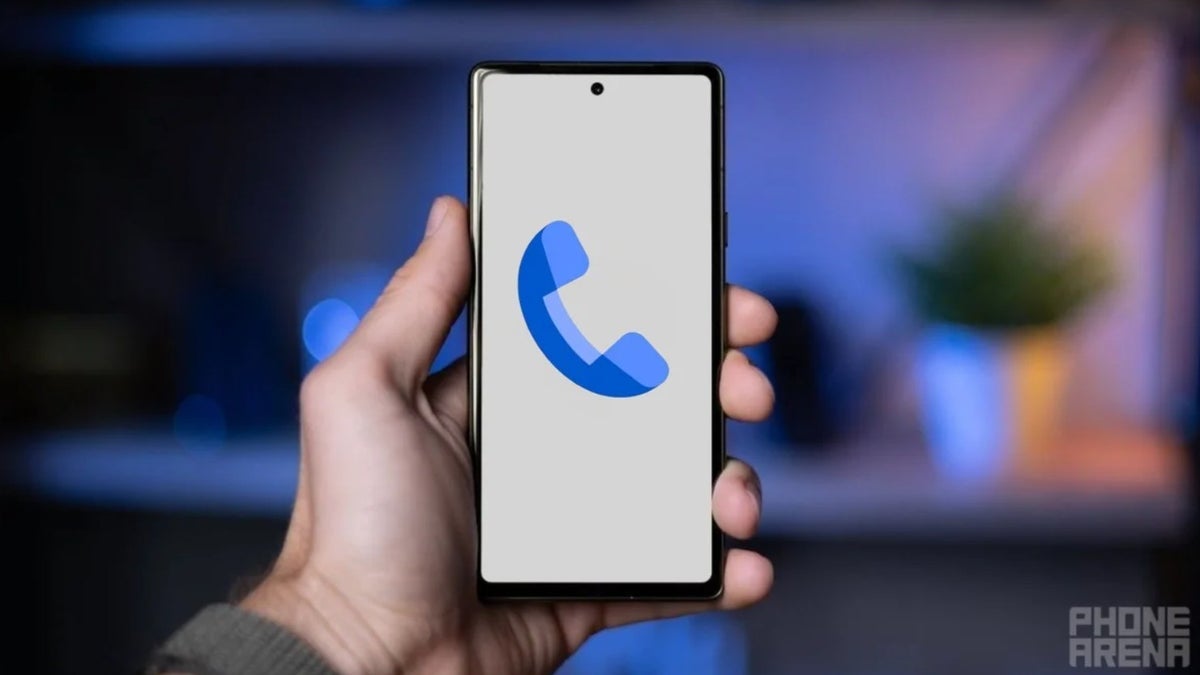
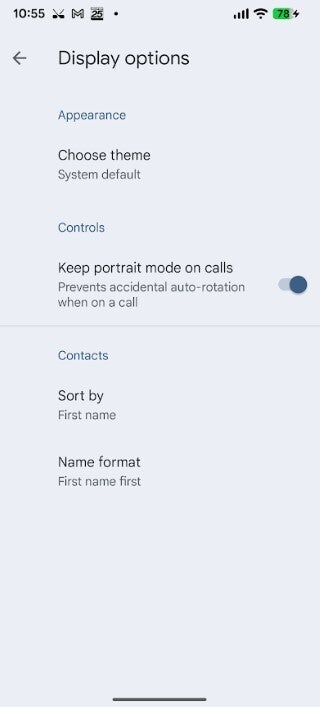
The revised Keep Portrait mode setting is enabled by default. | Image credit-PhoneArena
It is quite possible that you are one of the rare birds who want to have the Phone by Google app on their Android phone rotate to landscape during phone calls. Once you receive the new "Keep portrait mode on calls" feature, you can disable it by following these directions. Open the Phone app and tap the three-line hamburger icon on the left side of the search bar at the top of the app. Go to Settings > Display options > Turn off Keep portrait mode.
Android users made it clear to Google that they want the Phone by Google app to remain in portrait mode during phone calls by default, which explains why the toggle is enabled when it lands on your Android phone. When that happens, most Android users will simply have to do nothing to stay in portrait mode while on a call.
Tello Halloween Promo: $10GB for $10/mo
Don’t miss this scary-good deal: 10 GB for $10/mo. Save $5/mo for your first 3 months. Offer valid now through November 9, 2026.
Alan, an ardent smartphone enthusiast and a veteran writer at PhoneArena since 2009, has witnessed and chronicled the transformative years of mobile technology. Owning iconic phones from the original iPhone to the iPhone 15 Pro Max, he has seen smartphones evolve into a global phenomenon. Beyond smartphones, Alan has covered the emergence of tablets, smartwatches, and smart speakers.
A discussion is a place, where people can voice their opinion, no matter if it
is positive, neutral or negative. However, when posting, one must stay true to the topic, and not just share some
random thoughts, which are not directly related to the matter.
Things that are NOT allowed:
Off-topic talk - you must stick to the subject of discussion
Offensive, hate speech - if you want to say something, say it politely
Spam/Advertisements - these posts are deleted
Multiple accounts - one person can have only one account
Impersonations and offensive nicknames - these accounts get banned
To help keep our community safe and free from spam, we apply temporary limits to newly created accounts:
New accounts created within the last 24 hours may experience restrictions on how frequently they can
post or comment.
These limits are in place as a precaution and will automatically lift.
Moderation is done by humans. We try to be as objective as possible and moderate with zero bias. If you think a
post should be moderated - please, report it.
Have a question about the rules or why you have been moderated/limited/banned? Please,
contact us.










Things that are NOT allowed:
To help keep our community safe and free from spam, we apply temporary limits to newly created accounts: