Read Next
Editorials · Reviewer Insight

What's new with Siri Visual Intelligence in iOS 27

Siri in iOS 27 scores a dedicated new camera mode that is actually useful.
This article may contain personal views and opinion from the author.
What's new with Siri Visual Intelligence in iOS 27
Coming soon to an iPhone near you. | Image by PhoneArena
One of the major new features of iOS 27 is the revamped Siri AI that will arrive to all eligible iPhones this fall. For all intents and purposes, it's definitely one of the most requested features that Apple fans have been nagging the company for the better part of a decade. 

Now, Siri on your iPhone no longer feels like it's only of good use when setting timers or calendar reminders. That's thanks to the major changes to how Apple Intelligence functions and also courtesy of OpenAI's ChatGPT when handling more challenging queries. 

Visual Intelligence, an integral part of Apple Intelligence and any compatible iPhone, has also seen a number of improvements with iOS 27. Let's go over the improvements right now and see what's new.

Siri camera mode is Visual Intelligence on steroids


First things first, the most major change is the new Siri mode in the camera app, which acts as a direct shortcut to Visual Intelligence on your iPhone. By default, it's available immediately to the right of the standard photo mode in your camera app, making it just a flick away when interacting with the camera. 
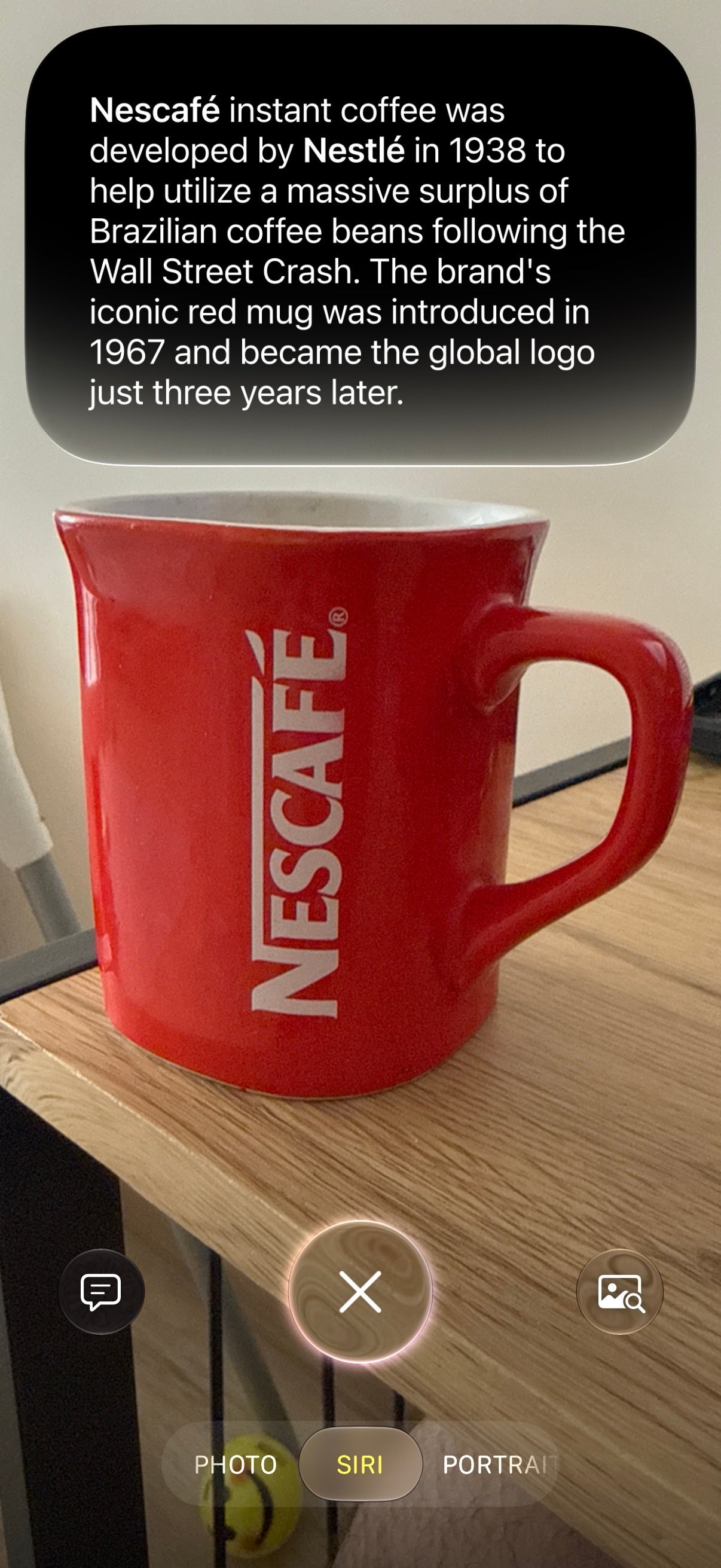
But there's a much more intuitive way to open this new Siri camera mode: simply press and hold the Camera Control button on the iPhone 16 and up, and you are thrown straight into this camera mode. That's it, a long press is all it takes.

Recommended For You
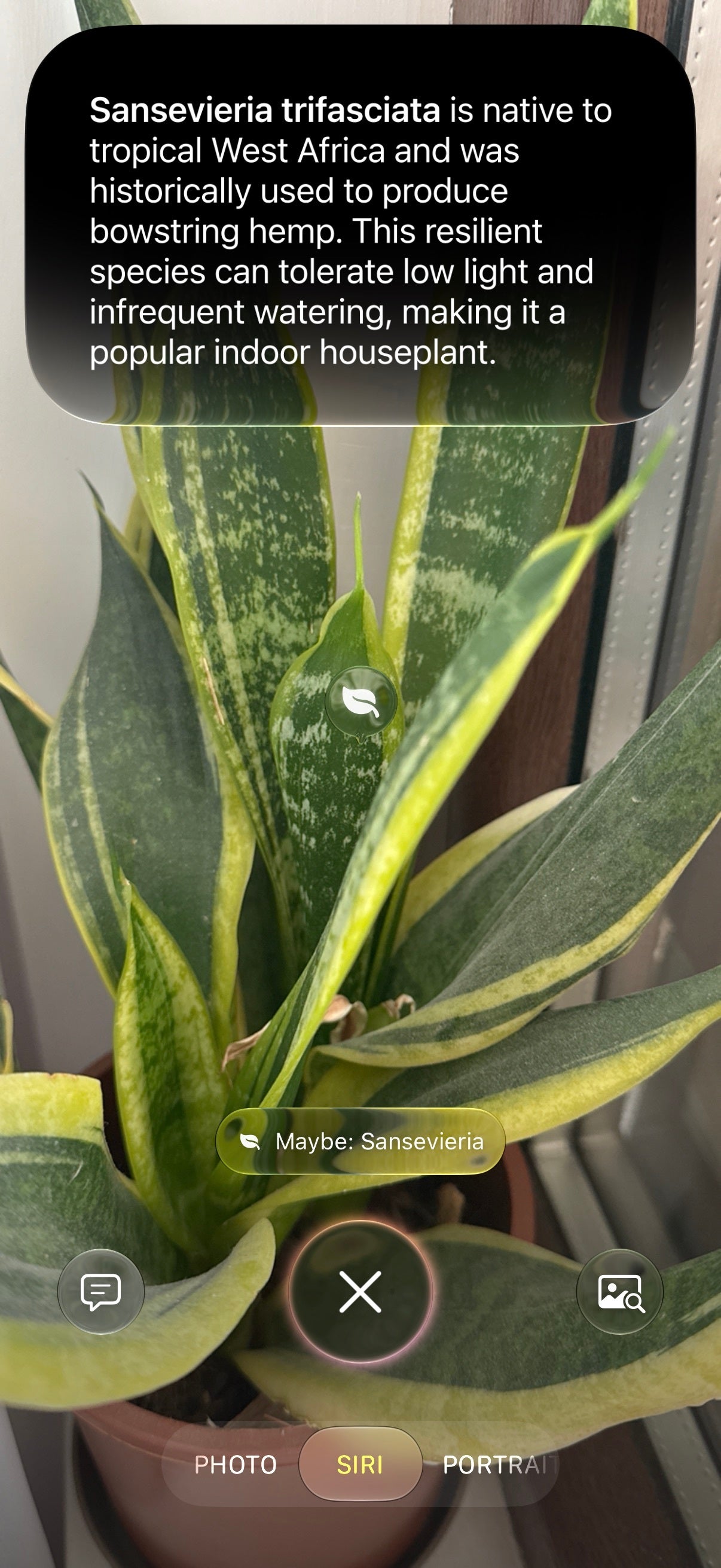
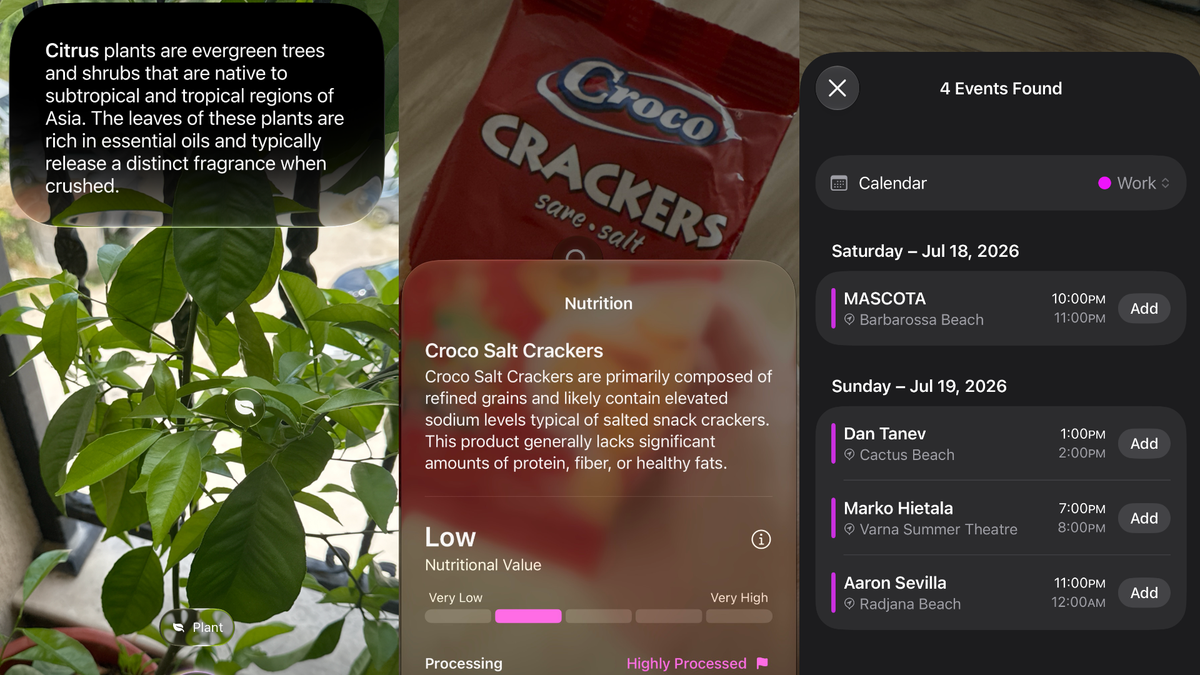
Then, another simple click of the Camera Control button snaps a picture of what you're pointing your phone at and immediately conducts a visual search. After a couple of seconds, you are presented with Siri's relevant summary of what's captured in the frame in a neat pill falling down from the Dynamic Island. You can also see relevant images and also ask further questions by interacting with the buttons to the left or right of the Siri shutter. 


But the improved Siri camera mode and Visual Intelligence itself truly shine depending on what you point your camera at.

Nutritional values


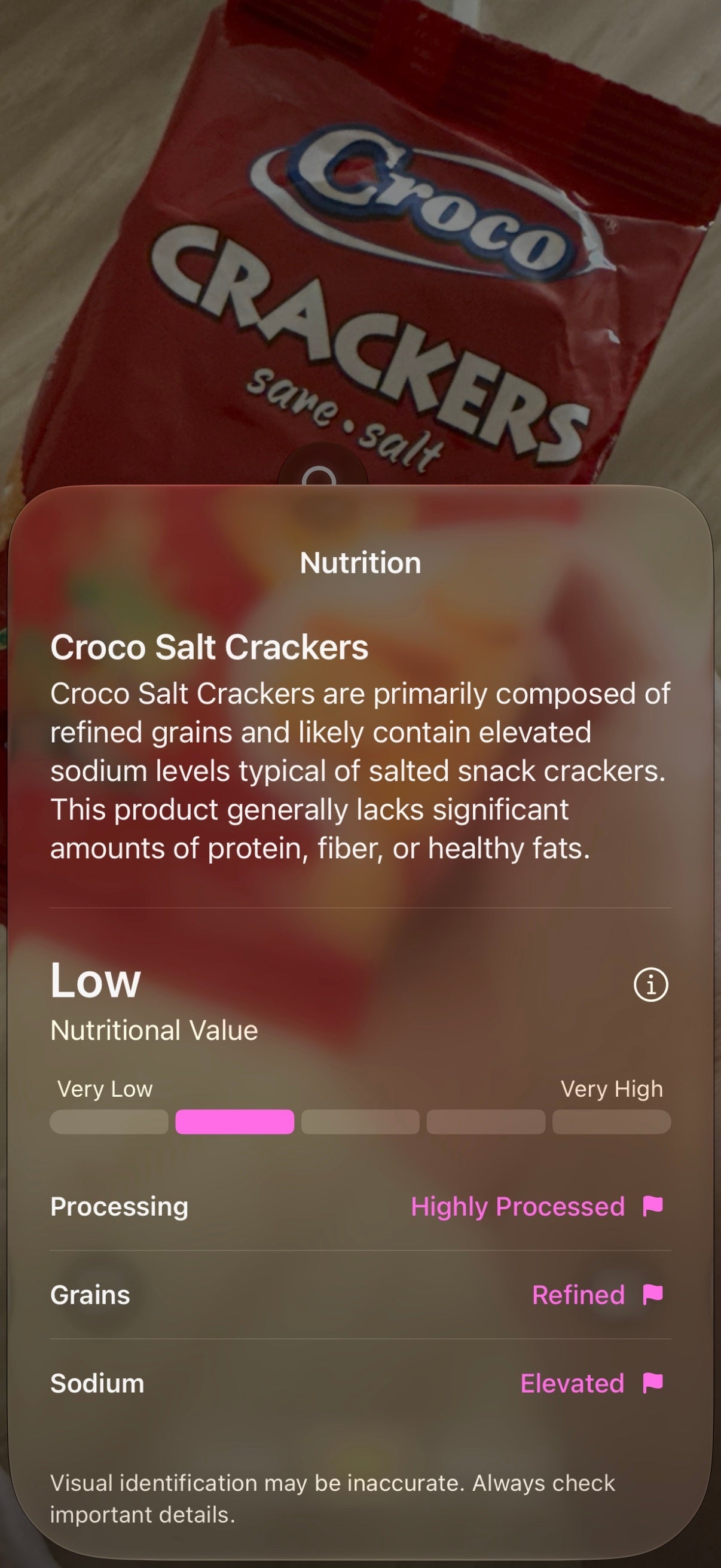
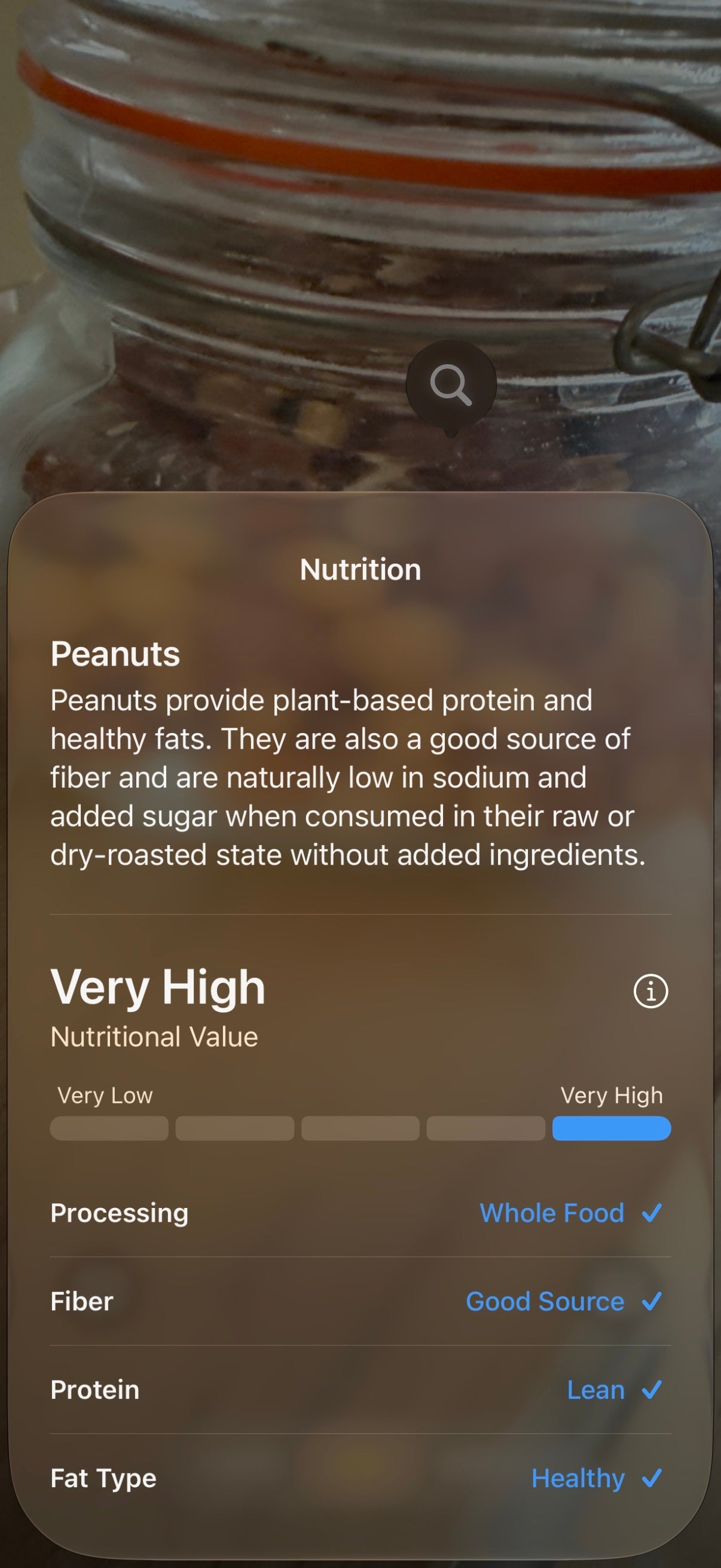
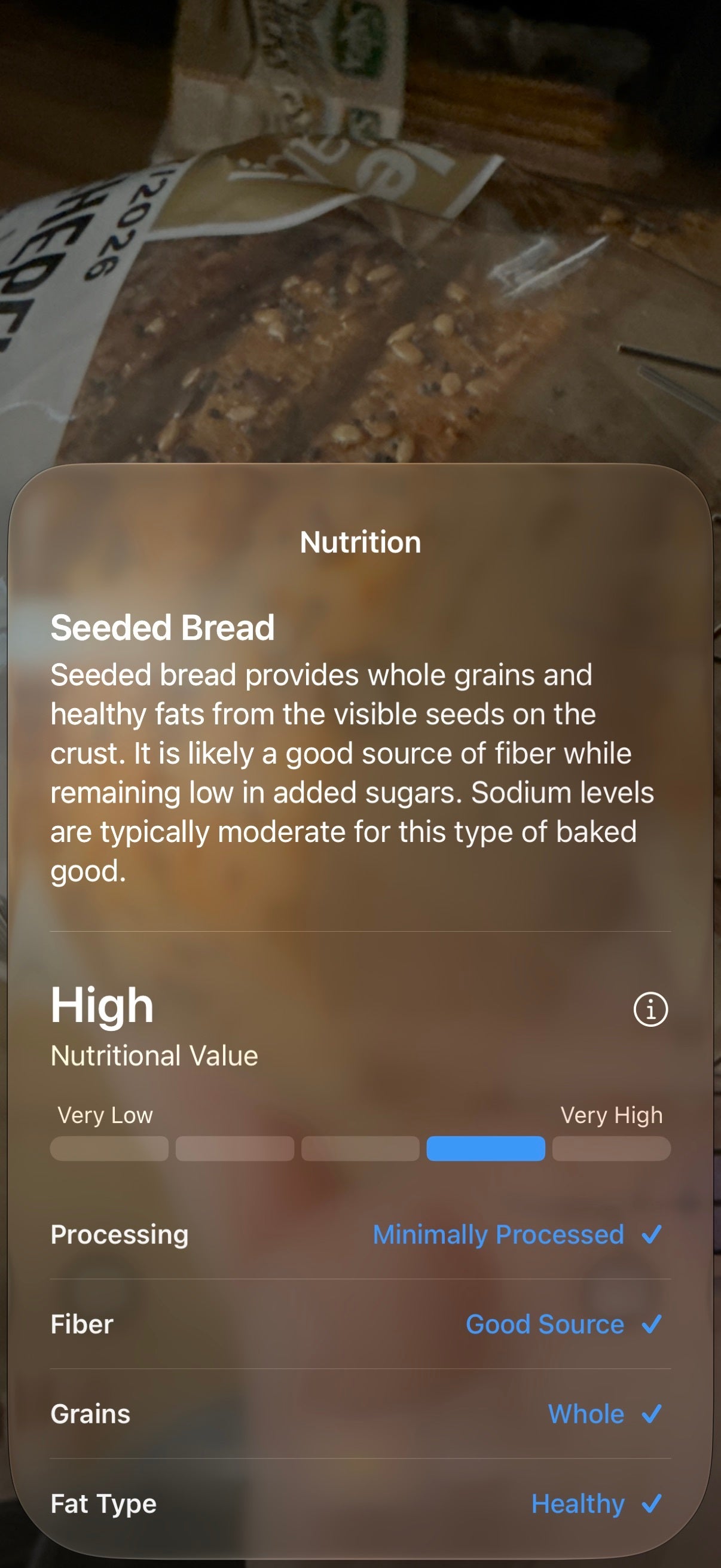
If you want to find out a rough approximation of the nutritional value of a plate is, Siri will give you a rough idea if your meal is good for you or not. This doesn't tell you just how much calories are in your food (that'd be impossible), but a ballpark suggestion of its healthiness. 
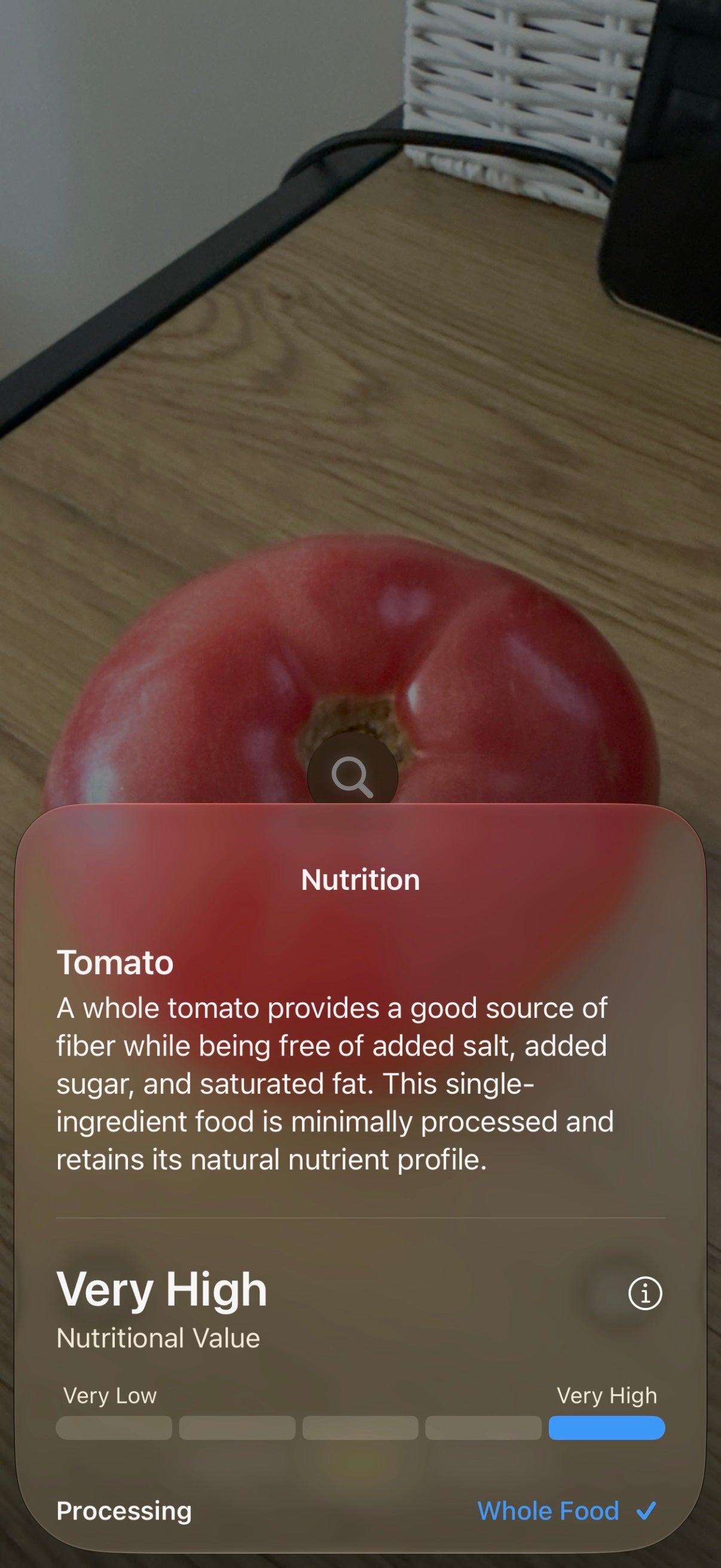
Siri will also tell you if the food is whole or highly processed, as well as what the levels of fiber, sodium, proteins, grains, and others are. Definitely useful and pretty much mostly spot on.  


However, when you point it at complex homemade dishes, the new Siri mode isn't so keen to provide nutritional information and only gives approximate suggestions as to what the meal could be made of. Yet, that's true of most AI assistants and chatbots with visual intelligence out there, so this experience is mostly expected.

Plant identification


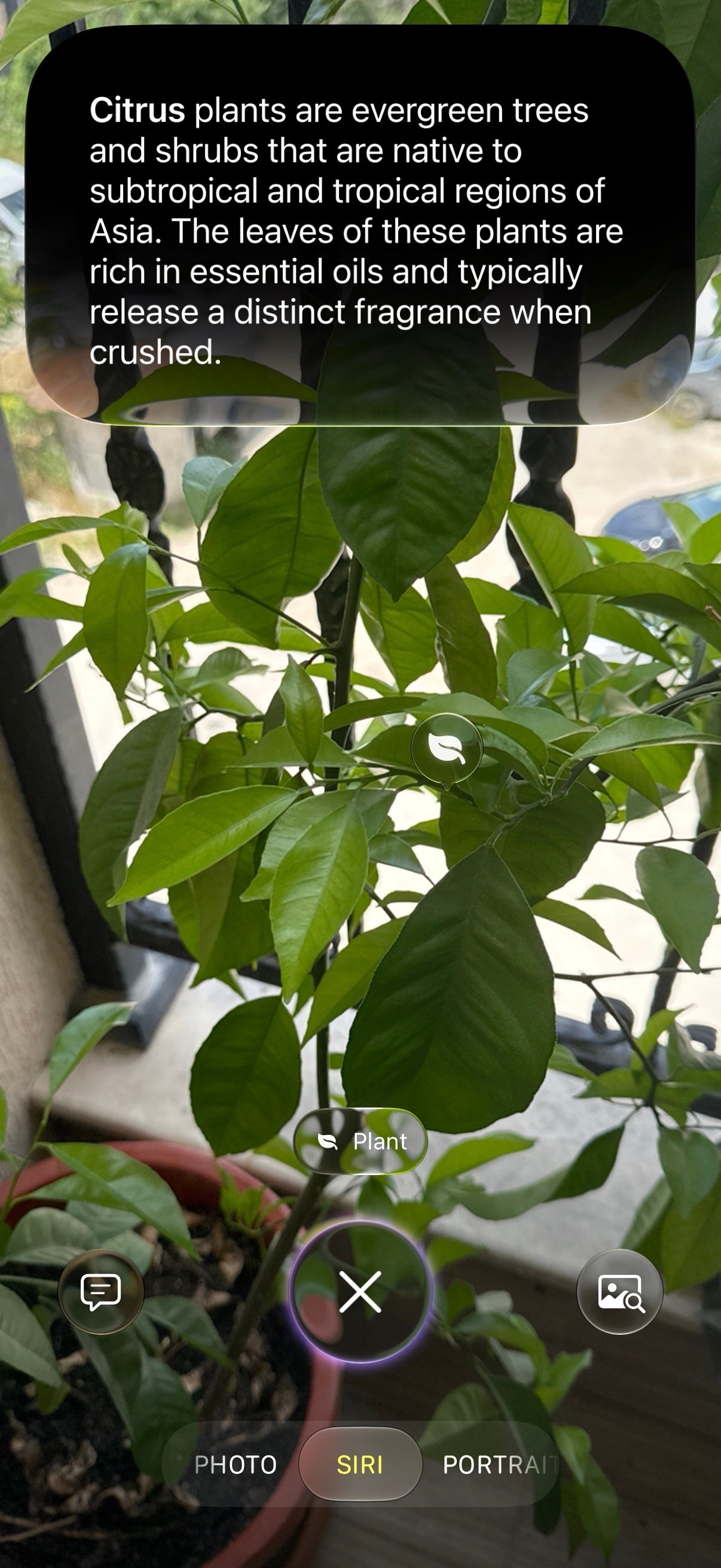
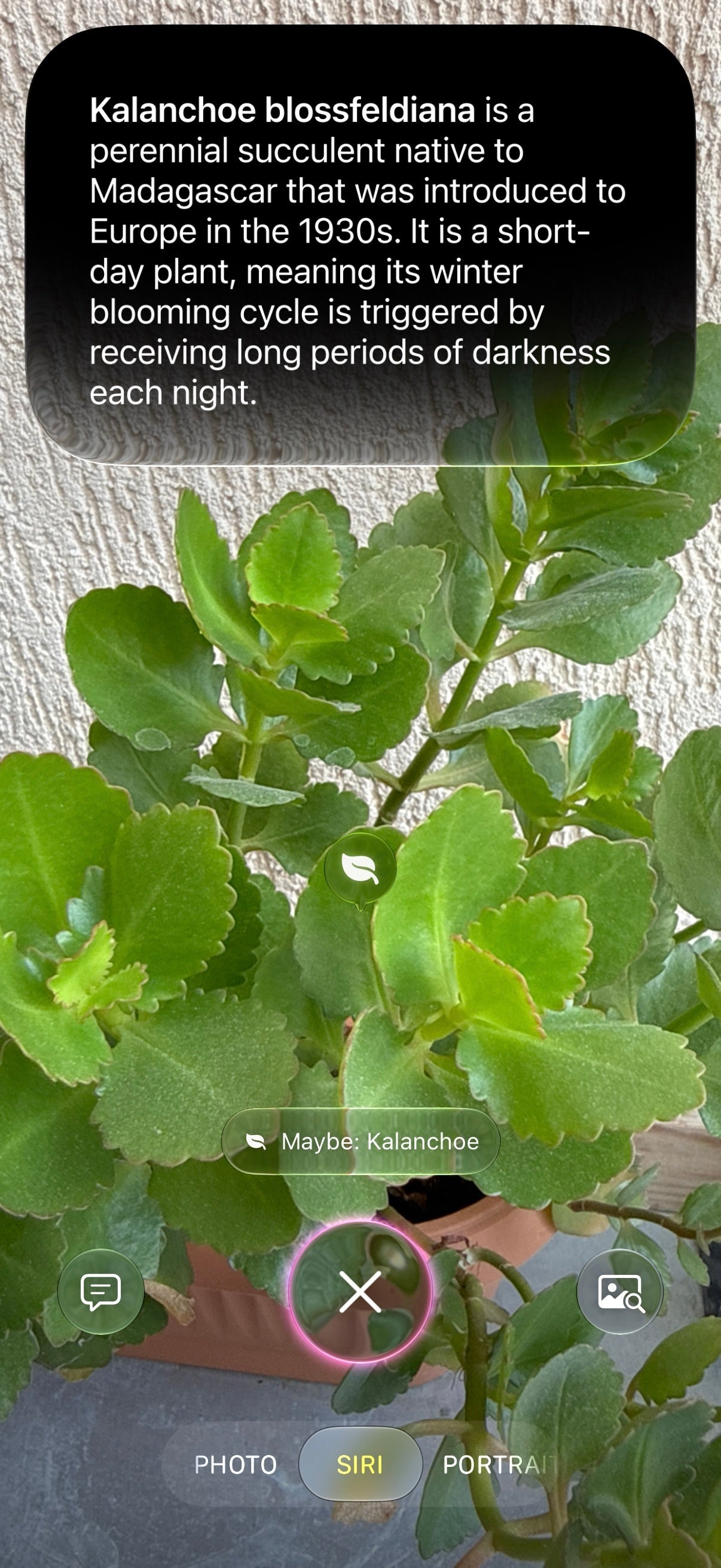
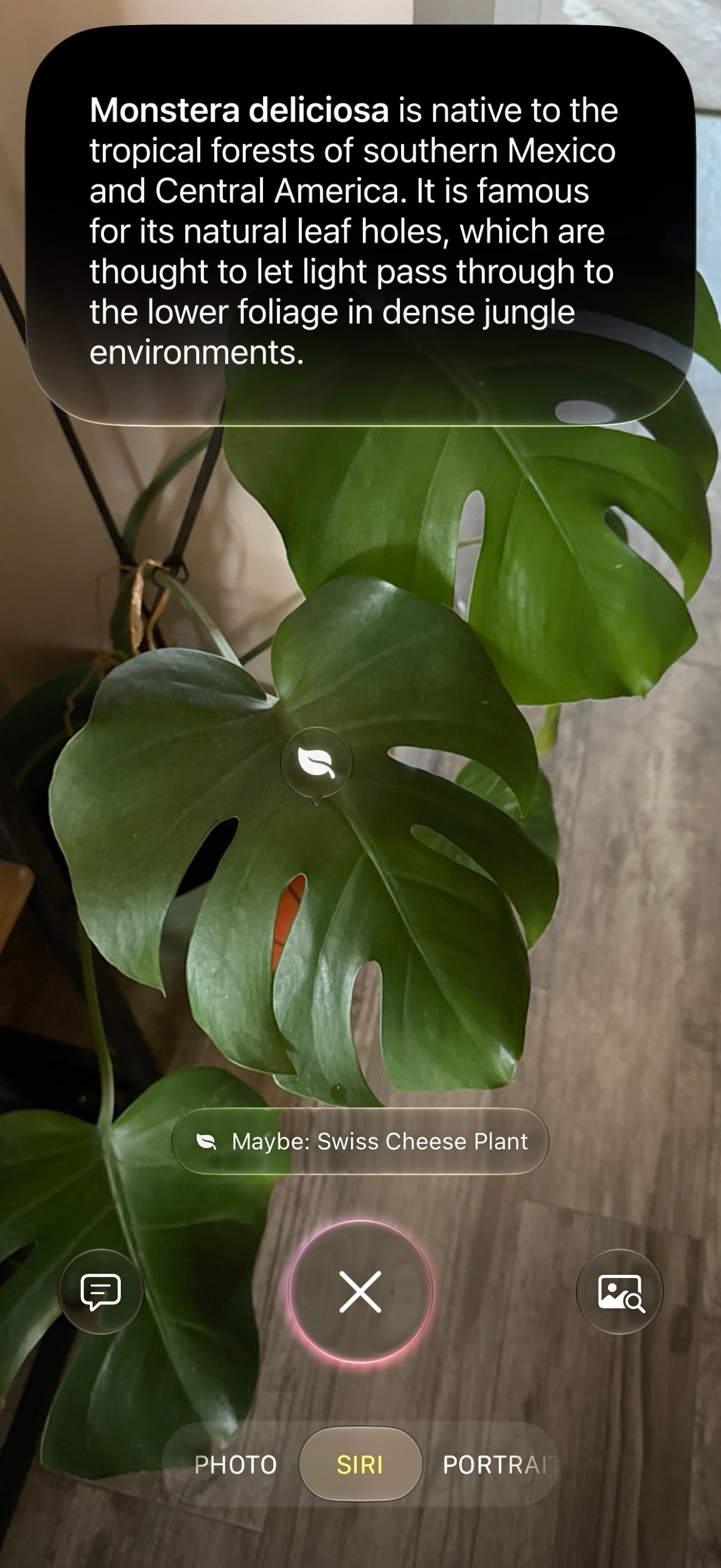
For example, if you point it at a plant, your iPhone will suggest to identify it. It works surprisingly well, but I only had the chance to test it on fairly popular house plants that are well-documented online and are easy pickings to identify for any self-respecting AI service. I wouldn't rely on it if I were stranded in the jungle and was foraging for edible plants, mind you. 


Calendar integration


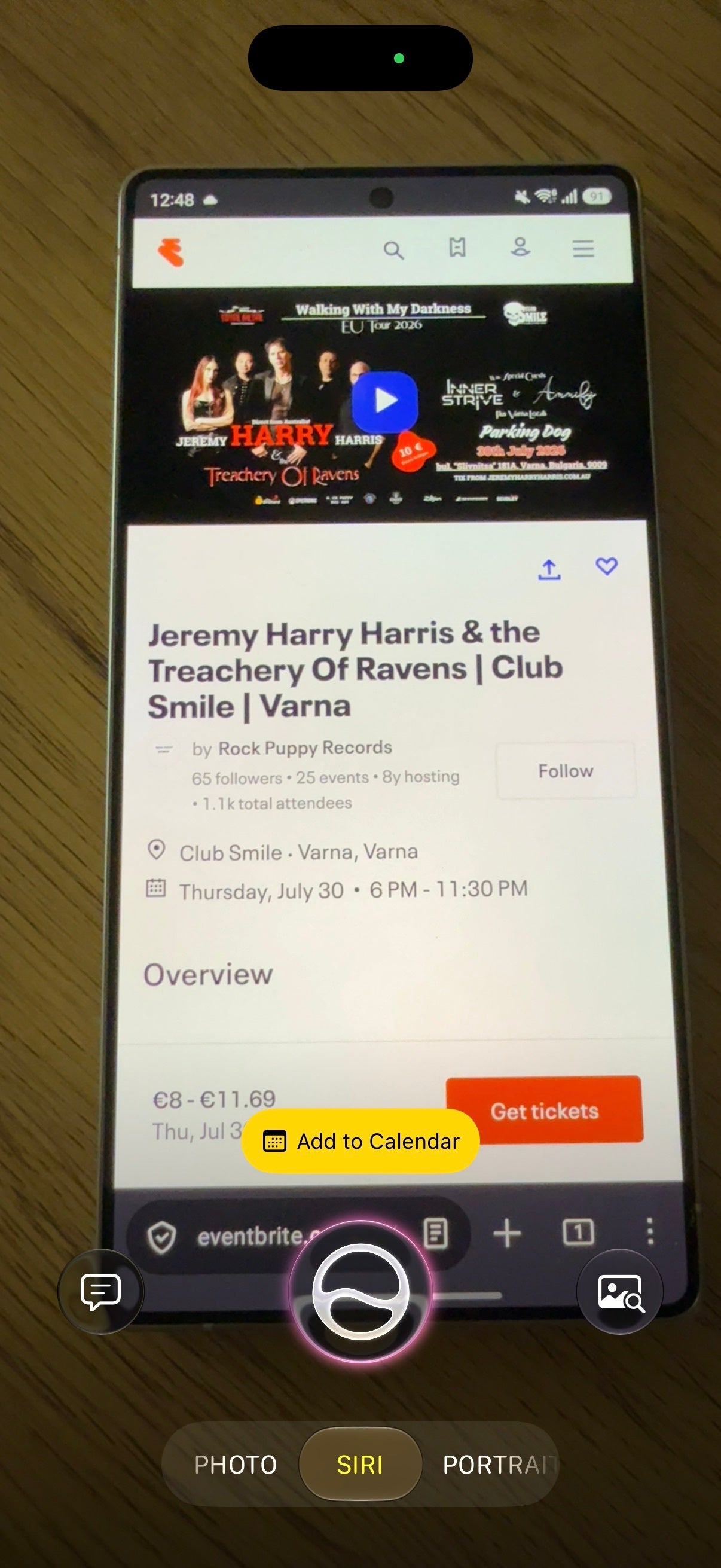
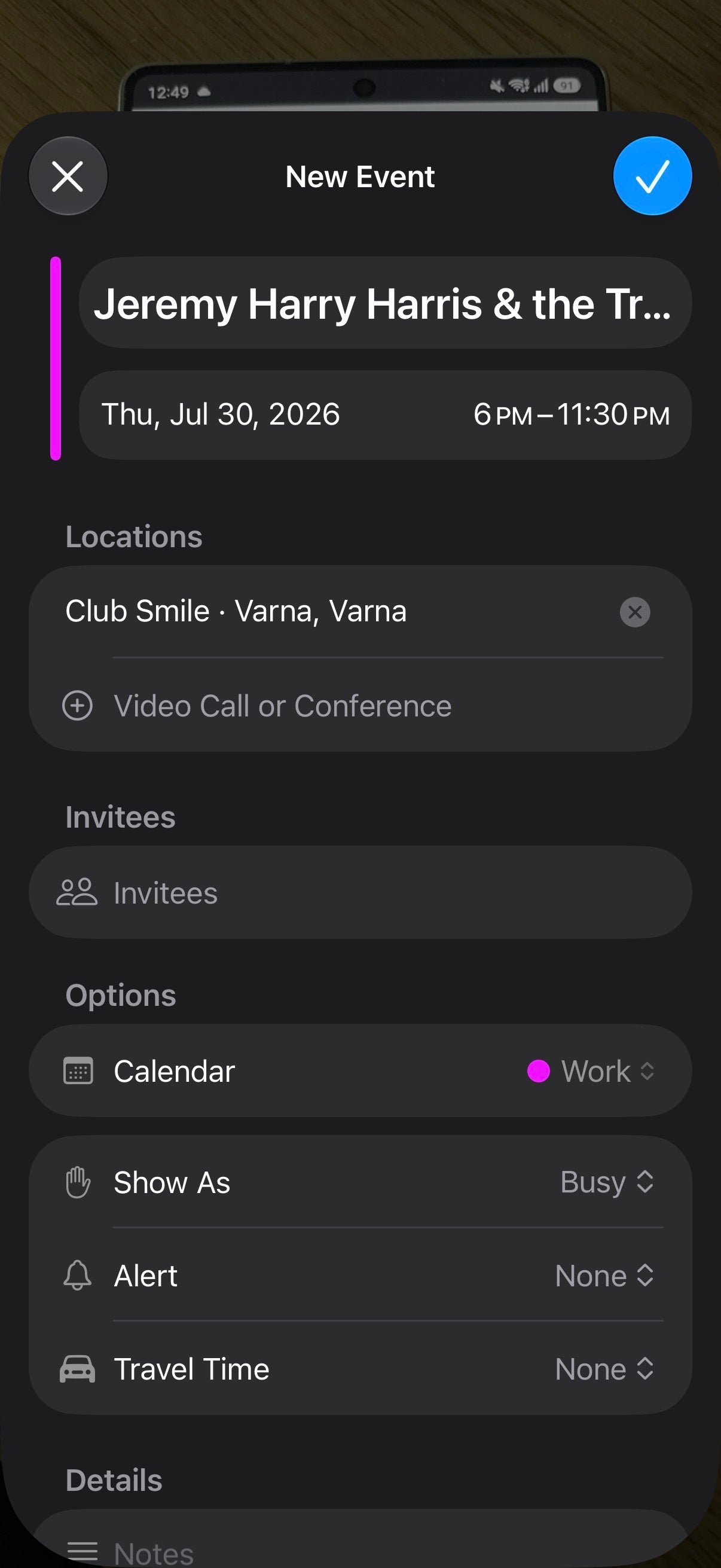
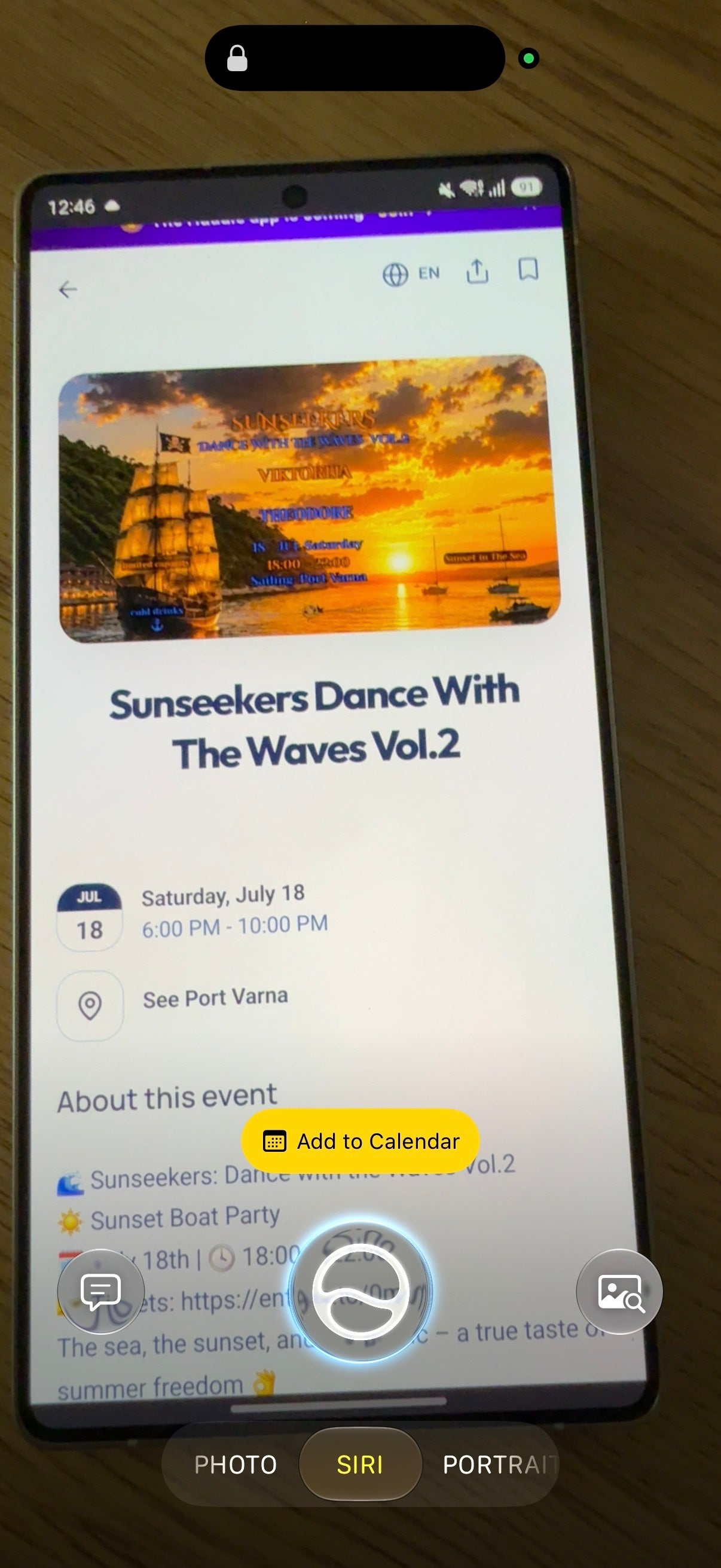
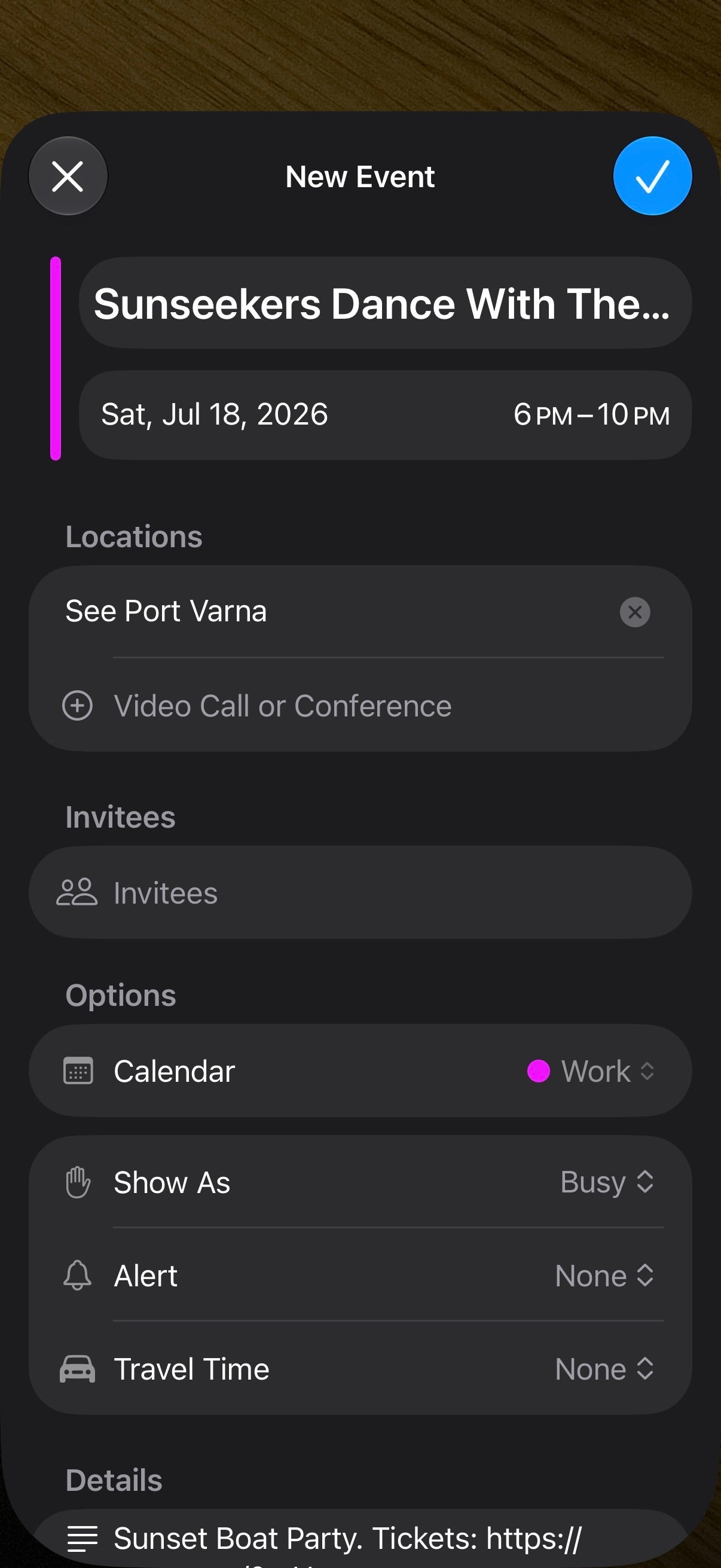
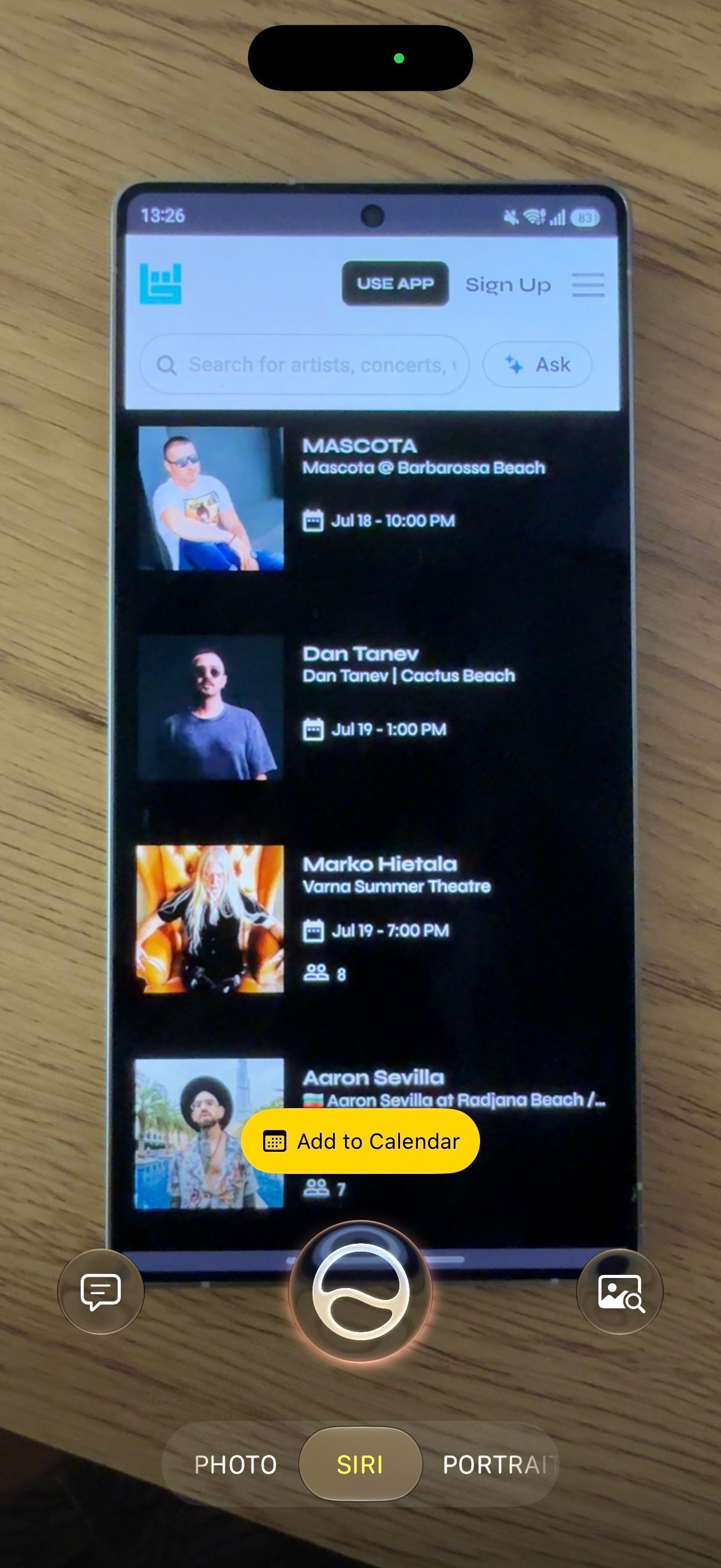
If you point your camera at an event invite, the new Siri mode will suggest to automatically input the event details into your calendar. This works with flyers, wall posters, and whatever else you might encounter. 


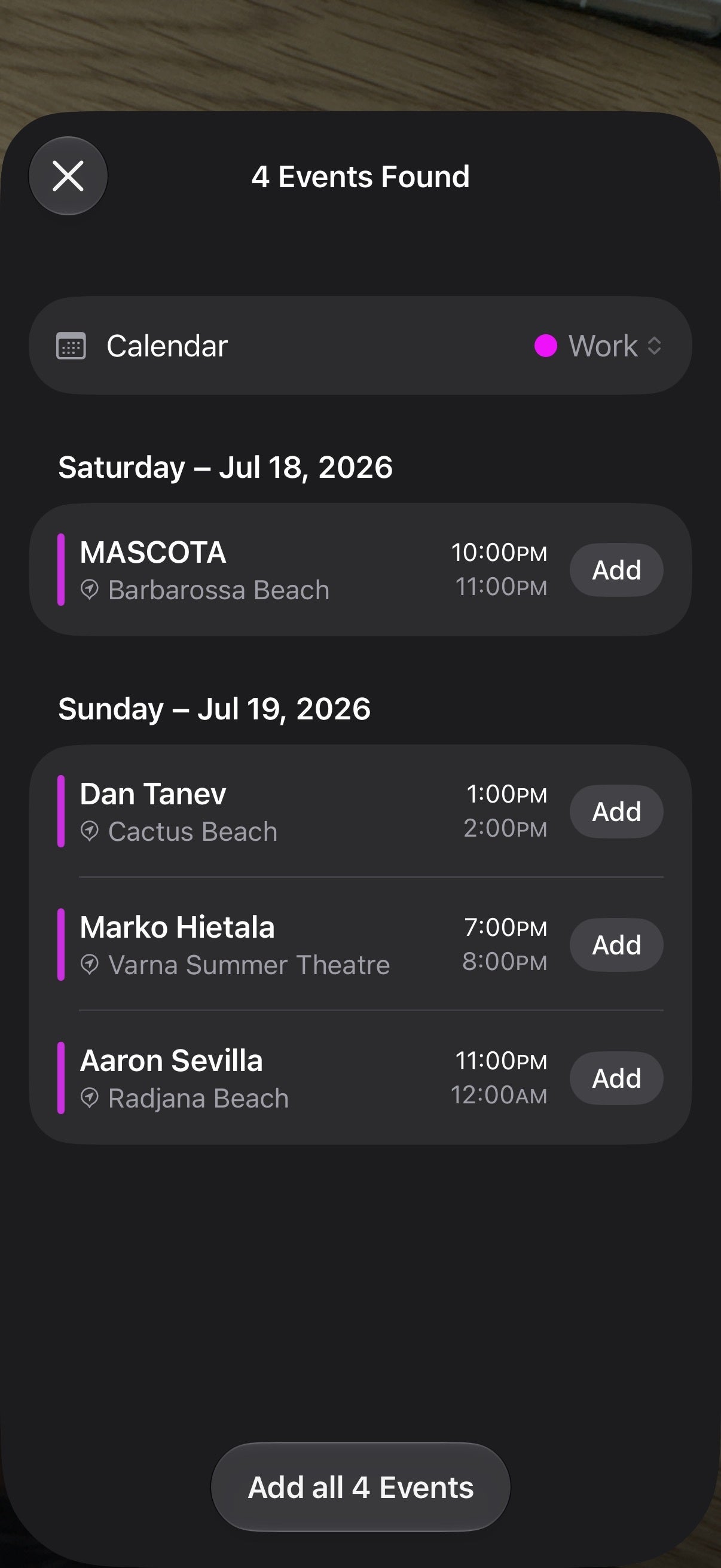
Technically, this feature has been available in previous iOS versions, but it gets a nice visual polishment with iOS 27. But what's actually new here is multiple calendar event input, which allows you to add many events en masse just by visually identifying them. 


Add wallet passes easily


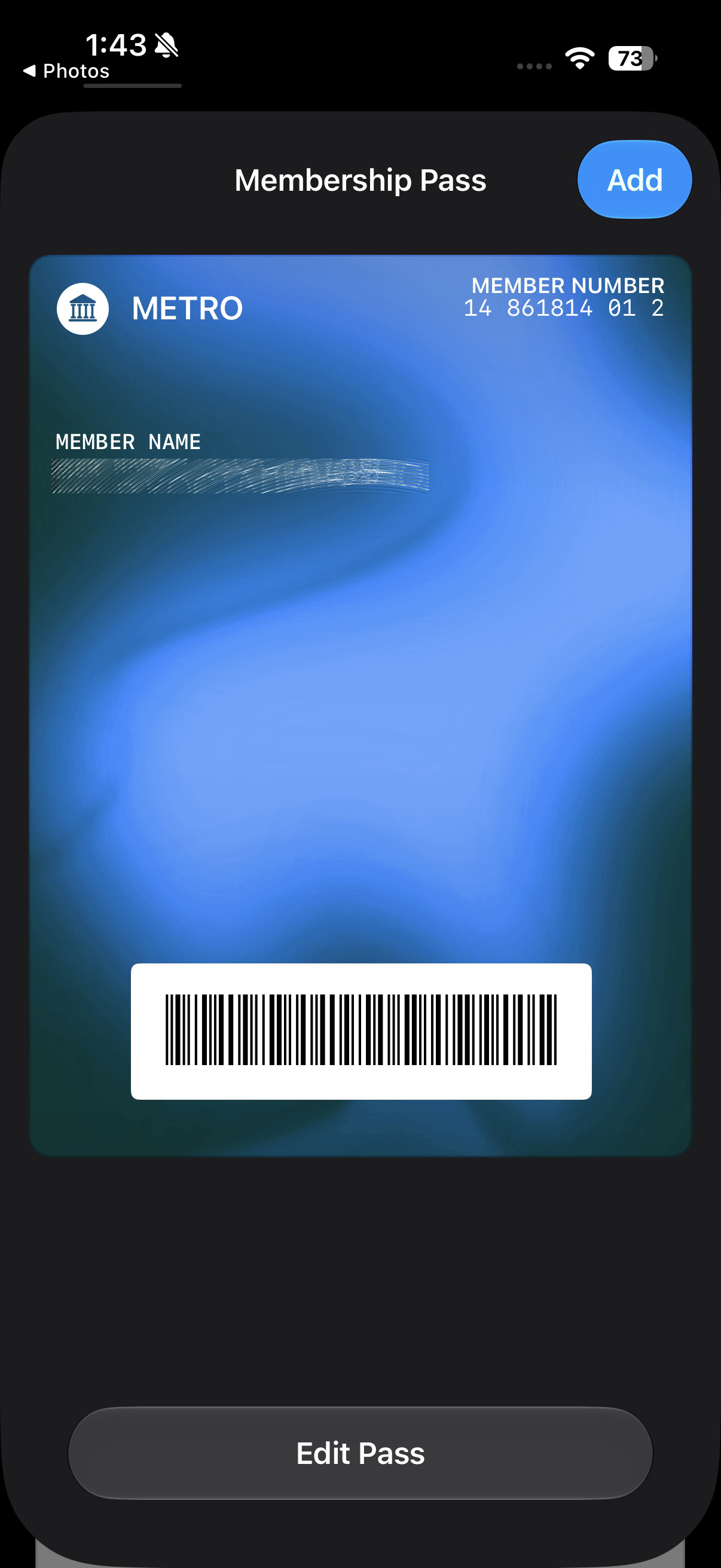
With iOS 27, the new Siri camera mode scores a very useful and nifty feature that will let you add any membership card or pass to the Wallet app just by scanning it. Just point your camera at any card with a visible barcode you have and your camera will automatically digitize it by making it a Wallet pass. 


My opinion as an occasional iOS user


As someone who doesn't use iOS all the time as I don't usually daily drive an iPhone, iOS 27 and its Siri camera mode in particular feel very cohesive and well integrated with the rest of the operating system itself. I can see myself using it all the time if I had an iPhone.

It simplifies the usual adage of snapping a picture and manually inputting it in ChatGPT, Gemini, or whatever other AI chatbot you might have on your iPhone to offset Siri's pre-iOS 27 ineptness. It feels extremely similar to what would be the result of Gemini Live and Google Lens combined. 

Is it something that could be beneficial to you as well? I am absolutely convinced, provided that you develop the habit of accessing Siri this new way and be aware of its capabilities in advance. 


Six-month unlimited plan is now 57% off
$90
$210
$120 off (57%)
Mint Mobile is now allowing you to get whichever plan you like for either three, six, or 12 months for just $15/mo. If you go for the six-month unlimited service, for instance, you'll now have to pay just $90 upfront instead of $210.
Buy at Mint Mobile
Recommended For You
COMMENTS (0)
Latest Discussions
by Tinamichelle • 2
by readdriver • 2
by ECPirate37 • 2