iOS 27 Beta 7 overview: Key features, minor changes, and speed improvements
iOS 27 and iPadOS 27 are nearly ready for the primetime.

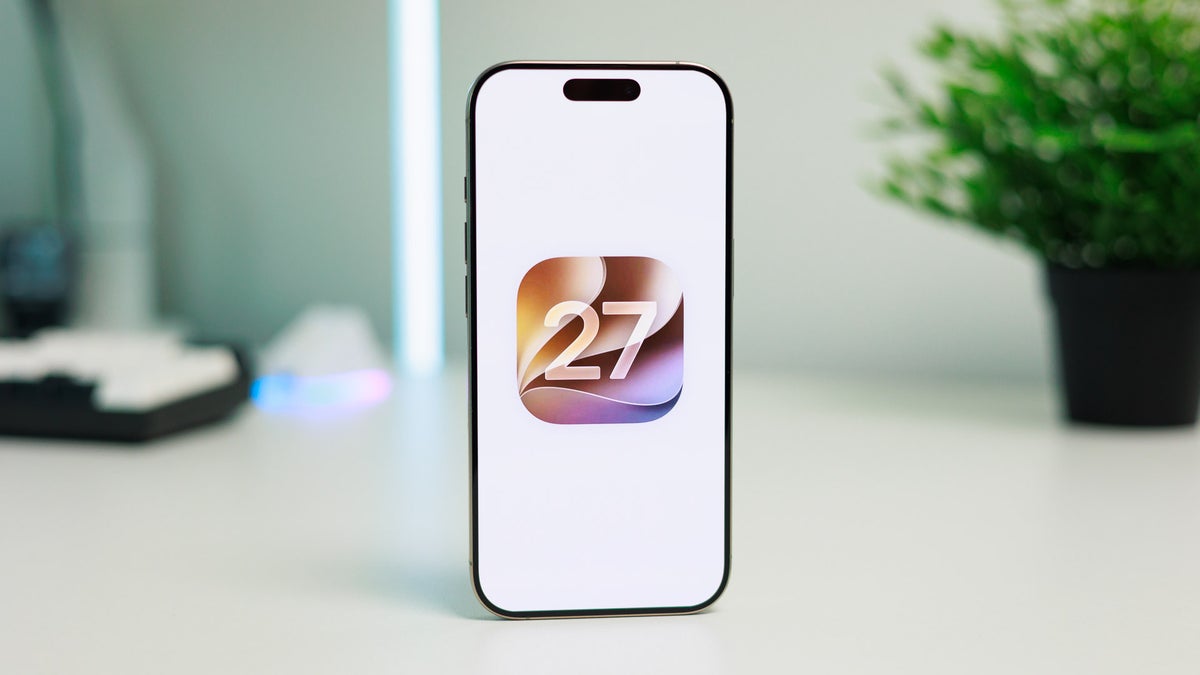
iOS 27's release is right around the corner. | Image by PhoneArena
There's very little time remaining until Apple treats us to the iOS 27 official release, which will be coming sometime in September roughtly a week after the iPhone 18 Pro Max, the iPhone 18 Pro, and the iPhone Ultra. Apple just released iOS 27 Developer Beta 7/Public Beta 5, which means that the release candidate for the OS is likely coming next week.
And if you're an iPhone enthusiast, you've probably heard what the biggest new features of iOS 27 are. Those are the new Siri app which stores all your chats with the assistant, customizable Liquid Glass opacity, but most importantly, an impressive array of under-the-hood optimizations that have actually sped up iOS in a way that most users would notice.
But that's the boring part that everyone is already aware of. What about some of the more minute features of the upcoming iOS and iPadOS 27 releases, those minor unsung heroes of the changelog that many users will subconsciously use daily without realizing they are actually new?
I have to admit I am no longer an iOS user (Android is simply more fun), but I have a lot of experience with iOS 26 and will now tackle some smaller new features of iOS 27 and iPadOS 27 with you that will still have a big impact.
iOS 27 Beta 7 changelog
No new features have been released in iOS 27 Beta 7, and honestly, introducing major new features in beta software usually happens in the beginning of the beta rollout, not near its end.
Apple has polished a ton of bugs and improved others, but is making no sudden moves given that iOS 27 is pretty much in a finished state. This week, we'll most certainly be treated to the RC version, which is what most non-beta users are getting on release day.
If you really want to get into the nitty-gritty of things, here's Apple's official changelog that goes into detail for all resolved and known issues:
iOS 27 DB7: The new features in the changelog
AudioAccessoryKit: Third-party audio accessory manufacturers can now provide headphone information to iOS and iPadOS to support fixed spatial audio. Apple says that the feature "is only available for developer testing on iPhone and iPad in this release". EU users are once again getting the short stick as this feature will be made available to them in a future iOS/iPadOS 27 release.
Dictation: Apple has introduced a new on-device model that boosts dictation accuracy. It has to be manually enabled in "Keyboard > Dictation > Advanced Dictation Preview". Sadly, this feature isn't available for me anc I couldn't test it.
Game Controller: You can now pair the PlayStation Access controller with your iPhone, iPad, or Mac, provided that they run the latest available betas for all 27.0 operating systems. You can also create the custom input profiles that this controller is popular for, and save them on your Apple device.
HealthKit: Apple's HealthKit now supports heart rate and cycling power zone tracking. This is major as it now offloads the computational heavylifting to your iPhone rather than feeding the raw data to apps like Strava, which then apply their own algorithms to it. This should improve the overall consistency. HealthKIt will now also support menopausal states and bleeding after menopause, giving women more flexible ways to log in their unique health aspects.
HomeKit: If you enable Apple Intelligence in your Home app, HomeKit Secure Video recordings will be processed completely on your device. Videos will still pass through Private Cloud Compute in order for video descriptions and search to be generated. Have in mind that Apple Intelligence for Home requires an iCloud+ 2 TB subscription or greater.
Other notable quality-of-life features in iOS 27 & iPadOS 27
Markdown copy/paste in Notes
One of my favorite new features of iOS 27 has to be the ability to copy and paste rich text as Markdown straight into the ubiquitous Notes app.
This allows for better compatibility with Markdown note-taking apps, such as Obsidian, Simplenote, Bear, and Notion, enabling you to easily share uniformly formatted text between all the different apps.
Last year, the app gained the ability to export and import notes to Markdown, which as a godsend move that allowed users to easily migrate from or to Apple Notes easily, without losing or having to manually input all of their notes one by one.
Automatically resend failed messages
You know how when you try to send a message on iOS but due to one reason or another it fails to go through and you only get a warning?
Well, that'll thankfully be in the past, as iOS 27 will automatically retry sending your message in the background instead of just notifying you that it's not sent. Provided that the phone still can't send your message, it will alert you again. Way more useful now!
That's a terrific change, one that reminds me of the Apple of old, the company that had a stricter eye for detail and the minute aspects of its software features.
Decoupled alarm volume
Finally an iOS update that addresses alarms! It took Apple more than a decade and a half, but we can finally set an alarm volume separate from the iPhone's standard ringer volume, which, in hindsight, seems like an obvious feature that we should have gotten back in iOS 8 or iOS 10.
I admit, this is one of those "set-and-forget" features that you will adjust only once and likely never touch again. That's what I'd do. Still, this doesn't mean it's a small improvement; instead, it's one of the new additions you should know about.
Admittedly, many iOS 27 beta users are reporting that their alarms still aren't sounding, which could be one of the innate bugs associated with beta software. Yet, seeing how Apple has botched such a basic phone functionality is mind-boggling.
Believe me, I'd know—a few years ago, an iPhone's alarm didn't sound and I missed an early-morning flight to London, which definitely wasn't a good start to my day.
The speed improvements are real
So I'm trying the iOS 27 beta on this iPhone 16 Pro, and it does feel smoother and faster than it did back with the rocky iOS 26 launch.
I am not a victim of placebo––Apple really did speed things up in the background. The effect should be better felt on an older iPhone, like the iPhone 13, which is getting a bit long in the tooth already.
iOS 27 expectations
iOS 27 can be described as the most "S" software update ever, and that's a great thing. Or, if you want another analogy, it's the improving "tock" update after a major "tick" one, like iOS 26 used to be.
If I were an Apple user, I'd be ecstatic about iOS 27 coming to my phone in the next couple of weeks, as it's one of those software upgrades Apple's mobile operating systems sorely needed after the somewhat rocky iOS 26 release.
Here's more to get you up to speed with iOS 27:

Popular stories



Latest News

Things that are NOT allowed:
To help keep our community safe and free from spam, we apply temporary limits to newly created accounts: