Apple insider claims iOS 27 will finally give you more control over this one iPhone feature
Your iPhone's most annoying design quirk is staying, but you'll have more control over it.
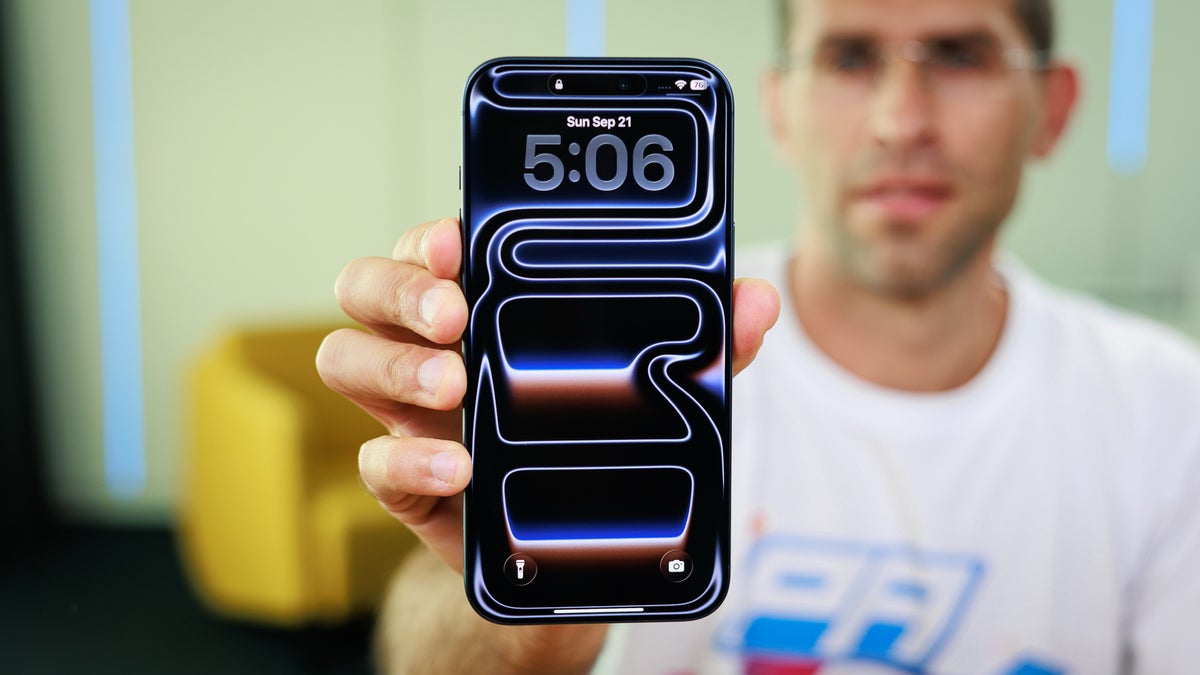
iPhone 17 Pro Max | Image by PhoneArena
Apple caused a stir last year when it overhauled the look on iPhones, iPads, and Macs. This dramatic change caused a stir among its users, and after a string of high-profile departures from the company’s design team, many wondered if the company was planning a reversal of the new look. But it appears the new look is here to stay for the long haul.
In a new Bloomberg report by its Apple expert, Mark Gurman, he gives us a look at the company’s software plans for the coming year. After the human interface chief left the company for a competitor, rumors began circulating that the new Liquid Glass interface, first seen in iOS 26, might be scrapped. But the company is reportedly recommitting to the new look for iOS 27 and macOS 27.
According to Gurman, rather than a new look, the company is planning a refinement of the current experience. This could include a system-wide slider that allows users to adjust the level of the glass effect on their device. There will likely be incremental improvements to the interface to deal with overlapping elements of the glass look, improving the overall quality of the experience.
This is notable because Liquid Glass was the most dramatic change we’ve seen on the iPhone and iPad in over a decade. By retaining the look, Apple is giving users time to adjust while refining the rough edges. It’s a move that echoes a plan the company has taken in the past after the initial shock of the iOS 7 announcement.
If you’re one of the users who was taken aback by the new menus and glass icons, these new features are good news indeed. The development team is working hard to dial down the look without abandoning the years of development that began with the Vision Pro headset.
As a user, I think retaining Liquid Glass is the best move Apple could make right now. When the update was first rolled out, I was interested by the new look, even if the glass look was a bit difficult to read at times. Although Apple introduced an option to tone down the transparency, having a system-wide slider to adjust the glass look is just the kind of feature the moment calls for. I think this feature has the potential to become a major success for users who want a clean look without sacrificing the modern look of the glass icons.
Apple doubles down on Liquid Glass
In a new Bloomberg report by its Apple expert, Mark Gurman, he gives us a look at the company’s software plans for the coming year. After the human interface chief left the company for a competitor, rumors began circulating that the new Liquid Glass interface, first seen in iOS 26, might be scrapped. But the company is reportedly recommitting to the new look for iOS 27 and macOS 27.
Tweaks to the new interface in iOS 27
According to Gurman, rather than a new look, the company is planning a refinement of the current experience. This could include a system-wide slider that allows users to adjust the level of the glass effect on their device. There will likely be incremental improvements to the interface to deal with overlapping elements of the glass look, improving the overall quality of the experience.
Refining the iPhone experience over time
iOS 26 Liquid Glass settings | Images by PhoneArena
This is notable because Liquid Glass was the most dramatic change we’ve seen on the iPhone and iPad in over a decade. By retaining the look, Apple is giving users time to adjust while refining the rough edges. It’s a move that echoes a plan the company has taken in the past after the initial shock of the iOS 7 announcement.
How do you feel about the Liquid Glass interface on your Apple devices?
66 Votes
I love the modern and transparent look
27.27%
It looks okay but needs better readability
22.73%
I want an option to turn the effect off entirely
30.3%
I prefer the older software design
19.7%
A step in the right direction?
As a user, I think retaining Liquid Glass is the best move Apple could make right now. When the update was first rolled out, I was interested by the new look, even if the glass look was a bit difficult to read at times. Although Apple introduced an option to tone down the transparency, having a system-wide slider to adjust the glass look is just the kind of feature the moment calls for. I think this feature has the potential to become a major success for users who want a clean look without sacrificing the modern look of the glass icons.


Popular stories





Latest News





Things that are NOT allowed:
To help keep our community safe and free from spam, we apply temporary limits to newly created accounts: