Update to Pixel Weather app delivers a splash of bolder colors
With bolder colors for the icons and a white background, the Pixel Weather app is easier to view,
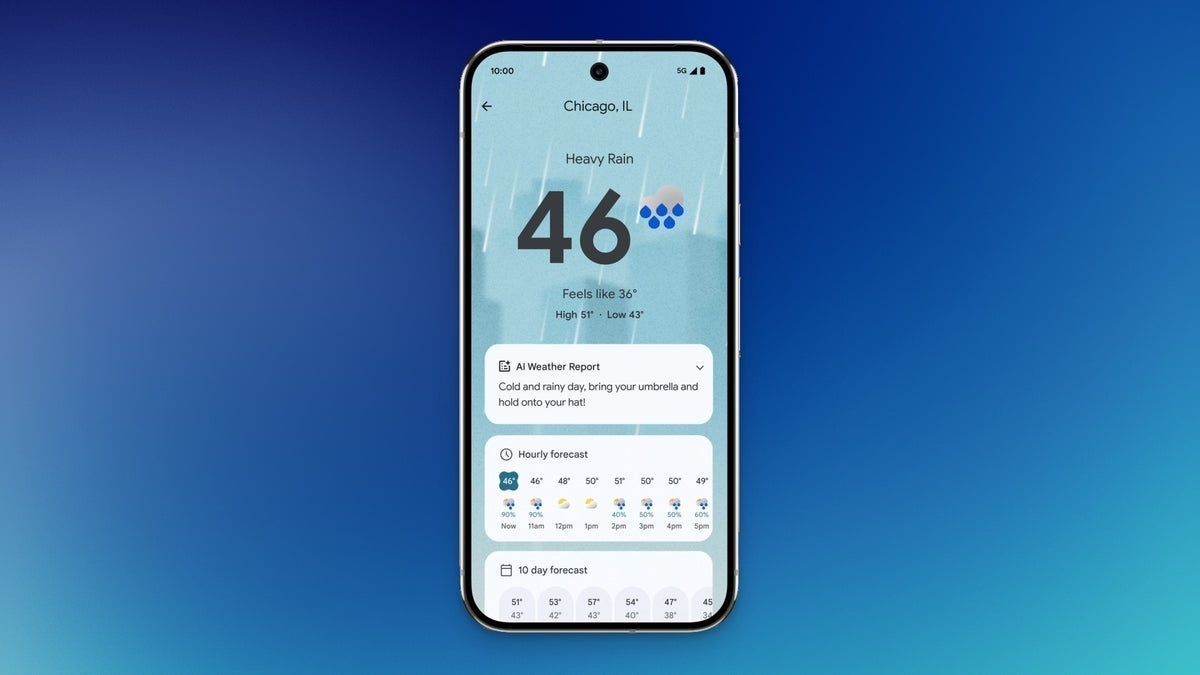
New look for the Pixel Weather app. | Image by PhoneArena
Pixel users have their own top-tier weather app called (are you sitting down?) Pixel Weather. Don't confuse this with the Google Weather page that is part of Google Search. Pixel Weather not only shows you the temperature, but you'll also see an hourly forecast with precipitation percentages, wind speed and direction, sunrise and sunset times, humidity, UV index, and a weather map that doubles as a radar.
The Pixel Weather app goes bold
The Pixel Weather app has been updated and now includes new bolder colors for the icons that are used to show weather conditions. This change can be seen regardless of whether you're looking at the current weather, the future weather, or the weather conditions from an earlier time. In a screen that introduces the changes, Google says that it updated the Pixel Weather icons to improve the contrast and the clarity of the symbols. Additionally, the new icons are said to be more accessible, even for those with low vision.
The update appears in version 1.1.20251230.875325825 of the Pixel Weather app. Unfortunately, it has yet to arrive on my Pixel 6 Pro running Android 17 Beta 2. To be sure, the actual shapes of the icons representing the different weather conditions have not changed. The only change is to the colors of the icons, making them bolder and thus easier to read. The new icon colors will also appear in the Pixel Weather widget.
Among the icons involved in the color changes are the ones showing:
- Quarter moon in blue, signifying nighttime.
- Thermometer with the mercury at the top in front of a red sun indicating heat.
- Yellow sun with a white cloud in front for cloudy conditions.
- Blue rain drops and a red lightning bolt in front of a white cloud showing that there is a thunderstorm outside.
- Black asterisks indicating snow coming down from a white cloud will be seen when it is snowing outside.
- Sideways black hooks with black asterisks indicate windy conditions with snow.
The new Pixel Weather UI uses a white background to give the app a clean look
Compared to the current version of the Pixel Weather app, the updated version has bolder colors and a cleaner look. Pixel users can install the app from the Play Store by tapping on this link. One thing that seems obvious when comparing the current version to the coming updated version of Pixel Weather is that the new variant uses a white background. Other parts of the UI are lighter, helping to improve the contrast and making the app easier to view.
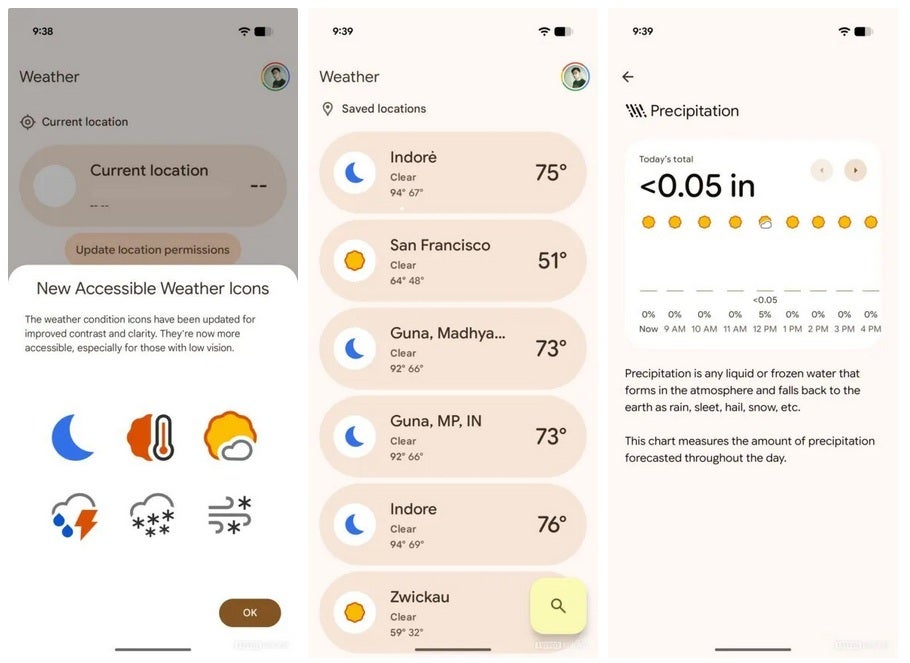
The Pixel Weather app is getting updated. | Image by Android Authority
The Saved Locations page allows you to change the order of the cities you track by long-pressing one of the bars and dragging it around. With the update, you can long-press a bar and see a box that includes options to move that city up one spot, down one spot, and delete that city if that is your wish.
Pixel Weather gives users an experience as good as The Weather Channel and AccuWeather
The Pixel Weather app has all the features that you would expect from a top weather app like The Weather Channel or AccuWeather. It also has two widgets you can add to your Pixel's home screen. The first one, called Forecasted weather, has the name of the city on top followed by current conditions, the "Feels like" temperature, the day's temperature range, and the current temp in large numerals on the right.
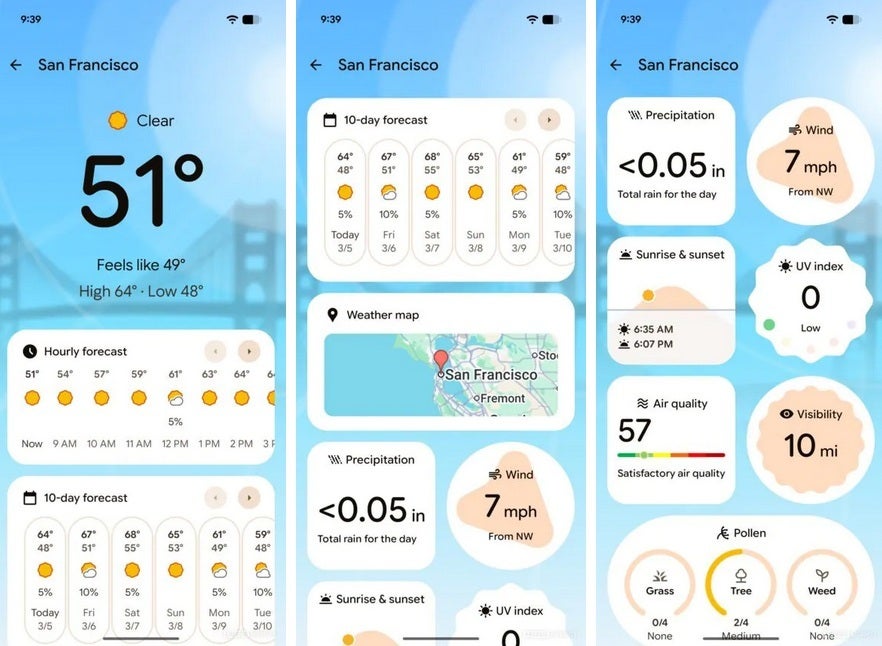
A white background is used to improve the contrast. | Image by Android Authority
On the bottom, the widget shows the next seven hours with the expected temperature for each hour, and the expected weather condition for that hour (using icons). The size of that widget is 4 × 4. The second widget, titled Current weather, is a 2 × 2 widget with a free form circle with the current temperature and conditions inside.
If you have the Pixel Weather app, keep your eyes peeled for the changes.


Popular stories






Latest News






Things that are NOT allowed:
To help keep our community safe and free from spam, we apply temporary limits to newly created accounts: