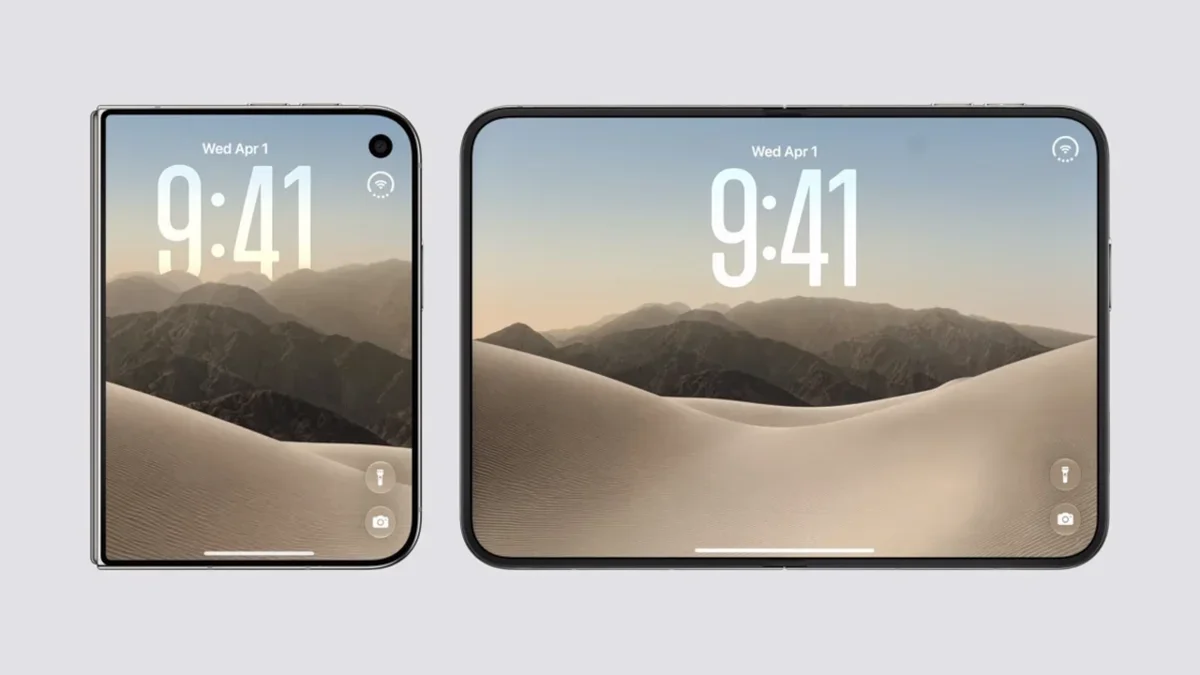
One issue for southpaws concerns Touch ID. Because the TrueDepth hardware required for Face ID takes up too much internal space for a device with an ultra-thin design, Apple decided to go with the Touch ID fingerprint sensor instead of using facial recognition.
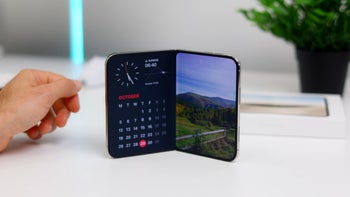
Additionally, with two displays (the external "cover screen" and the internal tablet-sized display), Apple had to be more practical. As a result, it integrated the Touch ID sensor with the side power button.
Some of the issues that left-handed iPhone Duo users are having
The problem with this setup is that it forces lefties holding the device in their stronger hand to stretch across the phone to unlock the device. This awkward stretch is also required when a left-handed Duo user needs to reach the app dock and navigation bars, all of which reside on the far right side of the display.
Some left-handed Duo users might be able to use Touch ID by registering their middle finger or index finger instead of their thumb. But holding the device in the left hand presents the user with another possible problem.
Recommended For You
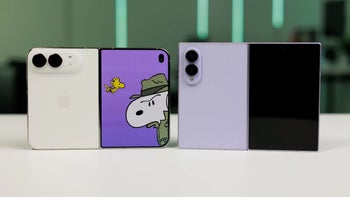
The "D" shape of the iPhone Duo means that when it is resting in the left palm, the sharp edge digs into the hand, causing discomfort and leaving a mark. Holding the phone in the right hand means that the rounded corner of the Duo is more comfortably placed against the base of the right thumb.
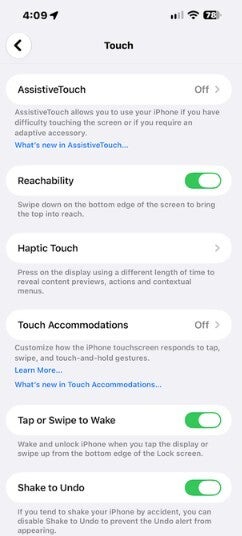
The Reachability settings on a non-foldable iPhone. | Image by PhoneArena
Now, the iPhone Duo will have a Reachability feature of its own. Instead of moving the top half of the screen lower, the Duo moves the screen sideways, with the outer edge moving closer to the user.
As noted, this feature arrives on your iPhone Duo once you install iOS 27.3 Beta 1. That means you have to be a member of the Apple Beta Software Program to get the feature now. Otherwise, as long as Apple decides to keep the feature, you'll have to wait for the stable iOS 27.3 release, which is expected to drop in the middle of next month.
Once you install the new Beta, the Reachability feature will be enabled by default. Some users have complained that it is too easy to trigger, similar to the horizontal Reachability on a regular iPhone.
The new iPhone Duo Reachability feature is enabled by default after iOS 27.3 is installed
Thus, while you might not need to change anything once you've installed iOS 27.3 Beta 1, you can turn the feature on or off if it is getting in your way by following these directions:
On your iPhone Duo, open the Settings app and tap on Accessibility.
In Accessibility, under the Physical and Motor heading, tap on "Touch."
On the page, check the toggle switch for Reachability and if you want the feature, make sure it is on. If you want it off, make sure to disable it.
If you enable Reachability, with the Duo closed, swipe a short distance left on the left edge of the external screen in order to be able to reach the elements on the right side of the screen. Or, swipe right on the right edge to move content on the left side of the screen within reach.
With the content moving closer to you, you'll be able to tap the controls and app icons on the far side of the screen without having to adjust your grip.
Alan, an ardent smartphone enthusiast and a veteran writer at PhoneArena since 2009, has witnessed and chronicled the transformative years of mobile technology. Owning iconic phones from the original iPhone to the iPhone 15 Pro Max, he has seen smartphones evolve into a global phenomenon. Beyond smartphones, Alan has covered the emergence of tablets, smartwatches, and smart speakers.
A discussion is a place, where people can voice their opinion, no matter if it
is positive, neutral or negative. However, when posting, one must stay true to the topic, and not just share some
random thoughts, which are not directly related to the matter.
Things that are NOT allowed:
Off-topic talk - you must stick to the subject of discussion
Offensive, hate speech - if you want to say something, say it politely
Spam/Advertisements - these posts are deleted
Multiple accounts - one person can have only one account
Impersonations and offensive nicknames - these accounts get banned
To help keep our community safe and free from spam, we apply temporary limits to newly created accounts:
New accounts created within the last 24 hours may experience restrictions on how frequently they can
post or comment.
These limits are in place as a precaution and will automatically lift.
Moderation is done by humans. We try to be as objective as possible and moderate with zero bias. If you think a
post should be moderated - please, report it.
Have a question about the rules or why you have been moderated/limited/banned? Please,
contact us.








Things that are NOT allowed:
To help keep our community safe and free from spam, we apply temporary limits to newly created accounts: