After a peek at the Worldwide Developers Conference and numerous betas, Apple made iOS 27 official at today’s “Surprise and shine” event. Though the highlight is the second coming of an AI-equipped Siri, there’s plenty else to look forward to for those not enamored with artificial intelligence.
Siri AI
Siri is finally relevant to the AI era. | Image by Apple
First things first. Siri AI might as well be an event in itself, because it took two years for Apple to admit it can’t go it alone.
Apple’s revamped personal assistant is your gateway to Apple Intelligence, its suite of AI features that are backed by Google’s models. But who cares who powers the tech, as long as it works well?
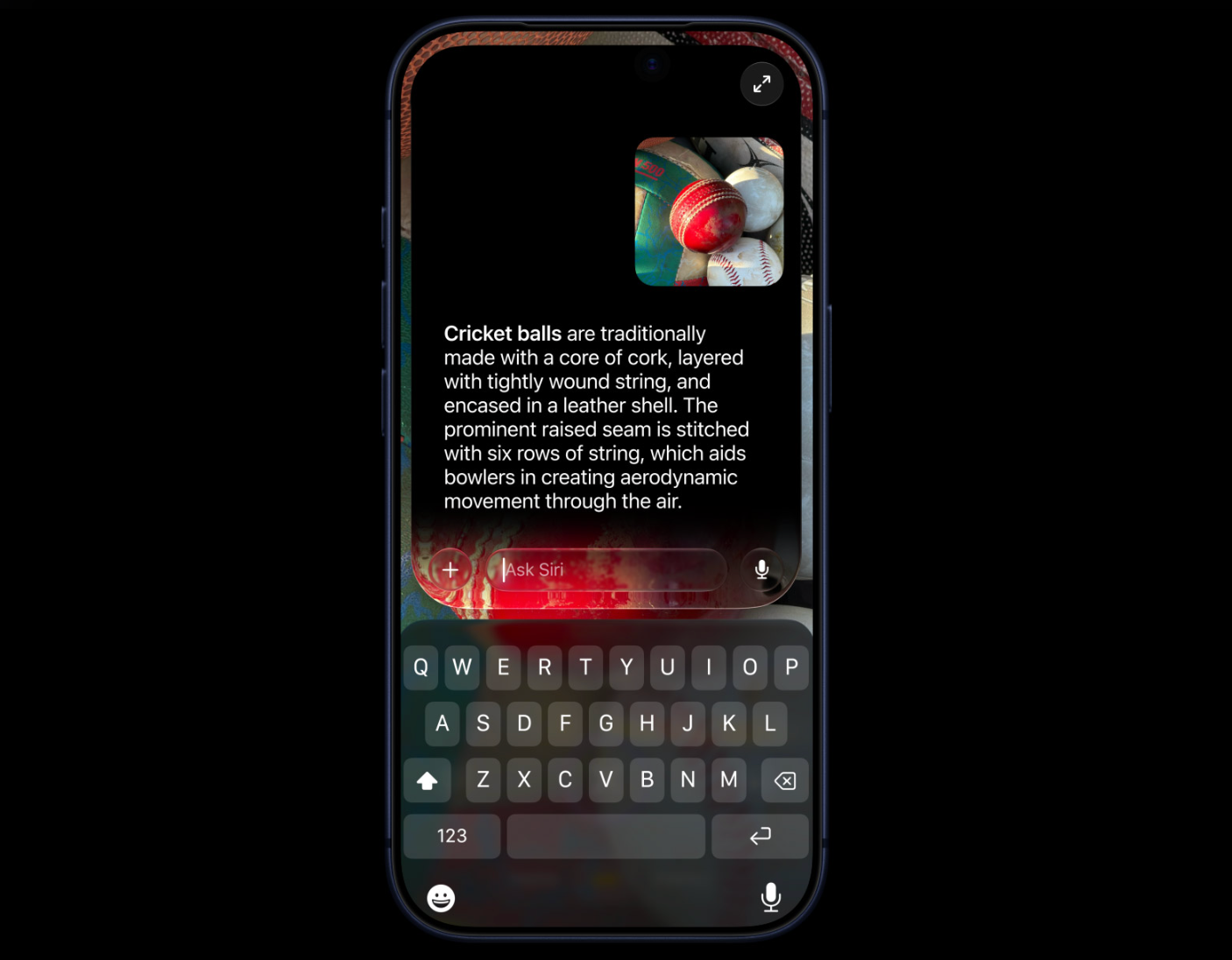
While it’s still the good-ol' reliable Siri, Apple is hoping the AI infusion will make it smarter. The assistant will use personal context and on-screen awareness for more helpful responses. Basically, it will be able to do grunt work, such as rescheduling calendar appointments.
The company promises more helpful answers and natural conversations, meaning you will no longer be restricted to closed-ended questions.
Part of the charm is that the new Siri can dig into your apps, so it will know what you are looking for when you ask it to surface a photo taken years ago or find a note that’s buried within other notes.
Even better, Siri can now perform actions in apps, such as editing a message or adding a podcast to your playlist. It will even draft a message in your tone.
Of course, since this is the new and improved Siri, it’s not just limited to what’s in your phone. You can ask virtually anything under the sun, from a random topic to a trending eatery, and it will look up relevant, up-to-date info for you. That may eliminate the need to go turn to ChatGPT or Google Gemini because Siri is no longer a dumb assistant that stumbles every time a query gets complex.
Recommended For You
Also, Siri won’t just be lurking around in the background any longer. It will be its own dedicated app.
It also has a new voice now. iOS 27 lets you customize how the personal assistant sounds.
However, Siri AI will roll out in beta, so Apple is still not quite done ironing out kinks.
A smoother experience
While the A20 Pro chip will bring faster speeds to the iPhone 18 Pro and iPhone Duo, Apple has optimized the operating system for the rest of us to make it more responsive. Specifically, the CPU scheduler has been optimized.
Apps will now launch up to 30% faster, photos will load up to 70% quicker, and AirDrop transfers will speed up by 80%.
iPhones will now be able to switch seamlessly between the faster of the available Wi‑Fi or cellular connections.
iOS 27 will also put the email it deems the most important at the very top of your inbox.
Like it or hate it, Liquid Glass is here to stay, but it has been refined for better readability. Apple now gives you a slider for customizing whether you want it clear or tinted.
For a limited time, you can buy the new iPhone 18 Pro at Walmart. Apple's new compact flagship phone can be yours with a plan by Verizon. The device is available at a monthly price of $31.92/mo, which saves you $100 over 36 months.
iPhone 18 Pro Max with Verizon: get now at Walmart
$1249
20
$1349
$100 off (7%)
The latest iPhone 18 Pro Max is here, debuting a larger battery, faster charging and a variable aperture camera. You can now grab the phone at Walmart with a plan by Verizon for $34.70/mo, which saves you $100 over 36 monthly bill credits.
There’s also a Siri mode in the camera, and that, combined with Visual Intelligence will let you take actions based on a photo you take.
Photo editing is also more powerful now. With Spatial Reframing, you can reframe that photo you thought looked slightly off after taking it.
For those images that look a little bit incomplete, there’s the extend tool for generating additional content. And if your perfect shot gets marred by an unwanted object, there’s the Clean Up tool.
Need a creative outlet? Try Image Playground, which lets you generate life-like images and edit your existing images with prompts.
The iPhone 18 Pro gets upgraded Photographic Styles with texture and grain controls for greater creative control. This feature will also be available on older eligible models.
With a new computational imaging pipeline, the Main camera produces sharper, more detailed shots, and upgraded Photographic Styles with new texture and grain controls let users further dial in their desired appearance and have more creative control over their photos.
Which iOS 27 feature are you most excited about?
18 Votes
New Siri
38.89%
Imaging improvements
33.33%
Speed
27.78%
Child safety
You can’t keep kids out of your iPhone, but you can keep cybercriminals out of their digital lives.
iOS 27 expands on child safety features for a safer online experience for kids. You can choose which apps kids are allowed to use, require permission to access websites, and set time allowances and schedules.
You will even be able to manage how your children use their iPhones in real time.
Best of all, you won’t have to hunt for these controls, as iOS 27 makes them easier to find in Settings.
Other changes
iOS 27 is helpful all around. | Image by Apple
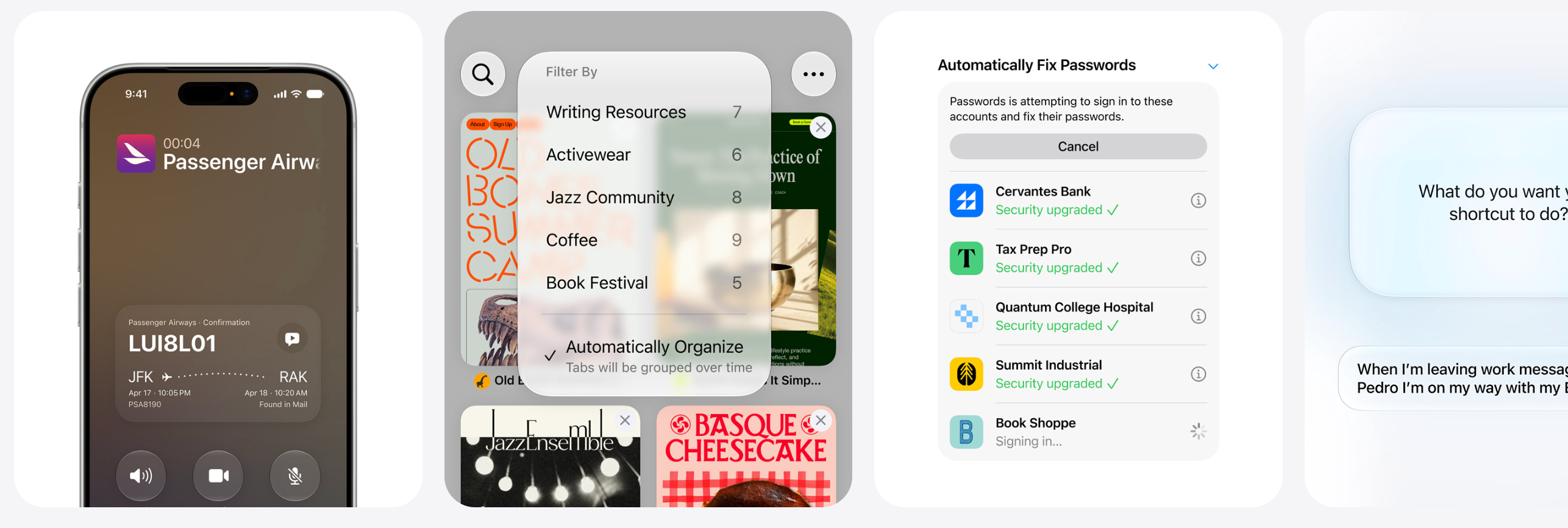
Outside of these broad categories, there are tons of improvements scattered throughout for a better experience and greater reliability.
Flyover in Maps now combines aerial imagery and Visual Intelligence for sharper details, though the feature is currently available in select cities.
Local Lists let users find a relevant spot to hang out with friends.
Find My is providing more flexibility, allowing you to set how long you want to share your location with friends and family.
Bills can be split using Apple Cash and Apple Intelligence by simply pointing the iPhone camera at a receipt.
Sharing photos with Android and Windows users is now easier on iCloud.
iOS 27 also comes with iPhone Handoff, which will let you use the same number on two iPhones.
For sound buffs, more personalization tweaks are available in AirPods settings.
For your peace of mind, Apple Intelligence uses on-device processing and Private Cloud Compute.
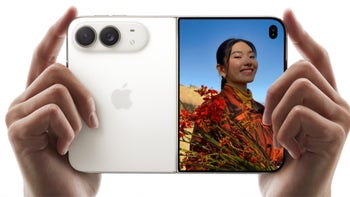
iPhone Duo features
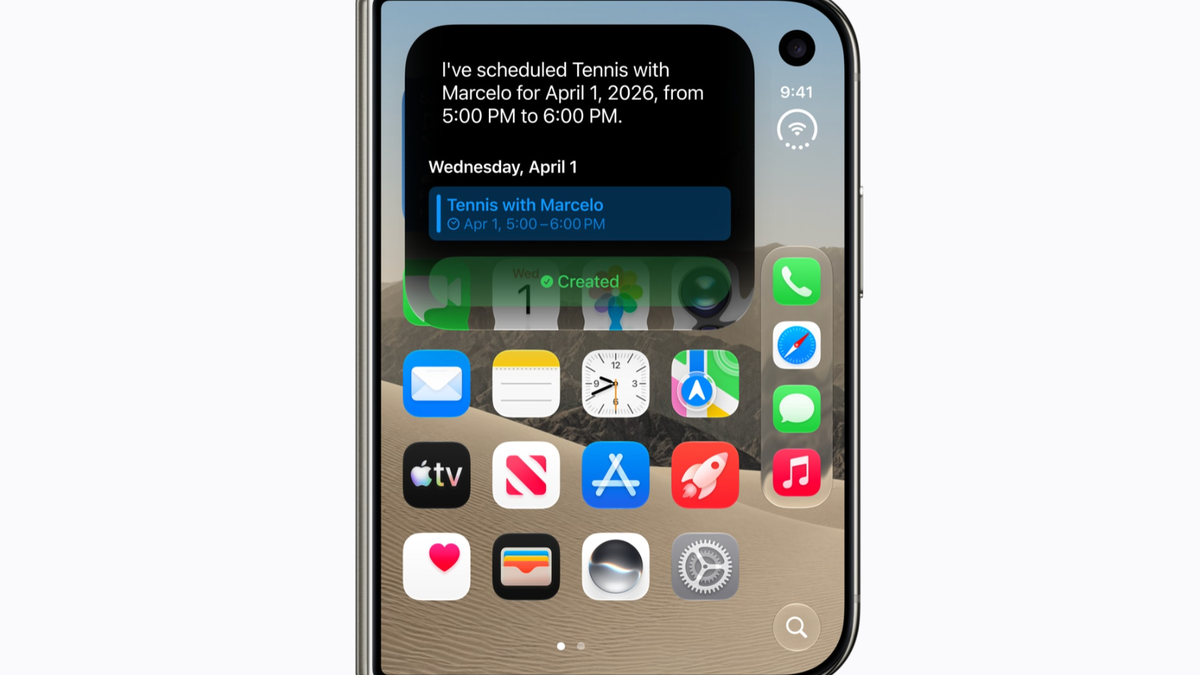
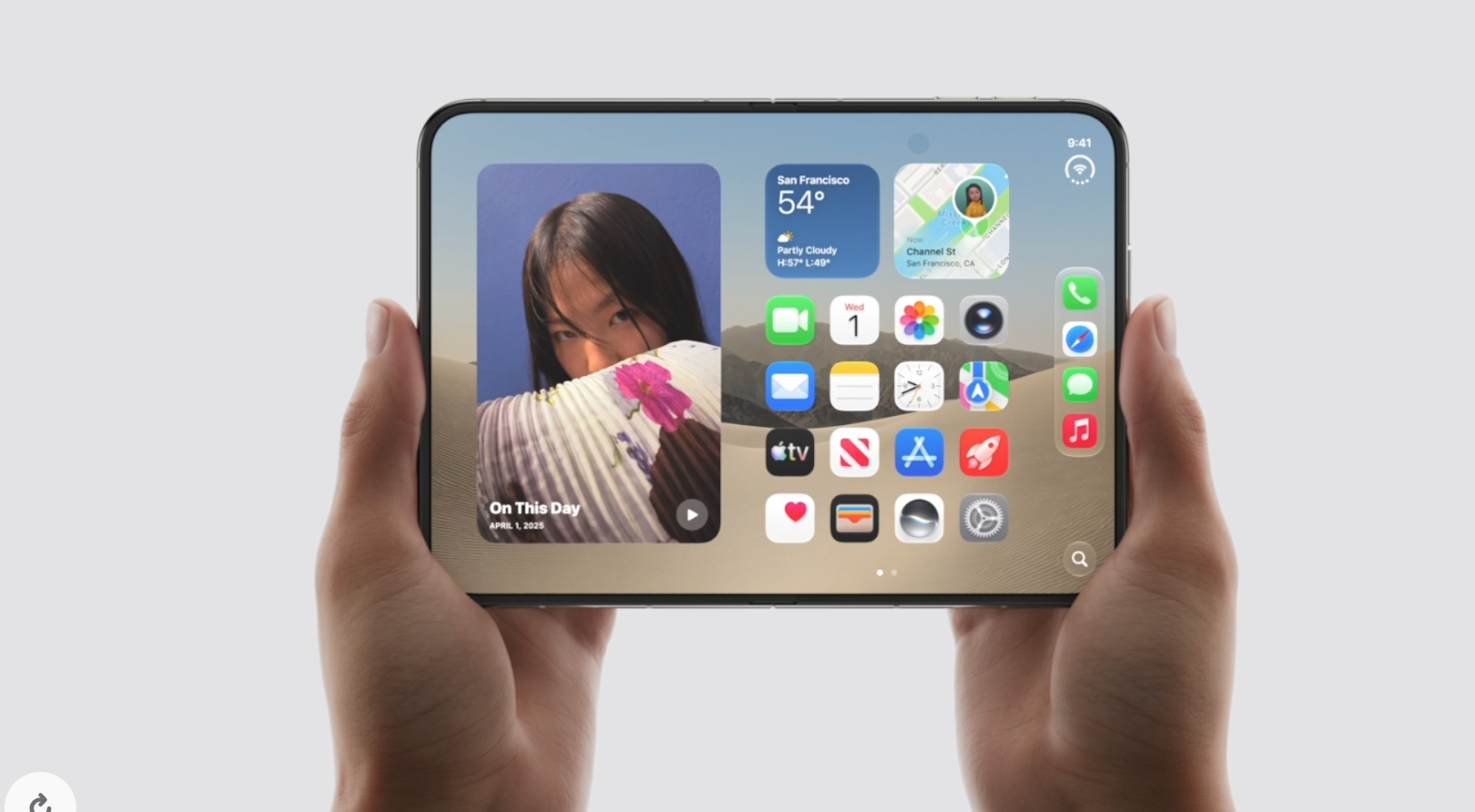
The iPhone Duo gets special features. | Image by Apple
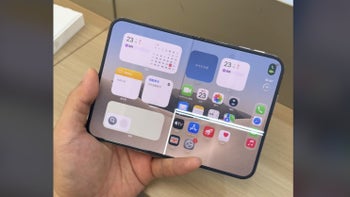
As the Duo is its first bendable phone, Apple has adapted iOS 27 for the foldable screen. Apple intends to make the experience more intuitive and productive on its first foldable.
Lock Screen controls, the Dock, and app navigation have all been shifted to the side.
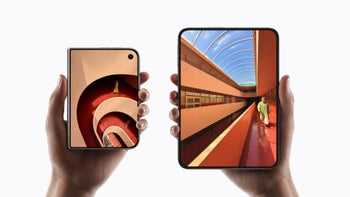
Lock Screen controls, the Home Screen Dock, and app navigation and controls now appear on the side to maximize vertical space for content. When unfolded, there are two Home Screen pages. The status bar features a circular, flexible system that sits in the corner and shows information like Wi-Fi, cellular strength, and battery level. Even the Dynamic Island has been redesigned to sit vertically on the sides of the two displays. Content on the screen adapts to the folding position.
Some popular apps like Slack and Zoom have already been optimized for the new design.
Additionally, multitasking capabilities like Split View for using two apps simultaneously. Swapping between apps and saving app pairs is also seamless.
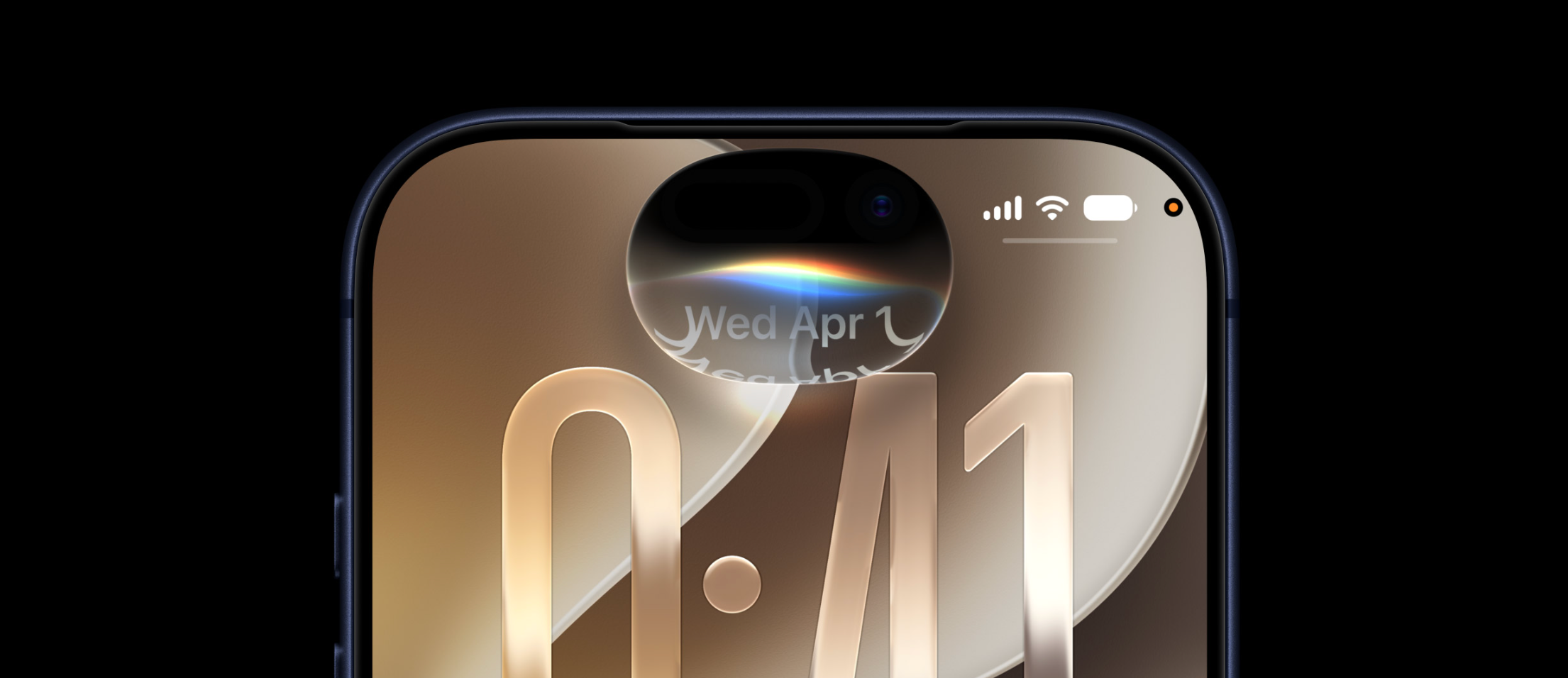
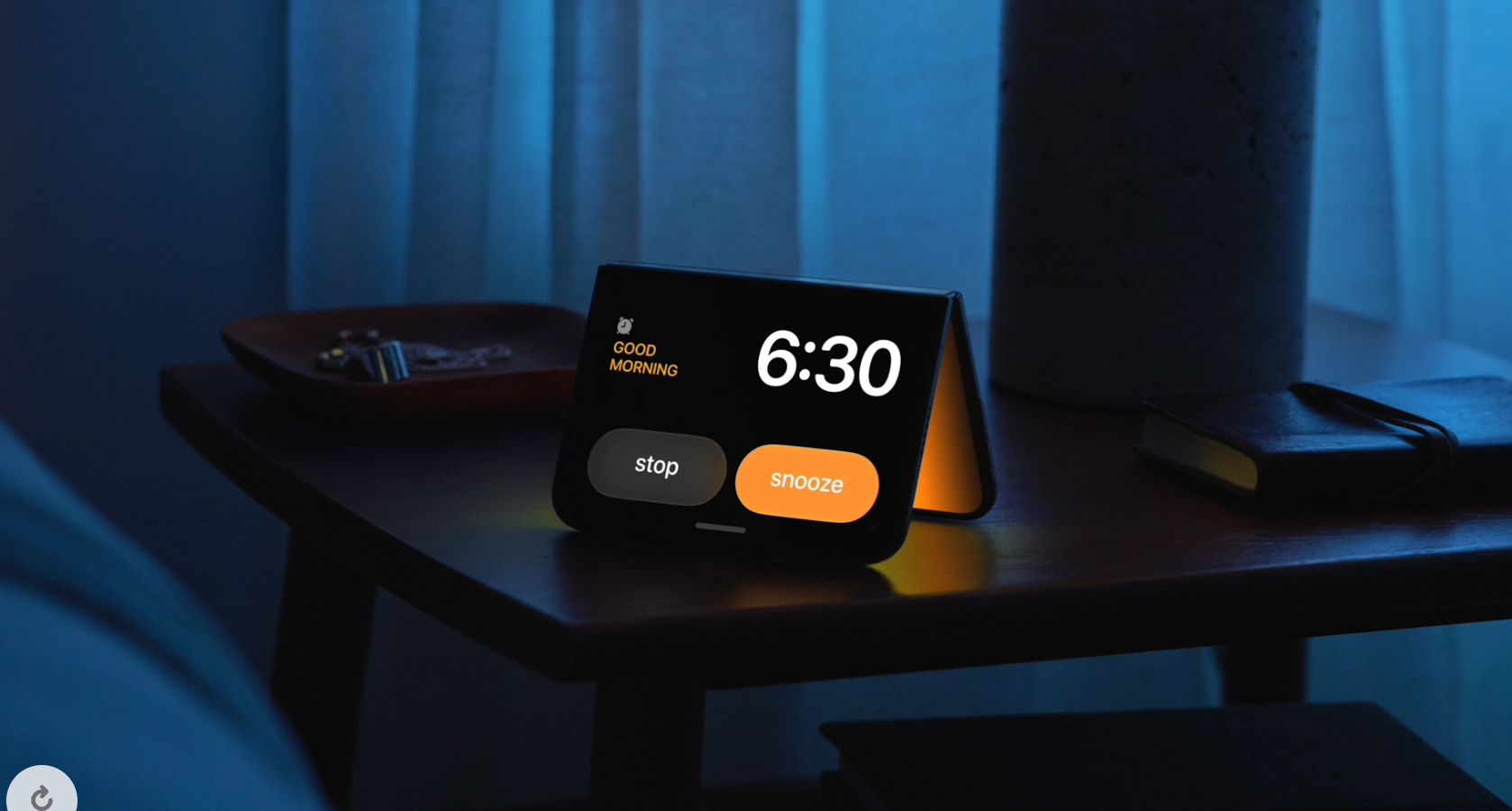
How would you like to use a $1,999 device as an alarm clock? | Image by Apple
StandBy has been upgraded to work even when the phone isn't charging, turning the device into a clock, a photo frame, or a widgets hub.
Compatibility
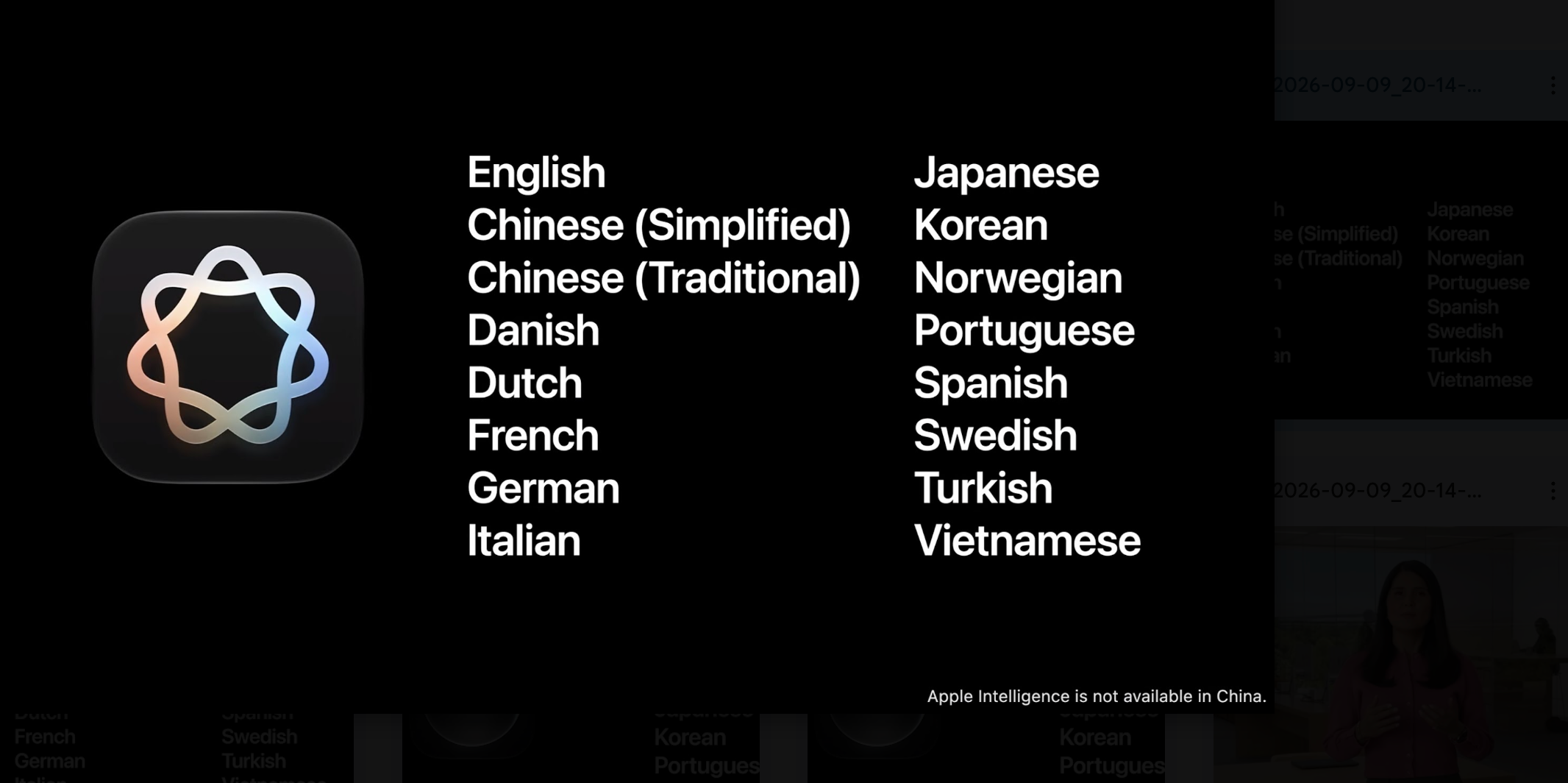
Apple Intelligence will initially support English only. | Image by Apple
iOS 27 will be available to download on iPhones released in late 2019 or later, meaning if you have an iPhone SE 2, an iPhone 11, or newer, you are good to go. The update will arrive this Monday.
Tello Halloween Promo: $10GB for $10/mo
Don’t miss this scary-good deal: 10 GB for $10/mo. Save $5/mo for your first 3 months. Offer valid now through November 9, 2026.
Anam Hamid is a computer scientist turned tech journalist who has a keen interest in the tech world, with a particular focus on smartphones and tablets. She has previously written for Android Headlines and has also been a ghostwriter for several tech and car publications. Anam is not a tech hoarder and believes in using her gadgets for as long as possible. She is concerned about smartphone addiction and its impact on future generations, but she also appreciates the convenience that phones have brought into our lives. Anam is excited about technological advancements like folding screens and under-display sensors, and she often wonders about the future of technology. She values the overall experience of a device more than its individual specs and admires companies that deliver durable, high-quality products. In her free time, Anam enjoys reading, scrolling through Reddit and Instagram, and occasionally refreshing her programming skills through tutorials.
A discussion is a place, where people can voice their opinion, no matter if it
is positive, neutral or negative. However, when posting, one must stay true to the topic, and not just share some
random thoughts, which are not directly related to the matter.
Things that are NOT allowed:
Off-topic talk - you must stick to the subject of discussion
Offensive, hate speech - if you want to say something, say it politely
Spam/Advertisements - these posts are deleted
Multiple accounts - one person can have only one account
Impersonations and offensive nicknames - these accounts get banned
To help keep our community safe and free from spam, we apply temporary limits to newly created accounts:
New accounts created within the last 24 hours may experience restrictions on how frequently they can
post or comment.
These limits are in place as a precaution and will automatically lift.
Moderation is done by humans. We try to be as objective as possible and moderate with zero bias. If you think a
post should be moderated - please, report it.
Have a question about the rules or why you have been moderated/limited/banned? Please,
contact us.








Things that are NOT allowed:
To help keep our community safe and free from spam, we apply temporary limits to newly created accounts: