With hackers and malicious actors coming up with new techniques every day to steal your data, it's more important than ever to give priority to the privacy features of your smartphone. Honor is soon going to introduce a very important privacy capability that you would wish for on your Android smartphone as well.
Honor is addressing an important privacy concern of Android phones
If you have been using Android smartphones for some time, then you must be aware that whenever you launch a newly installed application, it asks for certain permissions. For instance, when you install a photo editing app, then you will have to grant access to your gallery so that it can grab photos from it and you can edit them later.
However, some shady apps might ask you to provide the rights to access things that you are aware are not needed for their functionality. For instance, the same photo editing app might show a pop-up to allow it to access your call history or messages. To deal with such situations, Honor has introduced a new Virtual Permissions feature.
What is Honor's Virtual Permissions feature?
Virtual Permissions is the feature that Honor has come up with to deal with situations when apps ask for permissions that you really don't want to give them. It basically gives a blank permission to the apps.
Recommended For You
So, when you allow an untrusted application access to all the services it needs to function properly, the feature ensures that the app gets empty data in return. For instance, if you grant access to your contacts, the Virtual Permission capability will make sure that the app sees an empty contact list instead of your actual contacts. This way, the app will get the permission it needs to function, and your data will also remain protected.
How to enable Virtual Permissions on Honor phones
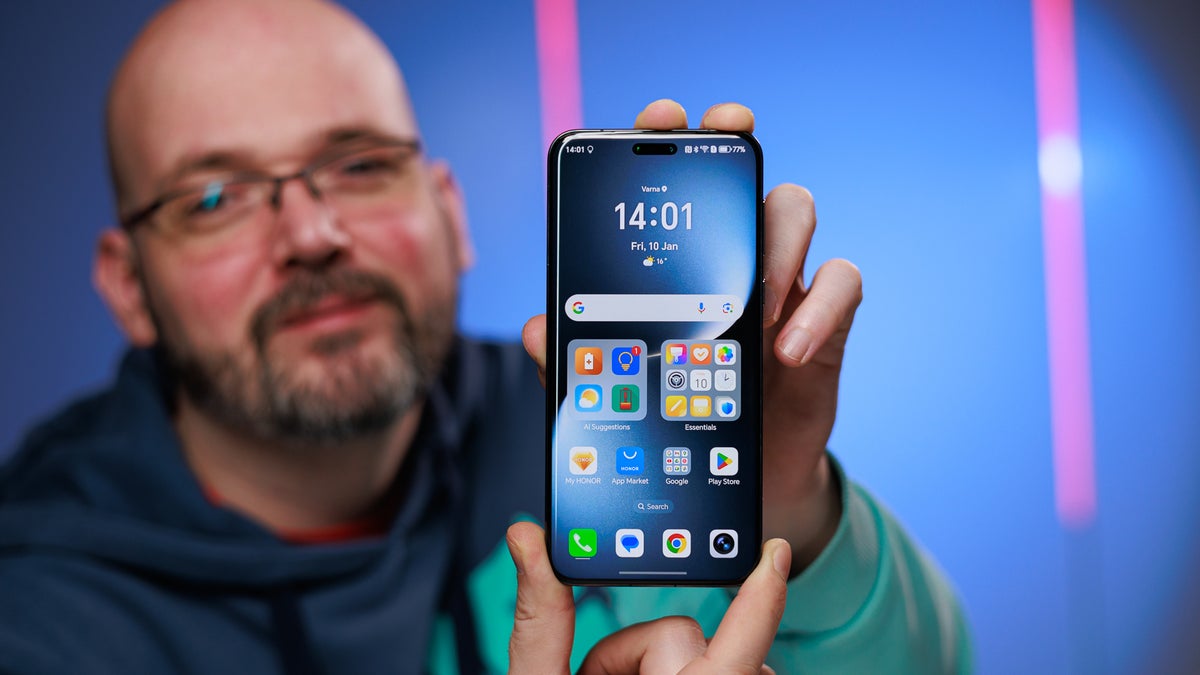
The Virtual Permissions feature is available with MagicOS 10.0.160. The company has already started rolling out the update to all the eligible devices like the Honor Magic 7, Honor Magic V5,Honor 400, and many more. Once you have the update installed, you can enable the new privacy feature.
To do this, you need to open the Settings app, select Privacy & Security, and then select Virtual Permissions. You then need to enable the toggle next to the apps for which you want to use this feature.
Which phone brand currently offers the best privacy experience?
I recently reported that Xiaomi is expected to introduce the Galaxy S26 Ultra privacy display-like technology that relies on hardware through its HyperOS 4 update. But it seems that Xiaomi isn't the only brand that has cracked the code of bringing this feature through a software update.
Along with new Virtual Permissions power, MagicOS 10 is reportedly bringing plenty of other exciting upgrades as well, which include a completely new AI anti-peeping screen. It basically uses AI to detect when someone is trying to look at your screen from the side and then automatically enables privacy protection to keep your data protected from them. Similar to Samsung's privacy display, it also gives you the right to manually decide your protection style and select which apps are protected.
Pixel, Galaxy, and all other Android phones should get this power
All the Android brands offer some very important security capabilities on their products. For instance, on my Pixel 10, I've got privacy features like call screening, private space, lockdown mode, and more. The latest Galaxy S26 Ultra has privacy display technology that helps keep your data safe from shoulder surfers.
However, I really think features like Virtual Permissions should be on all Android smartphones. It'll ensure that untrusted applications don't get access to your sensitive data like contacts, messages, and gallery.
Six-month unlimited plan is now 57% off
$90
$210
$120 off (57%)
Mint Mobile is now allowing you to get whichever plan you like for either three, six, or 12 months for just $15/mo. If you go for the six-month unlimited service, for instance, you'll now have to pay just $90 upfront instead of $210.
Aman Kumar is a news writer at PhoneArena covering Google Pixel phones, Android features, AI-powered smartphone tools, and mobile tech news. Before joining PhoneArena, he spent over five years writing about consumer technology for publications like MakeUseOf, How-To Geek, and Guiding Tech. His current daily drivers are the Pixel 10 and Samsung Galaxy S26 Plus, while his red iPhone SE (2nd gen) remains a personal favorite. Aman also appreciates bold smartphone experiments and still considers the Nokia N-Gage one of the industry’s most iconic designs.
A discussion is a place, where people can voice their opinion, no matter if it
is positive, neutral or negative. However, when posting, one must stay true to the topic, and not just share some
random thoughts, which are not directly related to the matter.
Things that are NOT allowed:
Off-topic talk - you must stick to the subject of discussion
Offensive, hate speech - if you want to say something, say it politely
Spam/Advertisements - these posts are deleted
Multiple accounts - one person can have only one account
Impersonations and offensive nicknames - these accounts get banned
To help keep our community safe and free from spam, we apply temporary limits to newly created accounts:
New accounts created within the last 24 hours may experience restrictions on how frequently they can
post or comment.
These limits are in place as a precaution and will automatically lift.
Moderation is done by humans. We try to be as objective as possible and moderate with zero bias. If you think a
post should be moderated - please, report it.
Have a question about the rules or why you have been moderated/limited/banned? Please,
contact us.










Things that are NOT allowed:
To help keep our community safe and free from spam, we apply temporary limits to newly created accounts: