Samsung has finally unveiled the Galaxy S26 series at its Galaxy Unpacked event. While all the S26 models have received some noticeable upgrades over their respective predecessors, most of you might be excited about the Ultra variant because of its new privacy display feature. Here's everything you need to know about it.
Galaxy S26 Ultra: save up to $720 now
$579
99
$1299
99
$720 off (55%)
The Galaxy S26 Ultra has been announced, bringing a Privacy Screen feature, insanely fast processor, and multiple Galaxy AI enhancements. Right now, you can save up to $720 at the Samsung Store with eligible trade-ins. You also get 15% off the Buds 4 series with your purchase. Alternatively, you can get $150 credit for add-ons, no trade-in required.
What is the privacy display in the Galaxy S26 Ultra?
The Samsung Galaxy S26 Ultra comes with a built-in privacy display feature that operates at the hardware level. It works similarly to third-party privacy screen protectors that some people install on their smartphones to limit screen visibility from side angles. However, the main issue with these physical privacy protectors is that they often compromise image quality.
Additionally, if they are not made of the best materials, they can interfere with the fingerprint sensor and make it difficult to unlock your device using your fingerprint. However, since the privacy display comes as a built-in feature, you don't have to worry about any of these concerns.
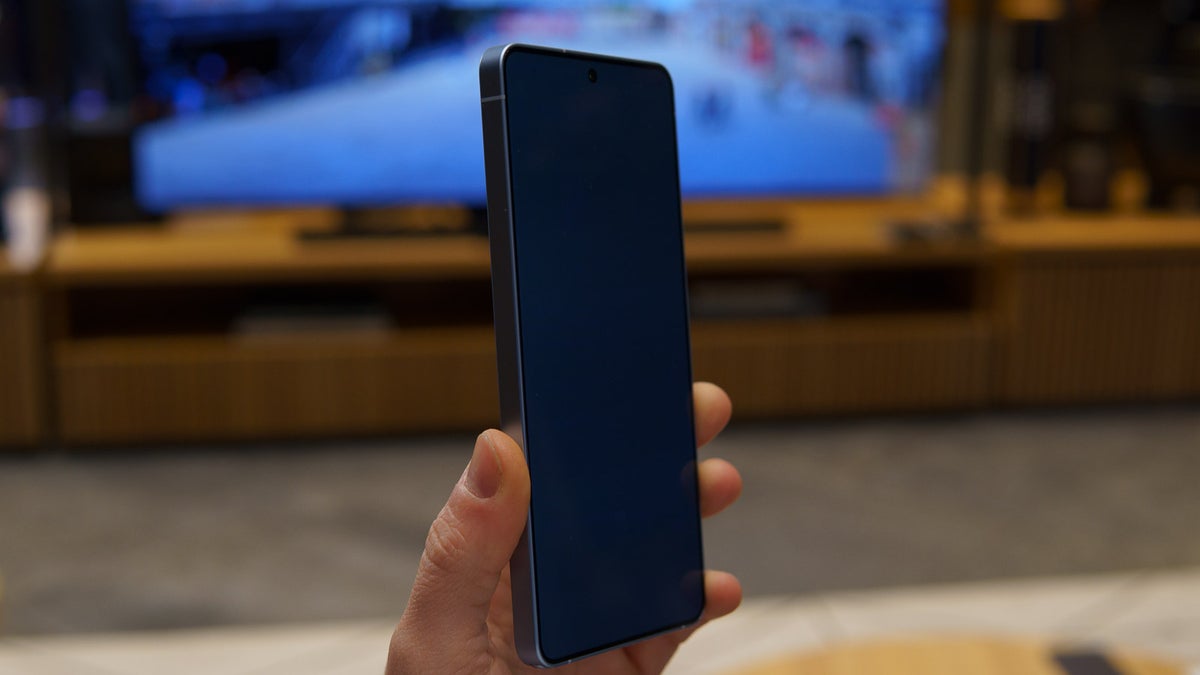
The phone basically comes with two types of pixels: the normal pixel, which allows you to view the phone screen from all angles, and the narrow pixel, which is emitted when you enable privacy display. It ensures that the phone screen can be viewed only when you are looking at it head-on and not from the side.
Recommended For You
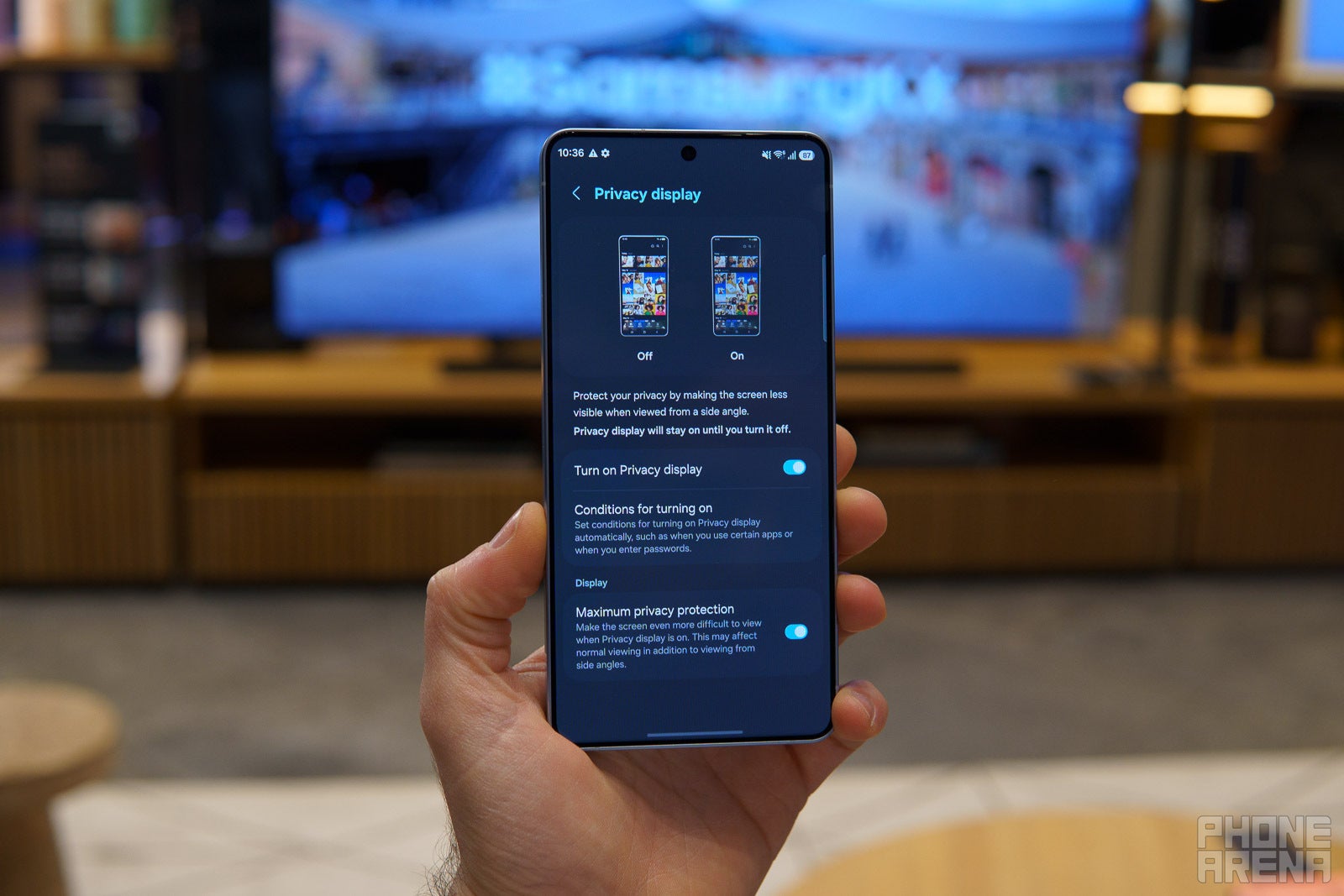
Unlike physical privacy protectors, it gives you different options to configure depending on the level and type of privacy you want. In front, there are two main toggles: basic privacy display and maximum privacy protection. The first option is what you would find yourself using most of the time.
Once you enable it, the screen starts to darken as you increase your viewing angle. It is not going to make the screen completely invisible from side angles, but it would still be a bit difficult to figure out what is being displayed on the screen unless it is being looked at with full concentration.
I believe turning on the basic privacy display toggle would prove helpful in places such as subways, where you would not want passersby to see what you are viewing on your smartphone. The maximum privacy protection toggle, as the name suggests, offers the highest level of protection.
After you enable its toggle, the screen of your S26 Ultra will become completely invisible from side angles. It's worth noting that turning on the maximum protection will reduce the image quality and contrast of the screen slightly. That's why you likely won't have it enabled all the time. Instead, use it only in places like on the metro when you definitely don't want a person sitting next to you sneaking a peek at what you're watching on your device.
Interestingly, you can configure the privacy display to work only with certain apps. For instance, you can set it to protect your banking apps from prying eyes while keeping other apps visible even from side angles.
You also have the option to make only a certain part of the screen invisible to shoulder surfers. For instance, you can turn on the Notification pop-up toggle inside the "Condition for turning on" section of the privacy display window to only hide notifications from off-angle views. Similarly, switching on the PIN, pattern, password option will make only the area where you enter these credentials invisible to someone sitting next to you.
Once you enable either of the privacy display modes, you will notice a slight reduction in the screen resolution, and that's because the normal pixels have been disabled. That's the reason why Samsung has probably given you the option to manually enable this mode instead of keeping it enabled by default.
Which of the following is tempting you to buy the Galaxy S26 Ultra?
18 Votes
Privacy display.
38.89%
Improved camera.
5.56%
Faster SoC.
11.11%
Pricing.
5.56%
I'm not upgrading this year.
38.89%
Why is it exclusive to the Galaxy S26 Ultra?
Different options of Privacy Display. | Image by PhoneArena
As mentioned above, the privacy display is a hardware-level feature rather than a capability that can be added through a software upgrade. It is powered by the Flex Magic Pixel OLED panel used in the S26 Ultra model. Since this display isn't available in other S26 models or previously released Galaxy smartphones, the feature is limited to the top model of the S26 lineup.
While it's currently unclear whether Samsung will continue implementing this feature in its flagship phones moving forward, many other brands have found it so useful that they are reportedly working on bringing something similar to their products.
Mint Mobile is celebrating its 10-year anniversary with a special offer on its six-month subscription plans. For a limited time, you can get your preferred tier (6GB, 17GB, 23GB or unlimited) for just $10/mo. That saves you between 50% and 71% on the carrier's mobile plans, making it way easier to recommend.
Aman Kumar is a news writer at PhoneArena covering Google Pixel phones, Android features, AI-powered smartphone tools, and mobile tech news. Before joining PhoneArena, he spent over five years writing about consumer technology for publications like MakeUseOf, How-To Geek, and Guiding Tech. His current daily drivers are the Pixel 10 and Samsung Galaxy S26 Plus, while his red iPhone SE (2nd gen) remains a personal favorite. Aman also appreciates bold smartphone experiments and still considers the Nokia N-Gage one of the industry’s most iconic designs.
A discussion is a place, where people can voice their opinion, no matter if it
is positive, neutral or negative. However, when posting, one must stay true to the topic, and not just share some
random thoughts, which are not directly related to the matter.
Things that are NOT allowed:
Off-topic talk - you must stick to the subject of discussion
Offensive, hate speech - if you want to say something, say it politely
Spam/Advertisements - these posts are deleted
Multiple accounts - one person can have only one account
Impersonations and offensive nicknames - these accounts get banned
To help keep our community safe and free from spam, we apply temporary limits to newly created accounts:
New accounts created within the last 24 hours may experience restrictions on how frequently they can
post or comment.
These limits are in place as a precaution and will automatically lift.
Moderation is done by humans. We try to be as objective as possible and moderate with zero bias. If you think a
post should be moderated - please, report it.
Have a question about the rules or why you have been moderated/limited/banned? Please,
contact us.


Things that are NOT allowed:
To help keep our community safe and free from spam, we apply temporary limits to newly created accounts: