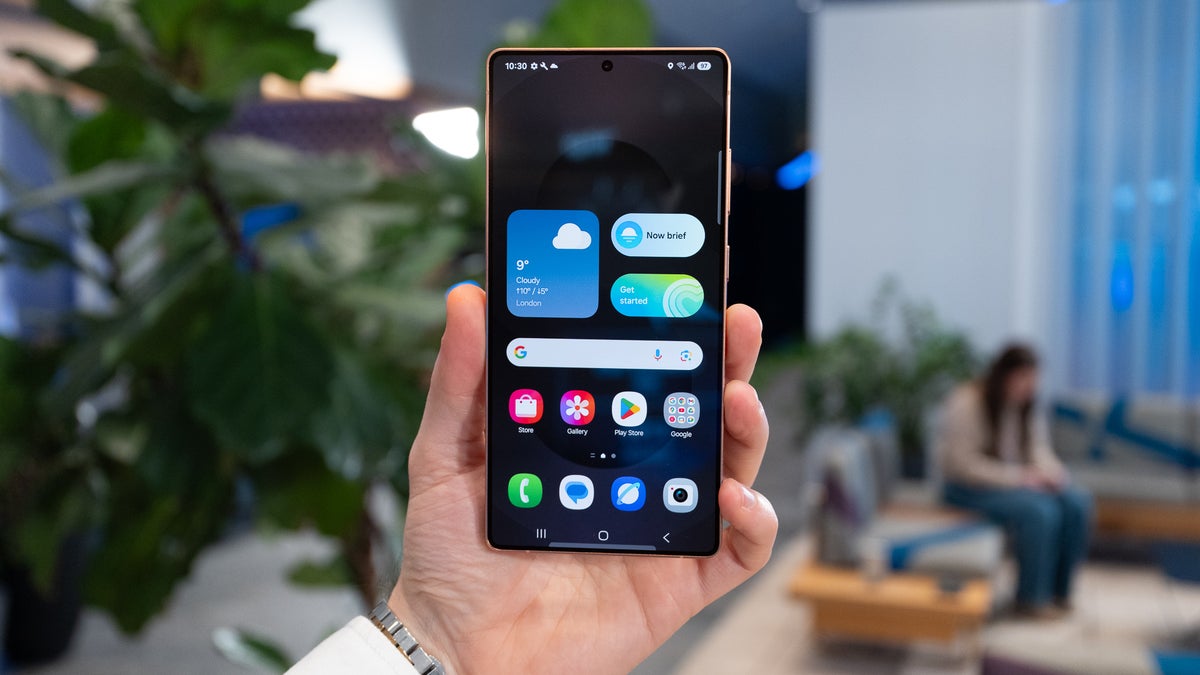
The privacy display that is exclusive to the Galaxy S26 Ultra was undoubtedly the main talking point about the entire S26 series, but the lineup comes with some cool software upgrades that need your attention as well. Two of these are "Notification summary" and "Prioritize notifications," which I generally find helpful. Interestingly, both of these features are now available on the Galaxy S25 phones as well.
What's the prioritize notification feature
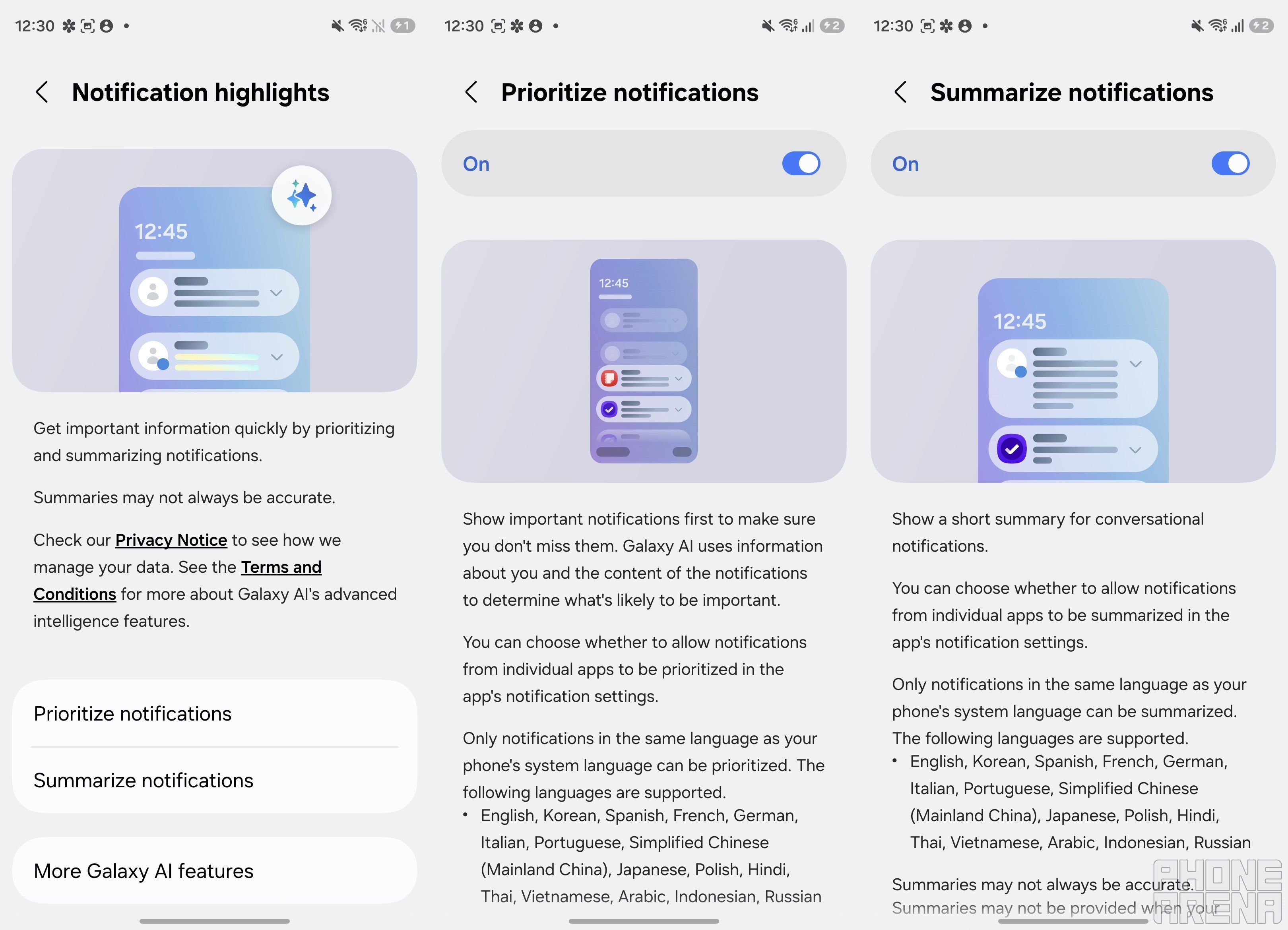
The prioritize notification capability ensures that you never miss an important notification on your smartphone. It uses Galaxy AI to analyze the content of the notification and to check whether it is important to you.
If it determines that a message is important, you will see its notification on the top, irrespective of whether you have received alerts from other apps after that. However, it's worth noting that the feature currently only works on notifications that you have received in your phone's system language. For instance, if the system language is set to English, the feature will only work on notifications that are in the English language and not on notifications in other languages like Hindi or Arabic.
What's the summarize notification feature
Summarize notification is another capability that relies on the Galaxy AI. As you can guess by the name, it provides a short summary for conversational notifications. This ensures you don't have to open a message and go through it entirely; instead, you can just read its summarized version generated by this feature to understand the context of the message.
Recommended For You
Similar to prioritize notifications, it also only works with notifications that have been received in the same language as your phone's system language. That means, if the default language is set to English, then it will not summarize the content of notifications received in any other language like Hindi.
It's worth noting that the feature might not work when your battery is running low on charge, or you have the power-saving mode enabled. Furthermore, you don't have to worry about your privacy, as both features process the data securely on the device.
How to enable the "prioritize notification" and "summarize notification" features
Notification highlights features of Galaxy S25. | Image by PhoneArena
First of all, you need to make sure that you have the June 2026 update based on One UI 8.5 installed on your device. After that, you are all set to enable both of these AI features.
To begin with, open the Settings app, select Notifications, and then Notification Highlights. Select the feature that you want to activate, and then turn on the toggle next to the "On" label.
Samsung has shared the list of applications with which these two tools will work. These include almost all the popular names like WhatsApp, Google Messages, Samsung Messages, Snapchat, Telegram, and more. However, if you find that it is not working for a particular app installed on your device, and you also don't have power-saving mode enabled, then it's possible that the particular app might not be compatible with this feature.
Which Galaxy S26 series feature you liked the most?
62 Votes
Privacy display.
58.06%
Horizontal lock.
19.35%
Notification highlights.
14.52%
Audio eraser.
8.06%
Better late than never
Both the AI-powered tools are part of the One UI 8.5 update, meaning they are available on the Galaxy S26 series from day one. So, it was expected that these would become available on the S25 lineup as well when the software update lands on it. However, that didn't happen.
After that, Galaxy fans started anticipating that the tech giant would introduce both features in a separate update, and that's exactly what happened. It's available with the June 2026 security patch, and that's the reason why its size is comparatively bigger than the other security patch releases. That said, in addition to the Galaxy S25 family, both features have also landed on the Galaxy Z Fold 7, Flip 7, and Trifold.
Free Galaxy A17 5G with Straight Talk
Get a free Galaxy A17 with Straight Talk. To claim this deal, you need to pair the phone with activation on a Silver Unlimited Plan or higher. This tier costs $45 per month. Offer valid through 01/10/27 while supplies last online.
Aman Kumar is a news writer at PhoneArena covering Google Pixel phones, Android features, AI-powered smartphone tools, and mobile tech news. Before joining PhoneArena, he spent over five years writing about consumer technology for publications like MakeUseOf, How-To Geek, and Guiding Tech. His current daily drivers are the Pixel 10 and Samsung Galaxy S26 Plus, while his red iPhone SE (2nd gen) remains a personal favorite. Aman also appreciates bold smartphone experiments and still considers the Nokia N-Gage one of the industry’s most iconic designs.
A discussion is a place, where people can voice their opinion, no matter if it
is positive, neutral or negative. However, when posting, one must stay true to the topic, and not just share some
random thoughts, which are not directly related to the matter.
Things that are NOT allowed:
Off-topic talk - you must stick to the subject of discussion
Offensive, hate speech - if you want to say something, say it politely
Spam/Advertisements - these posts are deleted
Multiple accounts - one person can have only one account
Impersonations and offensive nicknames - these accounts get banned
To help keep our community safe and free from spam, we apply temporary limits to newly created accounts:
New accounts created within the last 24 hours may experience restrictions on how frequently they can
post or comment.
These limits are in place as a precaution and will automatically lift.
Moderation is done by humans. We try to be as objective as possible and moderate with zero bias. If you think a
post should be moderated - please, report it.
Have a question about the rules or why you have been moderated/limited/banned? Please,
contact us.














Things that are NOT allowed:
To help keep our community safe and free from spam, we apply temporary limits to newly created accounts: