Google hides big improvement for eligible Pixels in Android 17
Google included a hidden new setting for Pixel users in Android 17.
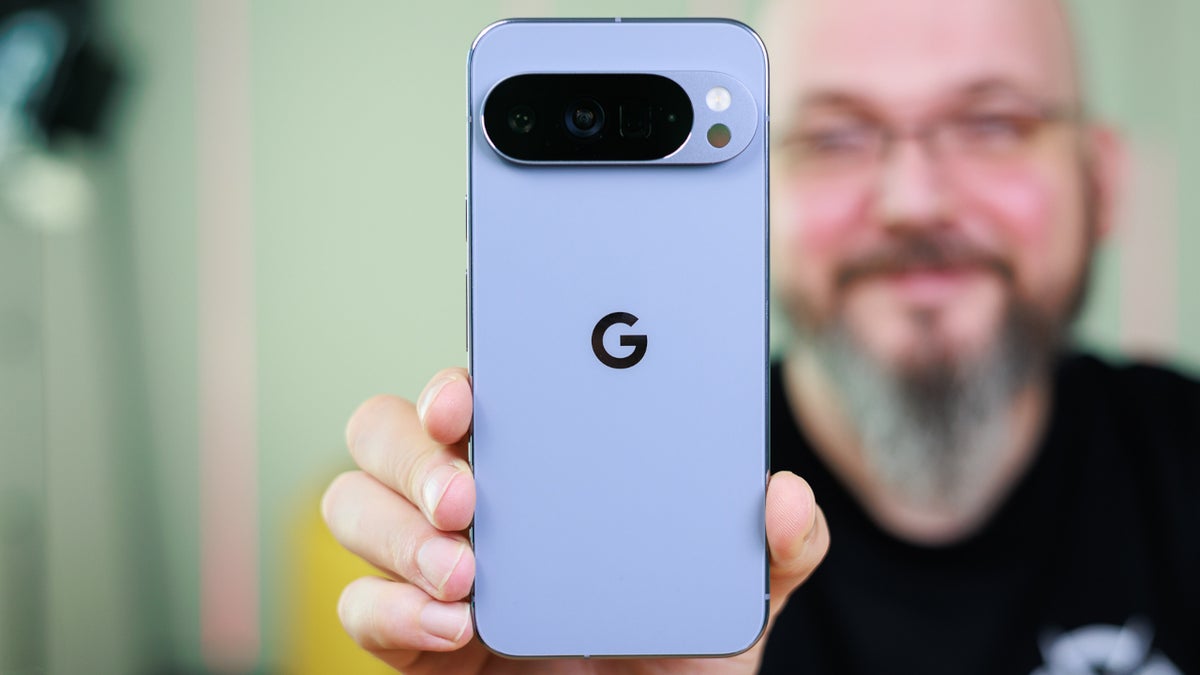
Android 17 has hidden setting for Pixel users | Image by PhoneArena
Android 17 has already brought some welcome new features to the Tensor-powered Pixel devices. These include App Bubbles, the simple-to-use multitasking tool, and Screen Reactions, which allows you to use your front-facing camera while you record your screen. With this feature you can perform some video magic akin to having a virtual green screen in your pocket.
Pixel users with Android 17 can enjoy improved Bluetooth audio
Both of these new capabilities are core Android 17 features. But because Tensor-powered Pixel devices get the first crack at installing the new Android build, at this moment only Pixel 6 and later phones, and the Pixel Tablet, have these helpful new tools.
There is also another improvement for Pixel users who install Android 17, and it has to do with Bluetooth audio quality. With the update, Pixel devices now natively support the LHDCv5 codec with a higher bitrate than the standard AAC or SBC codecs. Pixel phones running Android 16 or older default to AAC or SBC standard-definition audio over Bluetooth.
The new LHDCv5 codec delivers Hi-Res Wireless audio
The maximum bitrate for the LHDCv5 codec is up to 1 Mbps, delivering Hi-Res Wireless audio. That compares to approximately 256 kbps for AAC and 328 kbps for SBC, and those two codecs provide audio at standard-definition.
Why audiophiles would prefer the new codec
If you use your Pixel and Bluetooth earbuds or headphones to watch television shows streaming online, it might not matter. But if you are an audiophile listening to classical music, keep in mind that LHDCv5 transmits up to three times more data than AAC or SBC. This allows you to hear little nuances that you might miss using a lower bitrate for audio. With lower latency, the delay between what you see on your Pixel and what you hear is reduced, improving the presentation of videos and mobile gaming on your Pixel.
What features do you want for Pixel 11 series?
1411 Votes
Larger battery
63.43%
Improved Face Unlock lighting
10.84%
Faster wired charging
25.73%
Prior to the release of Android 17, Pixel users could enjoy high-bitrate audio only by wearing headphones and earbuds supporting LDAC. If your headphones or earbuds didn't support LDAC, your audio would be pushed back to standard AAC or SBC codecs.
How to activate LHDCv5 on your Android 17-powered Pixel
For some reason, Google chose to be quiet about this feature, and it requires Pixel users to activate it using Developer Options. If you've already enabled Developer Options on your Pixel, you can skip this first step. If not, go to Settings > About phone. Once you open About phone, scroll down to the Build Number and tap on it seven times to enable Developer Options.
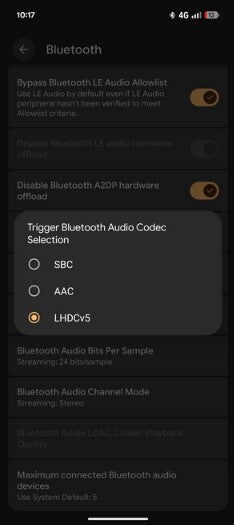
Activating the LHDCv5 codec on a Pixel. | Image by Reddit
Once that has been done, follow these directions:
- Open your device's Settings.
- Scroll down and tap on System.
- Navigate to Developer Options.
- Tap on Bluetooth Audio Codec.
- Select LHDCv5.


Popular stories





Latest News






Things that are NOT allowed:
To help keep our community safe and free from spam, we apply temporary limits to newly created accounts: