A couple of my favorite iOS 27 features have finally made it to the AirPods, but there's a caveat. You might not be able to enjoy these features, as they are part of a beta firmware release.
Apple releases fourth AirPods beta firmware
The new 9A5336b firmware is out. | Image by MacRumors
Today Apple officially released the fourth version of the beta firmware for a wide range of audio products. The firmware bears build number 9A5336b and it's available for the AirPods Pro 2, AirPods Pro 3, AirPods 4, and AirPods Max 2.
This new beta firmware is available for developers and early adopters of the software, and meant for testing and finding bugs. That said, there are a couple of really cool features inside this new firmware.
Poll
25 Votes
Have you ever installed beta firmware on your Apple device?
Custom EQ, a new AirPods interface, and more
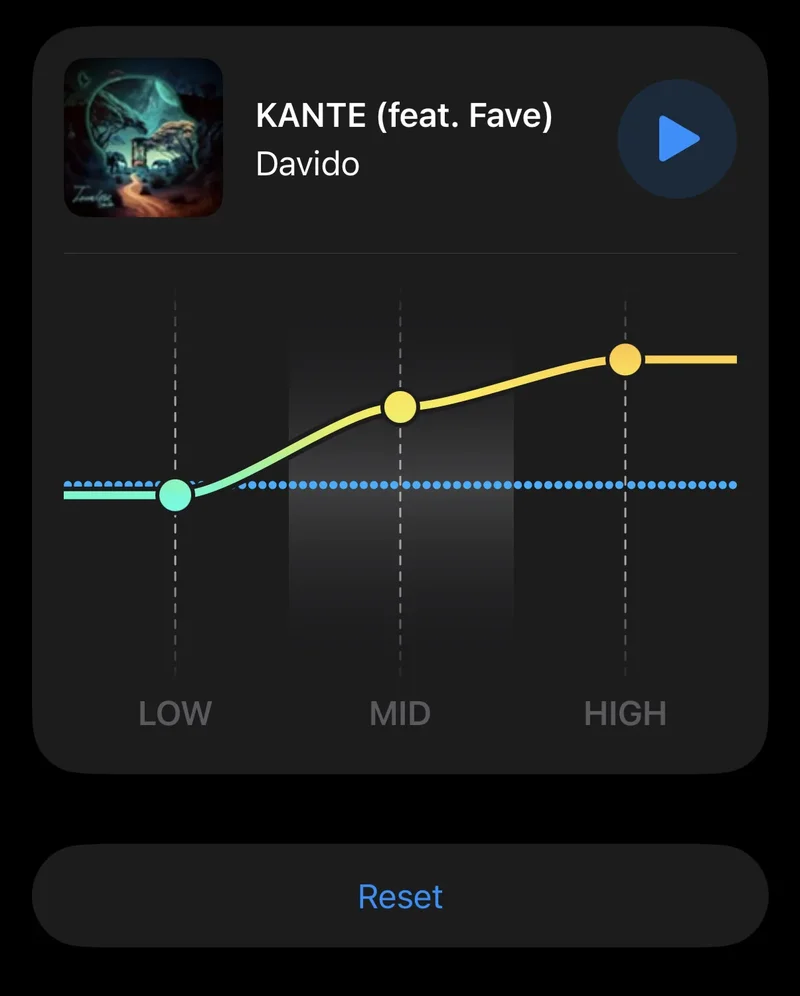
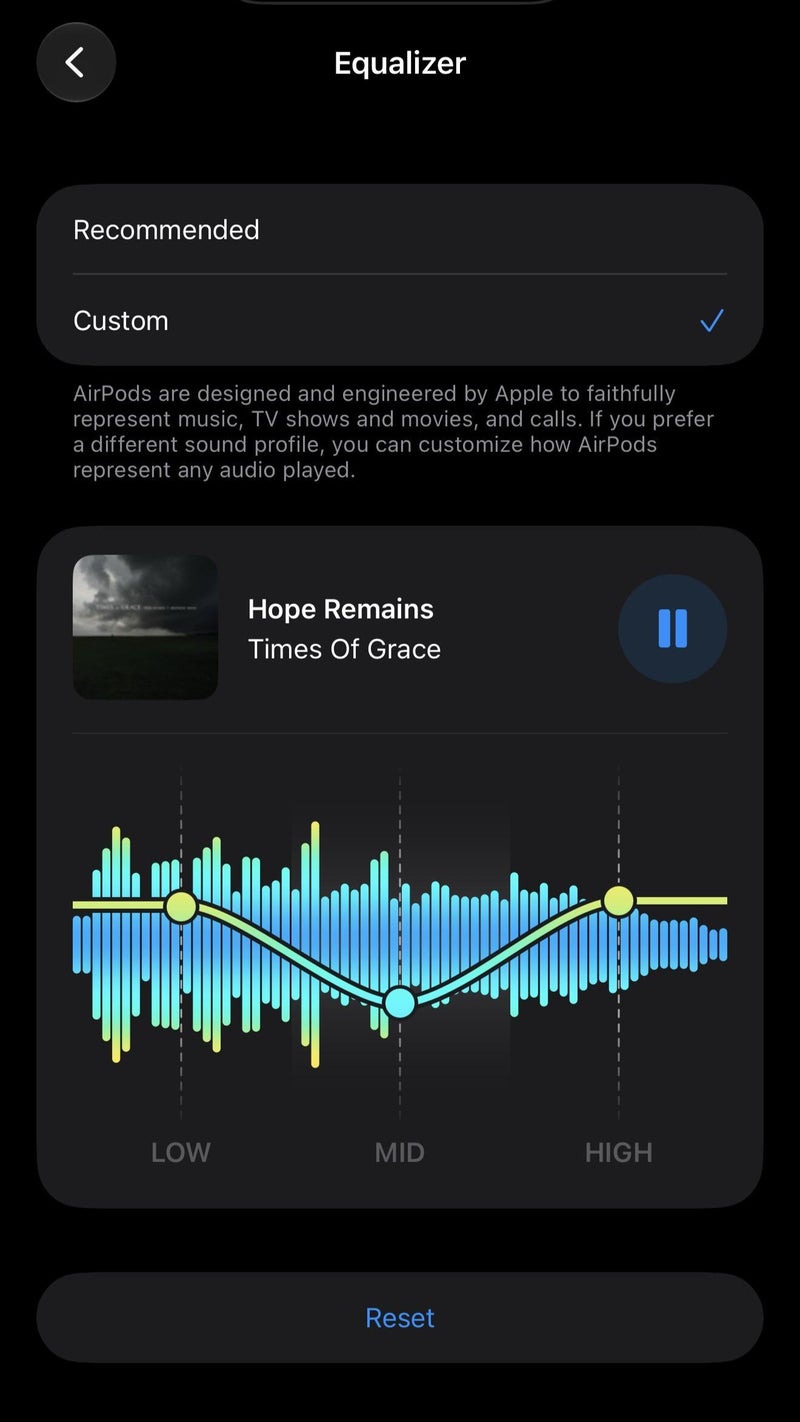
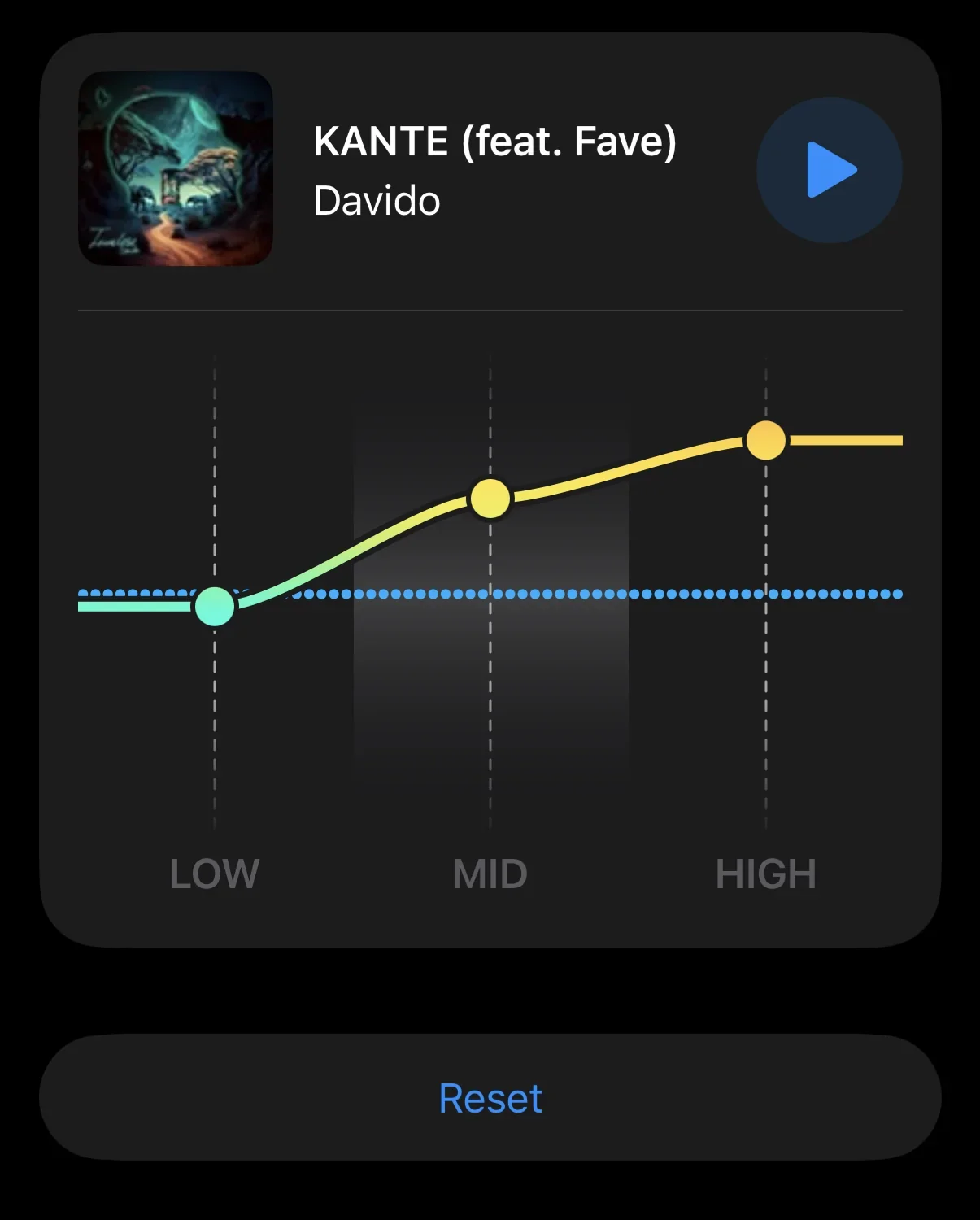
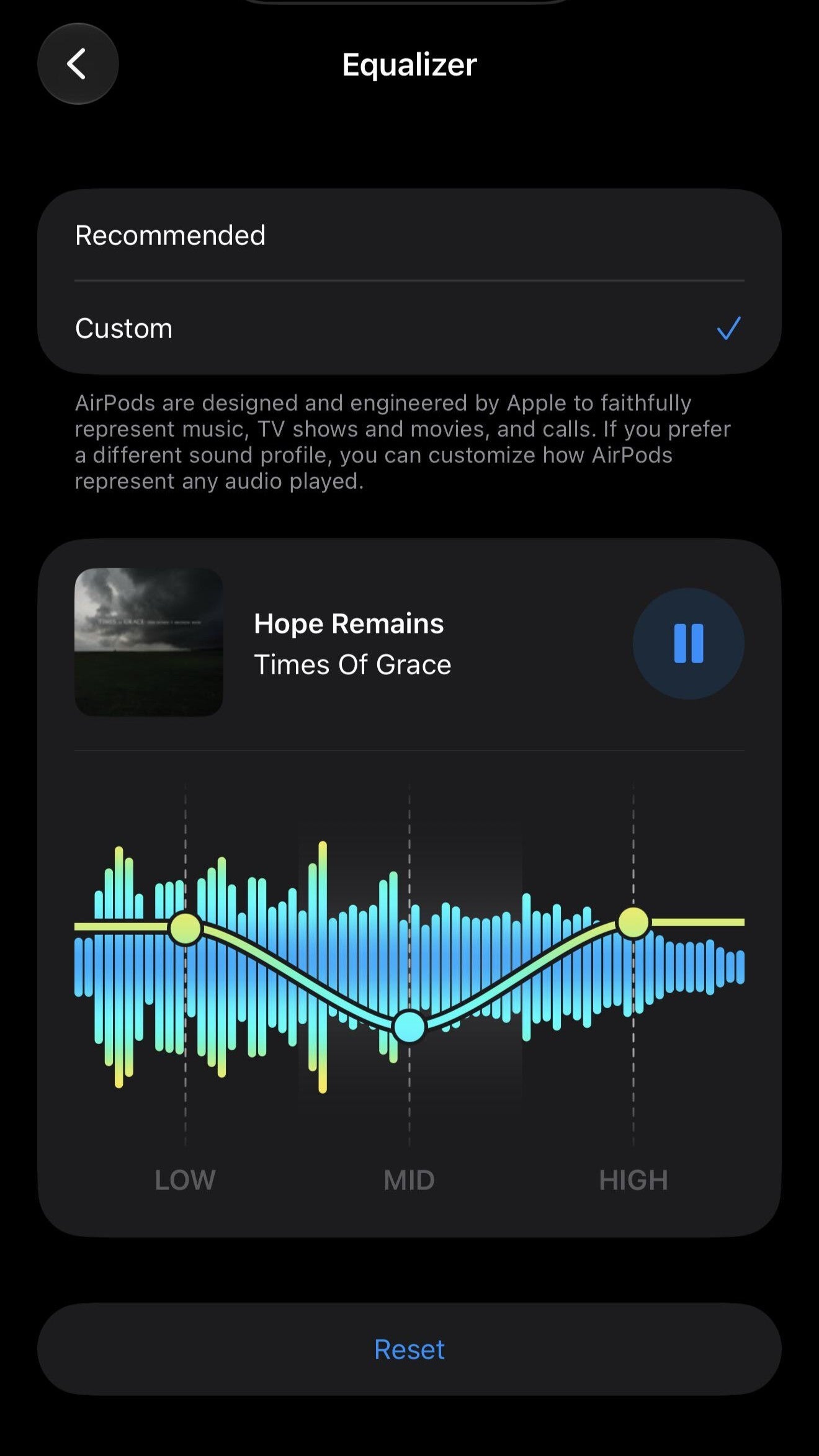
The Custom AirPods EQ with three data points. | Images by Image by Reddit
In iOS 27, iPadOS 27, and macOS Golden Gate, there's now a new AirPods interface. But the best feature in my opinion is the support for custom EQ.
This new featire allows you to adjust a native 3-band equalizer (Low, Mid, High) directly in your Apple AirPods Settings.
The new firmware also adds Siri AI support, so all aforementioned models are now compatible with Apple's new and improved AI agent.
How to get the latest beta firmware and test these new features
You can easily enable beta firmware updates on your AirPods and test these new features. Here's how to do it:
Recommended For You
Update your host device: Ensure your iPhone, iPad, or Mac is running the latest corresponding software (iOS 26, iPadOS 26, or macOS 26 or later)
Connect AirPods: Put your AirPods in your ears or connected via Bluetooth to your Apple device.
Enable Beta Toggle:
On iOS/iPadOS: Go to Settings > Bluetooth, then tap the Info (i) button next to your AirPods. Scroll down to About or AirPods Beta Updates and turn on the toggle.
On Mac: Go to System Settings > Bluetooth, click the Info (i) next to your AirPods, and turn on AirPods Beta Updates
These steps will allow you to install beta firmware on your AirPods. The latest beta firmware can take some time to install on your AirPods, as it's not a typical OTA software update pushed by Apple.
Should you install beta firmware on your Apple devices?
Installing beta firmware is always risky, no matter the device and operating system. In the case of the AirPods this could be even more problematic.
Apple doesn't provide a user friendly way to roll back to a stable firmware if something goes wrong, and there are a lot of things that can go wrong.
From completely bricking your AirPods to unstable audio and crappy connection to the Find My feature glitching, these are some of the issues you can expect with beta firmware on your AirPods. I personally would do it, because I like to tinker with things, but you do it at your own risk. If you want to play it safe, you'll need to wait for the next stable software release for your AirPods.
Get a free Galaxy A17 with Straight Talk. To claim this deal, you need to pair the phone with activation on a Silver Unlimited Plan or higher. This tier costs $45 per month. Offer valid through 01/10/27 while supplies last online.
Mariyan, a tech enthusiast with a background in Nuclear Physics and Journalism, brings a unique perspective to PhoneArena. His childhood curiosity for gadgets evolved into a professional passion for technology, leading him to the role of Editor-in-Chief at PCWorld Bulgaria before joining PhoneArena. Mariyan's interests range from mainstream Android and iPhone debates to fringe technologies like graphene batteries and nanotechnology. Off-duty, he enjoys playing his electric guitar, practicing Japanese, and revisiting his love for video games and Haruki Murakami's works.
A discussion is a place, where people can voice their opinion, no matter if it
is positive, neutral or negative. However, when posting, one must stay true to the topic, and not just share some
random thoughts, which are not directly related to the matter.
Things that are NOT allowed:
Off-topic talk - you must stick to the subject of discussion
Offensive, hate speech - if you want to say something, say it politely
Spam/Advertisements - these posts are deleted
Multiple accounts - one person can have only one account
Impersonations and offensive nicknames - these accounts get banned
To help keep our community safe and free from spam, we apply temporary limits to newly created accounts:
New accounts created within the last 24 hours may experience restrictions on how frequently they can
post or comment.
These limits are in place as a precaution and will automatically lift.
Moderation is done by humans. We try to be as objective as possible and moderate with zero bias. If you think a
post should be moderated - please, report it.
Have a question about the rules or why you have been moderated/limited/banned? Please,
contact us.









Things that are NOT allowed:
To help keep our community safe and free from spam, we apply temporary limits to newly created accounts: