Every product we review or recommend is thoroughly tested by our in-house experts in real-world conditions, following our
review methodology
and
ethics statement
to ensure honest, independent, and data-driven results.
The Samsung Wave Y may not be high on the most wanted smartphones list as an entry level phone with the company’s own bada mobile OS, since it has to fight with its Galaxy Y Android counterpart for attention.
Given that bada has way less apps in its store than Android, Samsung should have thrown in some incentives for potential buyers to prefer the Wave Y before its Android cousin.
There are some enticements indeed, but will they be enough to lure teens and emerging market buyers, which the Wave Y is targeting as indicated by its “Y” (for “youth”) category? Read on to find out...
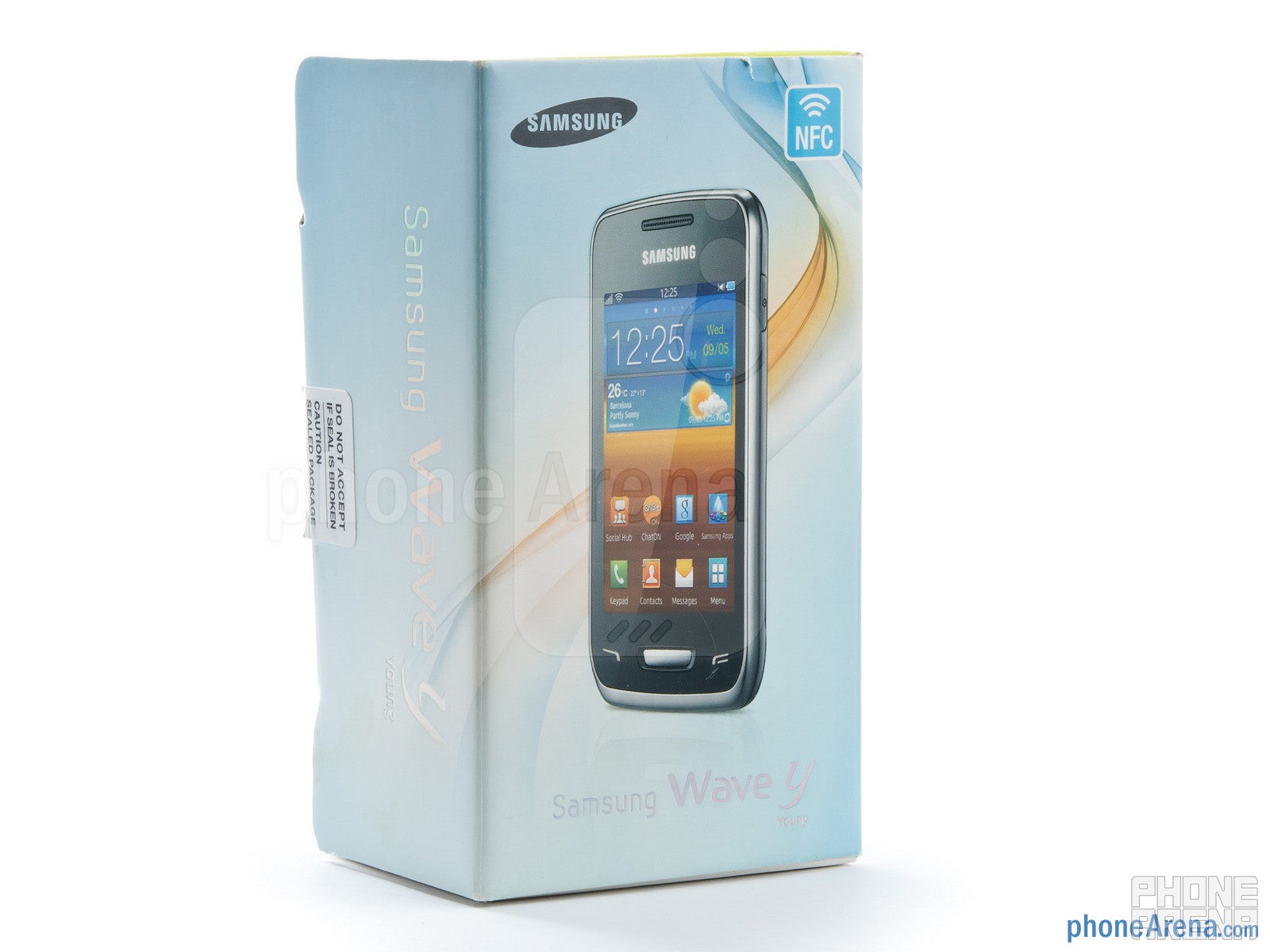
In the box:
Charger
microUSB cable
2GB microSD card with adapter
Warranty and information leaflets
Design:
The first thing that makes a difference for the Samsung Wave Y, if we compare with the Galaxy Y is the back, where a basic 2MP camera resides. The cover fakes brushed aluminum very successfully, despite being all plastic. The tapered edges are also very indicative of the phone’s Wave lineup heritage, and if you have seen the rest of the bada 2.0 handsets, you’d immediately recognize the Wave Y as part of the family.
The Samsung Wave Y is comfortable to hold
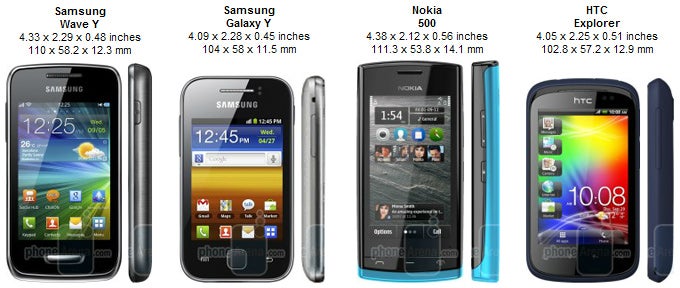
You can compare the Samsung Wave Y with many other phones using our Size Visualization Tool.
The handset is a bit chubby, and is not the lightest out there, but is comfortable to hold, and pretty well assembled - no creases or squeaking noises, plus the plastic is of quite a decent quality. The lock/power button on the right, and the volume rocker left are also very easy to feel, and give good tactile feedback. The same goes for the sole physical home button underneath the display, which is flanked by two capacitive navigation keys, bada style.
Display:
The 3.2” capacitive LCD display is with nice colors, bright enough for a decent image outside, and also with very good viewing angles for its class. The only gripe we had with it were the right horizontal viewing angles, which were strangely abysmal with even the slightest tilt..
Recommended For You
It features 320x480 pixels of resolution, which is plenty for this screen size, and the 180ppi density means you are getting more than you’d expect from this category. Much better than the Galaxy Y in any case, whose 133ppi make Android’s UI look terrible. In fact, this resolution makes bada 2.0 look better on the Wave Y than on the higher-class Wave M, which spreads that same resolution over a larger 3.65” screen.
Interface and functionality:
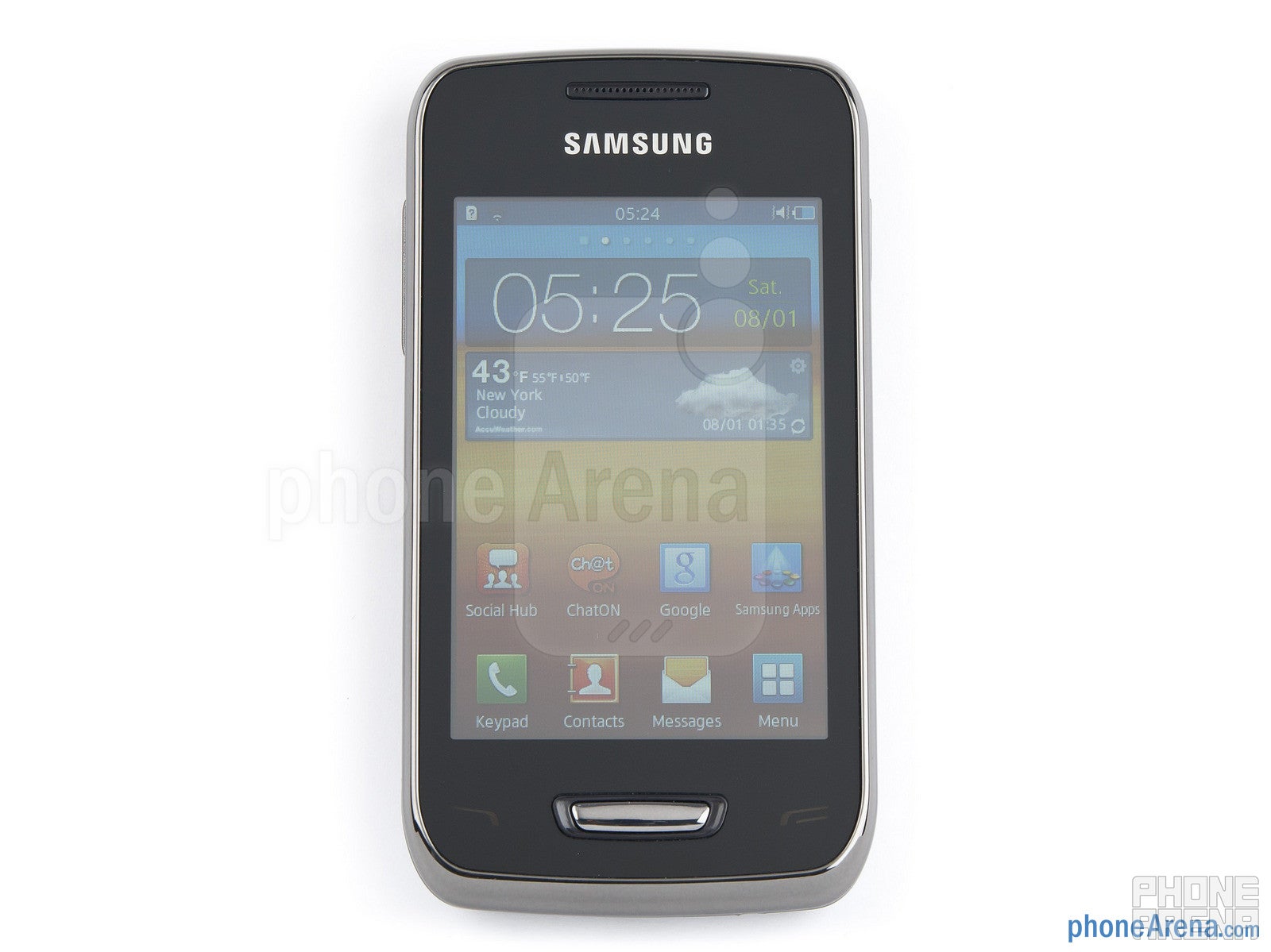
As mentioned above, the screen resolution on this size is very positive for the initial impression from the TouchWiz UI over bada 2.0 in the Samsung Wave Y. The eye-candy introduced by the widgets on the home screens is pretty detailed, and text is legible.
The Samsung Wave Y has TouchWiz UI over bada 2.0
TouchWiz UI in bada 2.0 introduces notifications on the lock screen, and a dedicated homescreen for cool weather, news, etc. widgets with transparent backgrounds, which you can scroll up and down, instead of swiping, called Live Panel. The UI also sports revamped icons and folders, as well as green radio buttons for turning different functions on and off.
Notifications on the lock screen
You can read a more detailed review of bada 2.0 in our Wave 3 piece here, and about the only thing missing from the Wave Y are some transparencies, as the processor is not as powerful. Still, the 832MHz CPU runs things very smooth and zippy, without major interface jams.
The 3.2” display size makes it uncomfortable to type on the virtual keyboard, especially in portrait mode, although bada OS 2.0 has this pretty well-spaced keyboard layout we've come to appreciate. Communicating via the new ChatON messaging service, or using the Social Hub that aggregates your social networking and messaging services in one place will thus not be you primary pastime with such a cramped on-screen keyboard, but it’ll suffice for the occasional text message.
Virtual keyboard
Internet and Connectivity:
Samsung's new version of bada's Dolphin browser in bada 2.0 adds a download manager and prettier interface compared to the previous version, but still doesn't support desktop Adobe Flash, and even Flash Lite seems to be missing, as we couldn't see Flash ads, or embedded YouTube videos. Text reflow, pinching and scrolling are executed fine, and reading text is a pretty decent experience thanks to the good pixel density.
The browser of the Samsung Wave Y
The Samsung Wave Y sports a fairly standard suite of connectivity options – 7.2Mbps HSDPA, Wi-Fi and Wi-Fi Direct, as well as Bluetooth, A-GPS, DLNA with the AllShare app, FM Radio and even NFC, which has its own app for making and receiving NFC tags.
Camera:
The 2MP camera is your lonely shooter on the Wave Y, as there is no front-facing cam. The interface offers some nice surprises like a Panorama mode and smile recognition, sprinkling the experience with a couple of effects you can apply to your photos and videos.
Camera interface
The pics themselves could use a bit more saturation and sharpness, but are about what we'd expect from a basic 2MP shooter, no unpleasant surprises besides some extra softness. Indoors the shots are bearable only when there is strong light, and the phone is held steady.
Outdoor samples shot with the Samsung Wave Y
Indoor samples
The HVGA video capture is not even worth the finger tips amortization we used to write this sentence, despite its “smooth” 30 fps speed, it’s just barely watchable even on the phone’s screen.
Samsung Wave Y Sample Video:
Multimedia:
The Gallery app UI has been redesigned, with cool page-turning effect when you switch on the slideshow function, for instance. There is, however, no picture or video editors embedded in the gallery, only a few basic functions, like crop and rotate. The music player has received an eye-candy boost in its turn, and sports one-touch DLNA streaming functionality, but no equalizer presets.
The Gallery app
The music player
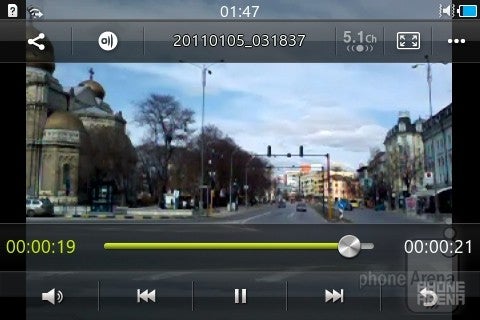
The video player has gotten a nice visual upgrade, too, with a transparent interface, but it only plays MPEG-4 files, up to 720p.
Video player
Performance:
Call quality with the Samsung Wave Y is pretty decent in the earpiece, with clear-sounding voices, which could use a bit more volume. The other side could hear us well, too, but, of course, the phone is not spoiled with noise-canceling mic, so the ambient sounds made their way into the conversation.
The loudspeaker is not too wimpy, so you’d likely not miss a call from the Wave Y, and the sound from it is not overly flat when listening to music, or when redirecting a call through the speaker.
The battery behaved very well on standby, and the 6 hours and 40 minutes of talk time Samsung quotes out of the 1200mAh unit is about the category average.
Conclusion:
The Samsung Wave Y is a pleasant handset all-around, with no major flaws to really pick at. It sports a comfortable and sturdy design, made handsome by the faux brushed aluminum back, and has a bright display with above average for the category pixel density.
When we add the decent pictures and call quality, about the only complaint left is that it is running bada, instead of Android, but for the phone’s target market that shouldn’t be such an issue, as most of the social networking and communication apps that will be used daily are covered, with a few games thrown in for a good measure.
Its most formidable competitor is its own price - we find it way above $150. That is the territory of its Galaxy Y competitor, which, albeit with worse display and design materials, has the backing of the Google Play Store behind it. It is still the early days of the Wave Y’s availability, though, and the Galaxy Y has been around for a while, so the price difference should deepen.
As of now, there are better competitors to the Wave Y in this price range, like the HTC Explorer, which offers better camera, and, of course, Android. If you are a fan of Nokia’s Symbian Belle offerings with the free offline Maps navigation, then you can look at the Nokia 500, which also has a better cam, better screen resolution, and has a way more established app store with north of 60, 000 apps to take advantage of than bada’s own.
Software version of the reviewed unit: bada 2.01111272046
Daniel, a devoted tech writer at PhoneArena from 2010 to 2025, has been engrossed in mobile technology since the Windows Mobile era. His expertise spans mobile hardware, software, and carrier networks, and he's keenly interested in the future of digital health, car connectivity, and 5G. Beyond his professional pursuits, Daniel finds balance in travel, reading, and exploring new tech innovations, while contemplating the ethical and privacy implications of our digital future.
Recommended For You
COMMENTS (13)
COMMENTS (13)
All comments need to comply with our
Community Guidelines
PhoneArena Community Rules
A discussion is a place, where people can voice their opinion, no matter if it
is positive, neutral or negative. However, when posting, one must stay true to the topic, and not just share some
random thoughts, which are not directly related to the matter.
Things that are NOT allowed:
Off-topic talk - you must stick to the subject of discussion
Offensive, hate speech - if you want to say something, say it politely
Spam/Advertisements - these posts are deleted
Multiple accounts - one person can have only one account
Impersonations and offensive nicknames - these accounts get banned
To help keep our community safe and free from spam, we apply temporary limits to newly created accounts:
New accounts created within the last 24 hours may experience restrictions on how frequently they can
post or comment.
These limits are in place as a precaution and will automatically lift.
Moderation is done by humans. We try to be as objective as possible and moderate with zero bias. If you think a
post should be moderated - please, report it.
Have a question about the rules or why you have been moderated/limited/banned? Please,
contact us.






Things that are NOT allowed:
To help keep our community safe and free from spam, we apply temporary limits to newly created accounts: