A decade after Pebble defined the modern smartwatch, the Pebble Time 2 is here to prove that there is a way to make technology exciting and engaging again.
Every product we review or recommend is thoroughly tested by our in-house experts in real-world conditions, following our
review methodology
and
ethics statement
to ensure honest, independent, and data-driven results.
The Pebble Time 2 is the ultimate revival of a watch that once upon a time defined what a smartwatch should be. More than a “smarter” wristwatch, it was about providing more software right on your wrist that would work both in tandem with your smartphone, and standalone.
History was not kind to the brand: for one reason or another, Pebble didn’t make it, got bought out by Fitbit, which later got acquired by Google. In the coming years, the archetype would get replaced by the modern smartwatch, focused on health tracking, fitness and direct control over your smartphone: a complete companion device, less of a standalone one.
Despite that, the passionate community kept Pebble going on its own, keeping older models alive and providing new apps and watchfaces from time to time. More than a decade later, the same man who helmed the original Pebble company introduced new devices, got Google to make PebbleOS open-source and even got back the trademarked name.
Now, we’re here, and the Pebble Time 2 is truly an unrivaled type of device. It is one dedicated to a simple rule: technology should not be sterile, but inviting to developers and exciting to use.
The overarching theme here is that while sacrifices have been made to achieve this vision, the creativity and joy vastly outweigh the flaws for passionate software tinkerers.
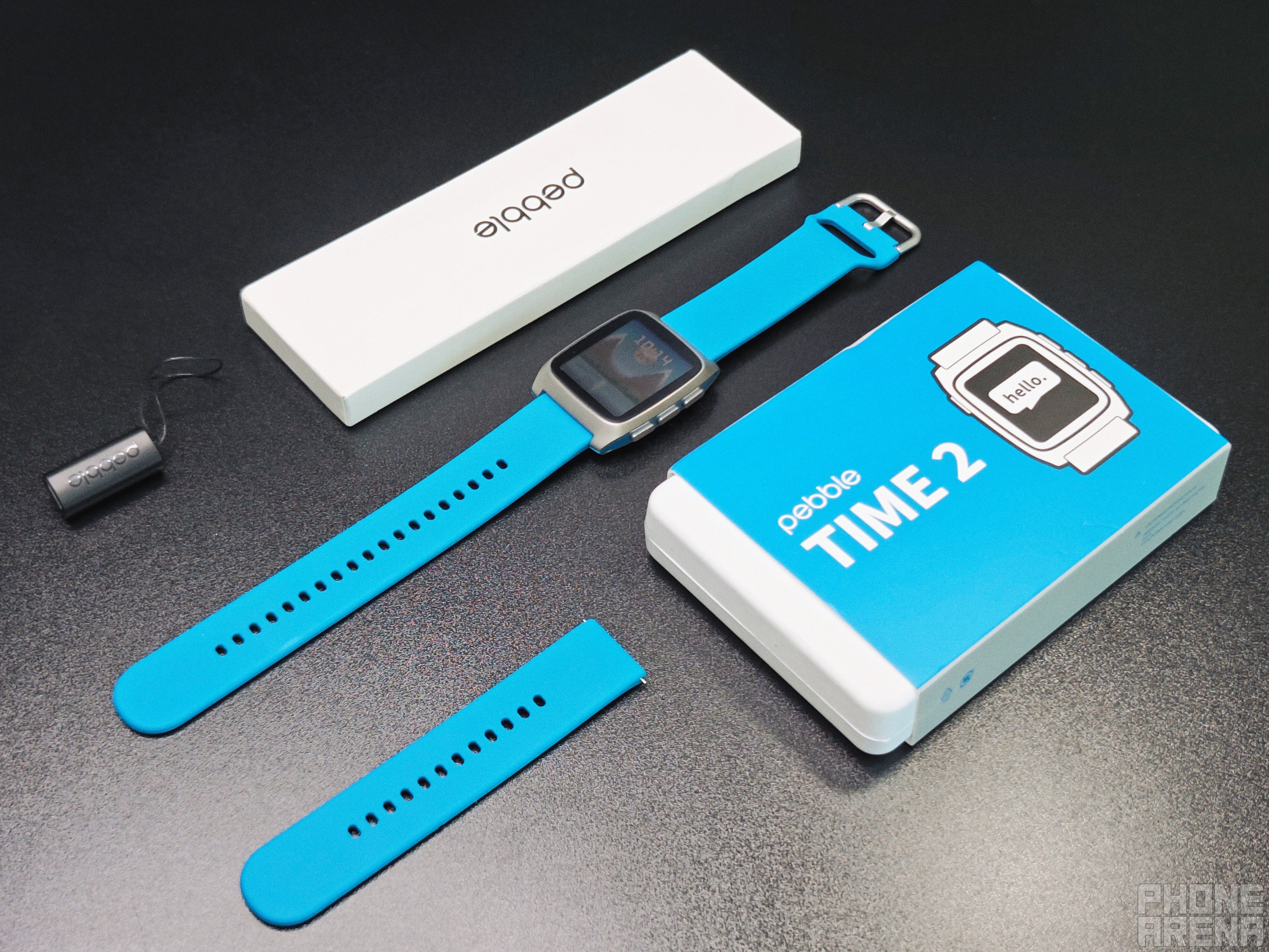
This is what you'll get if you buy a Pebble Time 2. | Image by PhoneArena
The watch arrives in a package that screams "startup", which is a double-edged sword. The main box contains the watch itself and a charger dongle, while the other package contains your silicone band of choice, including two different size options.
I appreciate the eco-conscious approach, and it is also showing off the manufacturing process: bands probably come from a place different from where general hardware assembly happens. But it doesn’t make for much of an unboxing experience, which is important to some.
Recommended For You
My first impression was that the watch looked great and had a good weight to it. The band it comes with feels premium and reminds me of the Apple Watch. But then I saw the dongle, I held it in my hands and I could tell right away that there would be issues here.
It feels considerably cheaper than the rest of the contents. I do admit that I don’t need another cable, and I hate charging pucks as much as the next techie, but I am certain Pebble could have and should have done better than this. I’ll elaborate more when we get to the Charging section of the review, don’t worry.
Specs, Size & Bands
Against the current, but that’s the point
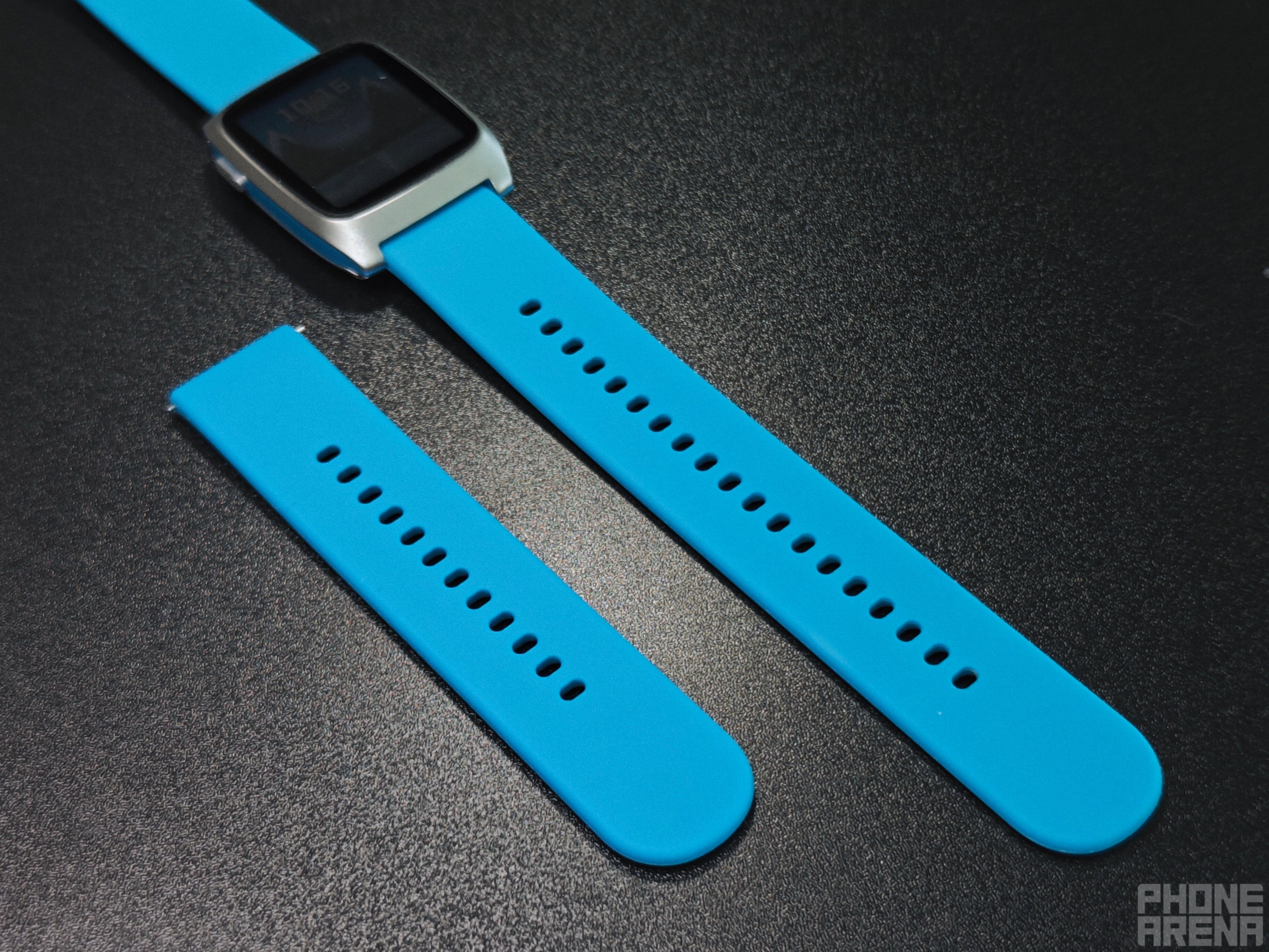
Two sizes by default, which everyone can appreciate. | Image by PhoneArena
Display:
1.3" color e-paper screen of a 260x260 resolution in 200 DPI and an RGB backlight
Body:
Steel chassis with polycarbonate accent colors
Weight:
33g
Dimensions:
43 × 36.4 × 10.9 mm (41.4 mm lug to lug)
Operating system:
PebbleOS, working in tandem with the new official Pebble app, available for both iOS and Android
Sensors and hardware:
Gyroscope, Compass, Heart rate monitor, mic and speaker
Health tracking:
Heart, Steps, Running, general Workout, and Sleep
Straps:
22mm in size, comes with a silicon band to match the chosen color option
Battery:
Undisclosed capacity, but proclaimed up to 30 days; realistically: about 2 weeks
Colors:
Silver and Black, combined with their opposite counterparts, Blue or Red
Price:
$225 plus shipping
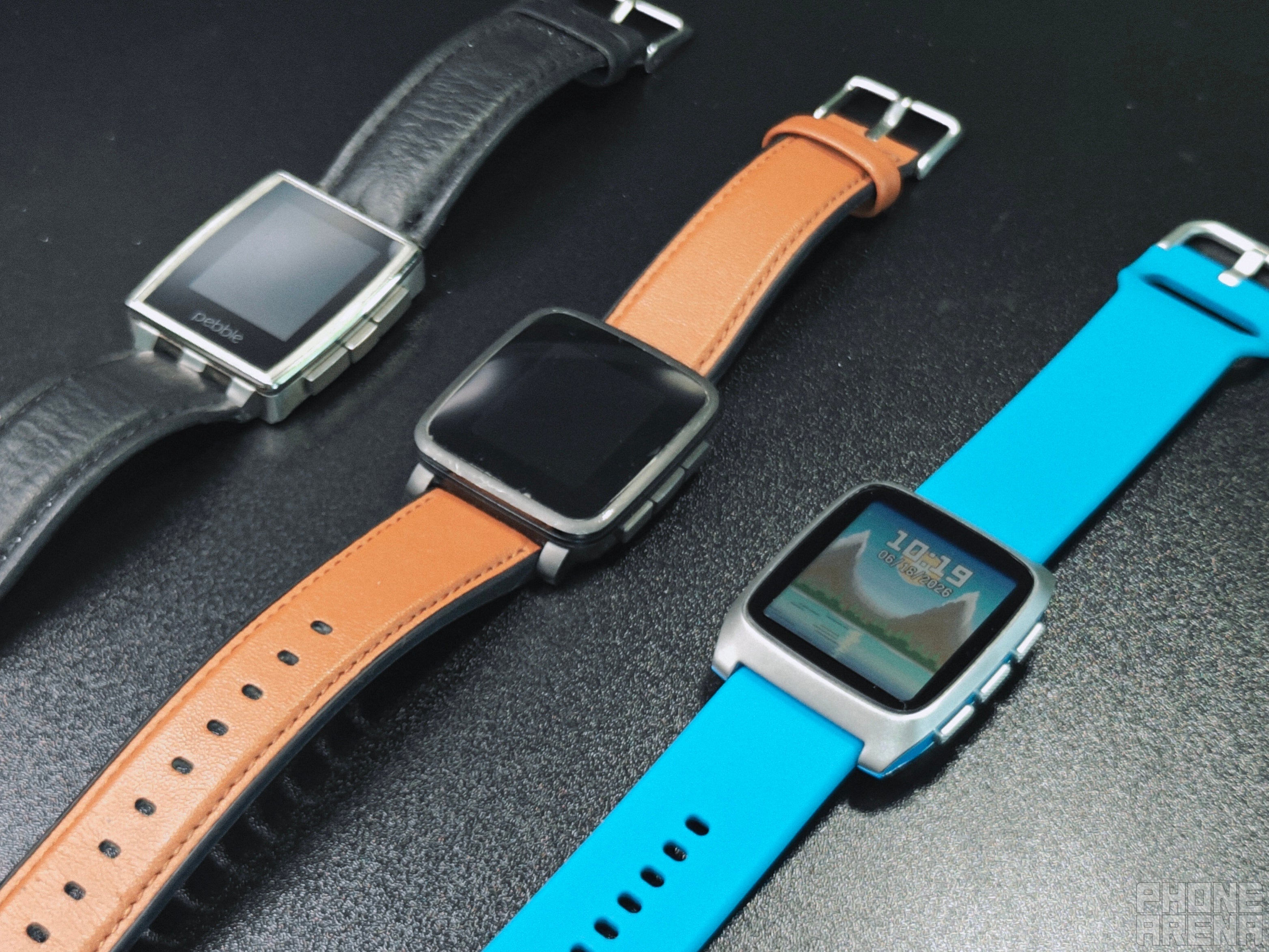
The watch’s metal chassis feels premium and has a brushed, industrial quality to it. The accents are bright and vibrant, which is highly appreciated in the age of the dull smart-tech color.
It’s obvious that the Pebble Time 2 is not here to compete with staple yearly smartwatch releases, or Ultra-tier fitness trackers. This watch is different by design, and it shows that the trade-off has been made consciously.
The Pebble Time 2 can do a lot more than a conventional, modern smartwatch can do, but it also isn’t as great at doing the things typical users might be accustomed to.
Everyone — the community included — knew that this watch wouldn’t be great at sports and fitness tracking, and you’ll learn more about my experience with those a bit later. But I must ask: why did these sensors get included then? It undoubtedly raised the price without contributing to the complete package in a meaningful way.
For most, the big missing features here are NFC and GPS. While I do recognise that a lot of people utilize these daily on their daily driver smartwatches, I honestly appreciate them being gone. I don’t need every single device to fulfil every possible need, and I’m okay with bringing out my phone once in a while.
I truly don’t think it’s that much of a dealbreaker on a device that clearly telegraphs who it is for.
I also appreciate that Pebble stuck to a 22mm band size. This is one of the most common options out there, which means that a lot of us will have tons of options to choose from. The out-of-the-box band itself is very comfortable to wear, so there's no rush to change it outright.
Design & Display
Familiar, but new
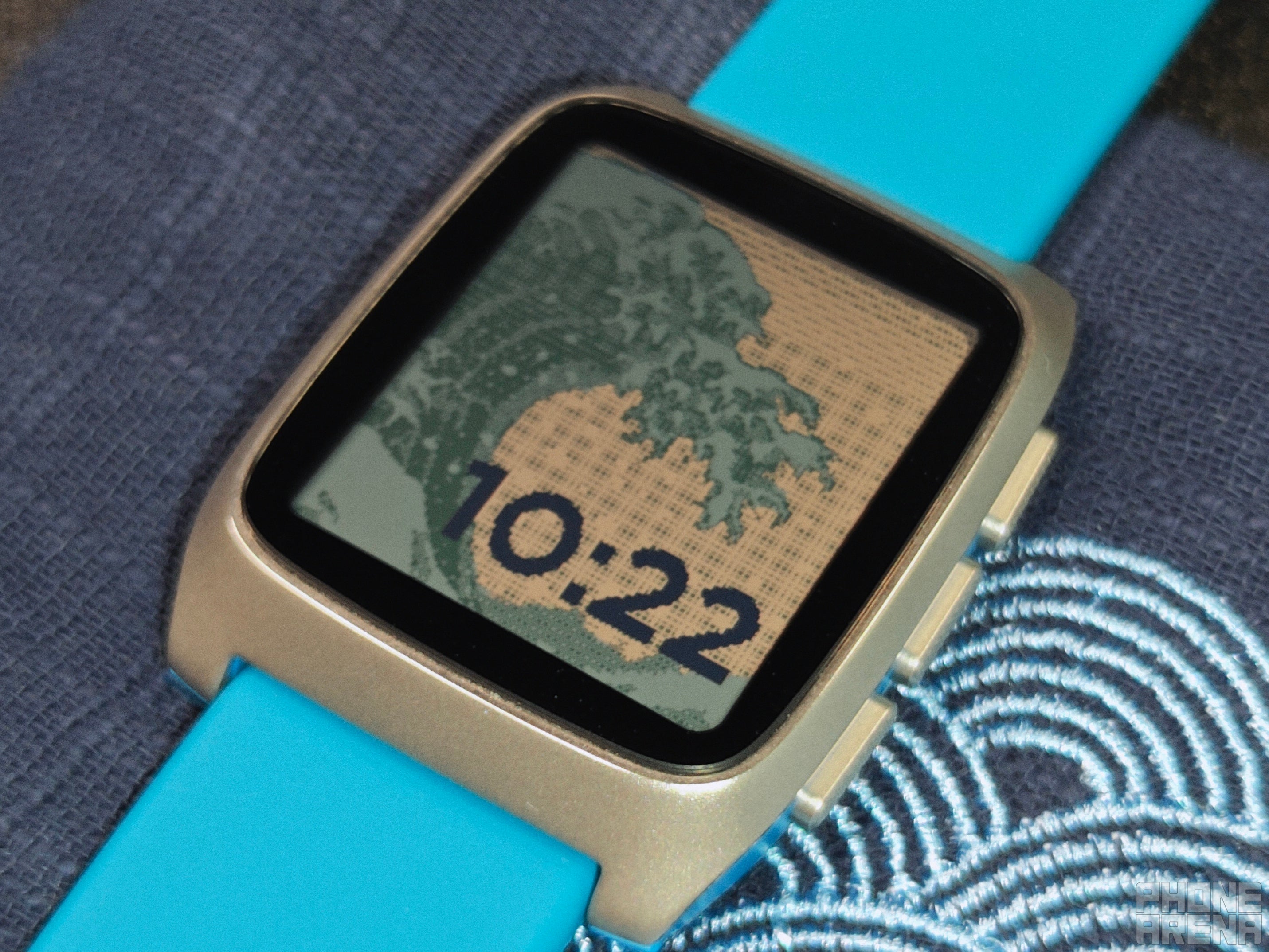
No backlight here, but look at how great the design looks. | Image by PhoneArena
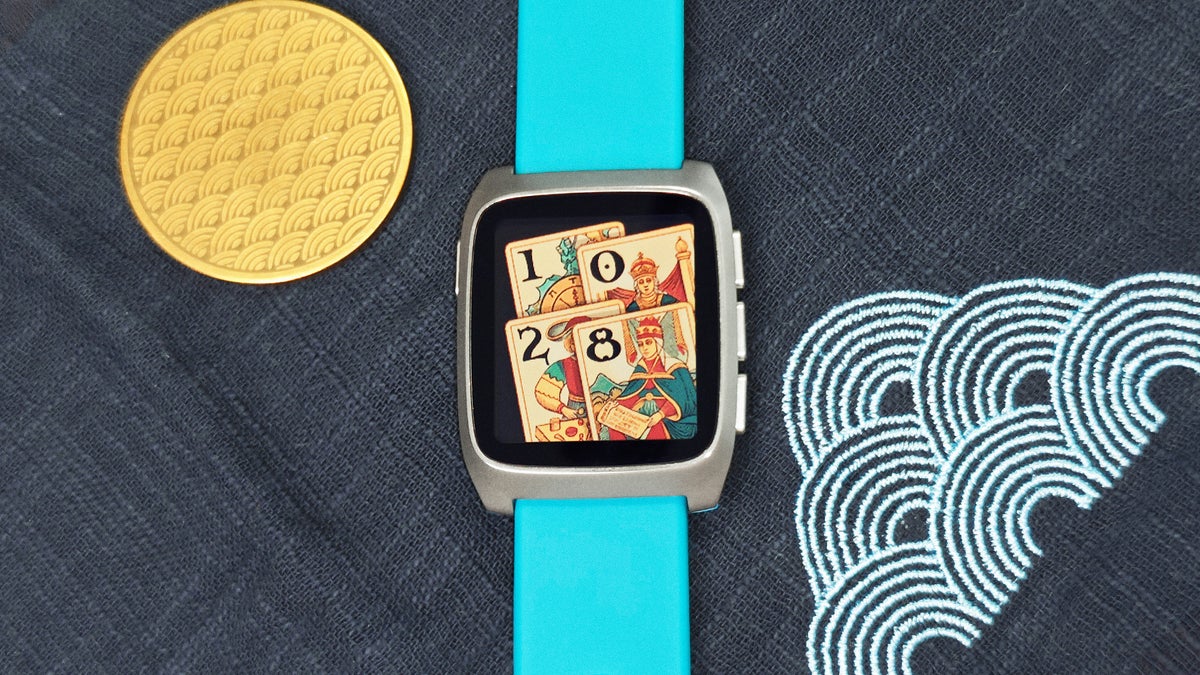
The design is unmistakably Pebble, but with a modernized look. The colored sides match the band depending on color combo, which is fun and engaging.
The Pebble Time 2 has a total of four buttons across its body: one on the left, serving as a Back button, and three on the right for Up, Select and Down. All three are made of textured metal, and have a satisfying resistance when pushed. If you are like me and prefer physical buttons to touch-screen navigation, you’ll love this.
The Time 2 feels comfortable and looks great on the wrist. | Images by Image by PhoneArena
That being said: the Pebble Time 2 supports touch screen interactions as well, but you are free to disable that if you like. I tried it to see that it works, then remembered how much I hate fingerprints on my watch screen and disabled it forever. Or, at least, until a developer finds a neat use for it that might persuade me to try it out again.
Part of what enables me to do that with certainty is the watch’s capability to allow me to assign shortcuts to each button when long-pressed, so I have fast access to four things at any given time.
The display, being e-paper, isn’t as bright as an OLED one, but the key detail here is that it remains visible in reasonable lighting conditions in 90% of the time. And when you find yourself in the other 10% — the backlight can be triggered with a flick of the wrist and the press of a button to help you out.
Most of you are familiar with the technology, but for those who aren’t: the cool thing about e-paper is that it doesn’t rely on constant illumination to remain visible. The trade-off is sharpness and vibrancy. You can absolutely tell when you compare the Time 2 to an OLED screen, but the massive battery gains and outdoor visibility are worth it for sure.
Here's the difference you can expect with just a slight movement of the wrist. | Images by Image by PhoneArena
Personally, I am accustomed to using all of my devices on minimum brightness to help minimize eye strain. That being said, the community has been pretty loud about the backlight being insufficiently bright, and even I agree. Out of the five brightness settings, I am on the fourth, and even I struggle with it sometimes. And I use my phone on sub-15% at most times, so you do the math.
Still, I’m hesitant to call this a dealbreaker, because it is rare for you to find yourself in a situation where the natural light won’t be sufficient. You might have to tilt your wrist a bit to let the light hit just right, but when it does, the clarity of it all is impressive every time.
The big bezels might bother some, but I got used to them quickly. Some watchfaces even look better with them, because they serve as a frame, helping to guide your eyes to the right information. This is the biggest screen on a Pebble device ever, and in case you care for a more liberated version, the upcoming Pebble Round 2 will aim to provide such an experience.
Key design details and one oversight. | Images by Image by PhoneArena
The big point of contention regarding the Pebble Time 2’s design and durability is the glass. It’s Corning Gorilla Glass — we’ve all seen and felt it, and we know it is strong. However, regardless of how sturdy it is on its surface, every piece of glass is weak when you dent it at an angle.
And for some reason, Core — the company behind Pebble now — moved ahead with a smartwatch design featuring glass protruding about a millimeter above the chassis. That’s enough to get unlucky with a single hit at a bad spot, resulting in a fracture.
This, combined with Core’s frankly abysmal warranty support of only 30 days, makes it easy to understand why Pebble’s online communities are filled with posts from people contemplating cancelling their preorders while they still can.
Despite its tenured history, Core is still a small company. It is understandable that it can't provide longer support like Apple or Google, due to differences in production scale. The more product you make the — cheaper it gets, and that can help absorb prices for replacements, which in turn allows for longer warranty periods. But Pebble is just not at that scale right now.
Hopefully, things go well for Core and this changes down the line. But for the momentary user, who might break their screen on the thirty second day, this is just plain bad.
I am somewhat of a living beyblade myself, and I bump my wrist on all manner of surfaces daily. The Pebble Time 2 has been no exception, and for the purposes of this review, I’ve risked using it without a protector. So far, it hasn’t gotten a single dent or scratch, which is great.
I think that if you use the Time 2 reasonably and take it off consciously before tempting fate with carrying heavy stuff or operating dangerous machines, you’ll likely be fine. But despite that, this remains a design oversight.
I’m a watch collector, and none of my other watches feature protruding glass. In fact, the opposite is more common, because it helps protect the screen. And when there’s an exception: the glass is domed for a reason — it eliminates edges.
Software
This is it: over 10,000 watchfaces and apps
All software is fully backwards compatible, which is insane! | Image by PhoneArena
This is where Pebble shines, and there's literally no other product like this on the market, let alone in the watch industry. Having a watch which instantly has access to thousands of watchfaces and apps, some more unique than anything you'll ever see elsewhere is just unsurpassed.
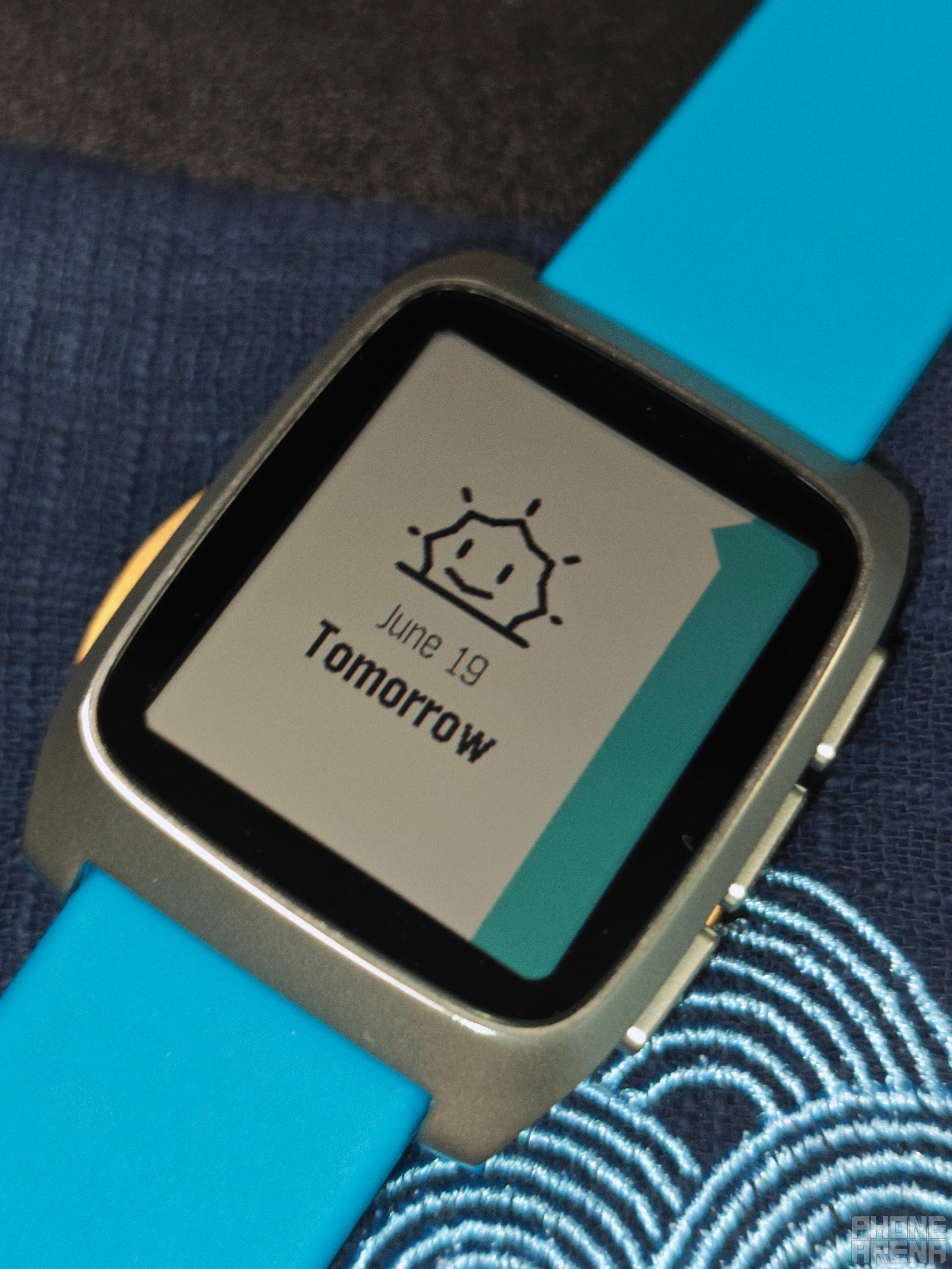
The watch's own UI is a familiar sight, and the inspired animations are a pleasure as always. Turning off Do Not Disturb shows a tiptoeing mouse, and deleting notifications shows an animation with a paper shredder. Reaching the end of your day’s schedule shows a setting sun: all things that add so much character to the Pebble Time 2.
The little things can mean a lot when done right. | Image by PhoneArena
Navigation feels smooth and satisfying for the most part, with some moments of rare lag in between, but I am sure that software updaters will manage to iron those out.
Pressing up from your watchface gets you to the health stats: steps, heart rate, sleep data. Pressing the Select key on either screen will get you to a neat little summary page of each. At any point you can press Back to go back to your watchface.
If you press down, you get your schedule. The watch pulls from your calendars and sets events to give you an overview of your day. I’ll be honest here, the lack of built-in support for foreign languages really brings this feature down.
A lot of my personal events are in Bulgarian, so instead of seeing what they are, I just see that I have ◻◻◻◻◻◻◻ at 10:20, which isn’t really helpful. If all of your stuff is in English, it can be really helpful though. There’s also weather reports included in there by default.
From there on out, if you press the Central select button while on the watchface, you’ll enter the main Menu. You have the option to re-arrange a lot of these, especially the apps you’ve downloaded yourself. The core ones are, in possibly non-exact order:
Settings
Music
Notifications
Alarms
Weather
Health
Workout
Watchfaces
Followed by your other apps
Most of these do exactly what you imagine. For example, here's the contents of the Settings menu:
Bluetooth
Notifications
Sound & Haptics
Quiet Time (which is just Do Not Disturb)
Timeline
Quick Launch
Date & Time
Display
Health
Background apps
System
Of course, all the myriad of apps and watchfaces will also live among these menus. And I admit: doing things this way is an acquired taste. A lot of people are fine with whatever comes on the watch out of the box, and Pebble isn’t like that. It’s made for software geeks and tinkerers: if you want to get the most of it, you have to find what you love.
Let me be perfectly clear: the process itself is as easy as can be. The Pebble app is just another app store, and while it isn’t perfect, it’s very easy to find something you like, get it on the watch and set it up.
The best thing about this is that you can get that new watch feel in a matter of minutes once you want to switch things up. There seems to be something for everyone on the Pebble store:
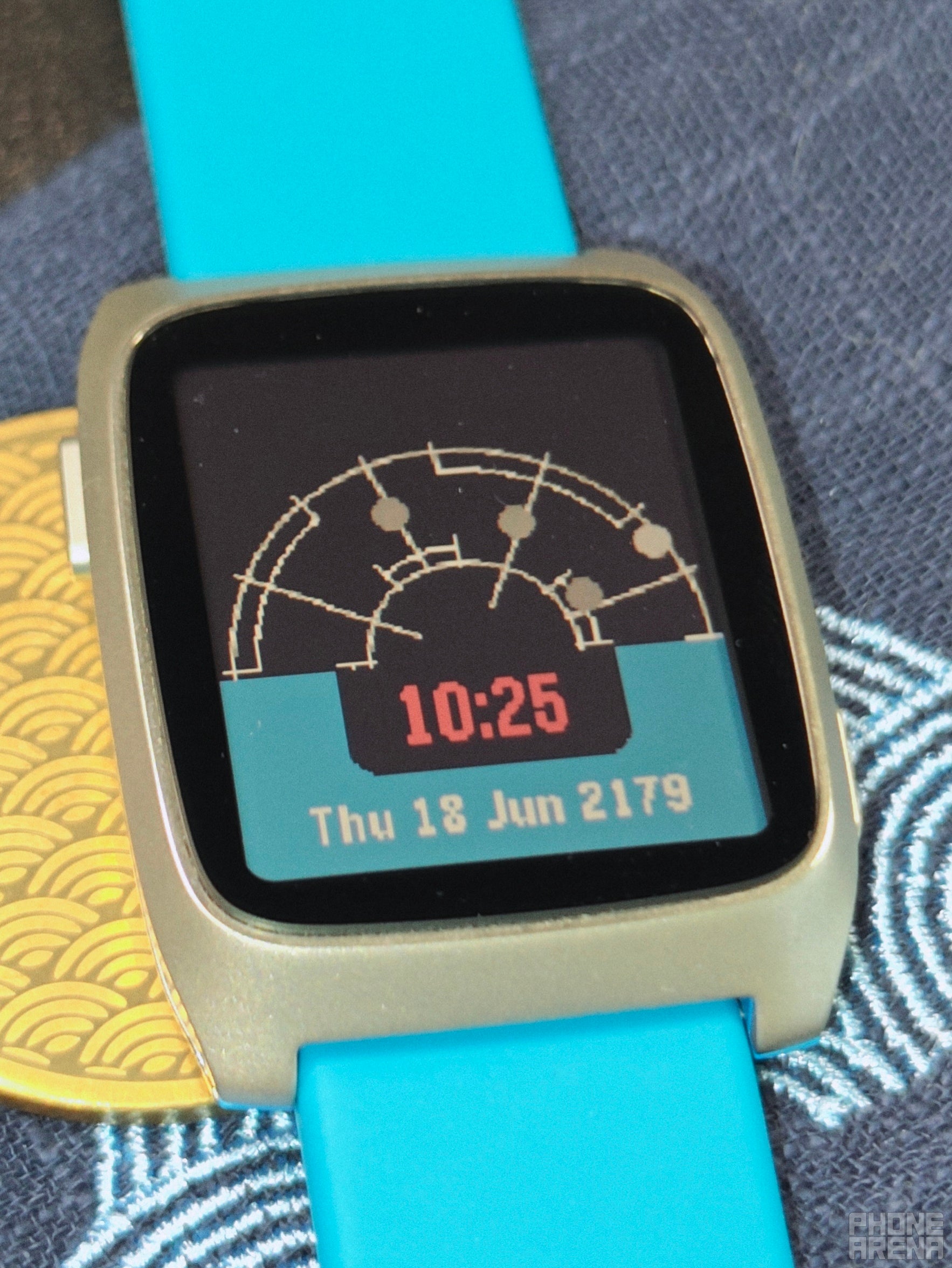
The tracker uses the gyroscope to turn with you in real time. | Image by PhoneArena
A Casio-inspired watchface that lets you customize every single element of it: from the color of the font, to whether there are visible logos and extra bezels
A watchface mimicking the motion-tracker from the incredible film “Aliens” that generates random threats around you
Virtual pets that you raise while you hit your step goals
Minimal and modern watchfaces that let you pick what is important to you, and place that front in center in the most readable font ever, all the while letting you pick the size and color of almost everything
And so, so much more. This lends the Pebble Time 2 a unique type of longevity, which isn’t limited to software updates and security upgrades, but to developer creativity.
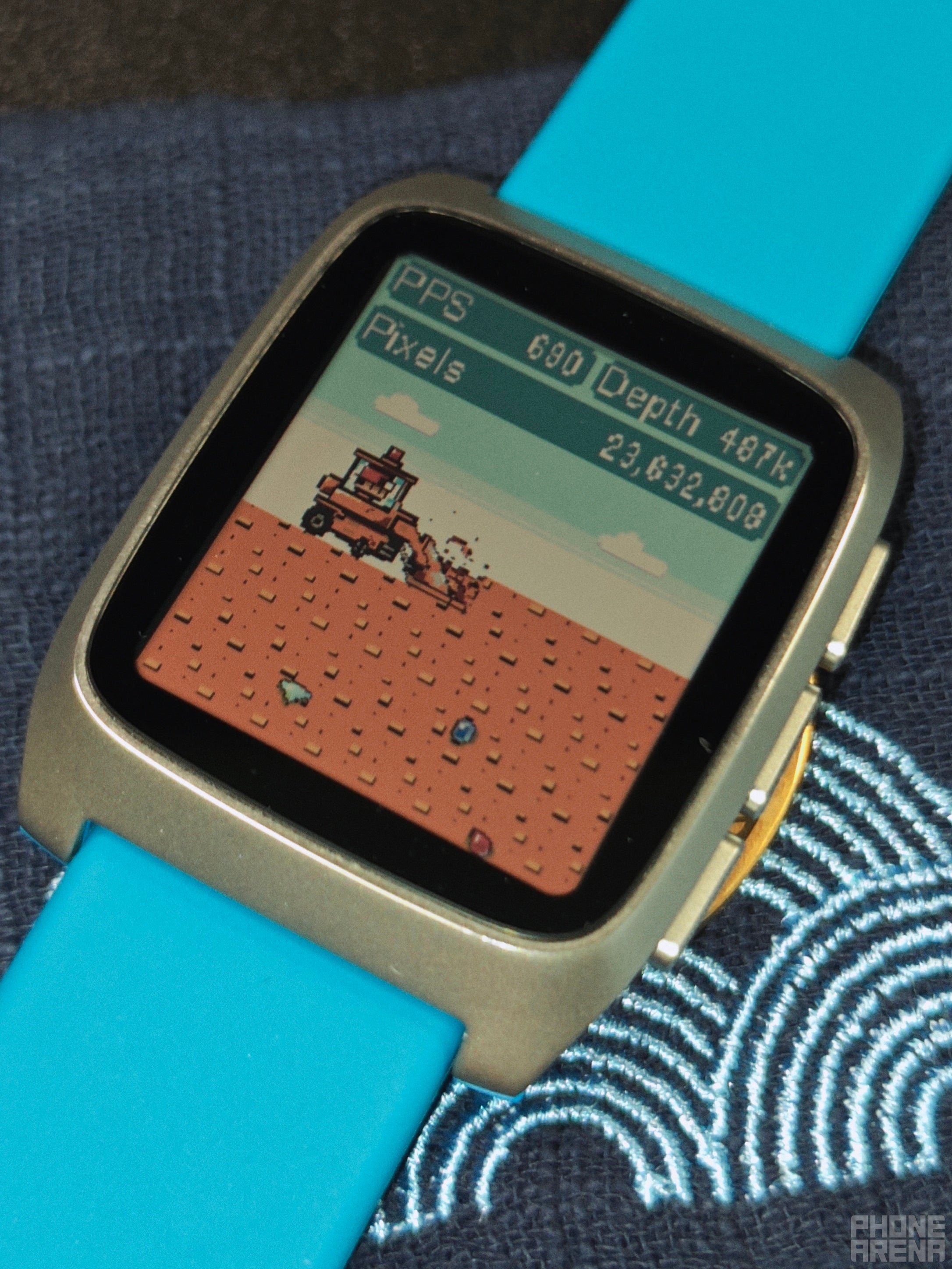
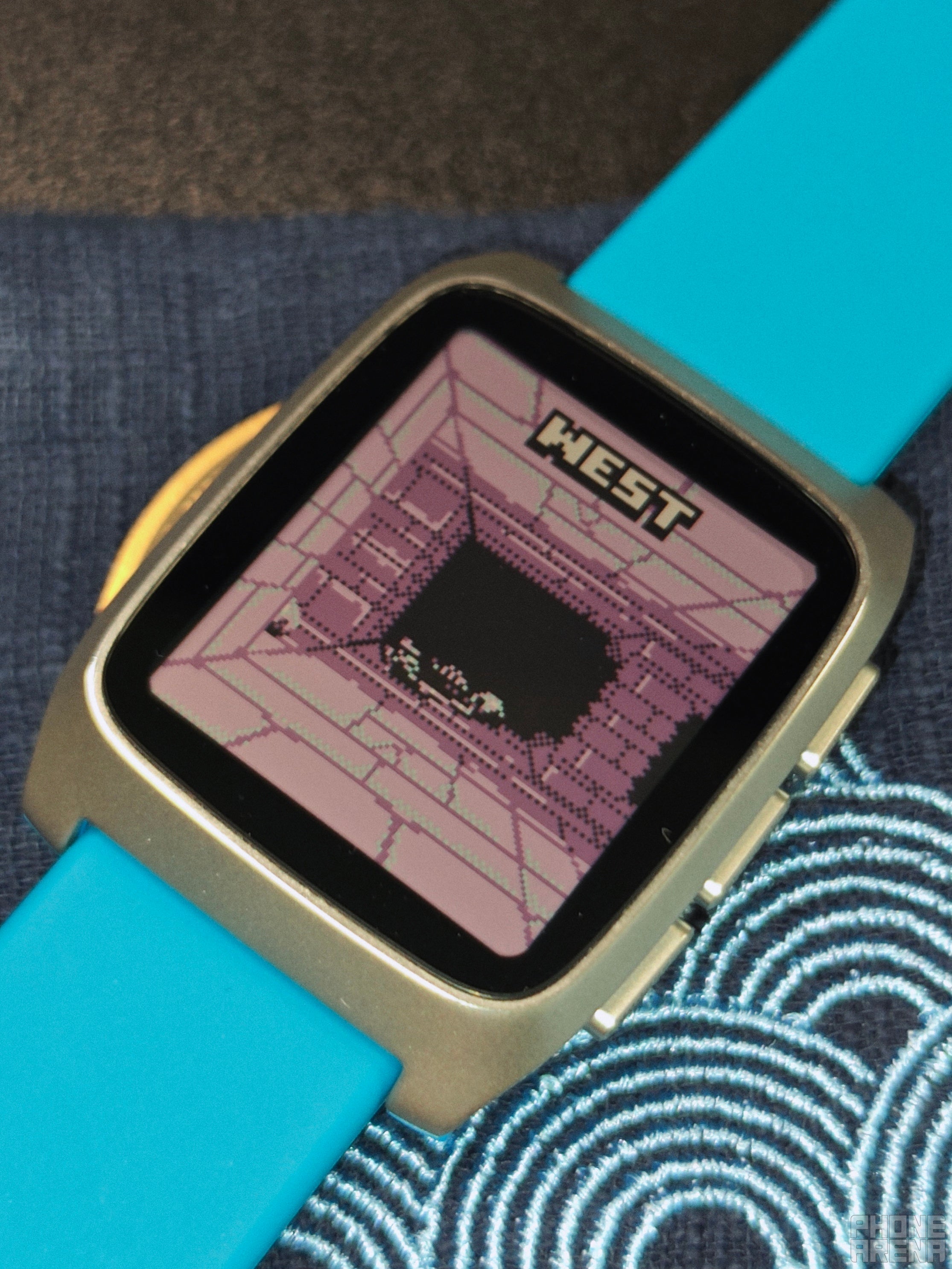
There are also countless apps and even games to try out. Many of the apps try to creatively resolve user needs that aren’t available by default, like adding a Map to the watch. Games are limited by the watch’s size and input, but still: there are puzzles, dungeon crawlers, passive games and even racing games.
Don’t get me wrong: none of these will replace your phone or game console, but it is sometimes just refreshing to see. It is a unique type of novelty that sticks around for longer than usual. Some are also pretty great and you might continue using them, like my favorite Text Run game that remains challenging even ten years later.
Look at the little dude go! | Image by PhoneArena
What about the watch’s built-in features though? Well, Notifications work fine 90% of the time. They sync up with what is going on on your phone, but not always. You might sometimes dismiss one on your phone that sticks around on the watch. But this is addressable via software update, so I don’t think it’s that big of a deal.
What could be a dealbreaker for a lot of you, though, is the inability to make or take calls. This is especially weird when combined with the fact that the Pebble Time 2 has both a speaker and a microphone. But I'll admit that I'm not the type of person to take calls on my watch, so this didn't bother me that much.
The Pebble Time 2 allows you to reply via voice typing through the watch, though. Naturally, it doesn’t work with every language out there, but it works really well with English. However, it only lets you reply once per notification — you can’t initiate a text or continue after that, which is another odd choice.
This may very well not be entirely on Pebble, though. Google and Apple might've sandboxed their call systems to the point where it is almost impossible for PebbleOS to hop on a call as effortlessly as your Pixel or Apple watches. If this is the case, with some political acrobatics and further development time, taking calls and sending messages might become full-on features down the line.
Just imagine exploring a fantasy labyrinth on your watch. | Image by PhoneArena
But you can't buy a product today based on the promise of tomorrow, so it's worth knowing the current limitations of the Time 2. Speaking of, you won’t find literal counterparts of your favorite major apps here. No Spotify, no Google Keep, Maps or Calendar. To be clear: a lot have third-party equivalents, and you can control Spotify just fine via the built-in Spotify support.
All of these bases are covered in other ways, though, and that is what matters more. The official developers just haven't found the need to make custom apps for PebbleOS (yet).
One key positive note I want to make is that this is one of the few smartwatches that you can technically use without an active Bluetooth connection. Yes, you lose music control and notifications, but whatever is on the watch — whatever you’ve installed in there, and used recently, remains available on the built-in memory. I’m certain that some users will appreciate this massively, just like me.
Health & Sports tracking:
Trading fitness for fun
The sensor is there, but is it enough? | Image by PhoneArena
The Pebble Time 2 can help you track your heart rate, step count, minor general exercises and sleep. It can also sync up with your health tracking app of choice to record your data. It also has a few third-party apps that add extra health tracking options, but none of them can physically alter the watch’s existing sensors.
I remembered being pretty enamoured by my first Pebble’s ability to count steps back in the day. That was still a rare thing back then. Due to my fond memories, I had high hopes for the PT2’s ability to accurately capture steps.
I test step counting via comparing what the Pebble Time 2 reported to a professional pedometer I know to be accurate. Of course, I didn’t expect the Time 2 to be perfect, but I was shocked when I saw that it missed about 1,000 steps.
Still, seeing a weekly overview of your daily step count is satisfying, especially with the watch assigning a little crown to the day you performed best. This, combined with occasional motivational notifications to help get you moving can sometimes give you the boost you need after a tiring day at work.
Heart rate tracking seems accurate, placing me just a few numbers higher or lower than what my dedicated heart tracker shows. You can set one out of several options for how often these get measured, and you can disable the feature completely. I plan to do that after the review, because I just don’t see much point to it.
From what I can tell, the watch can’t notify you of irregular rhythm or if you’re going at it too hard during a workout. When you take useful features like those out, all you’re left with is just numbers, and I doubt that most of us are equipped to decipher those on our own.
When it comes to Sleep Tracking, I’m a skeptic. I recognize that it works for and helps many folks out there, but as someone who tried using a smartwatch to remedy real-life sleep issues — it just didn’t work, and maybe that was just me.
That being said, the Pebble Time 2 served as a fine example to reinforce my belief. I have not worn the watch to sleep a single time, but despite that it insists that I sleep about 2.5 hours per night.
It’s not difficult to rationalize why: the sensor ultimately looks for and measures electrical currents. Depending on the conditions of the room, such as nearby electrical outlets and air humidity, some surfaces can easily appear unusually "animated" to an algorithm. Then, since the accelerometer doesn't detect any movement, the watch it is attached to is happy to log in a 2.5 hour nap taken by your nightstand.
So, given that we're still struggling to consistently differentiate between wood, metal and human skin, I just don't think that wearables are yet smart enough to rely on for something as important as sleep tracking.
Since I’m not much of a runner, the only other feature I could test is a Workout. No fancy options: a general one is all there is, and there is no automatic detection. I typically prefer to measure results instead of real-time tracking, and thanks to that, I know that what I’m currently doing is working for me.
Despite me having a dedicated warmup section, the Pebble Time 2 decided I had warmed up after 25 minutes of actual training. The regimen continues for a bit over an hour, and after all that, the watch figured I had burned the grand total of 1 calorie.
Of course, that’s not possibly accurate. I had worn the watch properly, initiated the mode on time, and ensured that the sensor was clear. But that’s the best I can do, really.
The overall impression I’m getting is that all of these capabilities aren’t here for users to actually use. They are available for developers to utilize if they have a neat idea, and I think that’s why you can disable them if you want to.
The takeaway here is clear: if you need health and fitness tracking in your life, you are way better off with another smartwatch or tracker. And the great thing is that Core says as much on the Pebble Time 2 product page, so it’s not like they are trying to mislead you into thinking otherwise.
The tradeoff here is clear: lackluster health and sports stats in exchange for an app store full of awesome designs and creative app ideas. And I think that it’s great for the industry that we are seeing actual product segregation.
Companion App
Room for improvement
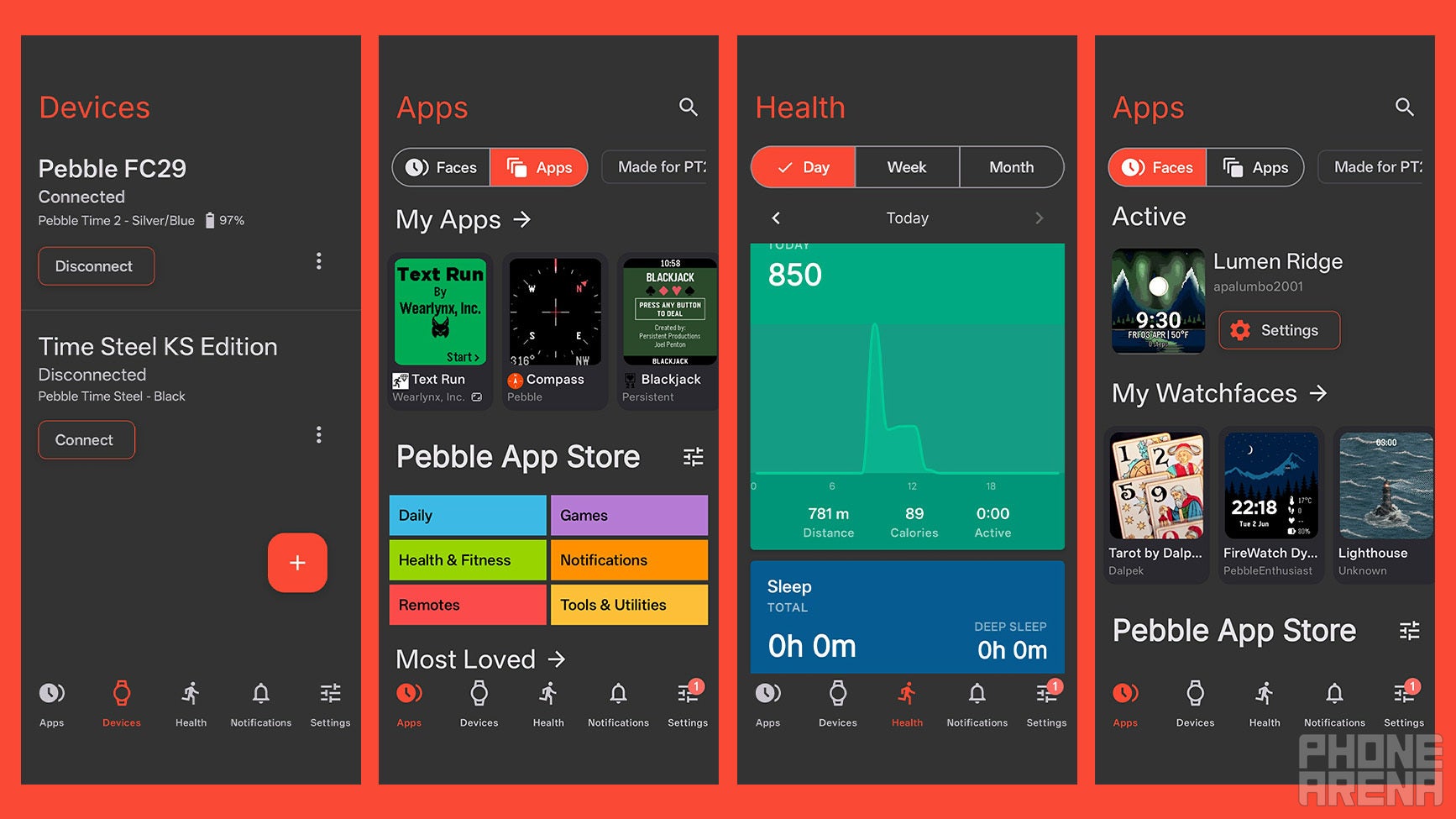
We finally have a new Pebble app! | Image by PhoneArena
The Pebble companion app is available for both iOS and Android, and I’ve been using it with my OnePlus 13. This may be key, since Core has been pretty transparent about struggling to get everything working properly on Apple’s side, so you’ve been warned.
As previously stated: downloading and setting up watchfaces and apps is a breeze. The only issue is that I honestly think it used to be even better in the old app, because it was easier to distinguish between what you have, what you don’t have and where you want to go.
Core has attempted to combine everything in a way that is just incompatible with modern UX logic, and I hope that the company’s design team improves things. For example, both your Apps and Watchfaces are contained within the Apps section, which is just odd.
At the same time, core user needs are yet to be addressed. It is still difficult to distinguish between what watchfaces and apps are on the watch’s onboard storage and those that you just have available to transfer quickly. The Pebble Time 2 is also lacking a feature to set a default watchface that replaces the staple one, which seems like a no-brainer.
The Notifications sections feature Apps and Contacts, but there’s a weird inconsistency there. You can select and disable all notifications for every app with a button, but that is missing for your contacts. To me, they seem equally essential, because I don’t care to be notified on my wrist for every single person’s phone number I own, and I think most of you would agree.
Beyond that, the app does provide neat overviews of your metrics, and the ability to specify extra details about yourself, such as age, weight, height, etc. The rest of it all is about what you expect, and it works well.
The only real issue I had with the app, beyond design gripes, was that it sometimes wanted me to specifically press the Disconnect button after I had used a specific device. If I didn’t do that, the app would try to reconnect to it time and again, even if it was turned off.
This, of course, led to battery drain and annoying notifications on my phone, and it took me quite a bit to figure out, since the error only showed the Bluetooth address and not the device’s name.
Overall, the Pebble app feels like a work in progress. But I am happy to have an official app again on Google Play and the Apple App Store. I truly appreciate Rebble’s work throughout the years, and none of this would have been possible without their efforts, but it just feels good to be official again.
Battery & Charging
Simply incredible
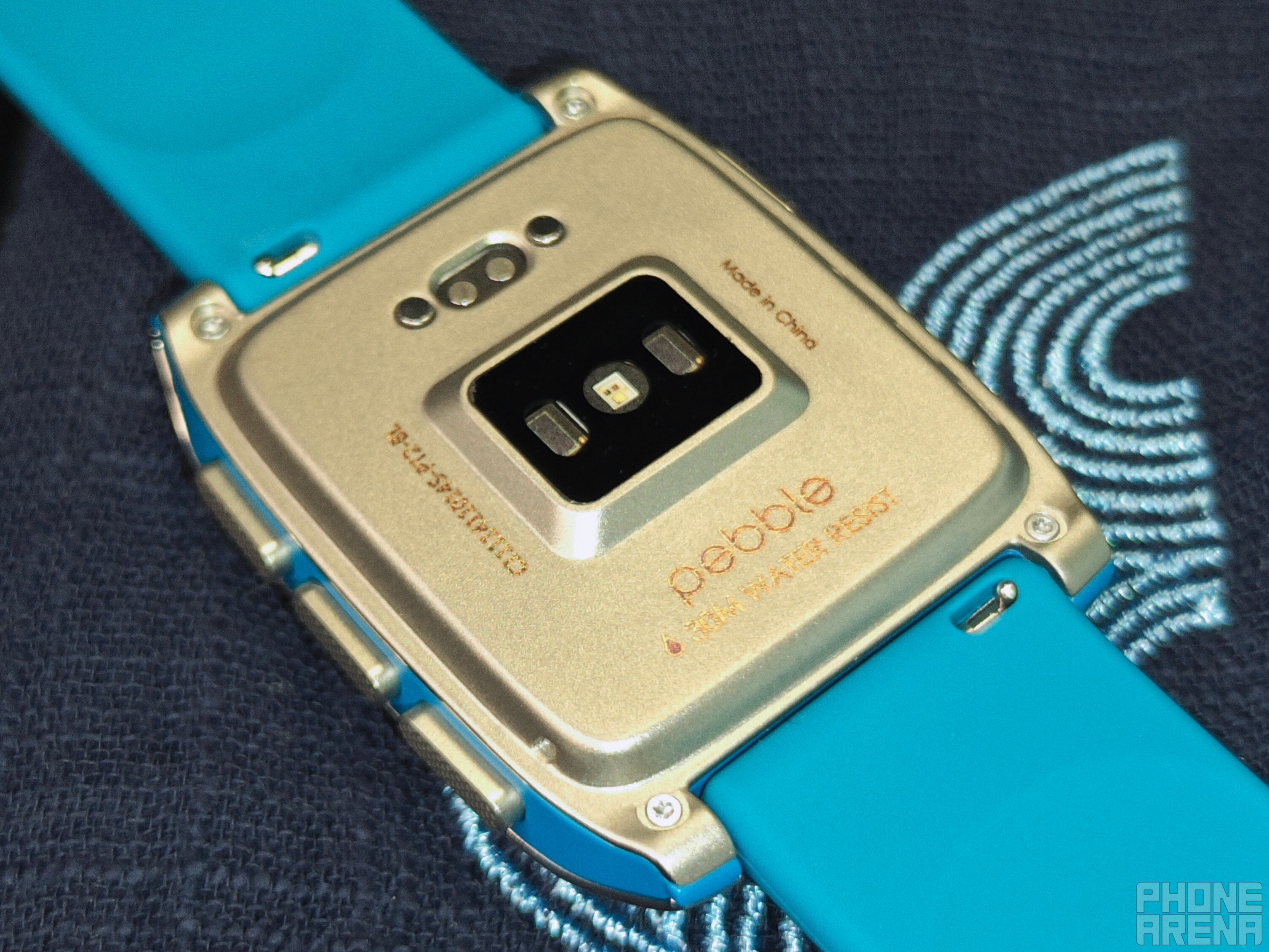
Not my favorite part of the package. | Images by PhoneArena
Keyword: exceptional. In a world where we celebrate when a new smartwatch can get more than two days of battery life, the Pebble Time 2 feels impossible to take down within a single week.
Of course, it’s not perfect: standby time eats up more than I expected. I was hoping the watch could learn my usage habits and maybe turn off the screen completely to conserve passive drain when it was convinced I was asleep, for example.
I did my best to drain the Time 2 so I could test how fast it charges, but despite my best efforts — it kept going. In most days, it would lose less than 5% of battery even when actively used. It took me leaving a game with active animations overnight to get it into Battery Saver mode, which is honestly impressive.
The only thing that brings this achievement down a notch is the charging dongle. It’s just too light and unstable to connect reliably, and if you aren’t watching it, you might as well end up waiting for a full charge without it even being connected.
I honestly hoped that we were far past issues like this, as some brands have found ways to incorporate weightier designs and magnets to alleviate this issue. Despite that, the battery life itself on the Pebble Time 2 is truly impressive.
I think Core overestimated a bit when they proudly displayed “30 days” on the product page, though. I don’t doubt that’s achievable if you really want to do it, but it would take disabling almost every feature, utilizing the most boring watchface ever, and barely using it. At that point, why bother?
About two weeks seems absolutely doable, though. And that’s especially important considering that charging isn’t as straightforward as I’d hoped. Endurance is definitely the bigger win here, but if Core ever decides to sell me an improved dongle or puck, I’ll probably buy it.
Pebble Time 2 summary & Final Verdict
It doesn’t need to be perfect to be perfect for you
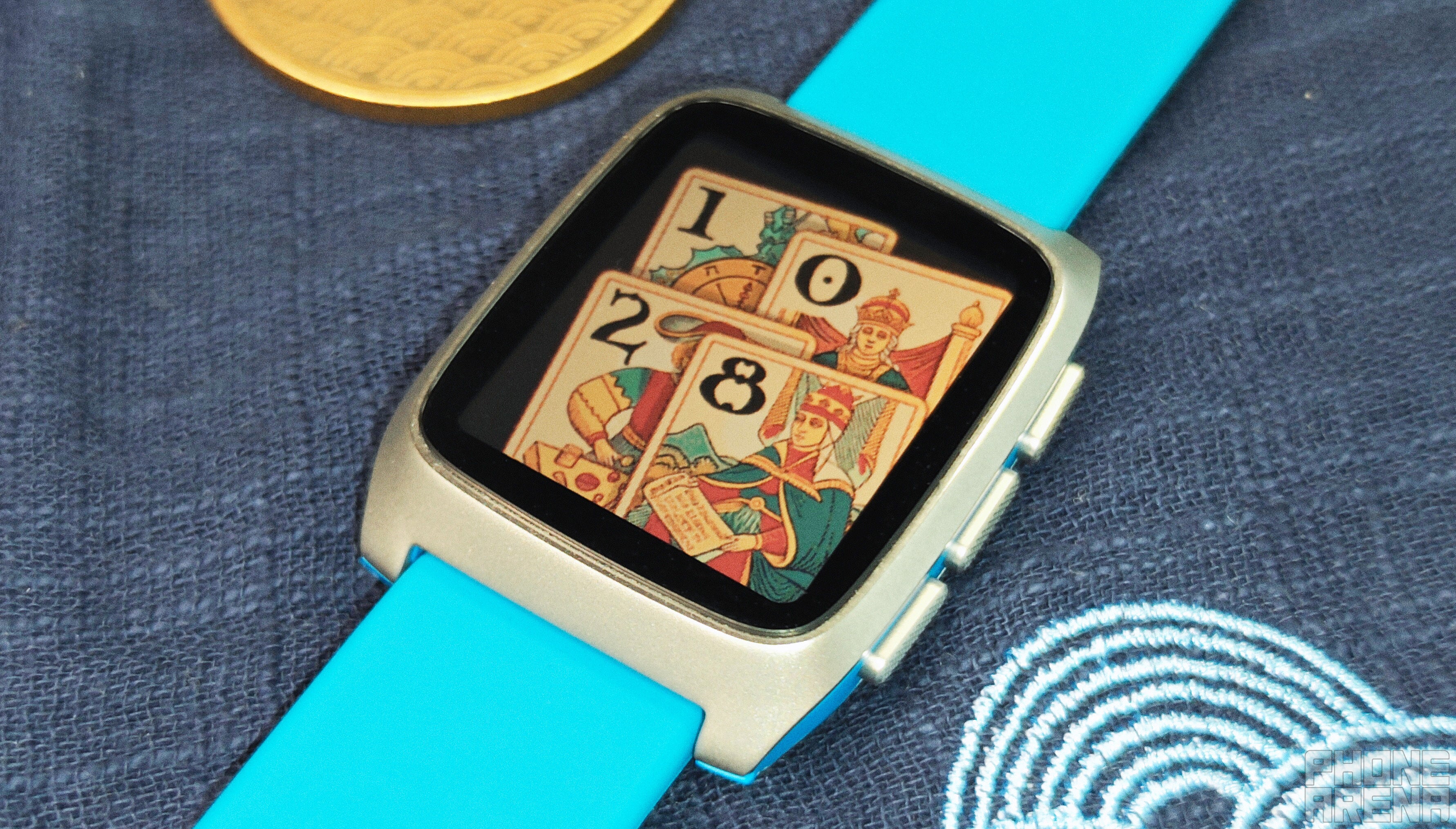
One of the new watchfaces that instantly became a fav of mine. | Image by PhoneArena
The Pebble Time 2 is a conscious product: it knows exactly who it's built for, and caters to that audience to an admirable extent. At the same time, that results in sacrifices: modern smartwatch users will find staple features like NFC or GPS, better health and fitness tracking lacking or outright missing.
That doesn't change the fact that this is a smartwatch that allows you to keep it evergreen with thousands of apps and faces to choose from, some outright being minigames of their own. New ones get developed almost weekly, and it is honestly exciting to sit down and browse an app store again, for fun.
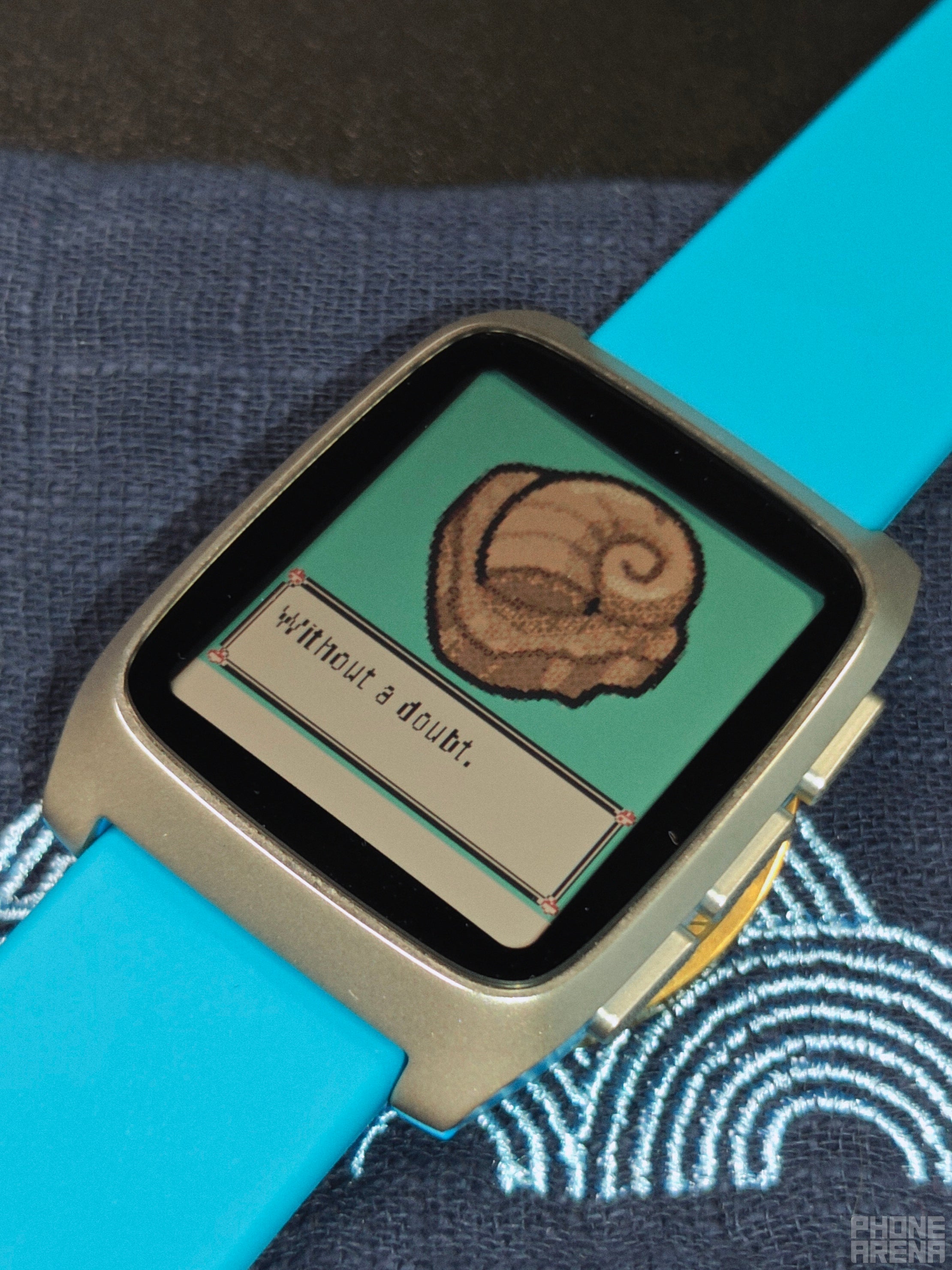
What other smartwatch will let you ask the Helix fossil for advice? | Image by PhoneArena
There is no denying that the Pebble Time 2 has notable, objective flaws, but its subjective appeal to software tinkerers and techies who love to have fun vastly outweighs them. In fact, in numerous instances, the creativity behind developer efforts often stemmed precisely from to these flaws or limitations.
I haven’t had this much fun with technology in a long time, and it makes me wish that Google, Samsung and Apple would give us more options instead of enforcing the sterile, corporate style we’ve all gotten accustomed to nowadays.
The Pebble Time 2 proves that there is indeed a space and need for fun in our technology.
Should you buy the Pebble Time 2?
You should buy the Pebble Time 2 if you love customization and software tinkering, and agree that not every device should be an everything-device. If the idea of browsing a dedicated app store weekly to get new watchfaces and apps excites you, then this might become one of your favorite watches. If you fancy yourself an optimist, then there’s plenty of evidence to suggest that the best is yet to come: more stability improvements, UX optimizations, and of course: more releases to come to the Pebble platform.
You should NOT buy the Pebble Time 2 if not having state-of-the-art health and fitness tracking is a dealbreaker. Same goes if you can’t live with the idea of your smartwatch being unable to take calls or make payments. If that’s the case, you are much better off with a more established product from Pixel, Galaxy or Apple. This goes double if the idea of software tinkering sounds overwhelming or undesirable for you.
Stan, also known as Stako, is a smartphone enthusiast who loves exploring the limits of Android customization. His journey with mobile tech began with the Nokia 5110 and evolved with devices like the BlackBerry 9350 Curve and Samsung Galaxy A4. Despite his love for Android, he holds equal respect for Apple, considering the iPhone 4s as a significant milestone in mobile tech. Stan started his writing career early, contributing to MetalWorld, and harbors a passion for creative writing. Beyond smartphones, he's interested in photography, design, composition, and gaming, often preferring solo projects to hone his objective thinking. He's also an avid student of open-source technology and consoles, with a special fondness for the Pebble Watch, Arduboy, and Playdate.
A discussion is a place, where people can voice their opinion, no matter if it
is positive, neutral or negative. However, when posting, one must stay true to the topic, and not just share some
random thoughts, which are not directly related to the matter.
Things that are NOT allowed:
Off-topic talk - you must stick to the subject of discussion
Offensive, hate speech - if you want to say something, say it politely
Spam/Advertisements - these posts are deleted
Multiple accounts - one person can have only one account
Impersonations and offensive nicknames - these accounts get banned
To help keep our community safe and free from spam, we apply temporary limits to newly created accounts:
New accounts created within the last 24 hours may experience restrictions on how frequently they can
post or comment.
These limits are in place as a precaution and will automatically lift.
Moderation is done by humans. We try to be as objective as possible and moderate with zero bias. If you think a
post should be moderated - please, report it.
Have a question about the rules or why you have been moderated/limited/banned? Please,
contact us.














Things that are NOT allowed:
To help keep our community safe and free from spam, we apply temporary limits to newly created accounts: