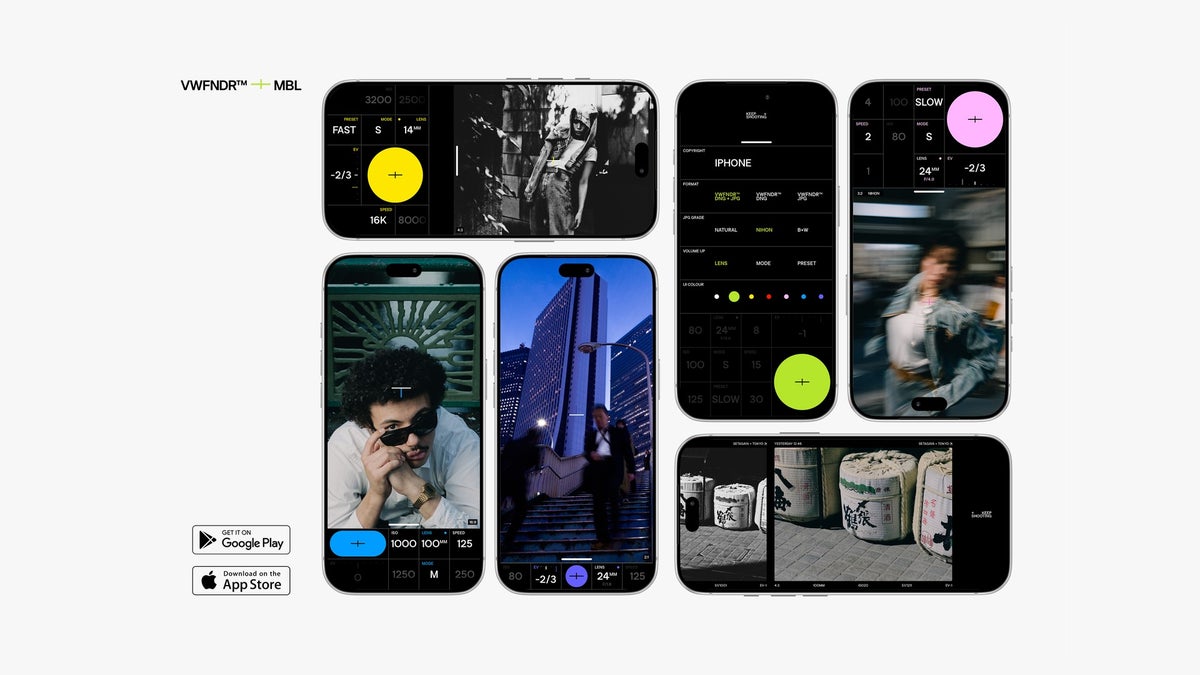
VWFNDR + MBL 2.0, a popular Android camera app, is now on iPhones (iOS 16 or later) and has added 3 new built-in color grades. Having previously been an Android-only app, this app can now be used on devices like the iPhone 18 Pro as well as the Pixel 11 Pro.
VWFNDR + MBL 2.0 adds three color grades and expands to iPhone
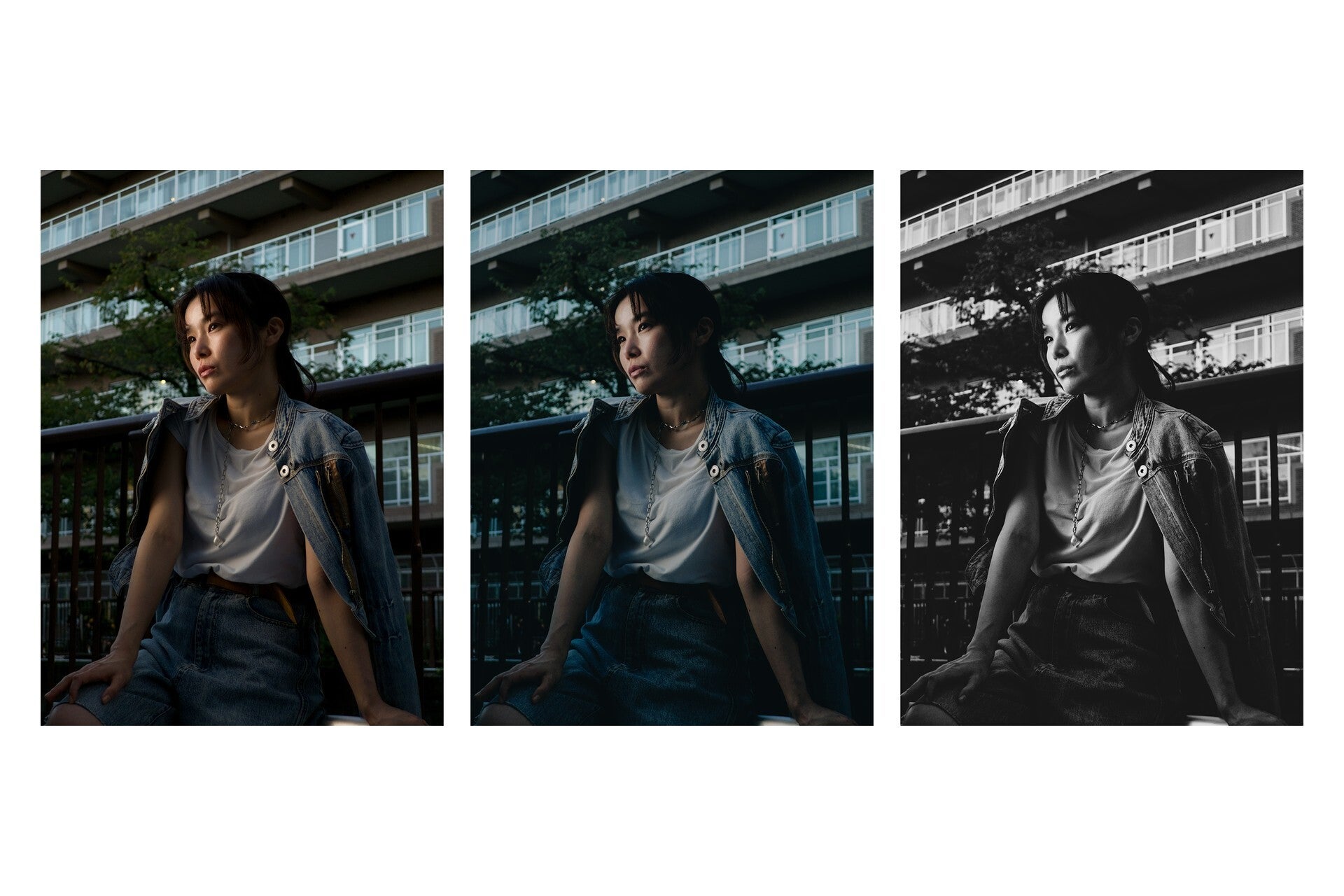
Until now, MBL's JPGs went through each phone's own default engine without a grade of MBL's own, so color and quality looked different from one phone to the next. Now, as VWFNDR announced in a blog post on November 18, the app is adding the below new color grades that should help keep the look consistent between phones:
NATURAL: has a neutral and true-to-the-scene look.
NIHON: has a desaturated look that is blue-leaning and inspired by Japanese film.
B+W: a black-and-white look with deep contrast and stronger grain.
According to VWFNDR's blog post, its approach to color grading differs from the usual application of a LUT. The app uses its own "spatial" engine that adjusts colors to different parts of the frame.
A LUT will make changes to the entire photo, sometimes losing detail in the highlights and shadows. Of course, with VWFNDR, the raw DNG file is still saved untouched next to the graded JPG, and you can switch grades in settings or by swiping on the viewfinder.
Recommended For You
The same portrait in MBL's new NATURAL, NIHON and B+W grades. | Image by VWFNDR
With the launch of MBL 2.0 on the Apple App Store, iPhones running iOS 16 or later will now get equal treatment to Android. However, it should be noted that although the app is free to download, a one-time $4.99 purchase unlocks the capture feature "for life." Existing Android users get 2.0 and all future updates free, as a thank-you.
Poll
0 Votes
How do you want your phone photos to look?
Nothing fans on Reddit want this no-processing approach built in
For context, MBL was launched back in May for Android only. During that time the app has seen over 300,000 downloads and more than 3 million photos, beating the company's original goal of 40,000 by year-end. The reason it stands out from other camera apps is that it takes one capture per photo, it doesn't do any frame stacking and has no baked-in look, so what you get is what the sensor actually captured.
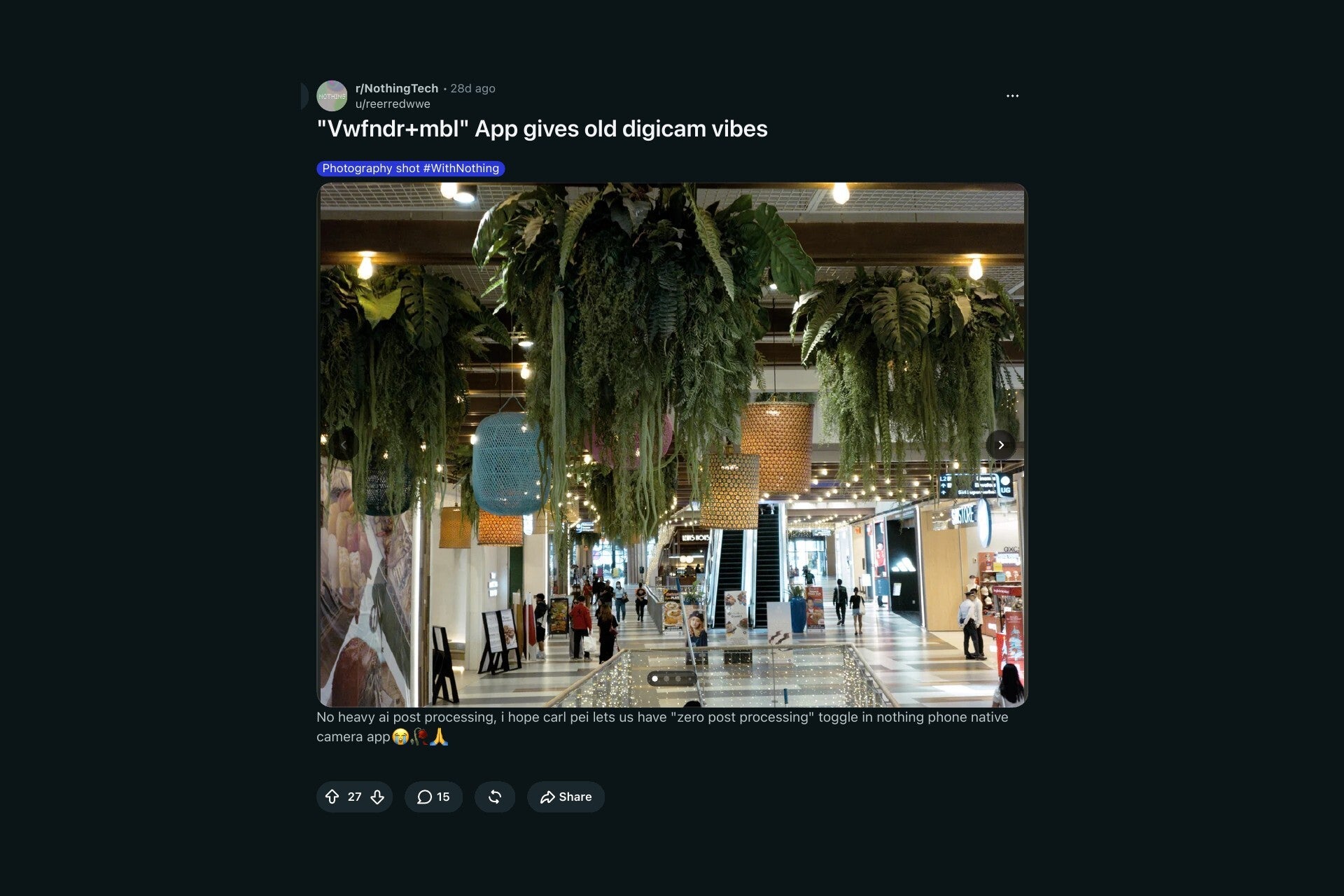
I came across an r/NothingTech post categorizing MBL photos as having "old digicam vibes." The original poster also noted that they hope Carl Pei (Nothing's CEO) adds a "zero post processing" option to the Nothing camera app. The top-voted reply also called it the best photography camera app.
A Nothing fan's wish for a 'zero post processing' toggle. | Image by reerredwwe via Reddit
Still, not everyone who has used the app is happy, as it appears that for a few Nothing Phone (4a) owners the app didn't work well or added a pink tint to photos. This was prior to the 2.0 version, though, so it may already be fixed.
The app's price was also mentioned, as one commenter said that they can't use v2 now that it's become a paid app, while another mentioned that they had the app for free as a result of being an early adopter.
If your iPhone or Pixel photos look overprocessed, MBL 2.0 is worth a try
If I had an issue with the way my phone over-sharpens or over-processes my photos with AI, I'd be taking a look at this app. Sure, some users have an issue with the fact that the app is now paid, but I don't think a one-time $4.99 fee is too steep a price if the app delivers the look you want for your photos. Let's also remember that for Android users who installed the app before, it remains free.
All that said, I would still love to see more phone makers treat processing as an optional step in the pipeline. It would be a nice little treat that only requires a software tweak.
Johanna Romero is a Senior News Writer at PhoneArena, covering mobile technology news across Android, iOS, wearables, and the Google ecosystem she knows best. Drawing on 15 years in IT and tech support from 2007 to 2022, she brings a user-friendly eye for the practical features and lesser-known tricks readers care about. Google named her an official #TeamPixel member in 2022, and she also reviews the latest devices on her YouTube channel, JoJo the Techie.
A discussion is a place, where people can voice their opinion, no matter if it
is positive, neutral or negative. However, when posting, one must stay true to the topic, and not just share some
random thoughts, which are not directly related to the matter.
Things that are NOT allowed:
Off-topic talk - you must stick to the subject of discussion
Offensive, hate speech - if you want to say something, say it politely
Spam/Advertisements - these posts are deleted
Multiple accounts - one person can have only one account
Impersonations and offensive nicknames - these accounts get banned
To help keep our community safe and free from spam, we apply temporary limits to newly created accounts:
New accounts created within the last 24 hours may experience restrictions on how frequently they can
post or comment.
These limits are in place as a precaution and will automatically lift.
Moderation is done by humans. We try to be as objective as possible and moderate with zero bias. If you think a
post should be moderated - please, report it.
Have a question about the rules or why you have been moderated/limited/banned? Please,
contact us.





Things that are NOT allowed:
To help keep our community safe and free from spam, we apply temporary limits to newly created accounts: